public

Rpg Maker Developers Group

Simple enough for a child, powerful enough for a developer

2 Followers

MZ Help with Message formatting (VisuStella)

BMM Archive · July 15, 2026

Preserved forum archive. This topic stores the original first post and locally mirrored RPG Maker Web attachments when available. It is posted by the BMMPlay archive account, not by the original creator.

Original Source

  • Original title: MZ Help with Message formatting (VisuStella)
  • Original author: Lilkxdude4101
  • Original date: September 5, 2023
  • Source thread: https://forums.rpgmakerweb.com/threads/help-with-message-formatting-visustella.160926/
  • Source forum path: Game Development Engines > RPG Maker Javascript Plugins > Javascript/Plugin Support

Summary

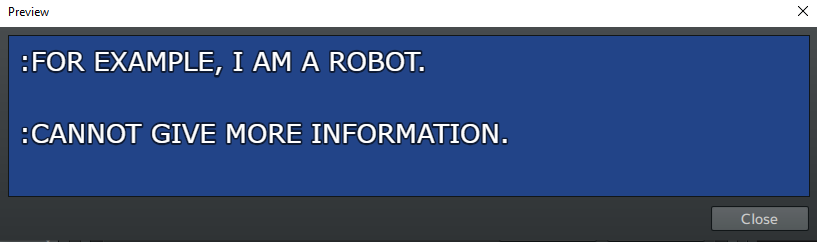
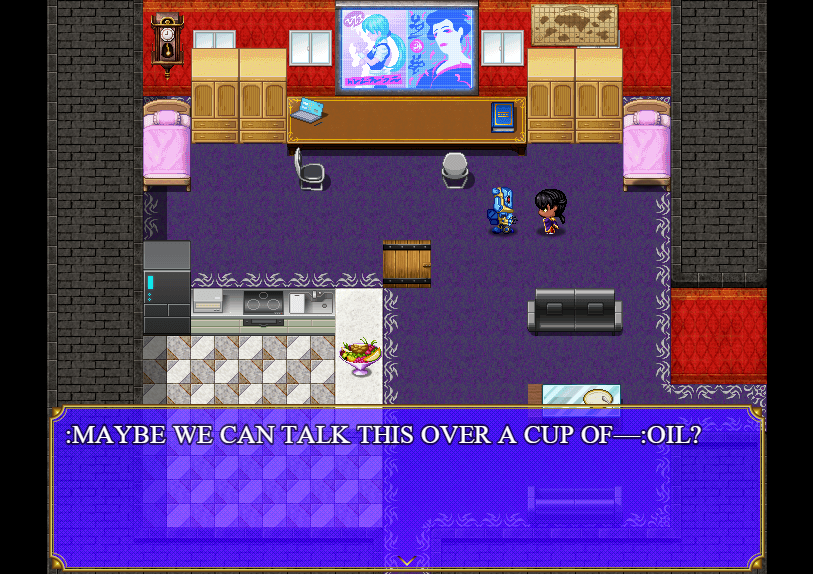
I'm currently using VisuStella's Message Core plugin and while it helps out a lot there's one problem I can't seem to fix. In my project I'll have the characters chat with a computer every once and a while. For the most part, the schtick is that they talk in brief sentences, and every one is on a different line in the text box. For example: Spoiler: Preview Example {

Archived First Post

I'm currently using VisuStella's Message Core plugin and while it helps out a lot there's one problem I can't seem to fix.

In my project I'll have the characters chat with a computer every once and a while. For the most part, the schtick is that they talk in brief sentences, and every one is on a different line in the text box. For example:
Protected download


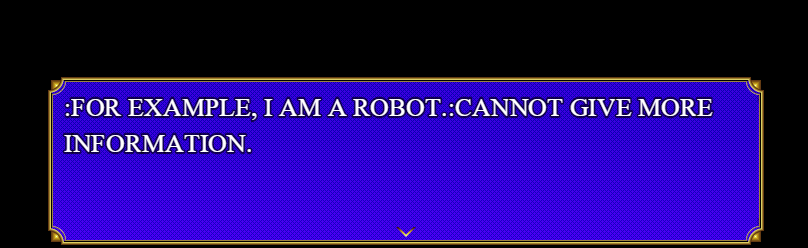
However when in the actual game the text is always pushed together:
Protected download


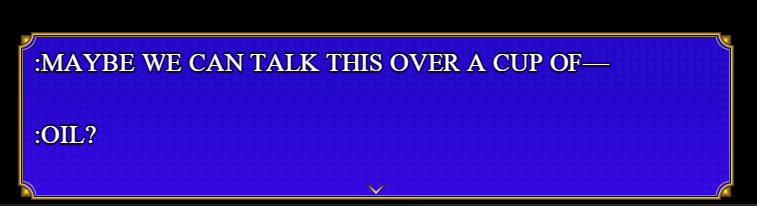
Now, I did originally think that it was simply the "word wrap" setting in effect, and after turning it off it DID seem to work......only during the "Test" option when configuring events.
Protected download
Protected download

As far as I know I've tried nearly everything. Is there a way I can disable this? It not only affects the computers but just how I generally formatted dialogue. I only realized how bad it was since I used it long after I made the project.[ISPOILER][ISPOILER][/ISPOILER][/ISPOILER]


Downloads / Referenced Files

Log in to download

Log in, then follow the RPG Maker Developers Group to see these download links.

Log in to download

Referenced Images / Attachments

Image1.PNG
Image1.PNG
image_2023-09-05_041224028.png
Image3.PNG
Image3.PNG
Image4.PNG
Image4.PNG
Creator Claims / Removal

If you are the original creator and want this listing reassigned, edited, or removed, join BMMPlay and contact the moderators with proof that matches the original RPG Maker Web profile, linked GitHub, itch.io page, or another public creator identity.

#039#rpg-maker-archive#js-support

Replies (0)

No replies yet.

0 replies 1 view

Log in to reply.

User Avatar