


MZ VisuStella Message Log is not ignoring Message Core text macros
BMM_Archive · July 15, 2026

Original Source
- Original title: MZ VisuStella Message Log is not ignoring Message Core text macros
- Original author: PhantomPixel
- Original date: August 30, 2023
- Source thread: https://forums.rpgmakerweb.com/threads/visustella-message-log-is-not-ignoring-message-core-text-macros.160749/
- Source forum path: Game Development Engines > RPG Maker Javascript Plugins > Javascript/Plugin Support
Summary
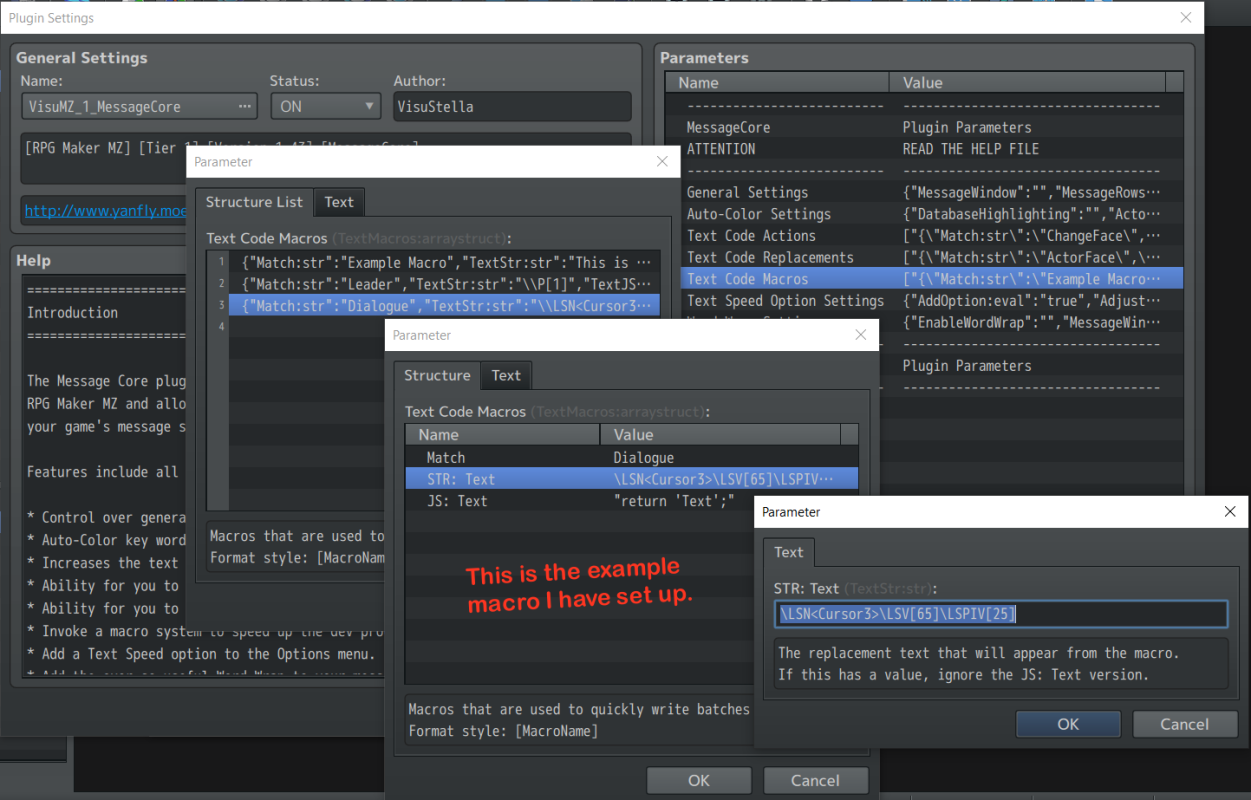
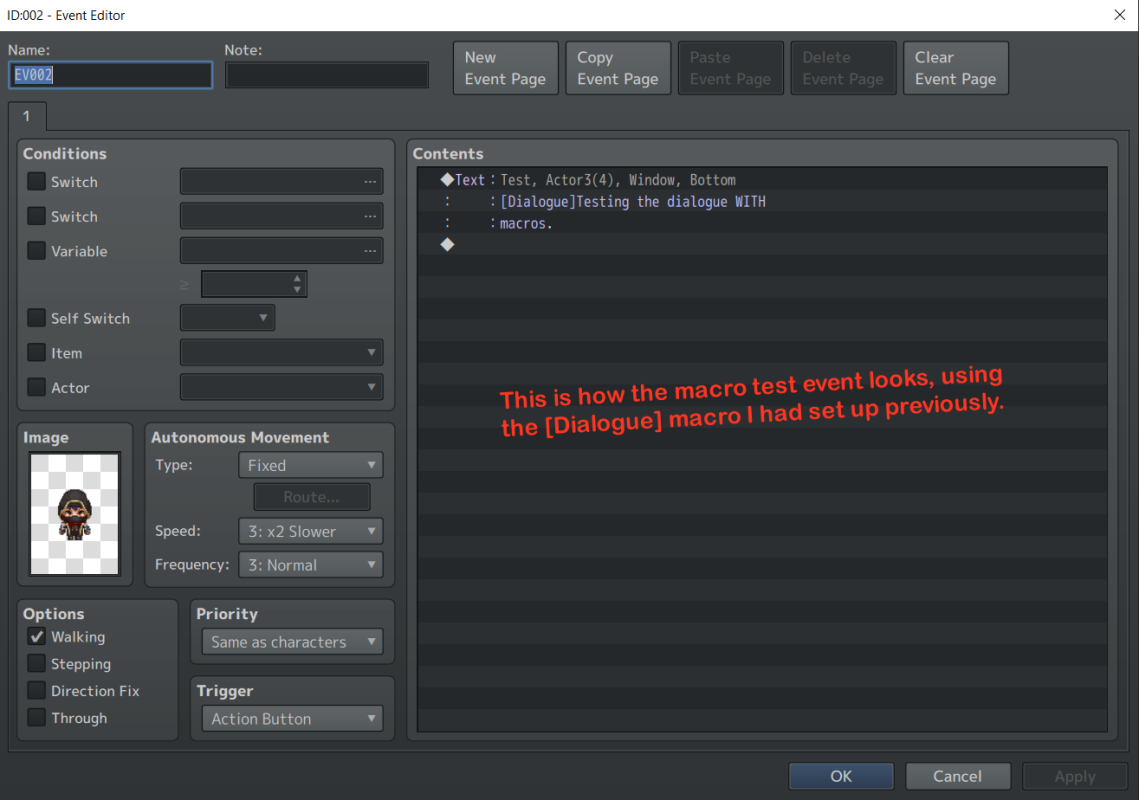
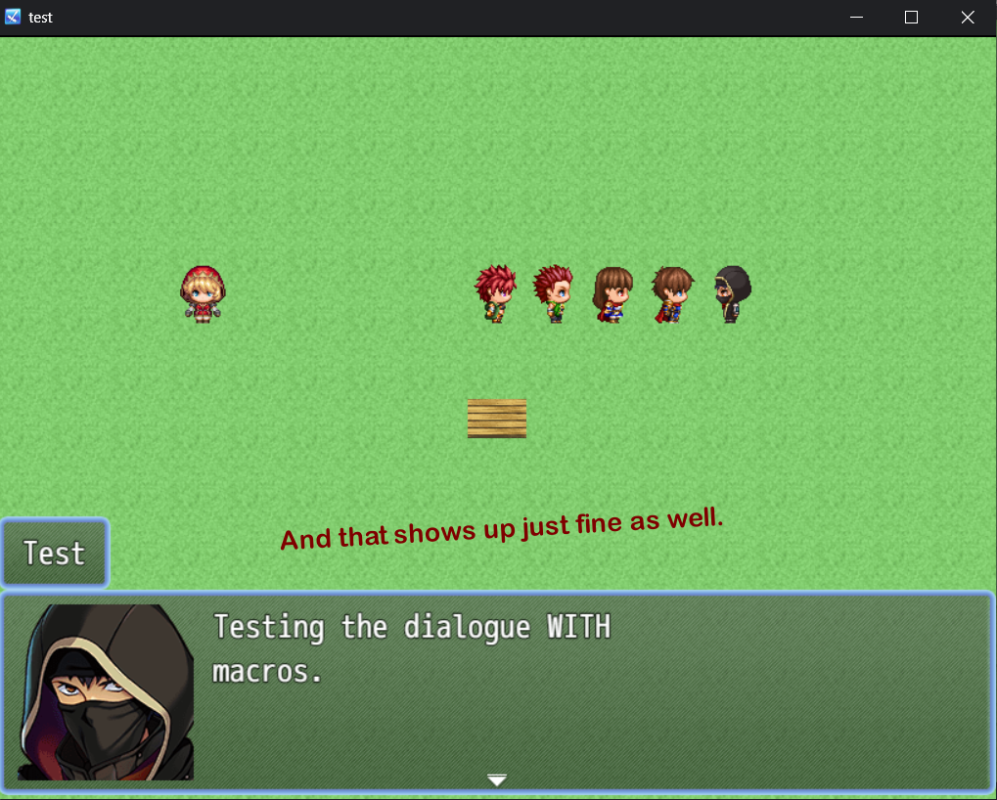
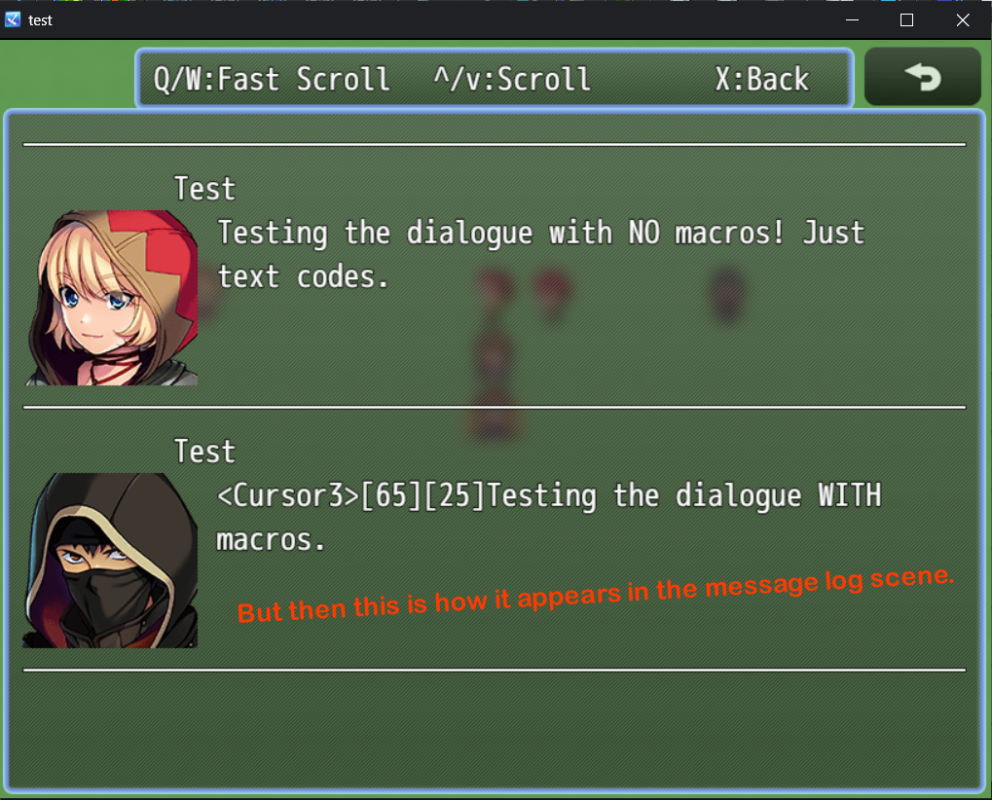
So I have been using VisuStella's Message Log plugin to show past dialogues in my game, and for the most part, it works just fine for my purposes. However, while it does successfully ignore Message Core and Message Letter Sounds text codes (e.g. \LSN and \LSV[x] ), whenever I put these values into a Message Core macro, and then use that macro instead, then the message log does not properly ignore them. I know that I could go through and simply avoid using macros altogether and just put each text...
Archived First Post
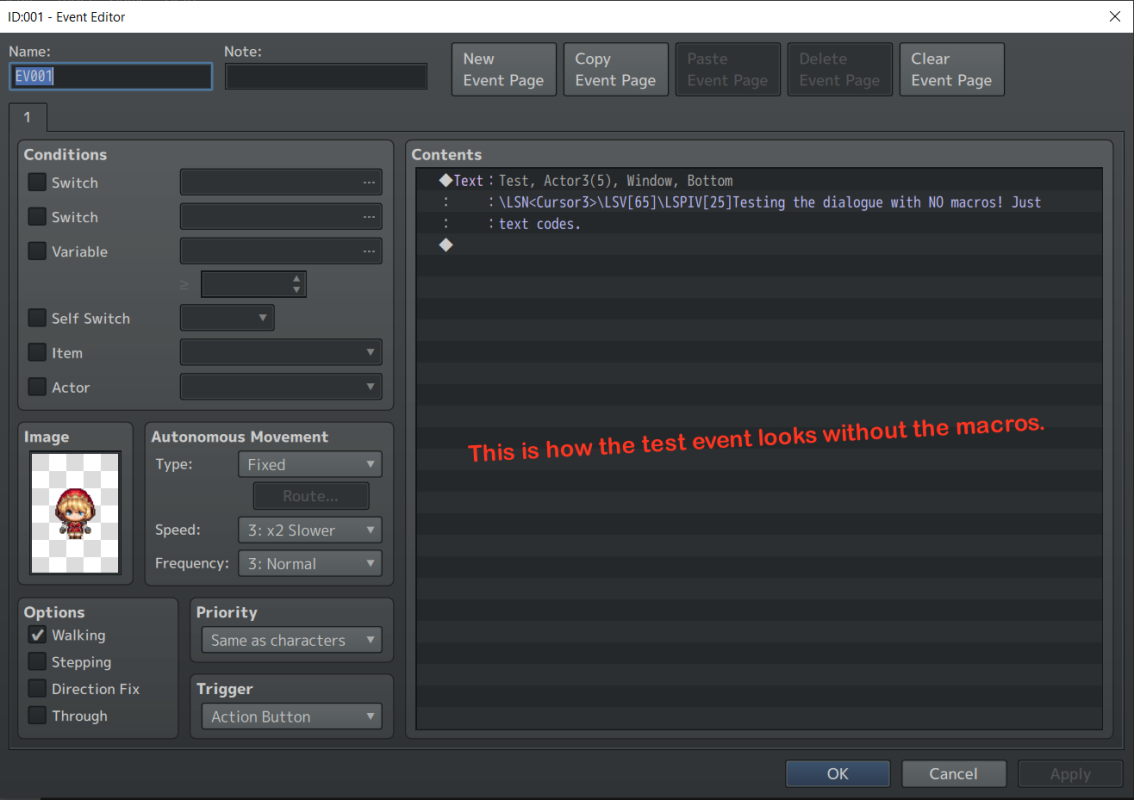
However, while it does successfully ignore Message Core and Message Letter Sounds text codes (e.g. \LSN<filename> and \LSV[x] ), whenever I put these values into a Message Core macro, and then use that macro instead, then the message log does not properly ignore them.
I know that I could go through and simply avoid using macros altogether and just put each text code into each dialogue box as I go along, but my game is pretty text-heavy. ^^; So I would like to be able to use the Message Core macros if possible.
Would anybody happen to know why it does not display properly in the message log? Is there something I am overlooking?
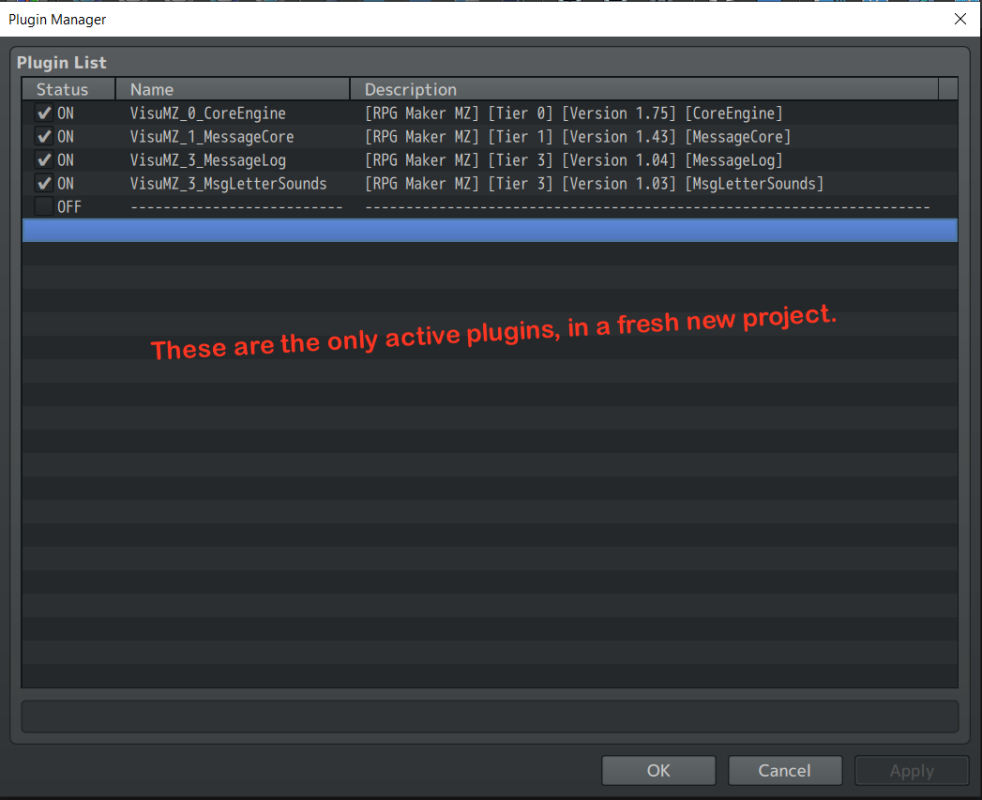
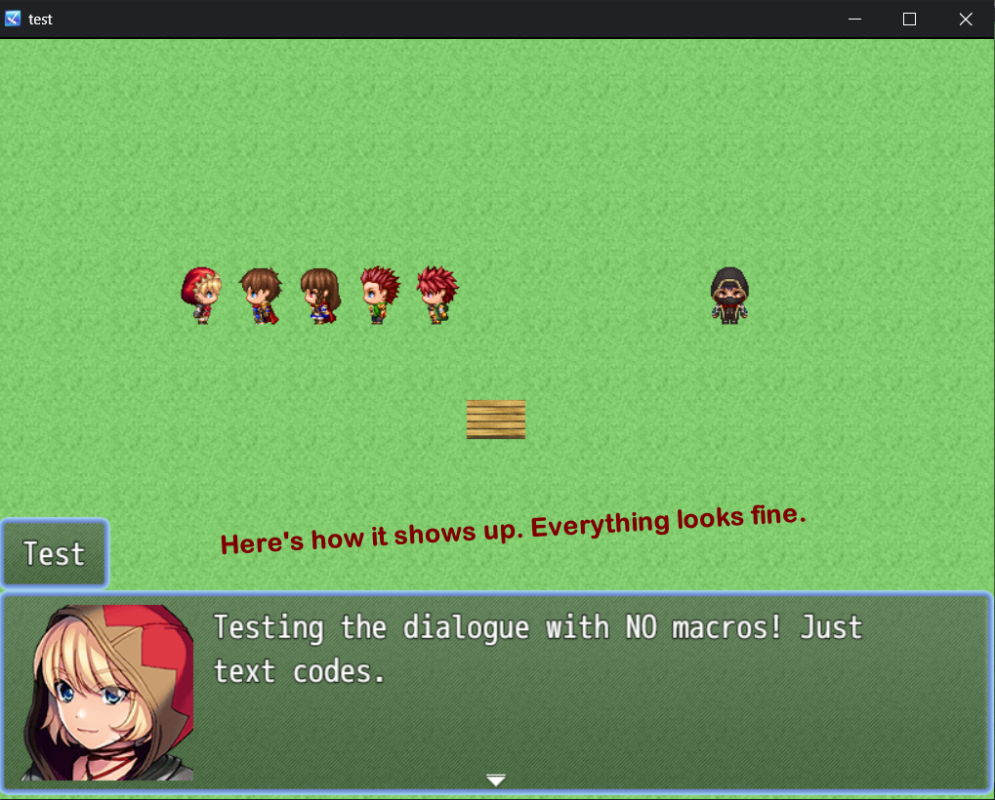
I have tried to demonstrate my problem in the attached pictures, all within a new RMMZ project.
Thanks so much. ^^
Protected download Protected download Protected download Protected download Protected download Protected download Protected download
Downloads / Referenced Files
Log in, then follow the RPG Maker Developers Group to see these download links.
Log in to downloadReferenced Images / Attachments
Creator Claims / Removal
If you are the original creator and want this listing reassigned, edited, or removed, join BMMPlay and contact the moderators with proof that matches the original RPG Maker Web profile, linked GitHub, itch.io page, or another public creator identity.
Replies (0)
No replies yet.
Topic Summary
Loading summary...

