i am using terrax lighting plugin and i love it, but i cannot figure out how not to have tint from one map stay on another map when a character moves from one map to another basically, in terrax lighting, you have a plugin command that adds tint to a certain map, which is useful, because, without that, if you just add a light event to your map, the rest of the map will be pitch black. with tint, it is the colour you pick for different maps, though, i...
i am using terrax lighting plugin and i love it, but i cannot figure out how
not to have tint from one map stay on another map when a character moves from one map to another
basically, in terrax lighting, you have a plugin command that adds tint to a certain map, which is useful, because, without that, if you just add a light event to your map, the rest of the map will be pitch black. with tint, it is the colour you pick
for different maps, though, i would like to set different tints, however, if i set tint colour 1 on a map A, and then move to map B, the tint color 1 will appear on the map B too. if i add a separate tint colour to the map B, well, that is when it gets fun, as if i move from A to B several times, one of the maps will start having the tint colour of the other map, and then it won't change no matter what i do
i hope i am explaining this well... i tried erase event thingy, but it did nothing, and i have to admit i am quite a noob regarding switches, plugins, all the "technical" stuff, so even though i tried some things, nothing really worked
i found this thread on erasing events, but honestly i did not really understand it, especially the part referring to playtesting and players seeing different things, so i don't even have idea if that could help me at all?
Does Erase Event Literally Remove the Event From the Map? If I were to use the command "event erase" would it stop the game from processing that event until I left the map and returned? Thanks for your help!

forums.rpgmakerweb.com
i also read this post
and tried the self-switch with the empty second page thingy, but it did also not work
i also tried adding a plugin command with the right tint for the target map to every transfer event, but that did not work either
the plugin info file says this regarding the tint:
"
As an alternative to the daynight cycle you can use the tint system. If you want to use another plugin for the day/night cycle, the tint option is probably best to use.
The plugin command 'Tint set #333333' will make the room less dark.
The plugin command 'Tint fade #777777 5' will fade the color from the current color to the new, the last number (5) is the speed of the fade, were 1 is a fast fade and 20 is a very slow one.
If an area has a daynight cycle system, the tint system is disabled."
however, as i am using neither daynight system nor the fade thing, the bolded sentence is the only useful one, i think. and that is how i have been doing it, i just add that command in a new event that is in some random untouchable place on the map (except i have been using different hexcodes, not just
#333333). i do options default, aka "walking", priority i also leave default, aka "below characters" and trigger i tried both "autorun" and "parallel", if that helps
i guess my question is how to remove that plugin command when moving from one map to another? not sure what the other solution would be, but i am very very open to suggestions, i will try anything
thanks in advance!!
edit: i made a small game several years ago while learning to use rpg maker for the first time and i apparently had this same issue, and i just found out (i went to check my profile randomly to see if i ever posted anything because my memory is... xD) that i already asked this back then, and got a reply which explained to me the tints were transferring from one map to another (i did not realise that was happening) and i was suggested to add a tint event to each map. however, as we can see, that is not working for some reason
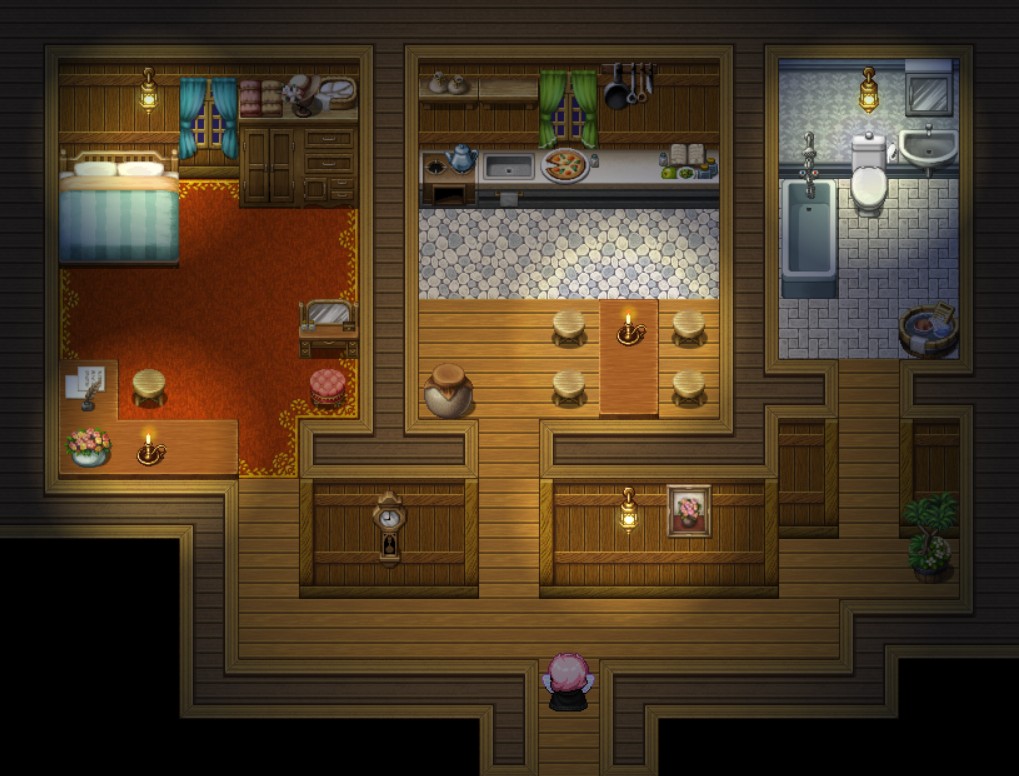
new edit: i will add some pics to try to illustrate my point better
for the town map, i used tint
#354065 and for the inside map, i used
#45321c. the first one is blue, for the wintery night, and the second one is brown-ish, for the warm and cozy feeling inside (not fully satisfied with it, but i will find a better shade haha)
however, no matter on which map i start, if i go from the outside map to the inside map, the inside map tint changes to the outside map one, giving it a more cold-ish feeling (not that that really even matters, it still looks nice, but it could prove a problem for other maps where the tint of the screen might play a bigger role, or, if reverse happens, which did happen several times when i was testing stuff, the night town would end up brown)
Protected download
hope this explains it a little bit better!!






 FIFINE Gaming USB Microphone Kit with Boom Arm
USB microphone setup for streams, party chat, podcasts, and creator clips.
View on Amazon
FIFINE Gaming USB Microphone Kit with Boom Arm
USB microphone setup for streams, party chat, podcasts, and creator clips.
View on Amazon