




MV Issue with duration tinting pictures and BindPicturesToMap plugin.
BMM_Archive · July 15, 2026
Preserved forum archive. This topic stores the original first post and locally mirrored RPG Maker Web attachments when available. It is posted by the BMMPlay archive account, not by the original creator.
Original Source
- Original title: MV Issue with duration tinting pictures and BindPicturesToMap plugin.
- Original author: FrozenFacade
- Original date: June 30, 2021
- Source thread: https://forums.rpgmakerweb.com/threads/issue-with-duration-tinting-pictures-and-bindpicturestomap-plugin.137957/
- Source forum path: Game Development Engines > RPG Maker Javascript Plugins > Javascript/Plugin Support
Summary
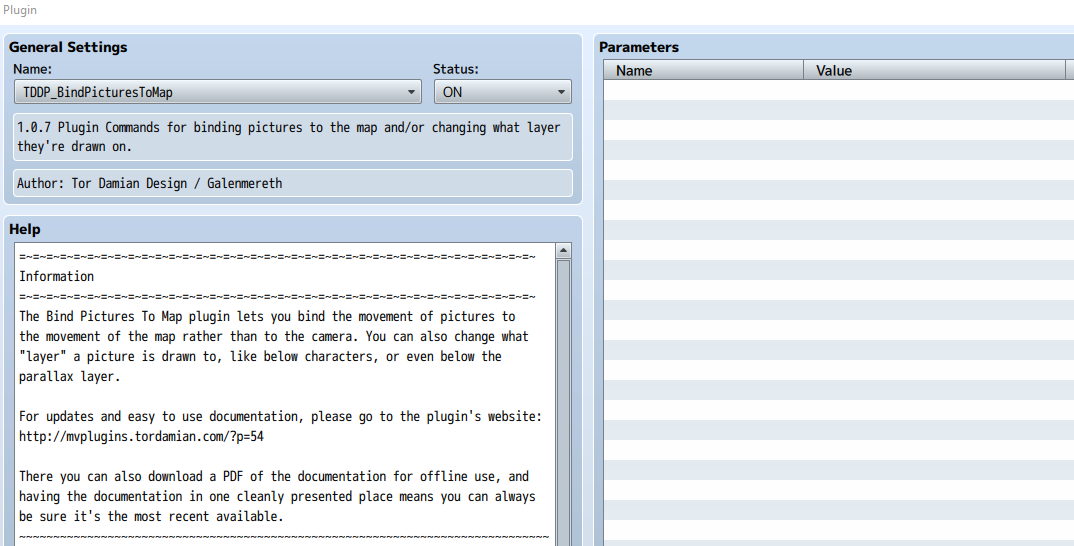
I'm currently having an issue with pictures disappearing when I try to apply a tint. I am using the BindPicturesToMap plugin which allows you to have pictures below the player. { "lightbox_close": "Close", "lightbox_next": "Next",
Archived First Post
I'm currently having an issue with pictures disappearing when I try to apply a tint. I am using the BindPicturesToMap plugin which allows you to have pictures below the player.
Protected download
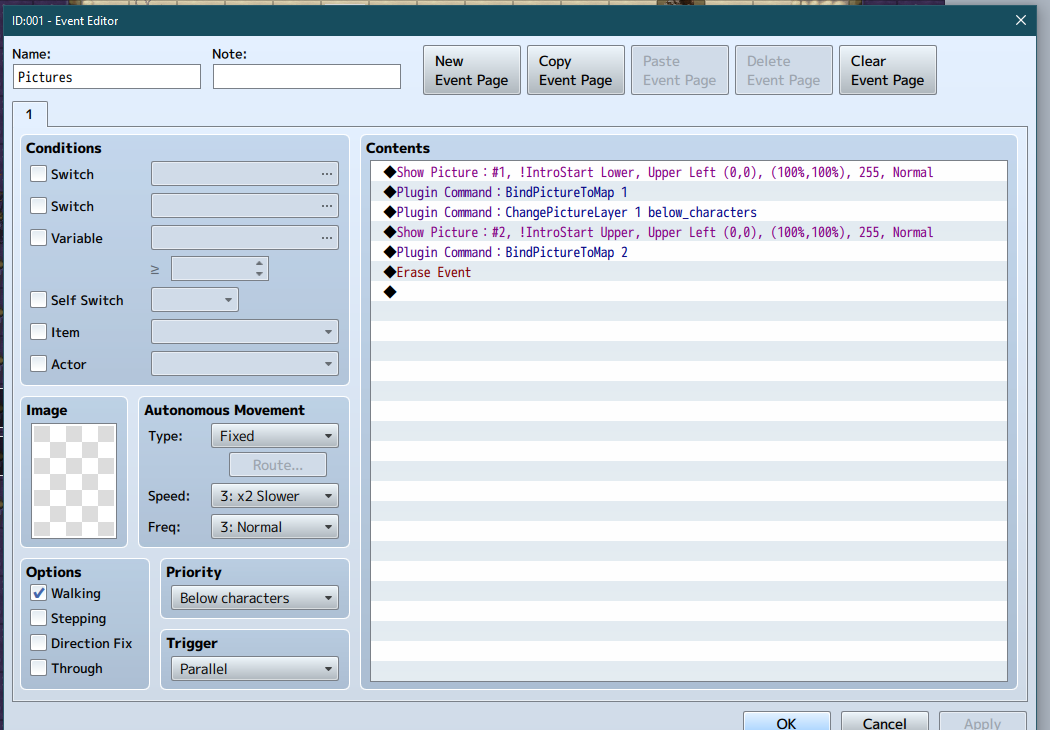
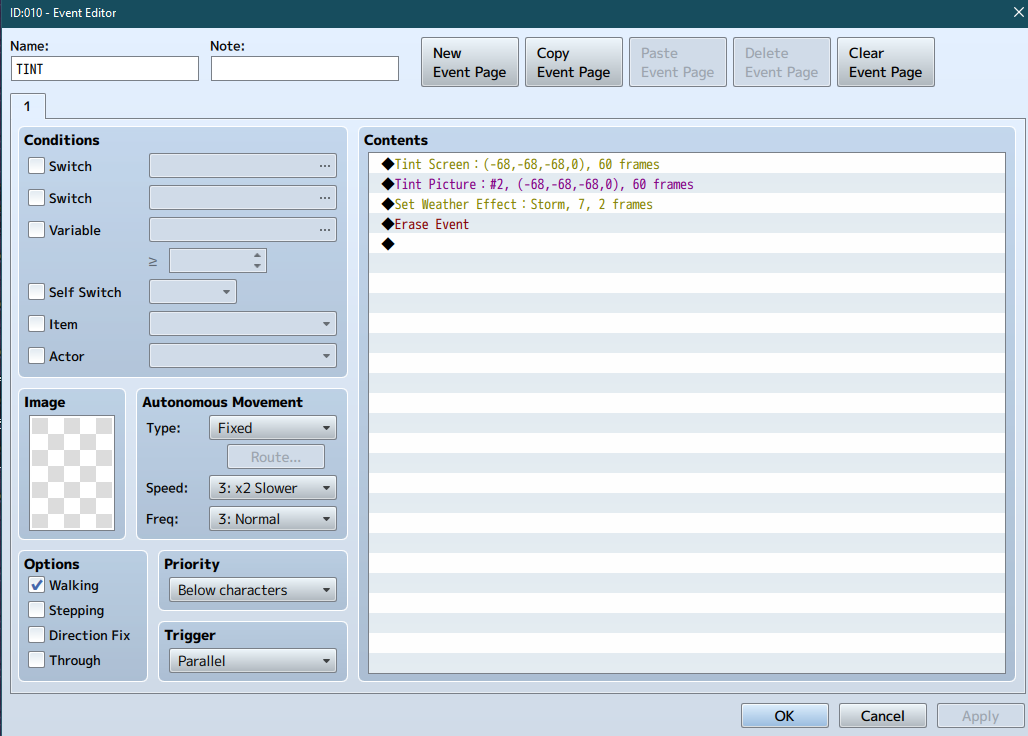
This is what my events look like atm
--Event to Display Pictures--
Protected download
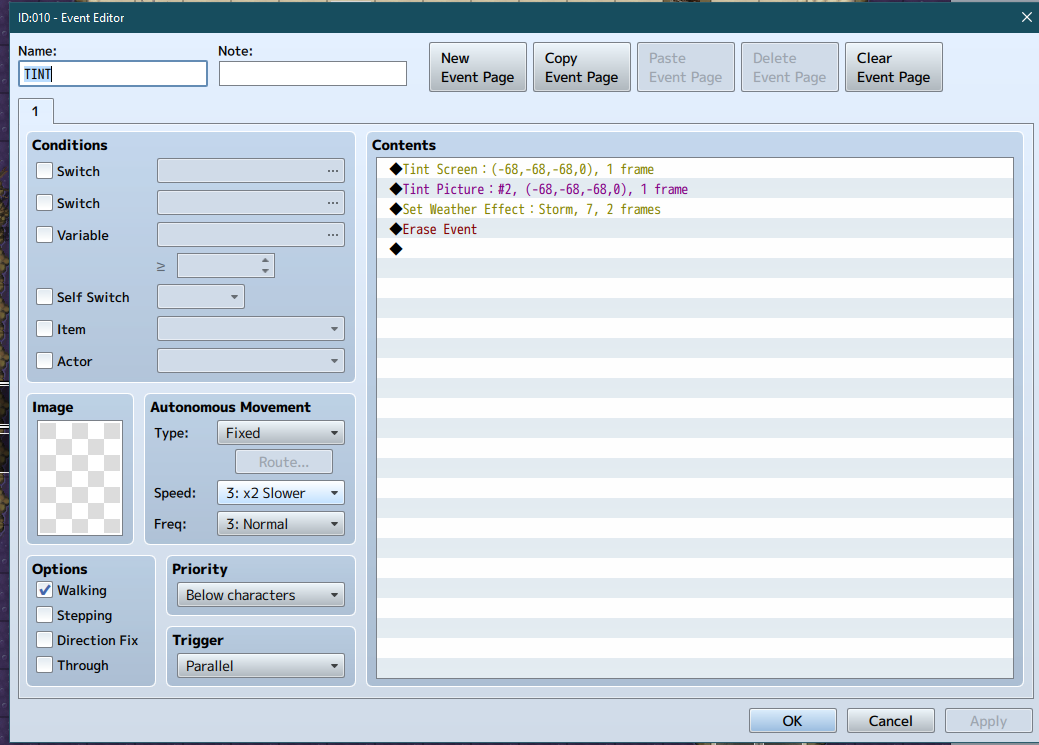
--Event to Tint Pictures--
Protected download
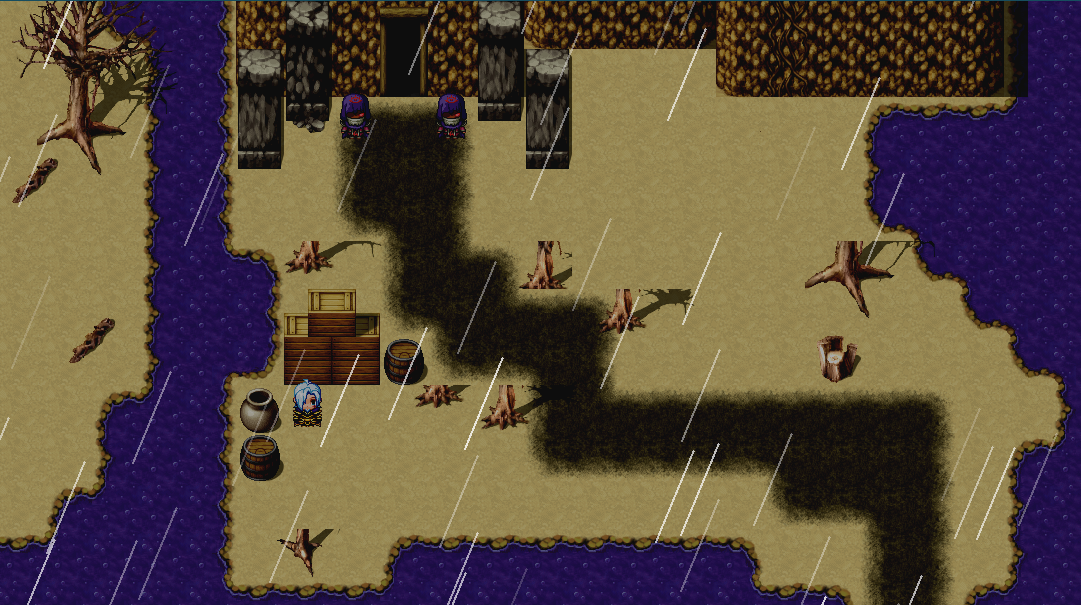
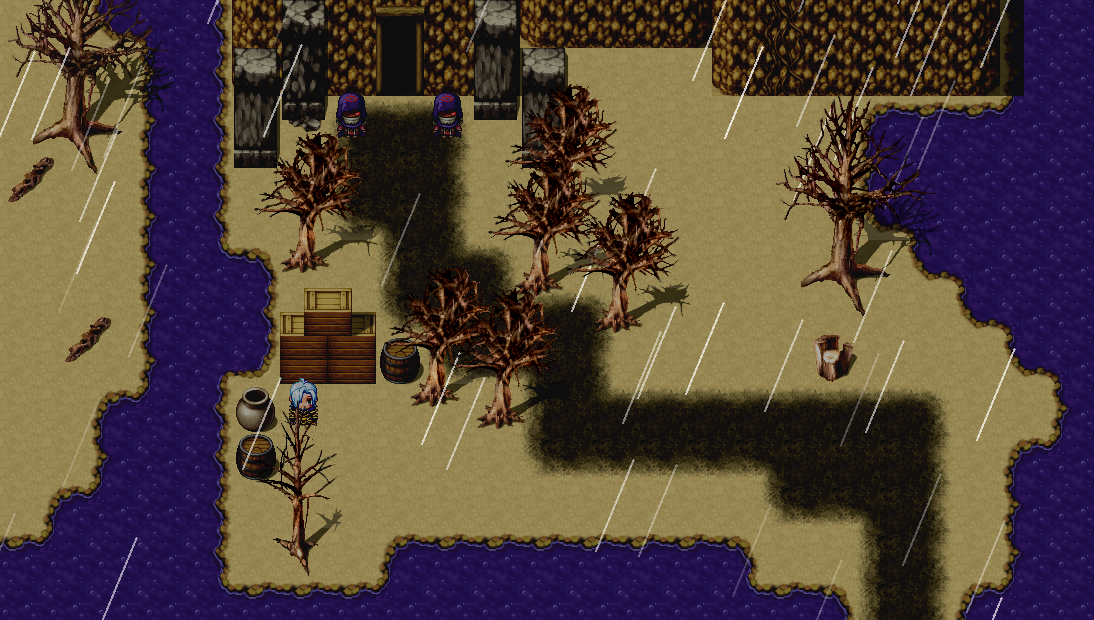
--Result-- (Top portion of trees that are supposed to be pictures "Above player" are not visible.)
Protected download
However... if I change the event duration to finish in 60 frames instead of 1...
Protected download
Then I get my desired result
Protected download
I chose to tint picture#2 separately since it does not tint when just tint screen is applied due to it not being on the ground layer below the player. Everything works fine when the tint duration is longer, but the transition from no tint to whatever tint I desire is problematic.
Basically, I want everything to be able to be tinted instantly so the player does not notice the effect, but without the issue of the picture disappearing.
Sorry in advance if people don't normally post images this way for questions, I figured the formatting would make it easier to follow.
This is what my events look like atm
--Event to Display Pictures--
Protected download
--Event to Tint Pictures--
Protected download
--Result-- (Top portion of trees that are supposed to be pictures "Above player" are not visible.)
Protected download
However... if I change the event duration to finish in 60 frames instead of 1...
Protected download
Then I get my desired result
Protected download
I chose to tint picture#2 separately since it does not tint when just tint screen is applied due to it not being on the ground layer below the player. Everything works fine when the tint duration is longer, but the transition from no tint to whatever tint I desire is problematic.
Basically, I want everything to be able to be tinted instantly so the player does not notice the effect, but without the issue of the picture disappearing.
Sorry in advance if people don't normally post images this way for questions, I figured the formatting would make it easier to follow.
Downloads / Referenced Files
Log in to download
Log in, then follow the RPG Maker Developers Group to see these download links.
Log in to downloadReferenced Images / Attachments
Creator Claims / Removal
If you are the original creator and want this listing reassigned, edited, or removed, join BMMPlay and contact the moderators with proof that matches the original RPG Maker Web profile, linked GitHub, itch.io page, or another public creator identity.
Replies (0)
No replies yet.
0
replies
1
view
Topic Summary
Loading summary...


