


MV Help with YEP_statAllocate in SRD_AltMenuScreen_BustIcons
BMM_Archive · July 15, 2026

Preserved forum archive. This topic stores the original first post and locally mirrored RPG Maker Web attachments when available. It is posted by the BMMPlay archive account, not by the original creator.
Original Source
- Original title: MV Help with YEP_statAllocate in SRD_AltMenuScreen_BustIcons
- Original author: Zakarijazh
- Original date: January 22, 2021
- Source thread: https://forums.rpgmakerweb.com/threads/help-with-yep_statallocate-in-srd_altmenuscreen_busticons.132498/
- Source forum path: Game Development Engines > RPG Maker Javascript Plugins > Javascript/Plugin Support
Summary
I'm using these two together and can't seem to get statAllocate to show where I want it to in the menu. Alt Menu Screen: Busts and Icons – MV Plugin – RPG Maker MZ Plugins sumrndm.site Stat Allocation (YEP) - Yanfly.moe Wiki
Archived First Post
I'm using these two together and can't seem to get statAllocate to show where I want it to in the menu.
 www.yanfly.moe
I've played around with all the Menu options in statAllocate but it always shows at the end of my menu list, despite having it placed in another spot in my menu plugin.
Protected download
I also tried moving the menu plug below the statAllocate but that didn't make a difference either
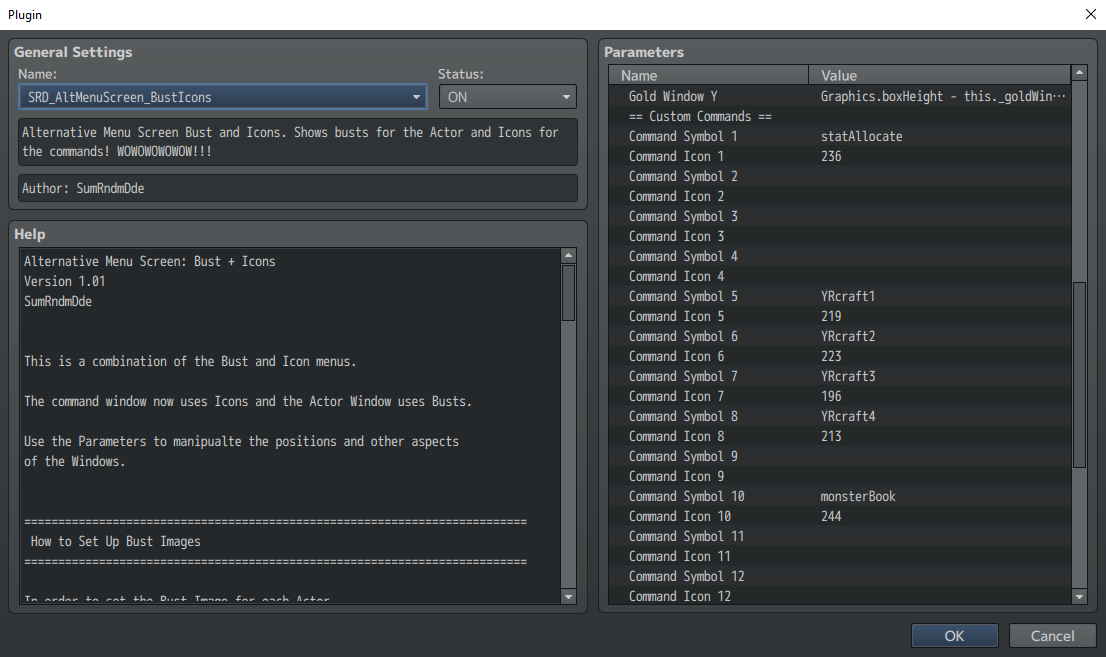
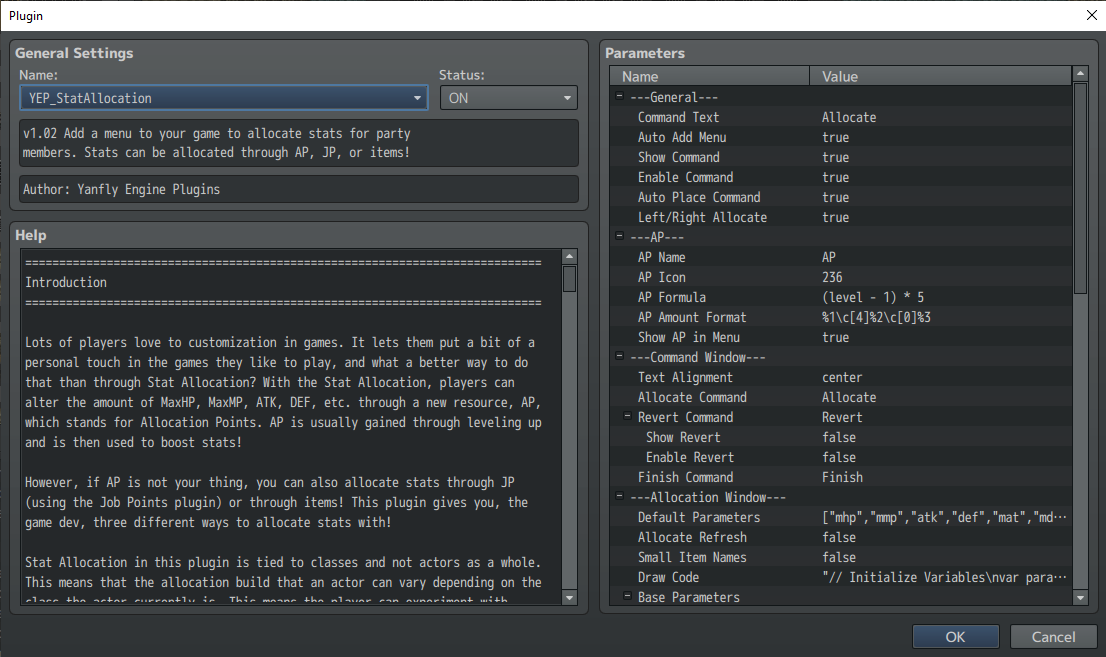
Here's how I have the plugin parameters set.
Protected download
Protected download
Note: I did try to turn off the "auto-placement" option in the statAllocate but then it just completely removes it from the menu

Stat Allocation (YEP) - Yanfly.moe Wiki
www.yanfly.moe
I've played around with all the Menu options in statAllocate but it always shows at the end of my menu list, despite having it placed in another spot in my menu plugin.
Protected download
I also tried moving the menu plug below the statAllocate but that didn't make a difference either
Here's how I have the plugin parameters set.
Protected download
Protected download
Note: I did try to turn off the "auto-placement" option in the statAllocate but then it just completely removes it from the menu
Downloads / Referenced Files
Log in to download
Log in, then follow the RPG Maker Developers Group to see these download links.
Log in to downloadReferenced Images / Attachments

Creator Claims / Removal
If you are the original creator and want this listing reassigned, edited, or removed, join BMMPlay and contact the moderators with proof that matches the original RPG Maker Web profile, linked GitHub, itch.io page, or another public creator identity.


Replies (0)
No replies yet.
0
replies
12
views
Topic Summary
Loading summary...
