[CGMZ] Infinite Colors By: Casper Gaming Last Update: June 13, 2026 Latest Version: 1.2.0
[CGMZ] Infinite Colors
By: Casper Gaming
Last Update: June 13, 2026
Latest Version: 1.2.0
This plugin allows you to define your own colors for use in messages or anywhere else they are supported. It uses the same color escape code \c[x] where x is the id of the color you want to access.
- Define as many custom colors as you want
- Use hex codes or rgb values to create colors
- Uses built-in \c[x] color text code
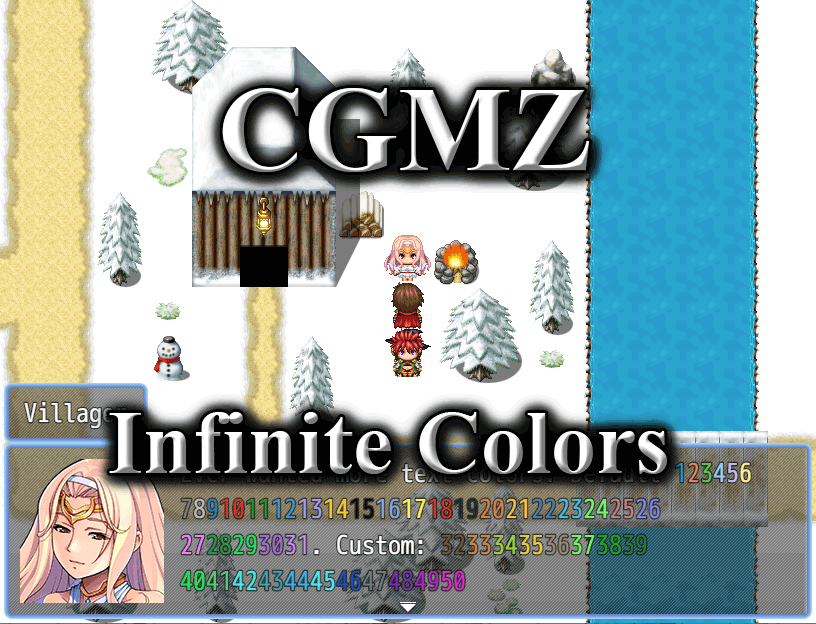
This message window is showing 50 different text colors
Import into plugin manager and enable the plugin. Some customization options available. Further instructions in plugin.
Online documentation can be found on my
website.
User documentation can be found on the
Casper Gaming Wiki.
Plugin (along with all my other plugins) can be found here:
https://www.caspergaming.com/plugins/cgmz/infinitecolors/
Requires CGMZ Core plugin:
https://www.caspergaming.com/plugins/cgmz/core/
Also available on Itch.io:
Use unlimited text color codes

casper-gaming.itch.io
https://www.caspergaming.com/terms-of-use/
Version 1.0.1
- Added Spanish language help documentation
- This plugin now warns instead of crash on invalid JSON
Version 1.0.2
- Error message text updated
Version 1.1.0
- Added options to change hard coded game colors
Version 1.2.0
- Added plugin command to change a text code's color






 PlayStation 5 Disc Edition Console (slim)
Disc-version PS5 console pick for players building or upgrading a PlayStation setup.
View on Amazon
PlayStation 5 Disc Edition Console (slim)
Disc-version PS5 console pick for players building or upgrading a PlayStation setup.
View on Amazon