


YEP Dragonbones Integration - Actor issue
BMM_Archive · July 15, 2026

Original Source
- Original title: YEP Dragonbones Integration - Actor issue
- Original author: Avraxas
- Original date: June 19, 2019
- Source thread: https://forums.rpgmakerweb.com/threads/yep-dragonbones-integration-actor-issue.110172/
- Source forum path: Game Development Engines > RPG Maker Javascript Plugins > Javascript/Plugin Support
Summary
Link to plugin: http://yanfly.moe/2017/08/04/yep-150-dragonbones-integration-rpg-maker-mv-2/ I recently saw this plugin and decided to try it out given that it can be used to bypass some of the standard limitations of battler animations. While I can get it working for enemies, it seems to bug out when actors start using Dragonbones sprites/data. It runs just fine when the player party is using standard spritesheet battlers: But it seems to crash once Dragonbones battlers are brought into the mix.
Archived First Post
I recently saw this plugin and decided to try it out given that it can be used to bypass some of the standard limitations of battler animations. While I can get it working for enemies, it seems to bug out when actors start using Dragonbones sprites/data.
It runs just fine when the player party is using standard spritesheet battlers:
https://i.gyazo.com/a3c53bc14691c742aed276ad34c5f767.mp4
But it seems to crash once Dragonbones battlers are brought into the mix.
https://i.gyazo.com/cb2d1942d2555e886489edbfffc556ae.mp4
It also crashes if the Dragonbones actor uses a skill.
https://i.gyazo.com/b97fc574d7a2c68e928ec82331bba791.mp4
Here are the notetags used by the Harpy actor, taken from the demo provided by Akashics.
The assets and Dragonbones data provided within the demo are unchanged, but ported directly into this project.
<DragonBone Settings>
Battler: Harpy
Scalex: 1.0
Scaley: 1.0
Ani Wait: Idle
Ani Walk: Idle
Ani Attack: Attack
Ani Swing: Attack
Ani Thrust: Attack
Ani Missile: Attack
Ani Skill: Attack
Ani Chant: Attack
Ani Spell: Attack
Ani Item: Attack
Ani Guard: Idle
Ani Evade: Idle
Ani Damage: Damage
Ani Abnormal: Idle Weak
Ani Sleep: Idle Weak
Ani Dying: Idle Weak
Ani Victory: Idle
Ani Escape: Idle
Replace Sprite
</DragonBone Settings>
<AI Level: 100>
<AI Priority>
Always: Skill 4
</AI Priority>
Here are screenshots of the bug report and console, as well as the setup for the Dragonbones Plugin and other battle plugins.
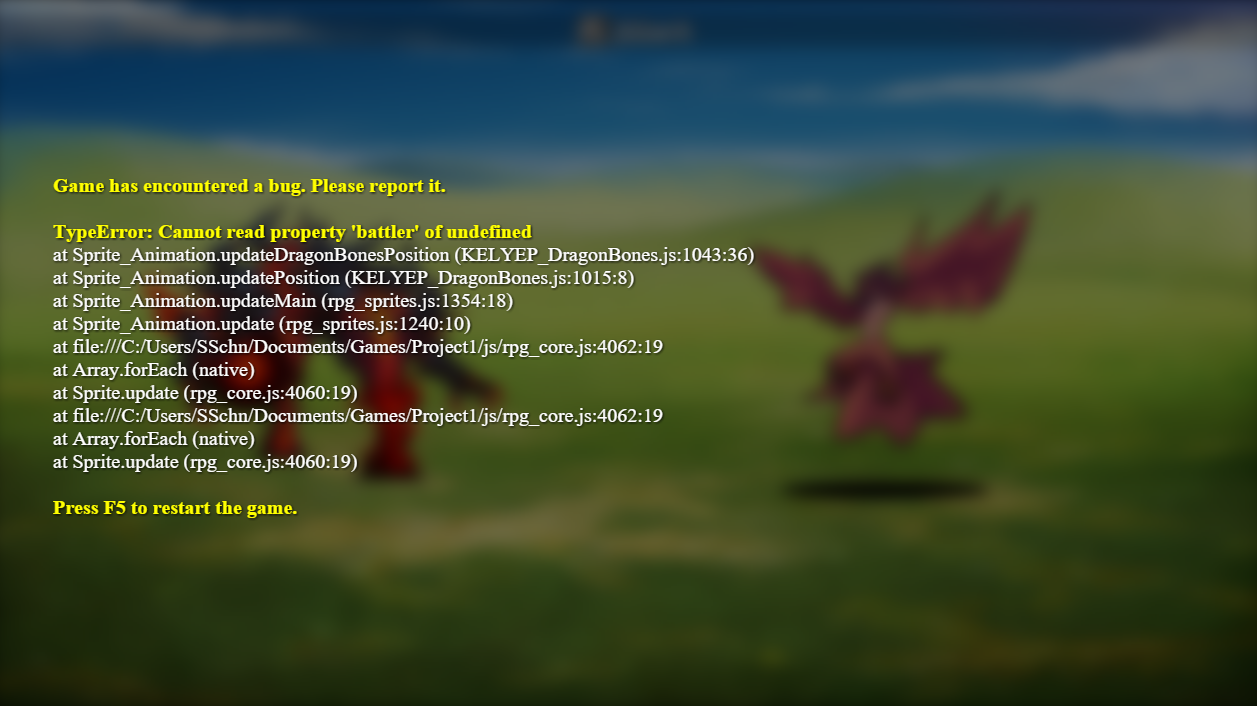
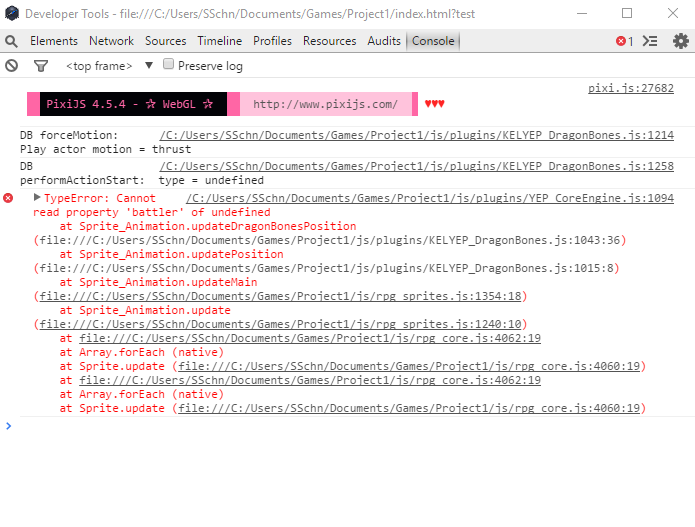
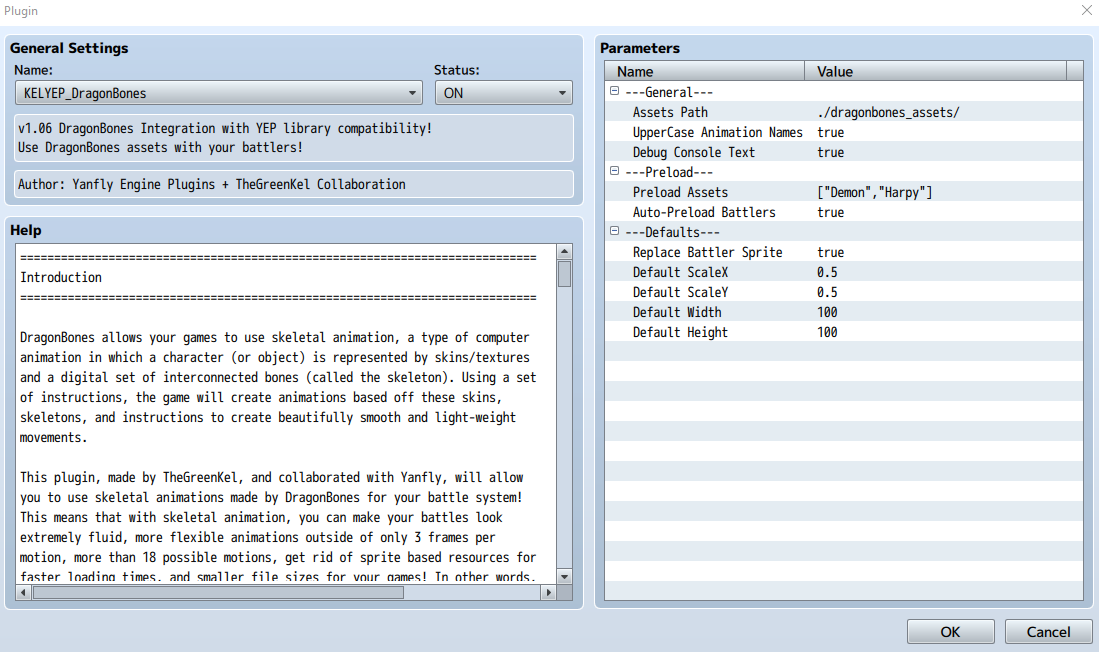
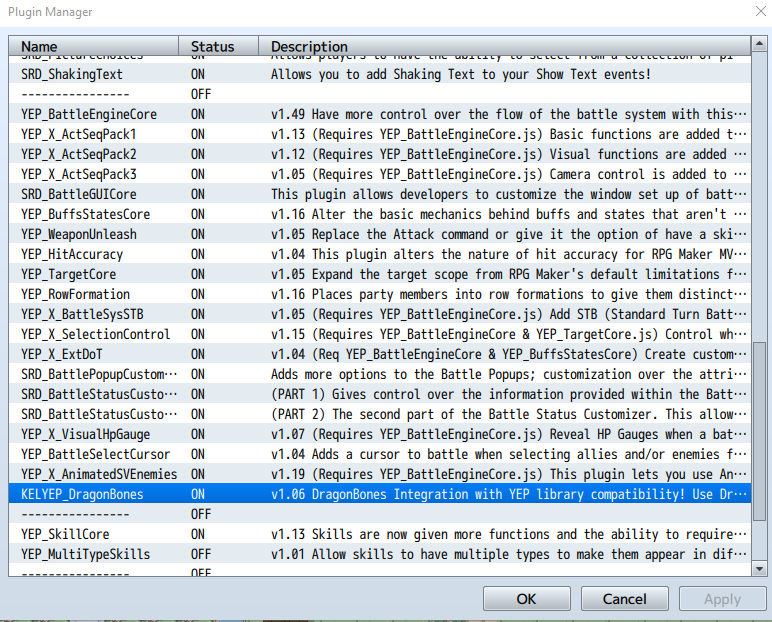
Lacking any kind of coding experience, I haven't made edits to any of the battle plugins.
I've been unable to replicate the problem through the Demo provided by Akashics, found here:
http://www.akashics.moe/uncategorized/librarium-dragonbones-animated-megapack/
If I can replicate the problem, I'll provide that project as soon as I can.
However, it seems that from the console and crash report that the issue comes from an undefined actor motion?
If anyone here has worked with Dragonbones before, I would greatly appreciate your input. Many thanks in advance!
EDIT: I was able to replicate the problems on an empty project, attached here: https://www.mediafire.com/file/ba33oyv3n2389by/Test_Box.rar/file
Downloads / Referenced Files
Log in, then follow the RPG Maker Developers Group to see these download links.
Log in to downloadReferenced Images / Attachments
Creator Claims / Removal
If you are the original creator and want this listing reassigned, edited, or removed, join BMMPlay and contact the moderators with proof that matches the original RPG Maker Web profile, linked GitHub, itch.io page, or another public creator identity.


Replies (0)
No replies yet.
Topic Summary
Loading summary...
