




Original Source
- Original title: How can I add a Character Name Input when pressing Start?
- Original author: Daeva
- Original date: June 30, 2020
- Source thread: https://forums.rpgmakerweb.com/threads/how-can-i-add-a-character-name-input-when-pressing-start.123451/
- Source forum path: Game Development Engines > Legacy Engine Support > RPG Maker MV Support
Summary
Hey I'm super new to all of this, just got RPG Maker MV yesterday.. I've tried searching around but I can't seem to find what I am looking for. I'd like to make a Character Name Input window appear when pressing Start. Pretty much exactly like the old Dragon Quest games. Press "Start" and it opens up a window, similar to the way my Options menu opens, that asks you to input a custom name then the game starts. Ideally I would like the window to show the alphabet in...
Archived First Post
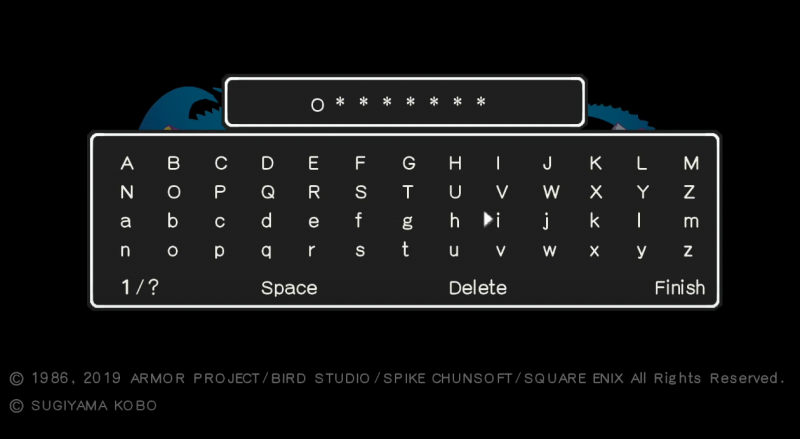
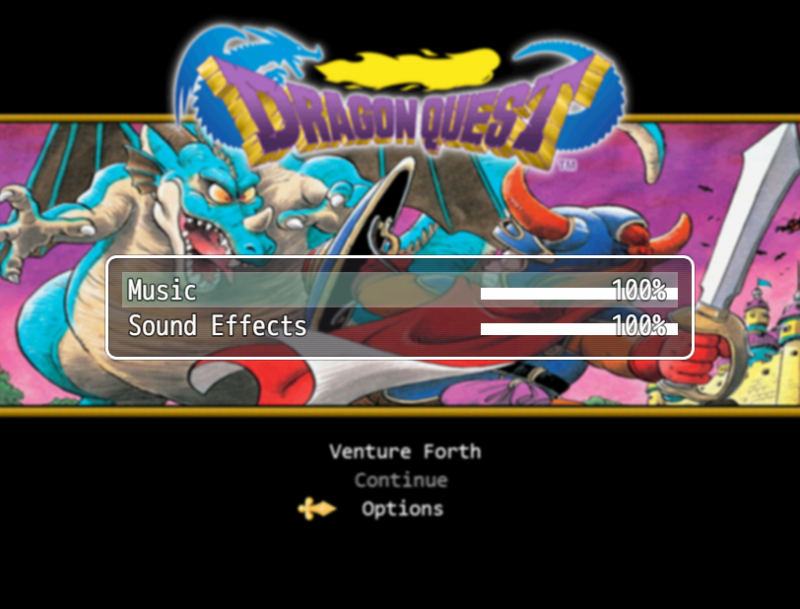
I'd like to make a Character Name Input window appear when pressing Start. Pretty much exactly like the old Dragon Quest games.
Press "Start" and it opens up a window, similar to the way my Options menu opens, that asks you to input a custom name then the game starts.
Ideally I would like the window to show the alphabet in both capitals and lowercase and not include symbols and numbers. Allowing for spaces and to backspace would be perfect too. I just have no idea how to even make this..
(Just a quick note that I am making DQ1 within RPG Maker MV as a way to learn how to use this program and it obviously won't be released to anyone)
Protected downloadProtected download
Downloads / Referenced Files
Log in, then follow the RPG Maker Developers Group to see these download links.
Log in to downloadReferenced Images / Attachments
Creator Claims / Removal
If you are the original creator and want this listing reassigned, edited, or removed, join BMMPlay and contact the moderators with proof that matches the original RPG Maker Web profile, linked GitHub, itch.io page, or another public creator identity.
Replies (0)
No replies yet.
Topic Summary
Loading summary...

