


MVEli Dynamic Parameters - Change parameter values dynamically with states and equipment note tags!
BMM_Archive · July 3, 2026

Preserved forum archive. This topic stores the original first post and locally mirrored RPG Maker Web attachments when available. It is posted by the BMMPlay archive account, not by the original creator.
Original Source
- Original title: Eli Dynamic Parameters - Change parameter values dynamically with states and equipment note tags!
- Original author: Eliaquim
- Original date: April 19, 2021
- Source thread: https://forums.rpgmakerweb.com/threads/eli-dynamic-parameters-change-parameter-values-dynamically-with-states-and-equipment-note-tags.135624/
- Source forum path: Game Development Engines > RPG Maker Javascript Plugins > JS Plugin Releases (RMMZ)
Summary
{ "lightbox_close": "Close", "lightbox_next": "Next", "lightbox_previous": "Previous",
Archived First Post

Author: Hakuen Studio
Introduction
If the actor has state id X he gains a +10 attack boost!
Easy?
But if the actor has class id X and is equipped with weapon Id X and also has state id X, then he will have a +50 ATK boost!
Not too complicated?
If an actor has a state id X, and his level is below 4, equipping a sword, using a class id X, and his name is Harold, then he will have an HP boost of 1000!!!
Got it?!
This plugin lets you implement dynamic parameter values to battlers(actor or enemies) through the weapons, armors, or state note tags!
You can use fixed values or check for a condition to apply the bonus!
*For the equipment feature, only work on enemies if you have the Eli_EnemyClass.js
Features
- Dynamically add values to battler parameters through note tags!
- Support States, Weapons, Armor!
- Support all types of parameters!
● Inside the plugin parameter, you can create note tag templates to be used on the weapons/armor/state note fields.
So instead of putting everything messy on the note tags, you now can use the plugin parameter to better organize your game.

● First, choose a template name to be used later.
There, you can choose what type and the id of the parameter you want to insert a value.
Normal parameters
X Parameters
S Parameters
Custom parameters(If using Eli Custom Parameters)
The value can be a number or a valid Javascript formula.
● So, when you did, use the following note tags in the note field of Weapons, Armors, or States:
<DynParams: TemplateName>
The template name must be the exactly same(case sensitive) set on the plugin parameter.
♦ NOTE¹: You can use the "this" keyword to reference the battlers(actors and enemies).
♦ NOTE²: Param names and note tags are case-sensitive!
So instead of putting everything messy on the note tags, you now can use the plugin parameter to better organize your game.
● First, choose a template name to be used later.
There, you can choose what type and the id of the parameter you want to insert a value.
Normal parameters
X Parameters
S Parameters
Custom parameters(If using Eli Custom Parameters)
The value can be a number or a valid Javascript formula.
● So, when you did, use the following note tags in the note field of Weapons, Armors, or States:
<DynParams: TemplateName>
The template name must be the exactly same(case sensitive) set on the plugin parameter.
♦ NOTE¹: You can use the "this" keyword to reference the battlers(actors and enemies).
♦ NOTE²: Param names and note tags are case-sensitive!
Terms of Use
Update Log
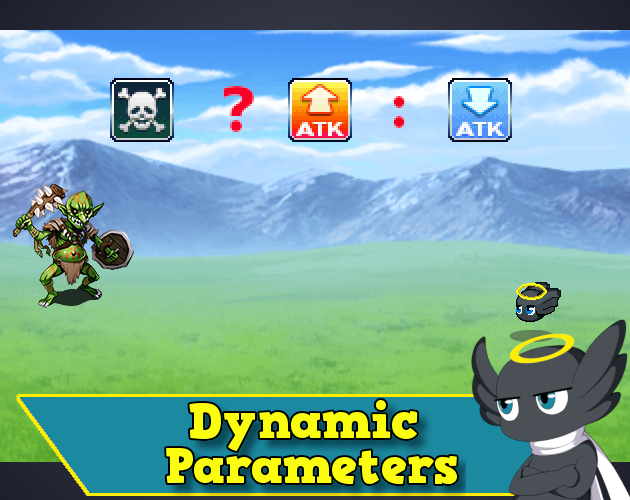
Hakuen Studio Dynamic Parameters for RPG Maker MZ by Hakuen Studio
Add parameters dynamically to battlers through states or equipments note tags!
 hakuenstudio.itch.io
Features Mentioned
- Dynamically add values to battler parameters through note tags!
- Support States, Weapons, Armor!
- Support all types of parameters!
Downloads / Referenced Files
Log in to download
Log in, then follow the RPG Maker Developers Group to see these download links.
Log in to downloadLicense / Terms Note
Terms of Use Update Log Hakuen Studio Dynamic Parameters for RPG Maker MZ by Hakuen Studio Add parameters dynamically to battlers through states or equipments note tags!


Referenced Images / Attachments
Creator Claims / Removal
If you are the original creator and want this listing reassigned, edited, or removed, join BMMPlay and contact the moderators with proof that matches the original RPG Maker Web profile, linked GitHub, itch.io page, or another public creator identity.
Replies (0)
No replies yet.
0
replies
13
views
Topic Summary
Loading summary...
