

Preserved forum archive. This topic stores the original first post and locally mirrored RPG Maker Web attachments when available. It is posted by the BMMPlay archive account, not by the original creator.
Original Source
- Original title: MZ [CGMZ] Game Over
- Original author: CasperGaming
- Original date: August 21, 2020
- Source thread: https://forums.rpgmakerweb.com/threads/cgmz-game-over.125656/
- Source forum path: Game Development Engines > RPG Maker Javascript Plugins > JS Plugin Releases (RMMZ)
Summary
[CGMZ] Game Over By: Casper Gaming Last Update: May 17, 2026 Latest Version: 1.4.0
Archived First Post
[CGMZ] Game Over
By: Casper Gaming
Last Update: May 17, 2026
Latest Version: 1.4.0
By: Casper Gaming
Last Update: May 17, 2026
Latest Version: 1.4.0
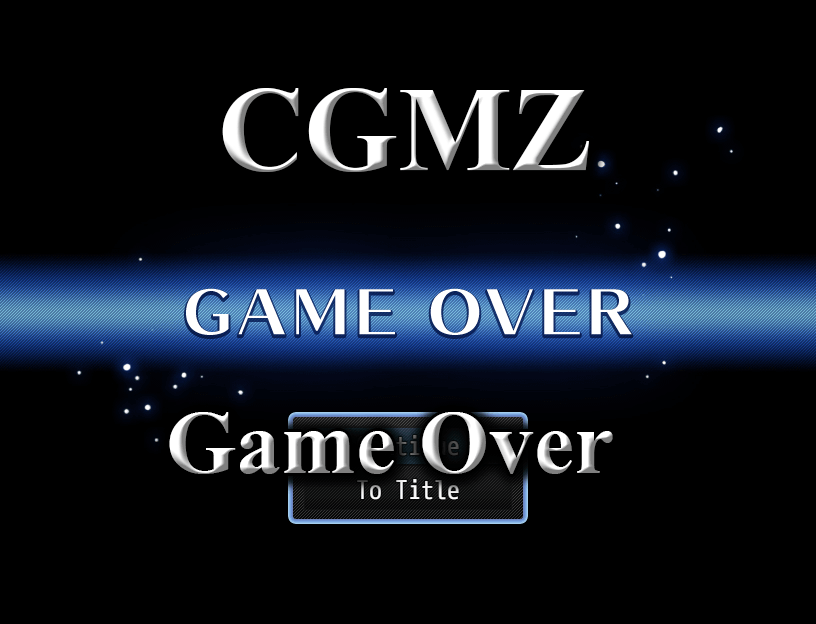
Provides the option to change the Game Over scene image/music based on a variable, and also allows you to add a command window to the Game Over scene which the player can use to quickly get back into the game.
- Change the game over image with a variable
- Change the game over music with a variable
- Add a command window to load a save from the game over screen
Game Over scene with added command window
Changed game over scene within the same game
Import into plugin manager and enable the plugin. Some customization options available. Further instructions in plugin.
Online documentation can be found on my website.
User documentation can be found on the Casper Gaming Wiki.
Plugin (along with all my other plugins) can be found here: https://www.caspergaming.com/plugins/cgmz/gameover/
Requires CGMZ Core plugin: https://www.caspergaming.com/plugins/cgmz/core/
Also available on Itch.io:
[CGMZ] Game Over for RPG Maker MZ by Casper Gaming
Modify the game over screen
casper-gaming.itch.io
https://www.caspergaming.com/terms-of-use/
Version 1.0.1
- Fixed bug with map bgm/bgs not autoplaying if using me sound type
- Added Spanish language help documentation
- This plugin will now warn instead of crash if invalid JSON detected
- Added option to create custom commands
- Added additional command customization
- Commands support text codes
- Added support for subfolders
- Added volume/pitch/pan settings for audio
- Added x/y offset for command window
- Added width option for command window
- Added video to game over screen
- Added [CGMZ] Window Settings integration
- Added [CGMZ] Window Backgrounds integration
- Added pictures that can take the place of the command window
- Added tip window
Downloads / Referenced Files
Log in to download
Log in, then follow the RPG Maker Developers Group to see these download links.
Log in to downloadReferenced Images / Attachments
Creator Claims / Removal
If you are the original creator and want this listing reassigned, edited, or removed, join BMMPlay and contact the moderators with proof that matches the original RPG Maker Web profile, linked GitHub, itch.io page, or another public creator identity.
Replies (0)
No replies yet.
0
replies
5
views
Topic Summary
Loading summary...

