





Preserved forum archive. This topic stores the original first post and locally mirrored RPG Maker Web attachments when available. It is posted by the BMMPlay archive account, not by the original creator.
Original Source
- Original title: Are Event pictures offset by default?
- Original author: DerKruste
- Original date: March 17, 2020
- Source thread: https://forums.rpgmakerweb.com/threads/are-event-pictures-offset-by-default.119210/
- Source forum path: Game Development Engines > Legacy Engine Support > RPG Maker MV Support
Summary
Hi there, I was basically trying to make it so when you activate the PC in the main character's room it would light up. So I handled it like this: I took a basic desk sprite {
Archived First Post
Hi there,
I was basically trying to make it so when you activate the PC in the main character's room it would light up. So I handled it like this:
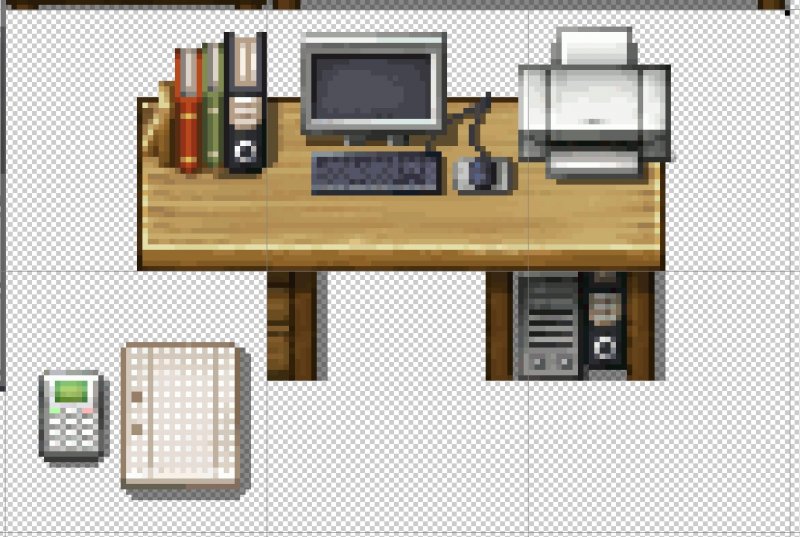
I took a basic desk sprite
Protected download
(Screenshot from Photoshop)
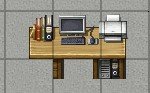
and put it in the MC's room
Protected download
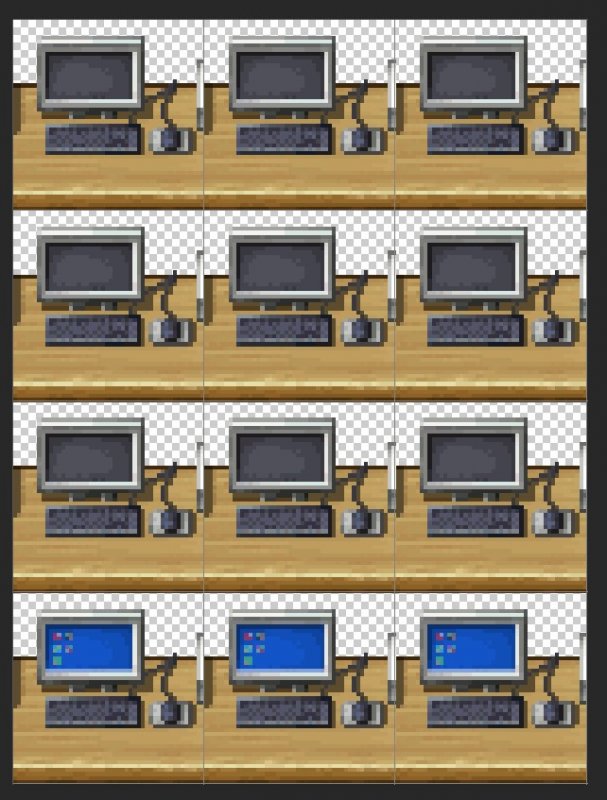
Then I took the square with the PC on it, made a character sprite out of it and made the last row the turned on ones with a little bit of editing magic...
Protected download
And put the square character event on the exact square where it would normally be
Protected download
And it looked fine till now (as far as I can tell) with the alignment and everything
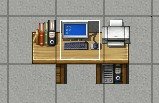
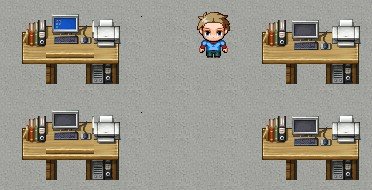
But as soon as I went into the game to test the turn on mechanic I saw this...
Protected download
In the top left is the turned on one, the bottom left one is the turned off one and the ones on the right hand side are just the sprites with nothing on them.
Now I am wondering if the event images are offset by default or if I made an error along the way?
Any help is appreciated
I was basically trying to make it so when you activate the PC in the main character's room it would light up. So I handled it like this:
I took a basic desk sprite
Protected download
(Screenshot from Photoshop)
and put it in the MC's room
Protected download
Then I took the square with the PC on it, made a character sprite out of it and made the last row the turned on ones with a little bit of editing magic...
Protected download
And put the square character event on the exact square where it would normally be
Protected download
And it looked fine till now (as far as I can tell) with the alignment and everything
But as soon as I went into the game to test the turn on mechanic I saw this...
Protected download
In the top left is the turned on one, the bottom left one is the turned off one and the ones on the right hand side are just the sprites with nothing on them.
Now I am wondering if the event images are offset by default or if I made an error along the way?
Any help is appreciated
Downloads / Referenced Files
Log in to download
Log in, then follow the RPG Maker Developers Group to see these download links.
Log in to downloadReferenced Images / Attachments
Creator Claims / Removal
If you are the original creator and want this listing reassigned, edited, or removed, join BMMPlay and contact the moderators with proof that matches the original RPG Maker Web profile, linked GitHub, itch.io page, or another public creator identity.
Replies (0)
No replies yet.
0
replies
1
view
Topic Summary
Loading summary...