The Plugin In Question
Khas Lighting
https://forums.rpgmakerweb.com/inde...-v4-2-ultra-now-with-real-time-shadows.77679/
(More information on it's use:
http://arcthunder.blogspot.com/p/tutorial-advanced-lighting.html)
The Issue
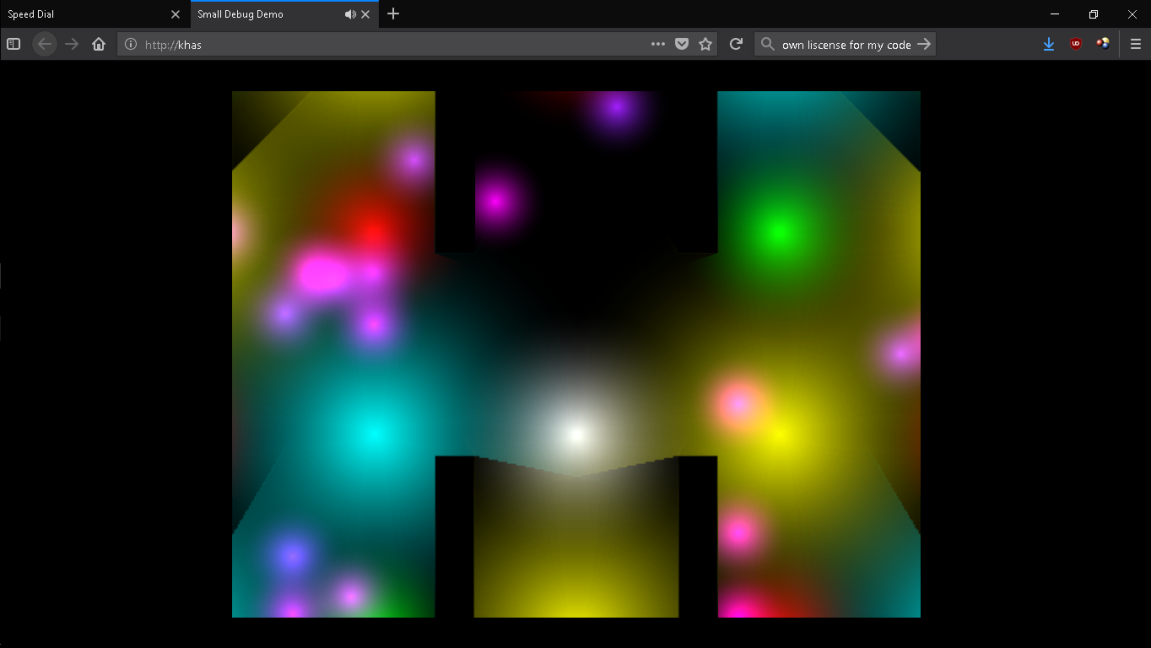
The light plugin creates a new layer of lights that shows over the map.
The issue is that the light layer loads before the map loads,
causing this to happen on map transfers and when loading the game.
(The following happens for only one split second, but long enough to be noticible and bothersome to players, though not affecting gameplay.)
The Partial Solution
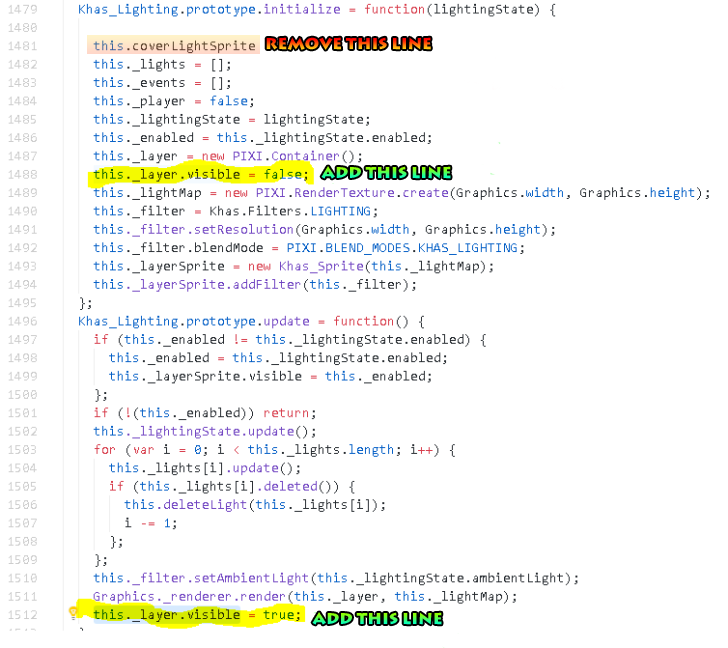
I originally had paid a coder on discord for a fix, and he was able to really make some headway. He performed the following (see photo below), to have the "lights" layer be visible after the map change was complete. This is mostly successful, and eliminates it most of the time now,
#ff0000">but not all the time, #b30000">especially when loading into a bigger map (or heavy lighting area) Or after loading a game very recently..
#00b300">The fix I paid for that helps:
The person I paid for this fix, told me this about the line he had me remove:
#00b300">"The coverLightSprite was what [khas] was going to make but didn't. I was doing that at first with a cover canvas but pasting a snapshot of the map before the glitch was too slow I think anyhow. As I was looking for the spot to turn of the cover, I noticed that rendering of lightMap and decided to just set it invisible until it was done."
Again, this is like a 90% fix, as it really made headyway towards solving the issue, but
#b30000">has not eliminated it entirely.
Final Thoughts/Notes
Also, others experience this issue too, and for reference is not related to other plugin incompatibilities, simply a timing issue on what is loading when. I've been struggling for a while to find a way to get the light layer to load last.
Also, on
https://forums.rpgmakerweb.com/inde...ltra-now-with-real-time-shadows.77679/page-17 you can see another screenshot example from another who posted this issue.
Thank you in advance of anyone willing to help tackle this very frustrating issue.
Edit:
Demo of Issue (Demo made in mv1.5.1)
Simply load the only save file in the demo, and you should see the issue for a split second flash on your screen.
http://venogames.com/public/lightissuedemo.zip [12MB]




 PlayStation 5 Disc Edition Console (slim)
Disc-version PS5 console pick for players building or upgrading a PlayStation setup.
View on Amazon
PlayStation 5 Disc Edition Console (slim)
Disc-version PS5 console pick for players building or upgrading a PlayStation setup.
View on Amazon