


MVEasy Window Navigation [MZ]
BMM_Archive · July 3, 2026

Original Source
- Original title: Easy Window Navigation [MZ]
- Original author: Dungeonmind
- Original date: June 27, 2025
- Source thread: https://forums.rpgmakerweb.com/threads/easy-window-navigation-mz.178588/
- Source forum path: Game Development Engines > RPG Maker Javascript Plugins > JS Plugin Releases (RMMZ)
Summary
Introducing Easy Window Navigation Plugin!Enhance player navigation in your RPG Maker MZ game with DM_EasyWindowNavigation! This plugin allows players to seamlessly navigate between windows using mouse hover and keyboard directional keys, creating a more intuitive and immersive experience. With this streamlined navigation system, your game will stand out from others built with RPG Maker, providing a more polished and engaging experience for your players. Features Effortless Window Navigation: Seamlessly navigate between windows using mouse hover and keyboard directional keys. Intuitive Controls: Easily switch between windows without needing to click or...
Archived First Post
Introducing Easy Window Navigation Plugin!
Enhance player navigation in your RPG Maker MZ game with DM_EasyWindowNavigation! This plugin allows players to seamlessly navigate between windows using mouse hover and keyboard directional keys, creating a more intuitive and immersive experience. With this streamlined navigation system, your game will stand out from others built with RPG Maker, providing a more polished and engaging experience for your players.Features
- Effortless Window Navigation: Seamlessly navigate between windows using mouse hover and keyboard directional keys.
- Intuitive Controls: Easily switch between windows without needing to click or manually select each window.
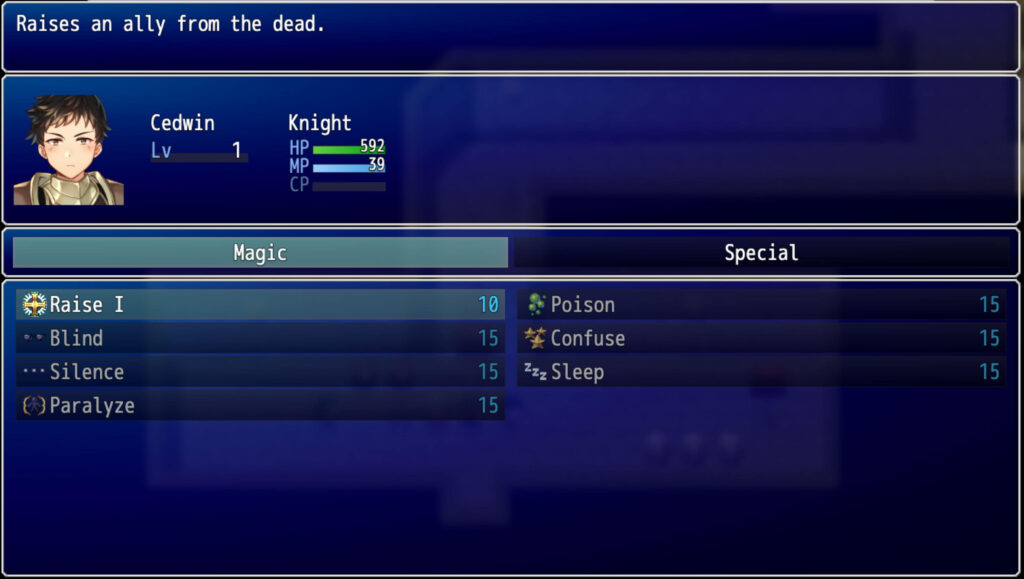
- Optimized Skill Scene Layout: The skill scene window layout has been redesigned to provide a cohesive and streamlined experience in conjunction with the plugin's navigation features.
Screenshots
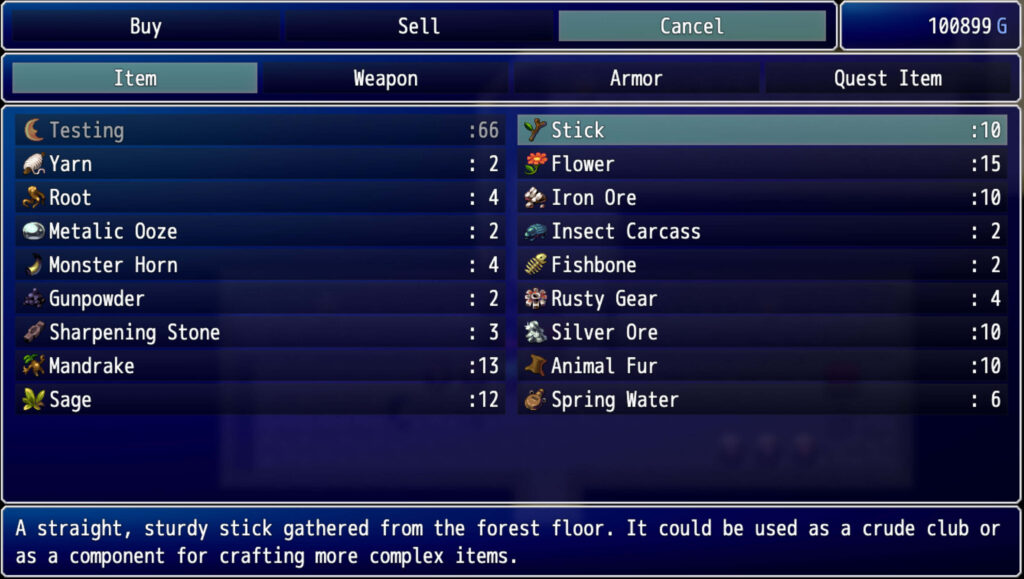
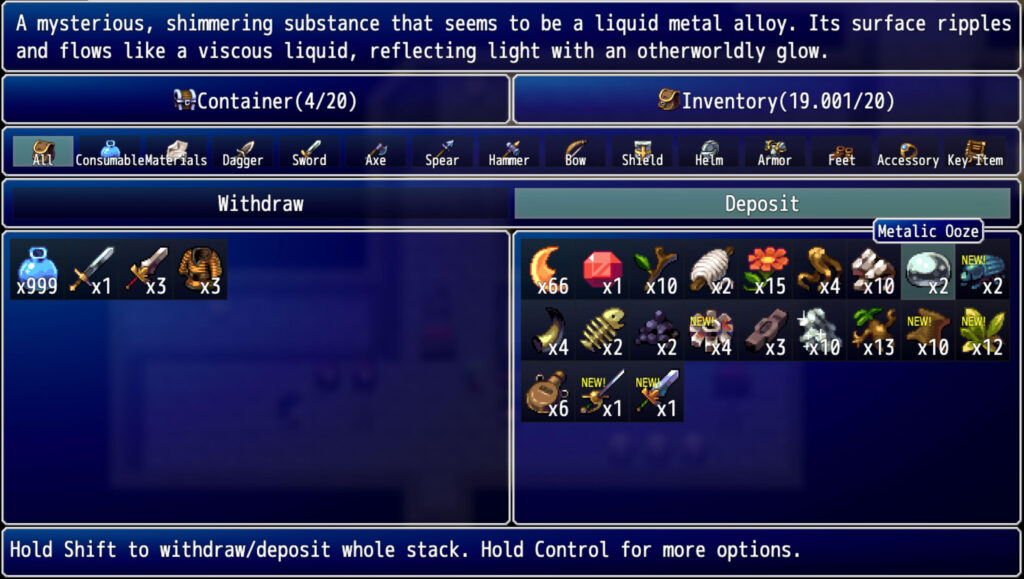
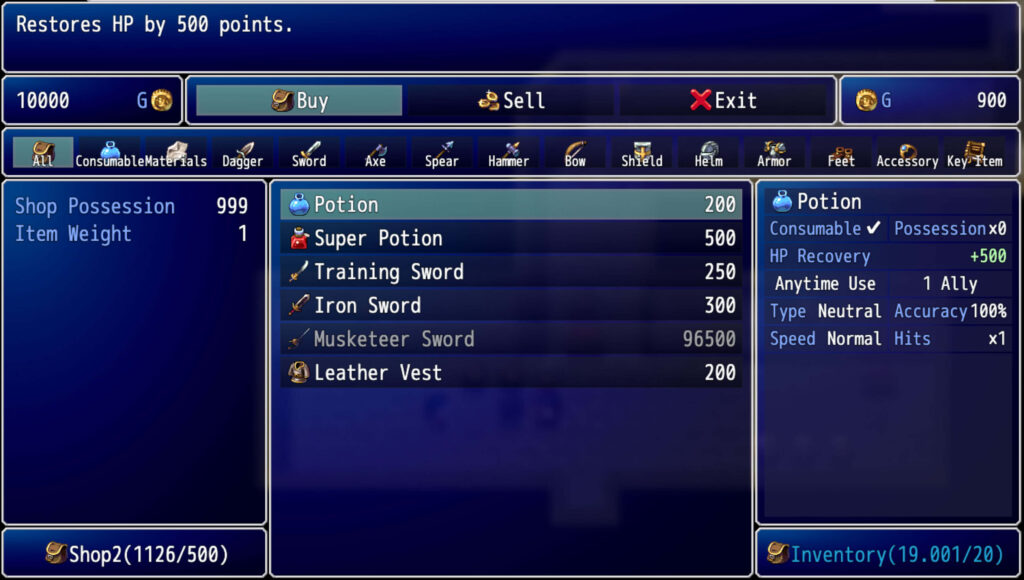
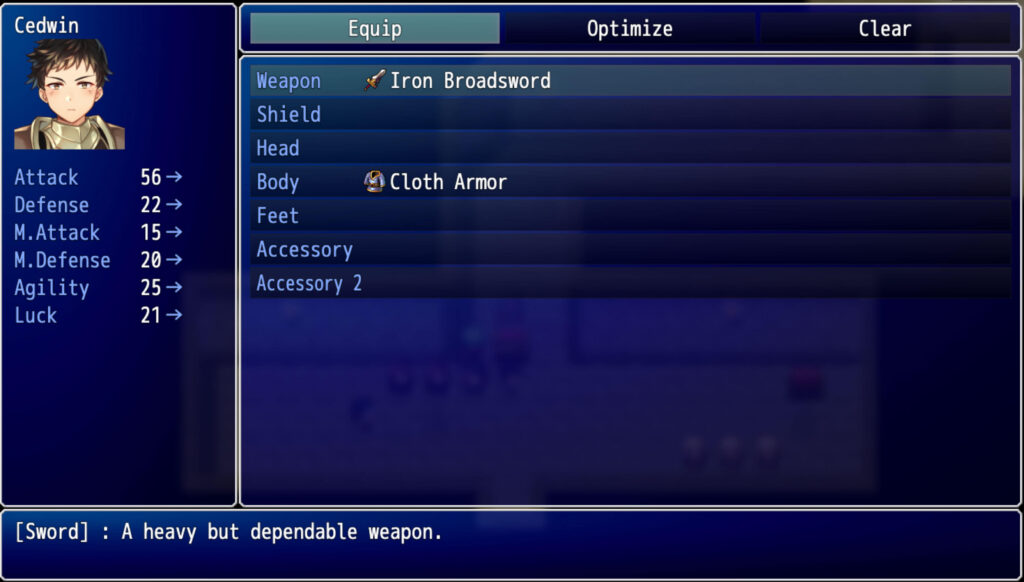
Compatibility
Easy Window Navigation is compatible with the following plugins [Pro Version Only]:- DM_LimitedInventory.js
- DM_ItemCategories.js
- DM_CoreShop.js
- DM_ItemActions.js
- DM_FasterDepositWithdraw.js
- VisuMZ_1_OptionsCore.js
- VisuMZ_1_ItemsEquipsCore.js (DM_ItemCategories Required!)
- Art_SellShop.js
- SRD_EquipCompareUpgrade.js
Terms of Use
- Licence Terms:
- By purchasing or downloading the plugin, you acknowledge that you have received or been provided access to a licence agreement, and you agree to the terms and conditions outlined in that licence agreement. Failure to comply with these terms may result in licence revocation.
- Ownership and Redistribution:
- The plugin and its code are the exclusive property of Dungeonmind. You may use the plugin in your RPG Maker projects, but you may not resell, redistribute, or claim ownership of the plugin/code itself, except as specifically permitted in the licence agreement.
- Code Usage:
- The plugin/code is licensed for use in RPG Maker MV/MZ projects as specified in the licence agreement. You may not extract or reuse code in other plugins or non-RPG Maker projects without express permission.
- Usage Restrictions:
- If the plugin is downloaded without purchasing a commercial licence, it is for non-commercial use only. Commercial use requires a licence purchase from the official website or any officially supported platform like itch.io.
- Confidentiality:
- The plugin/code is confidential and should not be shared with anyone without express permission from Dungeonmind.
- Modification:
- You are permitted to edit the plugin/code for the purposes of your personal projects, as specified in the licence agreement. Any other modifications, including redistribution or reuse of modified code, require express permission from Dungeonmind.
- Attribution Requirements:
- As specified in the plugin’s licence agreement, providing credit is required. Please refer to the licence for specific credit requirements.
- Precedence:
- In the event of any conflict or inconsistency between the terms outlined here and the licence agreement, the terms of the licence agreement shall take precedence.
Link to plugin page!
Happy Rpg Making!
Features Mentioned
- Effortless Window Navigation: Seamlessly navigate between windows using mouse hover and keyboard directional keys.
- Intuitive Controls: Easily switch between windows without needing to click or manually select each window.
- Optimized Skill Scene Layout: The skill scene window layout has been redesigned to provide a cohesive and streamlined experience in conjunction with the plugin's navigation features.
- Screenshots
- Spoiler: Screenshots
- "lightbox_close": "Close",
- "lightbox_next": "Next",
- "lightbox_previous": "Previous",
- "lightbox_error": "The requested content cannot be loaded. Please try again later.",
- "lightbox_start_slideshow": "Start slideshow",
- "lightbox_stop_slideshow": "Stop slideshow",
- "lightbox_full_screen": "Full screen",
- "lightbox_thumbnails": "Thumbnails",
- "lightbox_download": "Download",
- "lightbox_share": "Share",
- "lightbox_zoom": "Zoom",
- "lightbox_new_window": "New window",
- "lightbox_toggle_sidebar": "Toggle sidebar"
Downloads / Referenced Files
Log in, then follow the RPG Maker Developers Group to see these download links.
Log in to downloadLicense / Terms Note
Terms of Use Licence Terms: By purchasing or downloading the plugin, you acknowledge that you have received or been provided access to a licence agreement, and you agree to the terms and conditions outlined in that licence agreement. Failure to comply with these terms may result in licence revocation. Ownership and Redistribution:
Referenced Images / Attachments
Creator Claims / Removal
If you are the original creator and want this listing reassigned, edited, or removed, join BMMPlay and contact the moderators with proof that matches the original RPG Maker Web profile, linked GitHub, itch.io page, or another public creator identity.
Replies (0)
No replies yet.
Topic Summary
Loading summary...

