Preserved forum archive. This topic stores the original first post and locally mirrored RPG Maker Web attachments when available. It is posted by the BMMPlay archive account, not by the original creator.
Original Source
- Original title: Yanfly-Common Event Menu:How to remember made choice's position?
- Original author: AuralPC
- Original date: May 25, 2018
- Source thread: https://forums.rpgmakerweb.com/threads/yanfly-common-event-menu-how-to-remember-made-choices-position.95704/
- Source forum path: Game Development Engines > RPG Maker Javascript Plugins > Javascript/Plugin Support
Summary
Dear fellow makers: I am currently using Yanfly's Common Event Menu plugin to...eh...set up common event menu for my project. The plugin is working fine, but there is one problem for my menu that's really bothering me. I been working to sovle this problem for the past few days, and I just found out its beyond my capability. So I really need some help here.
Archived First Post
Dear fellow makers:
I am currently using Yanfly's Common Event Menu plugin to...eh...set up common event menu for my project.
The plugin is working fine, but there is one problem for my menu that's really bothering me. I been working to sovle this problem for the past few days, and I just found out its beyond my capability.
So I really need some help here.
Protected download
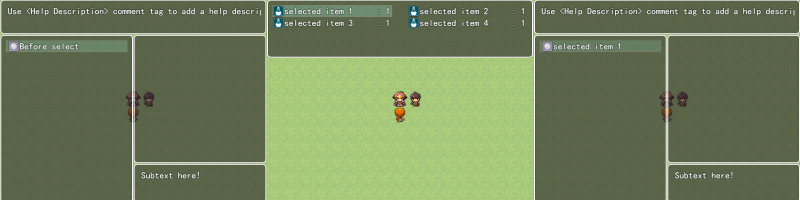
Above image is a brief introduction for the menu. Basicely when select 'Before select' option, player will be sent to select an item, and then return to the menu, and the option name will be changed to the selected item's name.
Protected download
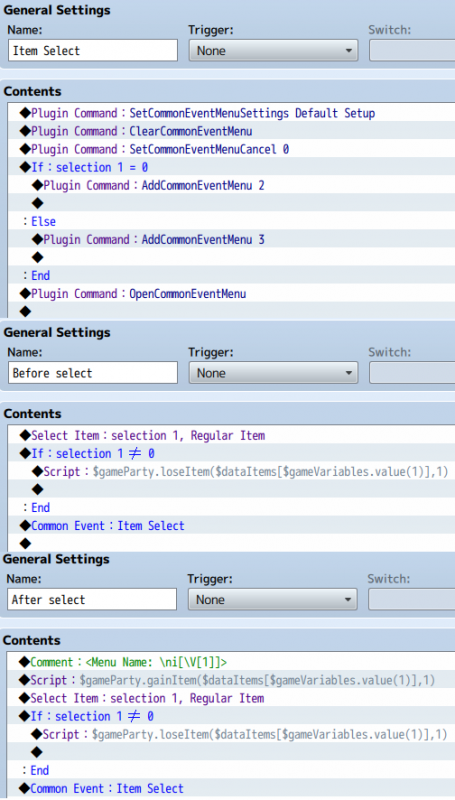
Above image is how I set up the menu.
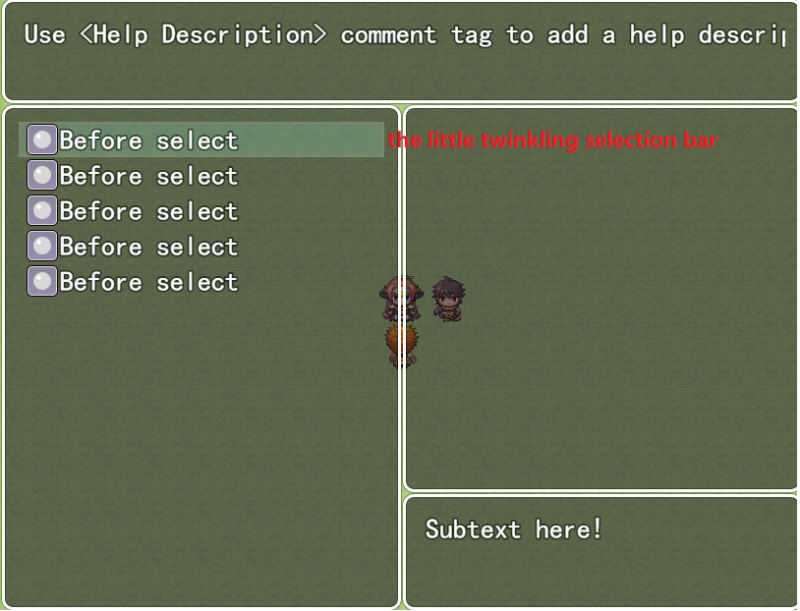
The problem I am having is, when there are multiple options, after select an item and go back to the menu, the little twinkling selection bar is back to the top of the menu.
Protected download
This will not be a problem if there are only a few options, but in my case, I have some menus that contain 30 options. Then it become quite annoying to have to move the twinkling selection bar up and down everytime, after select an item.
To solve this problem, I want to add a function to the menu so it can remenbers the position of the selection bar. Thus, each time after select an item and go back to the menu, the selection bar will stay at where the previous selected option is, instead of going back to the top of the menu.
The concept I'm currectly working on is as follow:
First of all, I created a variable called 'option position'.
Protected download
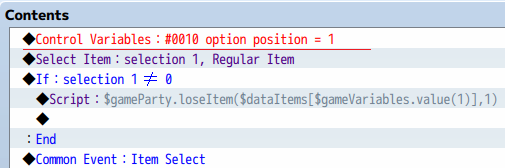
Then I add a content fo control variables to my option's contents page, like above.
Since the postion of all the options are fixed, this will give me an variable that represents the position of the option.
Then, I just have to load the variable and move the selection bar to the represented position each time when after select an item.
But......I don't know how.
I have no idea how to move the selection bar!
Is there anyone knows how, or have a better method?
Please help!
Downloads / Referenced Files
Log in to downloadLog in, then follow the RPG Maker Developers Group to see these download links.
Log in to download
Referenced Images / Attachments
Creator Claims / Removal
If you are the original creator and want this listing reassigned, edited, or removed, join BMMPlay and contact the moderators with proof that matches the original RPG Maker Web profile, linked GitHub, itch.io page, or another public creator identity.




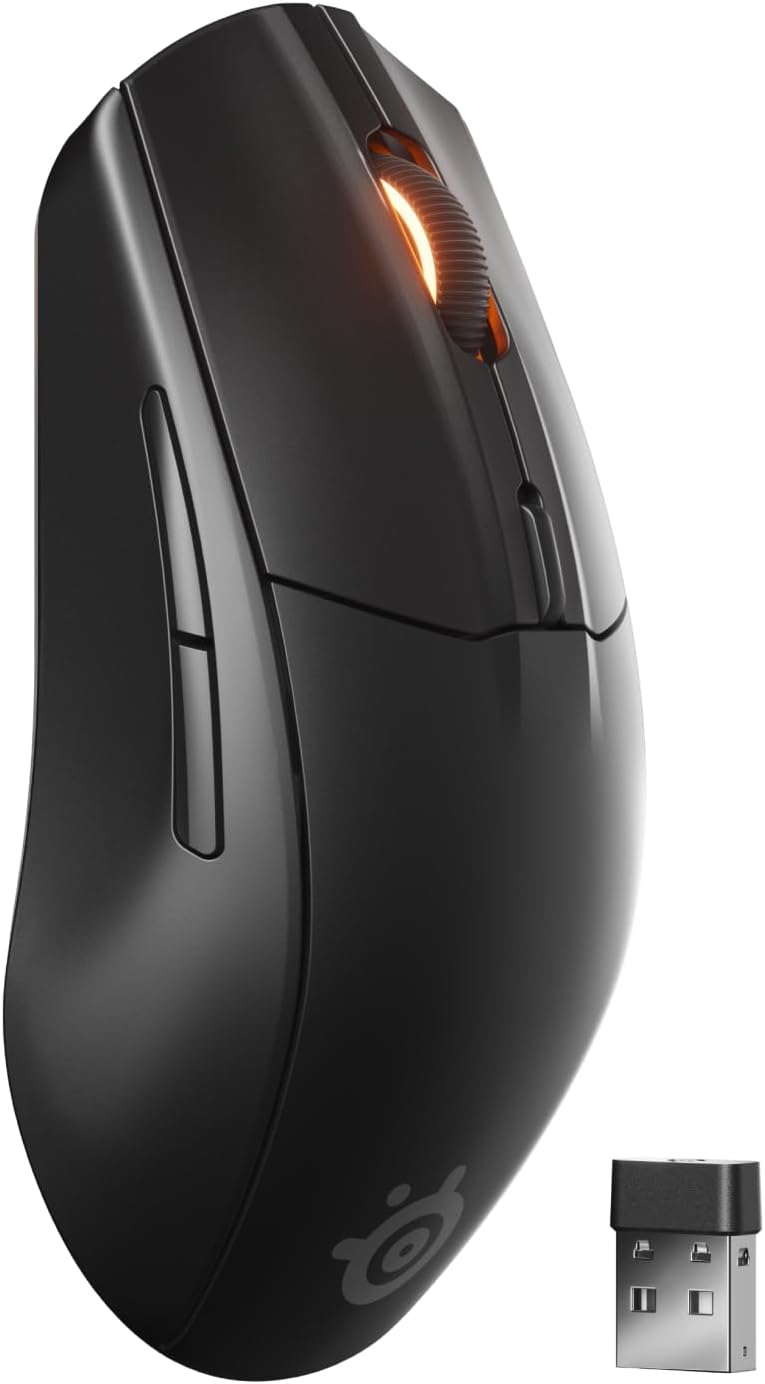 SteelSeries Rival 3 Wireless Gen 2 Gaming Mouse
Dual wireless gaming mouse with fast response and long battery life for PC players.
View on Amazon
SteelSeries Rival 3 Wireless Gen 2 Gaming Mouse
Dual wireless gaming mouse with fast response and long battery life for PC players.
View on Amazon