I made a set of sprite sketches today for an animated sideview enemy, but somehow it refuses to behave properly no matter what I do. I made a new project with only the one asset and necessary plugins but it still refuses to work. Here's my plugins: { "lightbox_close": "Close",
I made a set of sprite sketches today for an animated sideview enemy, but somehow it refuses to behave properly no matter what I do. I made a new project with only the one asset and necessary plugins but it still refuses to work.
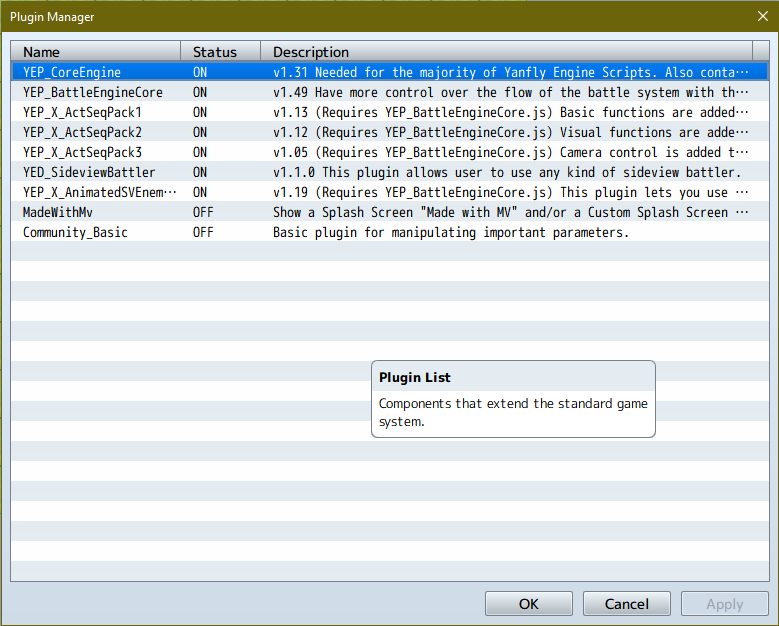
Here's my plugins:
Protected download
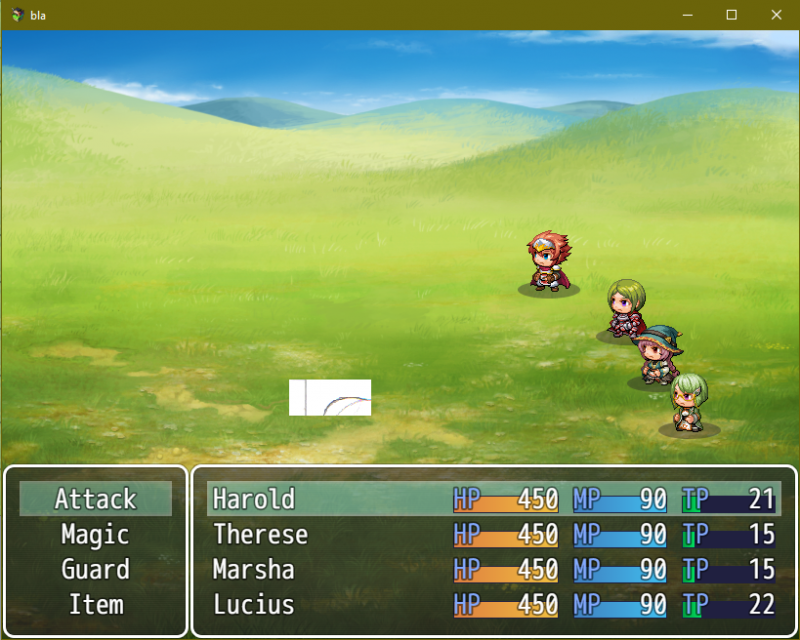
When Sideview Battler is placed above AnimatedSVEnemies and I run the game, the sprite stays in place and cycles through the frames properly, but crops the picture into oblivion:
Protected download
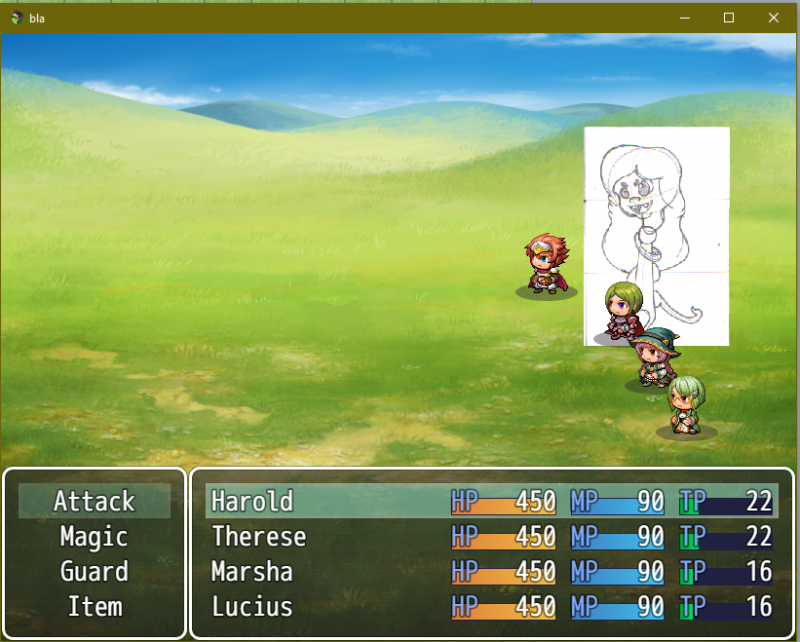
When AnimatedSVEnemies is placed above Sideview Battler the picture isn't cropped anymore, BUT the enemy refuses to stay in place, placing itself forward every frame and going back to its original location when the animation loops.
Protected download
All this is using the AnimatedSV and SVBattler's default settings.
Here's the tags I'm using in the enemy's note box.
<Sideview Battler: 001_pnn>
<Sideview Battler Size: 200,300>
<Scale Sprite: 75%>
<Floating>
<Sideview Battler Frames: 5>
<Sideview Frame Speed: 10>
<Sideview Idle Motion: Walk>
<Sideview Battler Motion>
Name: Walk
Index: 0
Frames: 5
Loop
</Sideview Battler Motion>
Worth nothing I did some testing with another picture that is actually square and it still does the same thing, so the size is not a problem. What am I doing wrong?




 Antlion Audio ModMic USB Attachable Microphone
Attachable USB microphone that turns favorite headphones into a stream or chat headset.
View on Amazon
Antlion Audio ModMic USB Attachable Microphone
Attachable USB microphone that turns favorite headphones into a stream or chat headset.
View on Amazon