




How do I add SRD Translation Engine option to Yanfly Option Core's Menu?
BMM Archive · July 15, 2026
Original Source
- Original title: How do I add SRD Translation Engine option to Yanfly Option Core's Menu?
- Original author: Xavluciel
- Original date: August 25, 2018
- Source thread: https://forums.rpgmakerweb.com/threads/how-do-i-add-srd-translation-engine-option-to-yanfly-option-cores-menu.99359/
- Source forum path: Game Development Engines > RPG Maker Javascript Plugins > Javascript/Plugin Support
Summary
Hi! I'm pretty new here so I'm really sorry if maybe this is the wrong place where to ask or if I could sound actually dumb (I am lmao) My problem is basically that I have installed YEP Option Core plugin in my game and I added keyboard config and some options too, but they all were from Yanfly so there was no problem at all. Now I would really like to add the option where you can change the game's language provided by the SRD Translation Engine plugin but...
Archived First Post
I'm pretty new here so I'm really sorry if maybe this is the wrong place where to ask or if I could sound actually dumb (I am lmao)
My problem is basically that I have installed YEP Option Core plugin in my game and I added keyboard config and some options too, but they all were from Yanfly so there was no problem at all.
Now I would really like to add the option where you can change the game's language provided by the SRD Translation Engine plugin but I really can't figure out how to add it??
I mean, I know how to add options to YEP's plugin but I don't know what I should put to let it work.
Protected download Protected download
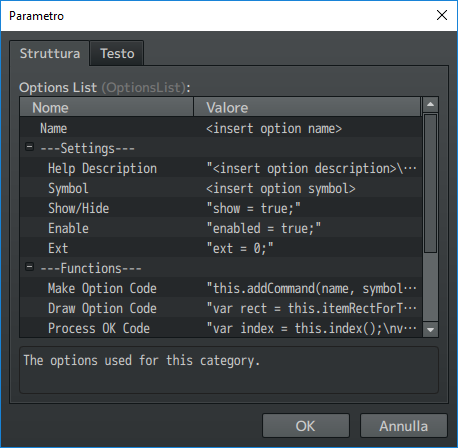
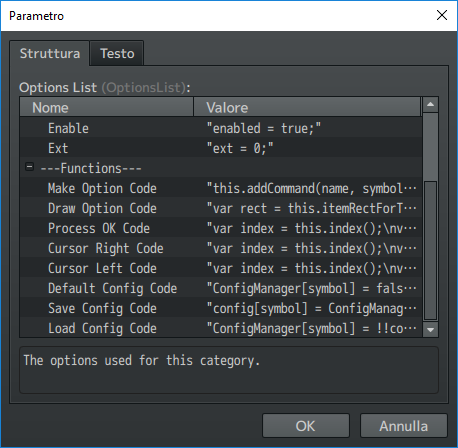
This is what YEP's plugin asks to add the option but I actually am really dumb when it comes to this and I don't know what I should add..
Thanks to everyone already.
(Also sorry my really bad english)
Downloads / Referenced Files
Log in, then follow the RPG Maker Developers Group to see these download links.
Log in to downloadReferenced Images / Attachments
Creator Claims / Removal
If you are the original creator and want this listing reassigned, edited, or removed, join BMMPlay and contact the moderators with proof that matches the original RPG Maker Web profile, linked GitHub, itch.io page, or another public creator identity.
Replies (0)
No replies yet.
Topic Summary
Loading summary...

