Preserved forum archive. This topic stores the original first post and locally mirrored RPG Maker Web attachments when available. It is posted by the BMMPlay archive account, not by the original creator.
Original Source
- Original title: Need help solving an eventing issue
- Original author: Sodium89
- Original date: June 4, 2019
- Source thread: https://forums.rpgmakerweb.com/threads/need-help-solving-an-eventing-issue.109700/
- Source forum path: Game Development Engines > Legacy Engine Support > RPG Maker MV Support
Summary
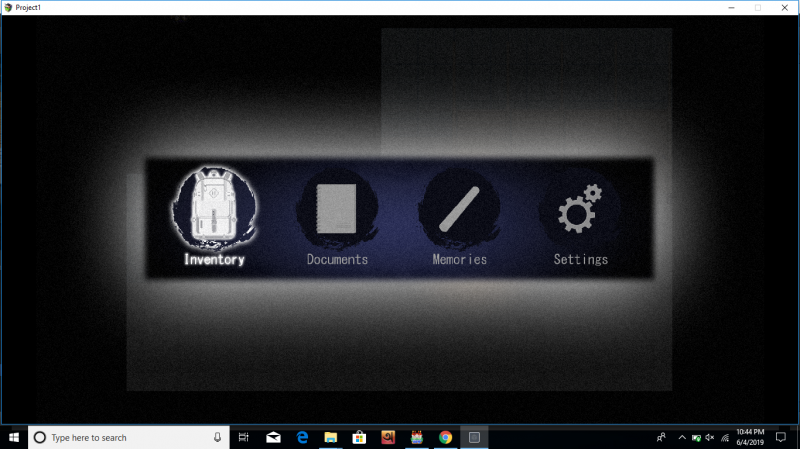
I'm eventing an image based menu. The main menu works well, there;s no problem with it. However, there's a problem with the inventory. I planned my menu like this: Spoiler: screenshot {
Archived First Post
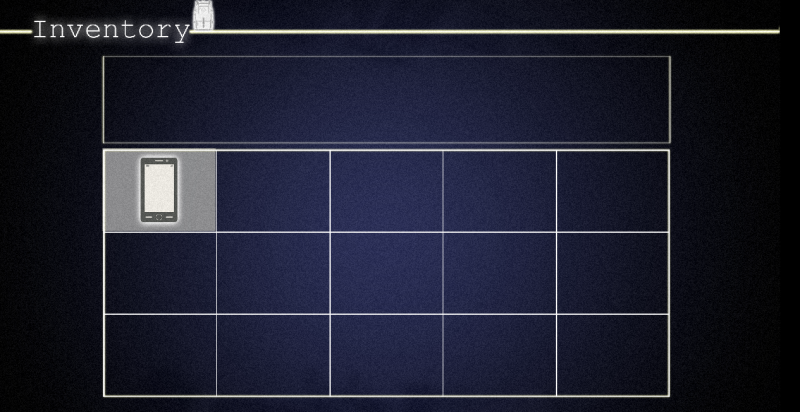
I'm eventing an image based menu. The main menu works well, there;s no problem with it. However, there's a problem with the inventory.
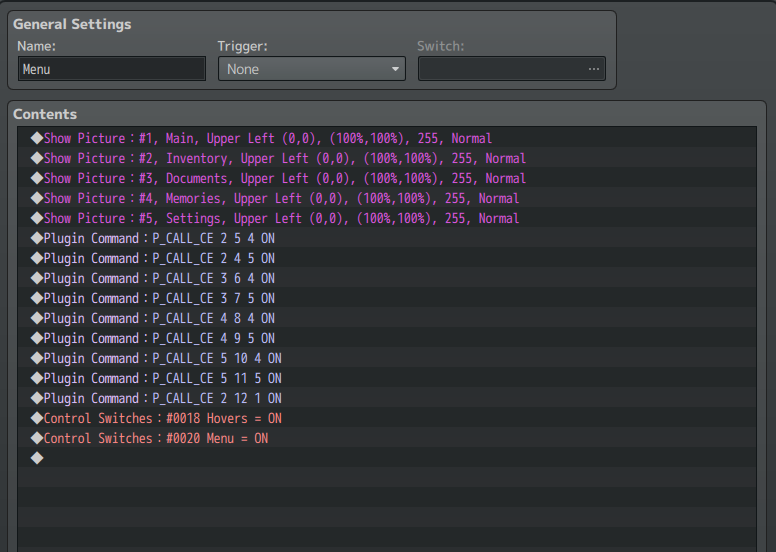
I planned my menu like this:
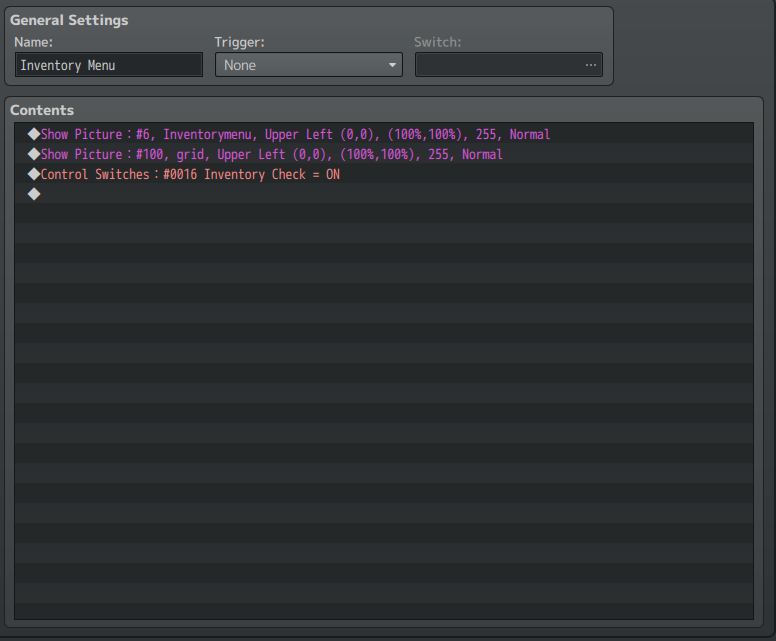
When inventory icon is chosen, this common event is called:
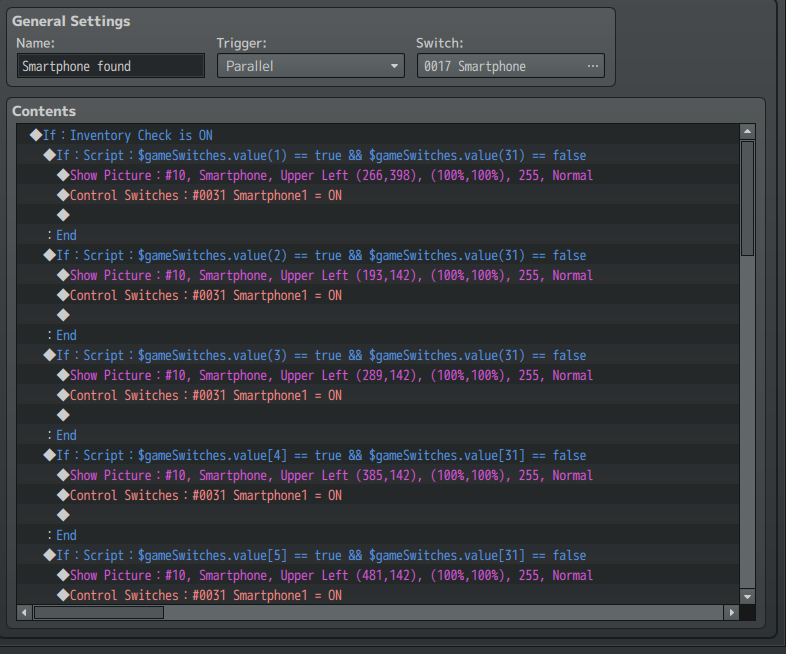
The items are evented like this:
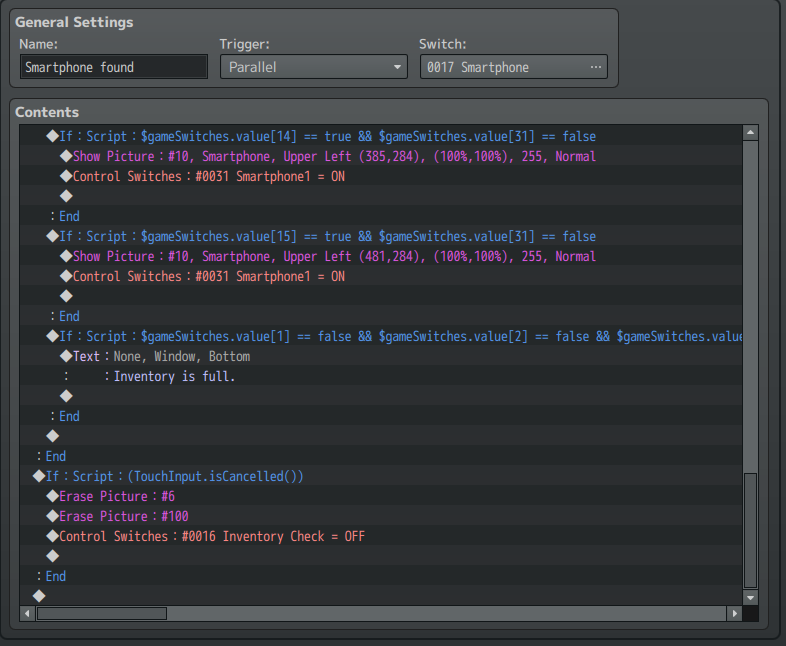
When right mouse button is pressed, the inventory screen should close. (See above) So, the inventory screen (the background) should be removed. Also, I have to close the inventory, so I turned switch inventory check off. as a result, the image shouldn't be shown (the condition is if switch inventory check is off, see third picture) because the inventory is off.
However, when I go to playtest, this happens: (I choose inventory icon)
the inventory shows up. But I don't wanna use it now, suppose. So I right click and the inventory closes.
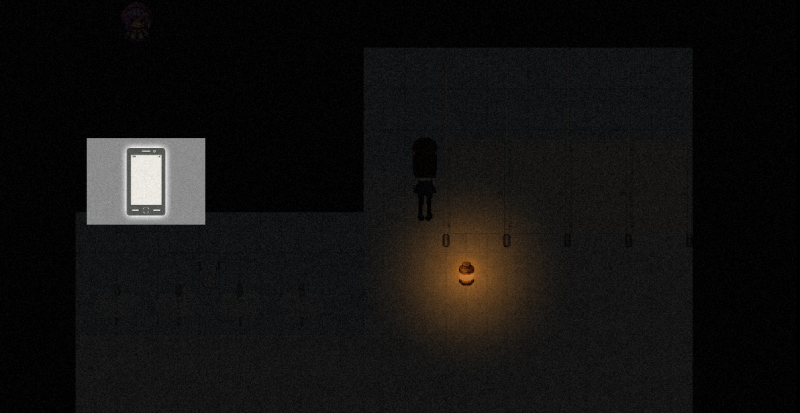
But the image is still there -___- Isn't the picture NOT supposed to be there, since the switch is off? So many issues with this ughhhhh.
Also, I wwant the player to use right mouse button to open and also close the menu. If I open it however, using the same conditional branch as in the picture, it doesn't close anymore? What the heck is going on! I spent the whole afternoon doing this stuff. My head hurts and can't think
Please helppp *cries*
EDITTTT: Okay... I'm an idiot. A picture once shown remains unless it's erased.
So... I erased it in place of turning switch off. Now the image isnt shown at all after opening the 2nd time.

I planned my menu like this:
Protected download
When inventory icon is chosen, this common event is called:
Protected download
Protected download
Protected download
When right mouse button is pressed, the inventory screen should close. (See above) So, the inventory screen (the background) should be removed. Also, I have to close the inventory, so I turned switch inventory check off. as a result, the image shouldn't be shown (the condition is if switch inventory check is off, see third picture) because the inventory is off.
However, when I go to playtest, this happens: (I choose inventory icon)
Protected download
the inventory shows up. But I don't wanna use it now, suppose. So I right click and the inventory closes.
Protected download
Protected download
Also, I wwant the player to use right mouse button to open and also close the menu. If I open it however, using the same conditional branch as in the picture, it doesn't close anymore? What the heck is going on! I spent the whole afternoon doing this stuff. My head hurts and can't think
Please helppp *cries*
EDITTTT: Okay... I'm an idiot. A picture once shown remains unless it's erased.
So... I erased it in place of turning switch off. Now the image isnt shown at all after opening the 2nd time.

Downloads / Referenced Files
Log in to download
Log in, then follow the RPG Maker Developers Group to see these download links.
Log in to downloadReferenced Images / Attachments
Creator Claims / Removal
If you are the original creator and want this listing reassigned, edited, or removed, join BMMPlay and contact the moderators with proof that matches the original RPG Maker Web profile, linked GitHub, itch.io page, or another public creator identity.
Replies (0)
No replies yet.
0
replies
1
view
Topic Summary
Loading summary...