


Making my first plugin gone wrong or confused, help.
BMM_Archive · July 15, 2026

Original Source
- Original title: Making my first plugin gone wrong or confused, help.
- Original author: Jomarcenter
- Original date: November 11, 2018
- Source thread: https://forums.rpgmakerweb.com/threads/making-my-first-plugin-gone-wrong-or-confused-help.102027/
- Source forum path: Game Development Engines > RPG Maker Javascript Plugins > Javascript/Plugin Support
Summary
So I am having problem with how RPG Maker MV code due to the nature of the engine having little to no code documentation and I am just working on how I think it works thru the provided code and the code from other so see how it works with no luck. So I am working on a plugin that allowed to pop up a fake error message ala Doki Doki Literature club kind of thing with no such luck. This is what I am trying to replicate (which is...
Archived First Post
So I am working on a plugin that allowed to pop up a fake error message ala Doki Doki Literature club kind of thing
with no such luck.
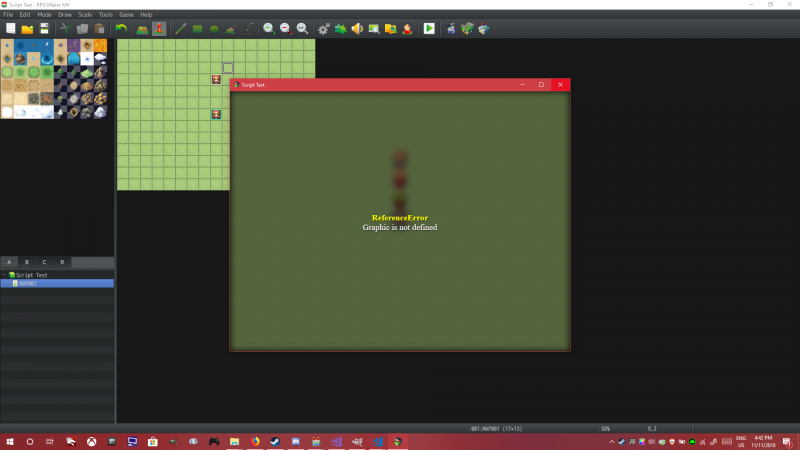
This is what I am trying to replicate (which is funny that you making a script that create fake error message but you ended up making a actual error message instead)
Note: I already fix that problem just showing a image what I am trying to replicate
Protected download
Especially since nothing show up when I try to do a command even tho debugging go thru with the code regardless. Am I missing something. I will show the full code once I uploaded it somewhere.
so here is a snippet of my code
    var _Game_Interpreter_pluginCommand = Game_Interpreter.prototype.pluginCommand;
    //plugin command
    Game_Interpreter.prototype.pluginCommand = function(command, args) {
        _Game_Interpreter_pluginCommand.call(this, command, args)

        //Conflict pervention tip: if another script uses the fakeanerror command basically change
        //the name this command (default 'fakeanerror') to something that won't cause an conflict
        if(command === 'fakeanerror')
        {
            //setup the plugin command
            //this handles the handle
            var fakeErrorTitle = "Just Monika";
            //this handle the message
            var fakeErrorMessage = "Just Monika";
            //optional: this handle the confirmation
            var fakeErrorConfirm = "Yes this is a Doki Doki Literature club reference";

            //End result: fakeanerror "title" "Error Message" "Confirm"
            //example: fakeanerror "An error have occured" "something happened" "press space to confirm"

            //Display the data
            var fakeWindow_FakeErrorMessage = new Window_FakeErrorMessage(0,0);
            //this.addWindow(this.Window_FakeErrorMessage);
            SceneManager._scene.addWindow(fakeWindow_FakeErrorMessage);
        }
    }
Downloads / Referenced Files
Log in, then follow the RPG Maker Developers Group to see these download links.
Log in to downloadReferenced Images / Attachments
Creator Claims / Removal
If you are the original creator and want this listing reassigned, edited, or removed, join BMMPlay and contact the moderators with proof that matches the original RPG Maker Web profile, linked GitHub, itch.io page, or another public creator identity.


Replies (0)
No replies yet.
Topic Summary
Loading summary...
