Solved. See last post.
I've been gone from the forum for some time and returned only to find that Yanfly appears to have locked the main support thread and made it impossible to contact him outside Patreon, which has a terrible feedback section that Yanfly doesn't even appear to be checking. (
#bfbfbf">Which has me reconsidering my continued support, after several years now)... So...
I'm
here to ask if anyone is using
YEP_X_EquipRequirements.js plugin successfully?
Reason being, under normal conditions, it doesn't load for me
at all.
I've never tried to use it till today.
I've figured out how to fix it, but it makes no sense, really, and I'm no stranger to JavaScript.
Code:
if (Imported.YEP_EquipCore) {

//all code between

}
That is broken... It shouldn't be,
but it is. There are other plugins making the same check, and they work. So, it's not a spelling error, or a syntax issue, because the game starts up just fine and reports no code issues at all... The plugin simply doesn't load.
Changing the boolean check to this...
Code:
if (true) {

//all code between

}
Fixes the issue...
(Edit: It isn't a plugin order issue either...)
(Edit: It isn't a version, or accidental edit issue either. Fresh version from Yanfly's plugin page...)
Now, before you ask... Yes, I am using EquipCore. As a matter of fact, I have several plugins that depend on it, and they make the exact same check for it, and they work fine... As mentioned above.
So, I am here wondering if anyone is actually using it successfully without having to make this change?
Any feedback is appreciated!
Thanks!
(
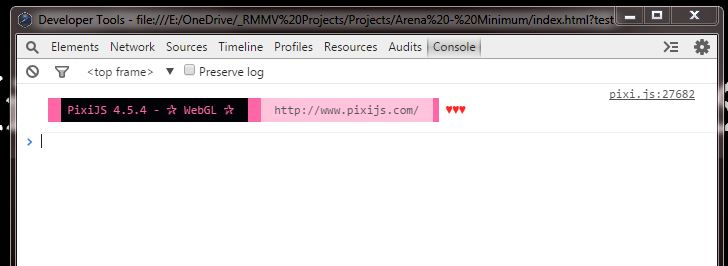
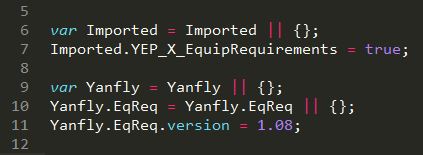
Update: It appears the problem isn't the plugin, but that my editor is not saving the order of plugins correctly for some reason... Detailed below)





 SPEEDLINK Competition Pro Extra USB Joystick
Retro USB arcade joystick for classic PC and Android gaming sessions.
View on Amazon
SPEEDLINK Competition Pro Extra USB Joystick
Retro USB arcade joystick for classic PC and Android gaming sessions.
View on Amazon