


Looking for Window_MenuCommand with pictures!
BMM_Archive · July 15, 2026

Original Source
- Original title: Looking for Window_MenuCommand with pictures!
- Original author: Seine Pestilenz
- Original date: February 21, 2019
- Source thread: https://forums.rpgmakerweb.com/threads/looking-for-window_menucommand-with-pictures.105931/
- Source forum path: Game Development Engines > Legacy Engine Support > RPG Maker MV Support
Summary
Hello everyone! I'm messing around with some Scripts, trying to layout the Menu for my Game. The Layoutpart is no big deal. It takes time, but it works for the most parts. But what really bothers me, is that I can't find out how to use Sprites for the Menu Command in Scene_Menu. My workaround at this point is just a Background for this Scene with the Buttons for the MenuCommand on the entire Background. But the problem here is, that locked Features (such as Formation when you only have...
Archived First Post
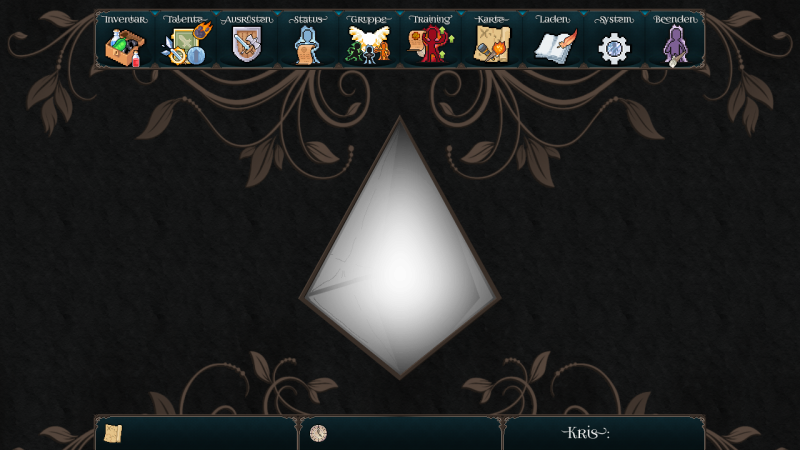
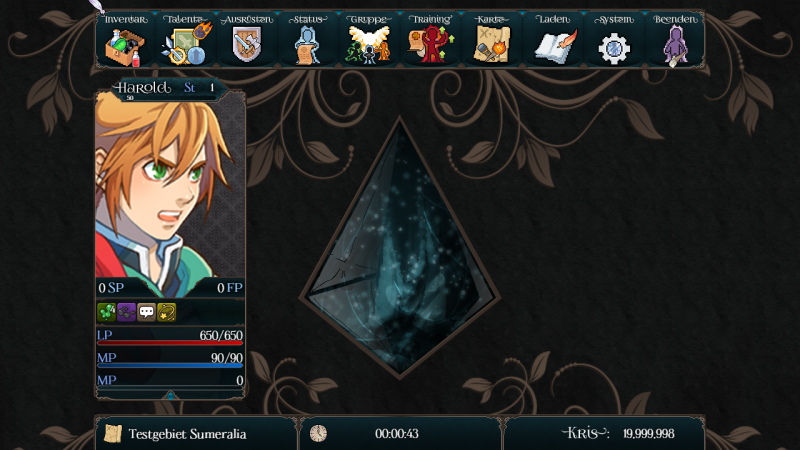
I'm messing around with some Scripts, trying to layout the Menu for my Game. The Layoutpart is no big deal. It takes time, but it works for the most parts. But what really bothers me, is that I can't find out how to use Sprites for the Menu Command in Scene_Menu. My workaround at this point is just a Background for this Scene with the Buttons for the MenuCommand on the entire Background. But the problem here is, that locked Features (such as Formation when you only have one Actor available) aren't greyed out.
I'm using a modified Version of https://galvs-scripts.com/category/rmmv-plugins/mv-scenessystems/#post-1453
Is there any Tutorial on how to make this or a Plugin where I can look, how it's done? Or even someone who can help me directly with this problem?
Tried to figure it out with severeal Titel Picturechoice Plugins, but they don't really help me here.
Ps: When there's a way to modify the Iconsize & switch between to IconSets then I can probably build in an Iconbased Menucommand. But 32x32 are to small and 96x96 for the rest of the game is to big.
Thanks in Advance! ♥
Downloads / Referenced Files
Log in, then follow the RPG Maker Developers Group to see these download links.
Log in to downloadReferenced Images / Attachments
Creator Claims / Removal
If you are the original creator and want this listing reassigned, edited, or removed, join BMMPlay and contact the moderators with proof that matches the original RPG Maker Web profile, linked GitHub, itch.io page, or another public creator identity.


Replies (0)
No replies yet.
Topic Summary
Loading summary...
