





public

Rpg Maker Developers Group

Simple enough for a child, powerful enough for a developer

2 Followers

Resolution/graphics questions

BMM_Archive · July 15, 2026

Preserved forum archive. This topic stores the original first post and locally mirrored RPG Maker Web attachments when available. It is posted by the BMMPlay archive account, not by the original creator.

Original Source

  • Original title: Resolution/graphics questions
  • Original author: jaret742
  • Original date: April 28, 2018
  • Source thread: https://forums.rpgmakerweb.com/threads/resolution-graphics-questions.94618/
  • Source forum path: Game Development Engines > Legacy Engine Support > RPG Maker MV Support

Summary

I have several questions about the resolution and graphics: 1. I want to make my game's maximum resolution 1080p. I also want an option to choose between different resolutions. Is there a plugin for that? 2. In standard resolution, everything looks fine. However, in 1080p 16:9, everything is zoomed out and there are black borders on the sides of the map. I know that my map is larger than the horizontal resolution because the map moves when my characters move. The text box is also super wide in 1080p. I...

Archived First Post

I have several questions about the resolution and graphics:
1. I want to make my game's maximum resolution 1080p. I also want an option to choose between different resolutions. Is there a plugin for that?
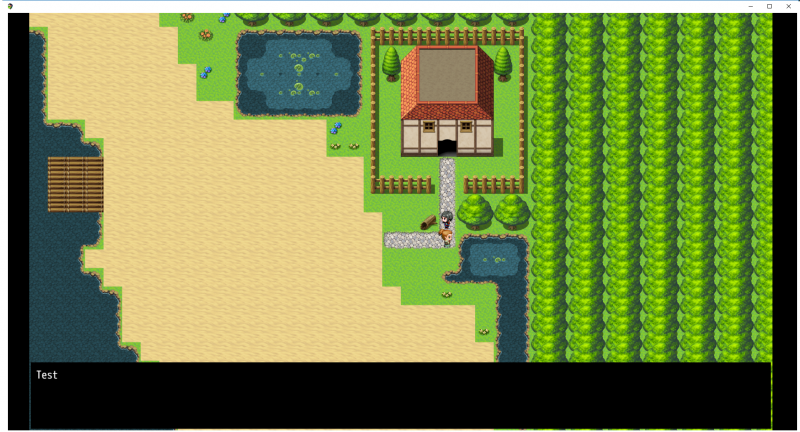
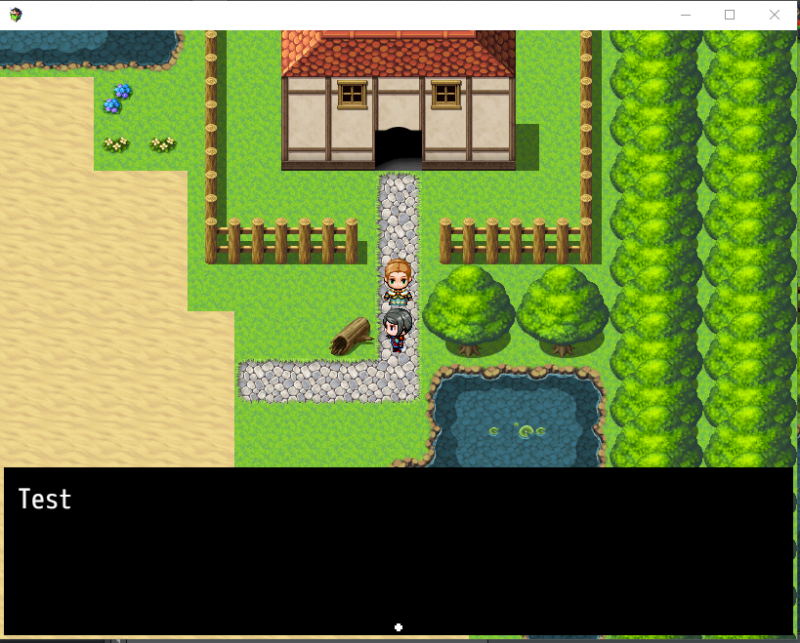
2. In standard resolution, everything looks fine. However, in 1080p 16:9, everything is zoomed out and there are black borders on the sides of the map. I know that my map is larger than the horizontal resolution because the map moves when my characters move. The text box is also super wide in 1080p. I suppose this is fine because I want to use character portraits/busts, but the text doesn't even take up a full line. Only in standard definition. Is there a plugin that supports widescreen and removes the black borders?
3. For parallax maps, if I render them at 1080p, will they be distorted if the player chooses to play the game at a lower resolution?
4. I want to make my sprites Chrono Trigger size. I also want them to appear larger on the screen than MV's sprites. To make them appear bigger, will I need to use a zoom plugin? Or can I make them bigger than 48*48 pixels?
Protected download Protected download

Downloads / Referenced Files

Log in to download

Log in, then follow the RPG Maker Developers Group to see these download links.

Log in to download

Referenced Images / Attachments

HD Res.png
HD Res.png
Standard Res.PNG
Standard Res.PNG
Creator Claims / Removal

If you are the original creator and want this listing reassigned, edited, or removed, join BMMPlay and contact the moderators with proof that matches the original RPG Maker Web profile, linked GitHub, itch.io page, or another public creator identity.

#039#rpg-maker-archive#mv-support

Replies (0)

No replies yet.

0 replies 1 view

Log in to reply.

User Avatar