MV-Character Creation with Custom Pictures
BMM_Archive · July 15, 2026
Preserved forum archive. This topic stores the original first post and locally mirrored RPG Maker Web attachments when available. It is posted by the BMMPlay archive account, not by the original creator.
Original Source
- Original title: MV-Character Creation with Custom Pictures
- Original author: Guardinthena
- Original date: September 18, 2017
- Source thread: https://forums.rpgmakerweb.com/threads/mv-character-creation-with-custom-pictures.84117/
- Source forum path: Game Development Engines > Legacy Engine Support > RPG Maker MV Support
Summary
I hope I put this in the right area. Like my title states, I'm trying to create a custom character creation screen using pictures I created in photoshop. I'm new to MV and could sort of get this working in a work-around way in VXAce, but I'm not sure where to begin in MV. I was hoping for some pointers, tips, and advice. Spoiler { "lightbox_close": "Close",
Archived First Post
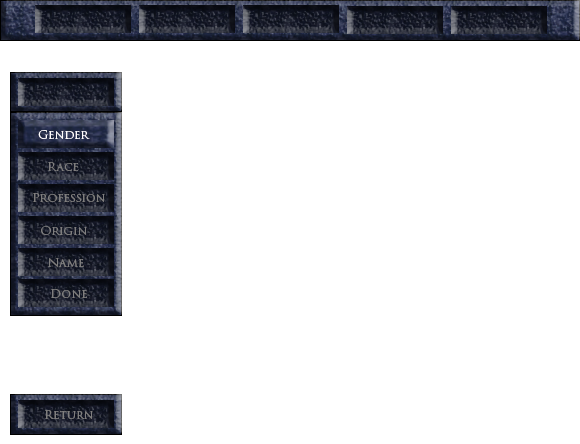
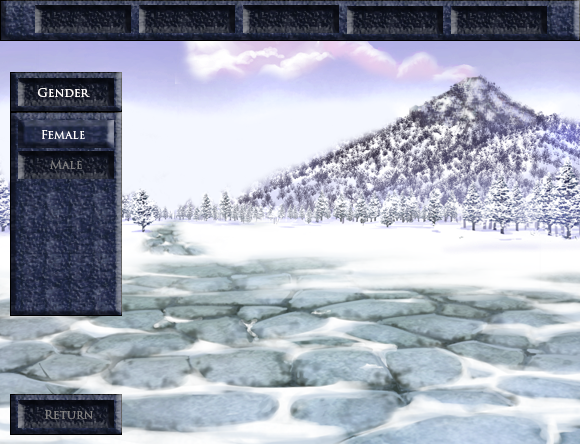
I hope I put this in the right area. Like my title states, I'm trying to create a custom character creation screen using pictures I created in photoshop. I'm new to MV and could sort of get this working in a work-around way in VXAce, but I'm not sure where to begin in MV. I was hoping for some pointers, tips, and advice.
I can't figure out how to get the menu working smoothly in MV. I tried following the same formula as William Unpro Pro did for picture menus in VX Ace but when I scroll up and down it is too fast, takes a second to load the image and it flashes between images on screen. I also have a problem with that if I go one or more above the Up/Down variable I have to figure out how much I have to go back up/down to get back on the menu. Not sure how to prevent that. How can I also event sub menus for the main menu? Should I use self switches and separate pages? At a near total loss. Additionally, I wanted to display the characters face (probably to the right of the screen) and I don't even know how to do that. Was also going to put in a help-box but I was just going to event that through pictures depending on what tab you were on -but considering I'm having so much trouble as if I'm nervous if that'll even work right!
To reiterate:
*display character face
*how to switch from one menu to another (ex. Menu->Race->Subrace and back to Menu)
*Help-box to the middle-right of the screen (explains races, bonuses they give, classes and what they do, etc.)
If there is already a tutorial out there for this sorry I missed it! I have no qualms about eventing all of this, it's what I'm trying to do already. I doubt there's a plugin for what I want-considering I'm using custom pictures.

Protected downloadProtected download
I can't figure out how to get the menu working smoothly in MV. I tried following the same formula as William Unpro Pro did for picture menus in VX Ace but when I scroll up and down it is too fast, takes a second to load the image and it flashes between images on screen. I also have a problem with that if I go one or more above the Up/Down variable I have to figure out how much I have to go back up/down to get back on the menu. Not sure how to prevent that. How can I also event sub menus for the main menu? Should I use self switches and separate pages? At a near total loss. Additionally, I wanted to display the characters face (probably to the right of the screen) and I don't even know how to do that. Was also going to put in a help-box but I was just going to event that through pictures depending on what tab you were on -but considering I'm having so much trouble as if I'm nervous if that'll even work right!
To reiterate:
*display character face
*how to switch from one menu to another (ex. Menu->Race->Subrace and back to Menu)
*Help-box to the middle-right of the screen (explains races, bonuses they give, classes and what they do, etc.)
If there is already a tutorial out there for this sorry I missed it! I have no qualms about eventing all of this, it's what I'm trying to do already. I doubt there's a plugin for what I want-considering I'm using custom pictures.

Downloads / Referenced Files
Log in to download
Log in, then follow the RPG Maker Developers Group to see these download links.
Log in to downloadReferenced Images / Attachments
Creator Claims / Removal
If you are the original creator and want this listing reassigned, edited, or removed, join BMMPlay and contact the moderators with proof that matches the original RPG Maker Web profile, linked GitHub, itch.io page, or another public creator identity.
Replies (0)
No replies yet.
0
replies
1
view
Topic Summary
Loading summary...