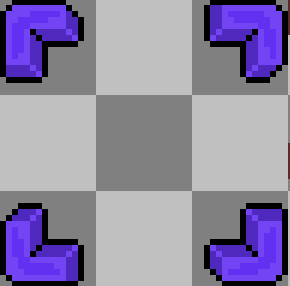
(Not sure if this is the right place, as I guess it could fall under a few categories, but I chose this one as I'm unsure if it's possible with JS.) I recently started working on a Window skin, and this is my selection graphics: Spoiler: Graphic {
(Not sure if this is the right place, as I guess it could fall under a few categories, but I chose this one as I'm unsure if it's possible with JS.)
I recently started working on a Window skin, and this is my selection graphics:
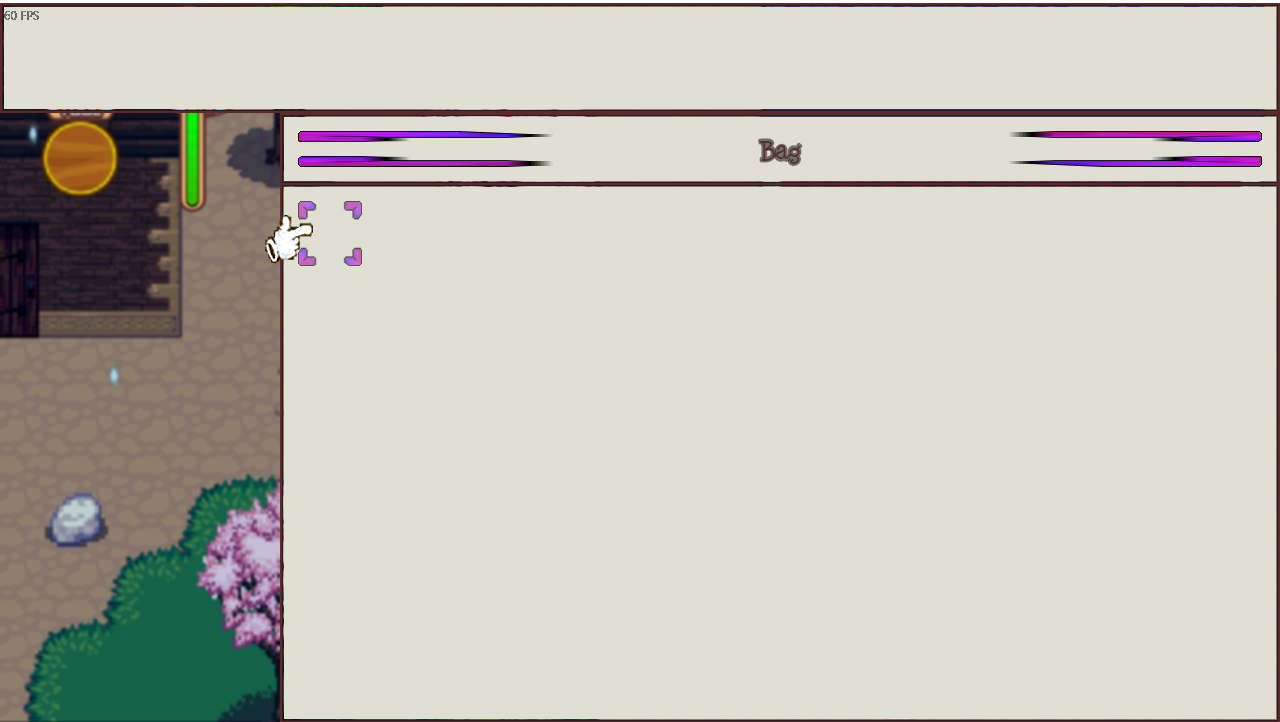
However, in game it looks like this:
As you can see, it works fine on the item screen (as it's formatted for small selections) but it is destroyed in the item category menu. While searching through rpg_windows.js i was unable to find how the selection window is drawn, just that it calls it into memory. Does anyone have an idea of a solution? I though about using a sprite but it sounds like it would be lots of effort for a small detail.
Thanks for reading




 Keychron K2 QMK Wireless Mechanical Gaming Keyboard
Compact wireless mechanical keyboard for office work, gaming, and desk upgrades.
View on Amazon
Keychron K2 QMK Wireless Mechanical Gaming Keyboard
Compact wireless mechanical keyboard for office work, gaming, and desk upgrades.
View on Amazon
