Preserved forum archive. This topic stores the original first post and locally mirrored RPG Maker Web attachments when available. It is posted by the BMMPlay archive account, not by the original creator.
Original Source
Original title: Fishing Event/Skill Troubleshooting on a Parallax Map
Source forum path: Game Development Engines > RPG Maker Javascript Plugins > Javascript/Plugin Support
Summary
“Cast” for some reason, even though the control switch “Cast” is not triggered to turn on. After this occurs, both the map, and the fishing skill both work fine. Just runs that common event first. 7. So I then proceed to test it on a parallax map I created. Here are the map properties for that map. As per Fallenlorelei’s tut, and the instructions for KUO plugin, all that is needed is in the note tags to display the overlay layer in my parallax image folder. Which it does. And...
Bmmplay may earn a commission from qualifying purchases made through these links.
Archived First Post
Hello ladies and gentleman of the RPGMaker world! I’m new to the forums and although I’ve fiddled with RPGMaker MV for many many hours, I'm trying to get more serious with it. Anyway, this is my first real post so forgive me if it’s not 100% protocol.
So I recently happened upon Fallenlorelei’s video tutorial series MV Parallax Mapping for Beginners and found it to be a most helpful series! XD Thank you so much for that! It inspired me to start parallax mapping and Ive been enjoying it thoroughly. But I want to add some more substance to them, now they they look nice.
Although, I’m having some issues with Kaus Ultimate Overlay plugin when trying to create a fishing skill event. When I create this simple fishing event, it interferes with the KUO plugin. I have uploaded screenshots to help diagnose the problem.
So for Kaus Ultimate Overlay plugin, I did as instructed. I have had no problems with this plugin until this fishing incident. It worked great.
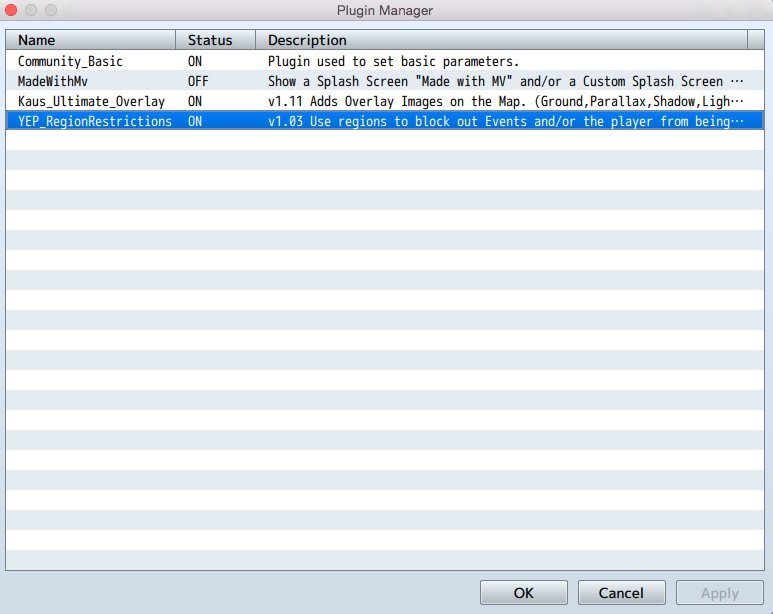
1. As you can see... I eliminated all non-essential plugins to make sure it wasn’t another plugin interfering.
Protected download
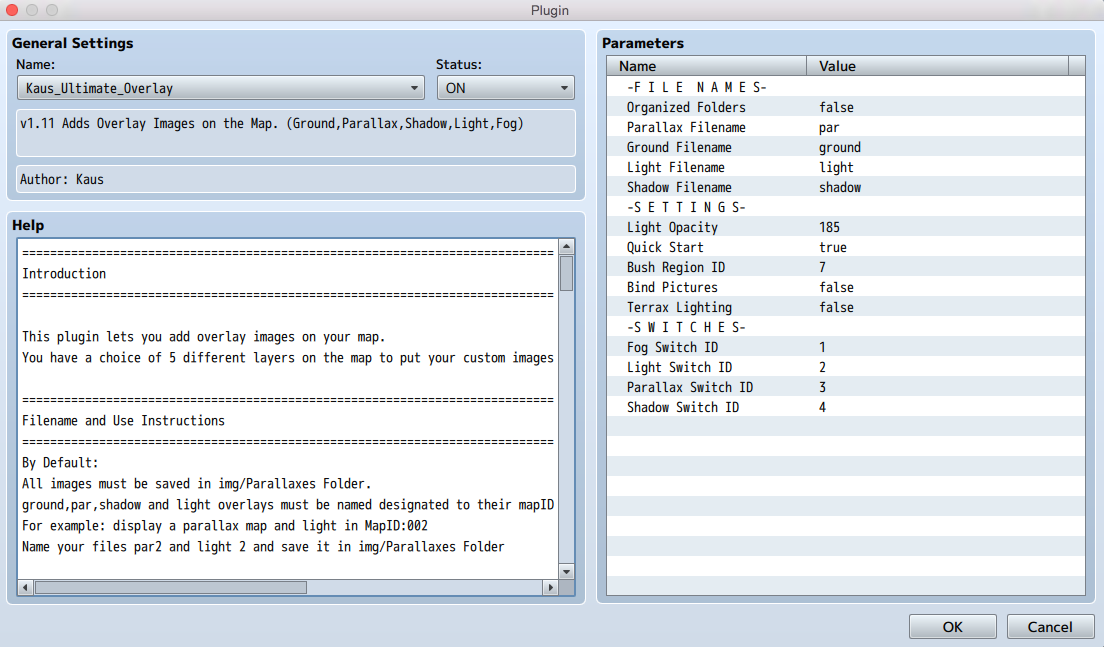
2. Here is the settings page for the plugin. Pretty standard. Didn’t mess with this at all.
Protected download
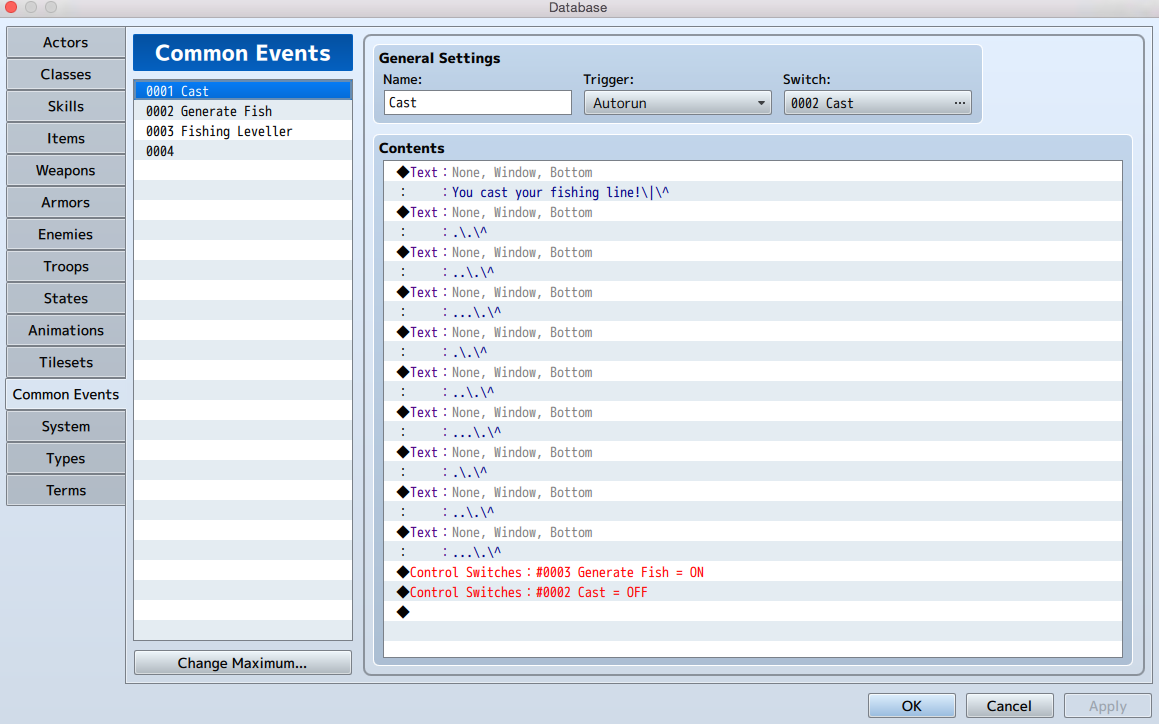
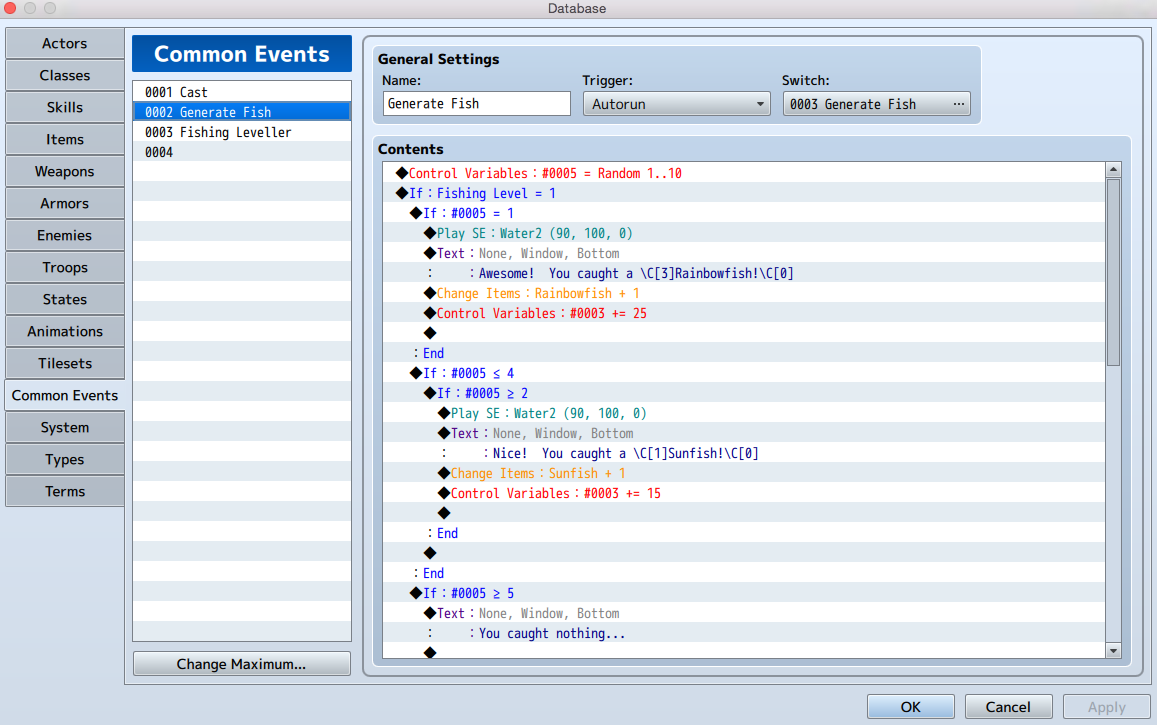
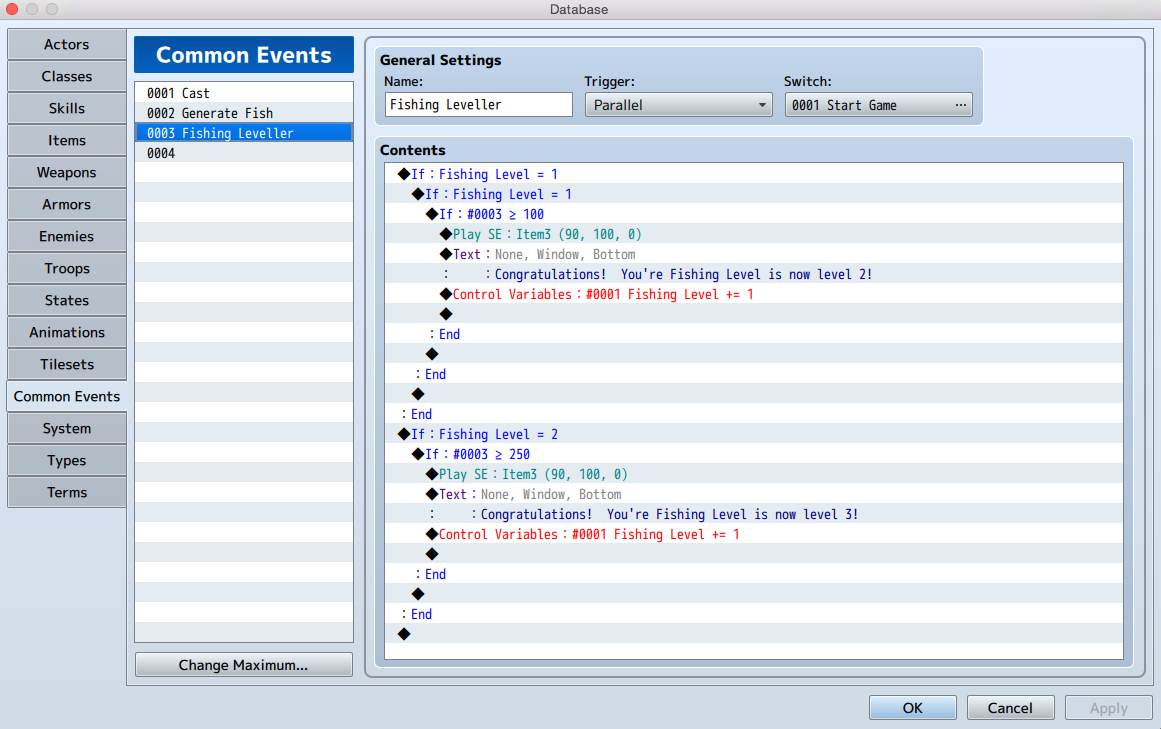
3. Now as per a Youtube tutorial showing how to set up a fishing skill event here are the common events created for that. (Ill link the Youtube video at the bottom, which is awesome by the way. The eventing itself is smooth and works perfectly fine. Im just having trouble with the way its interacting with this plugin. I have watched that video a dozen times and all of these events are to the T. Again, the fishing aspect works fine, it just messes with my par overlay.
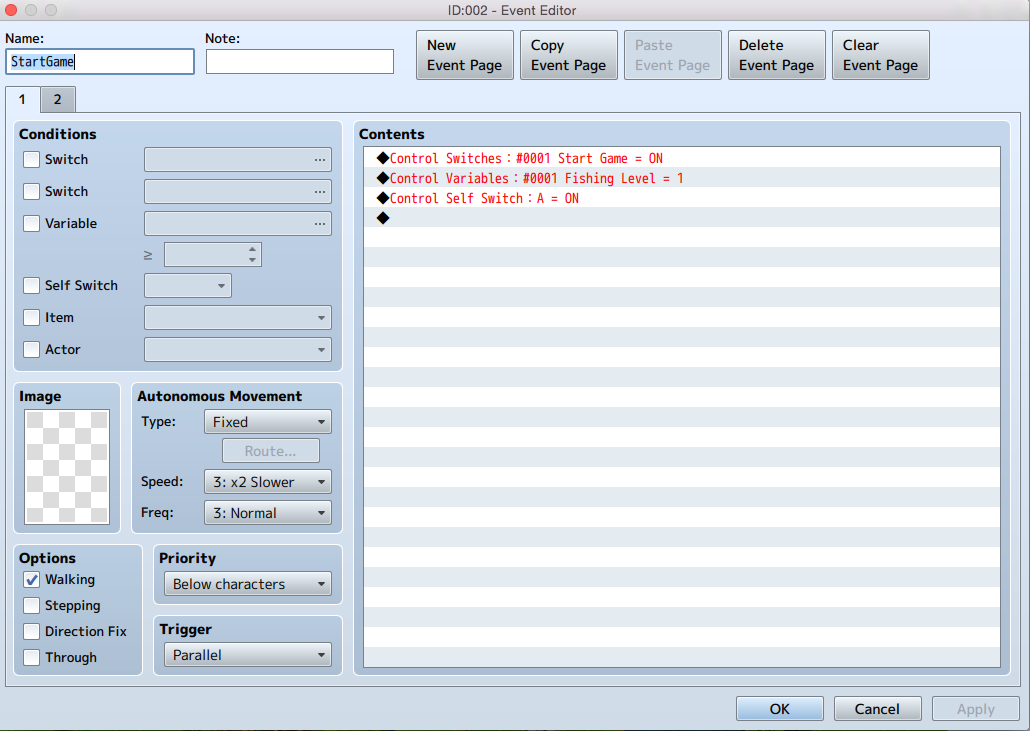
4. Here is the first page of my Initialize Fishing event.
Protected download
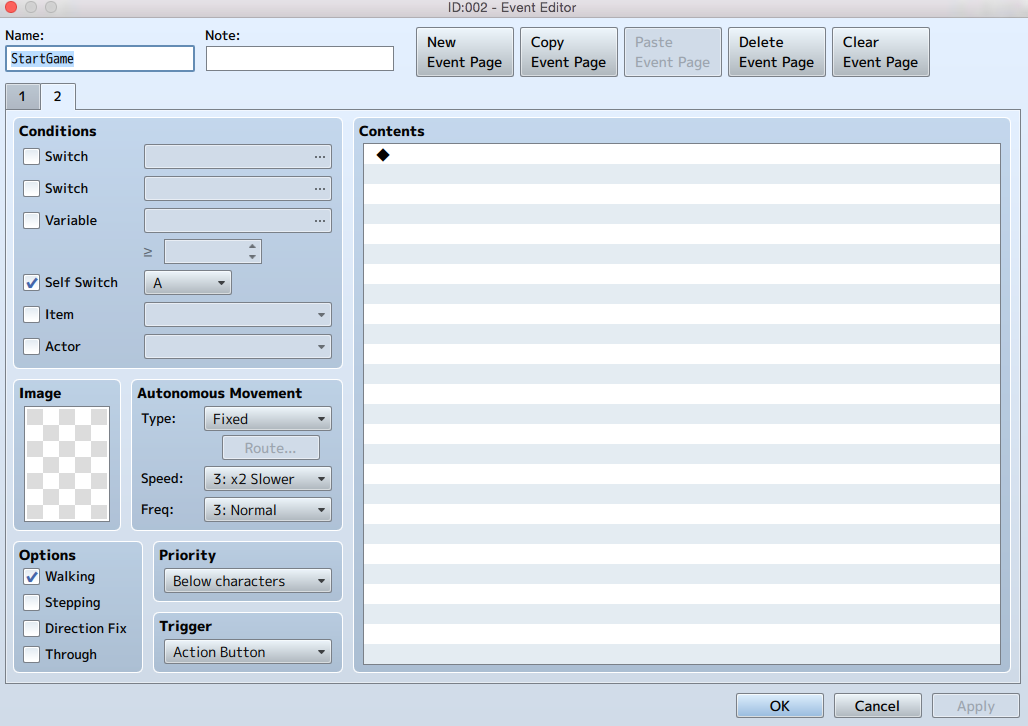
And the 2nd.
Protected download
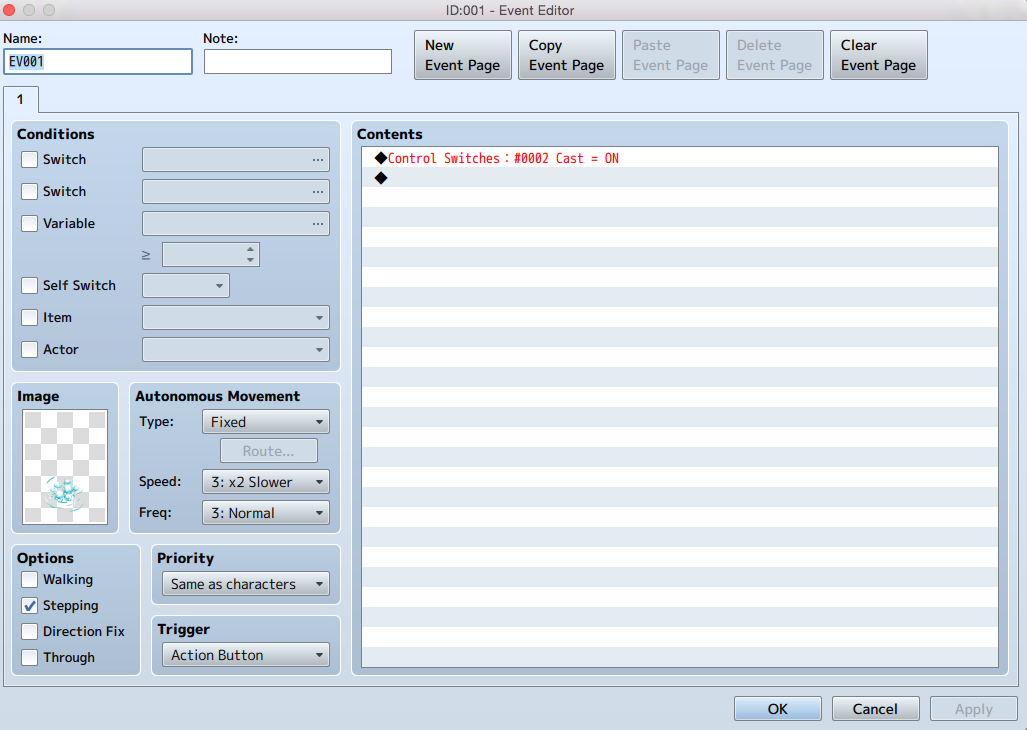
5. And here is the fishing node settings created as per the tut.
Protected download
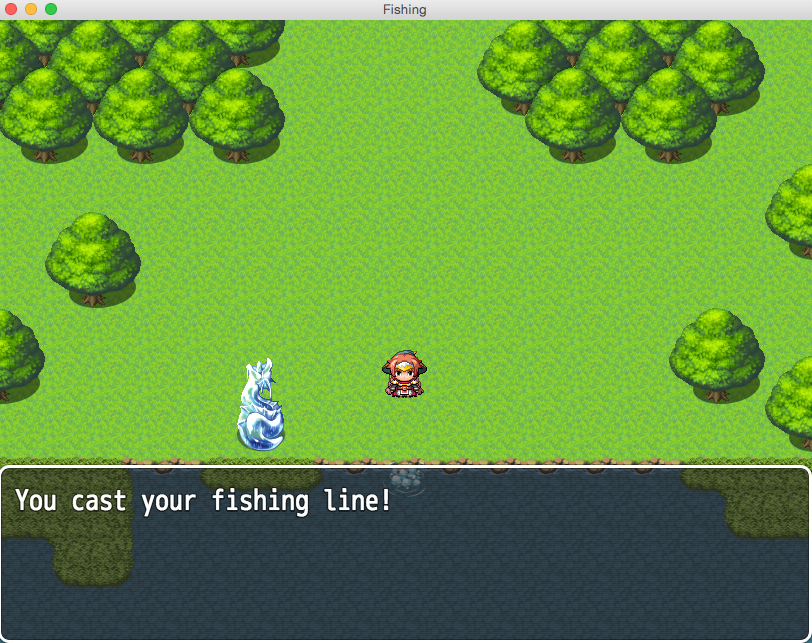
6. So here is me testing the Fishing skill on a non parallax map but WITH Kaus Ultimate overlay turned ON. As you can see, right off the bat, before I can even move, the game auto-runs Common Event #1 “Cast” for some reason, even though the control switch “Cast” is not triggered to turn on. After this occurs, both the map, and the fishing skill both work fine. Just runs that common event first.
Protected download
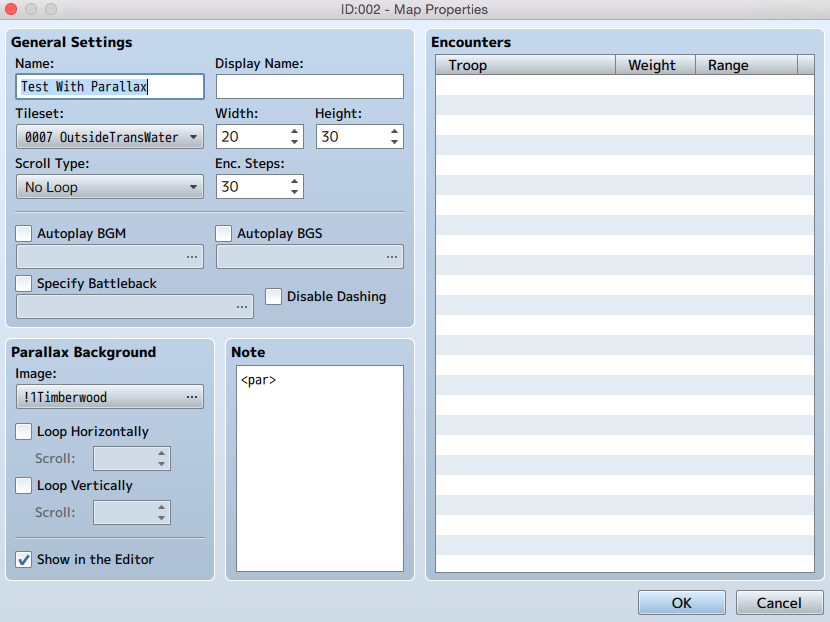
7. So I then proceed to test it on a parallax map I created. Here are the map properties for that map. As per Fallenlorelei’s tut, and the instructions for KUO plugin, all that is needed is <par> in the note tags to display the overlay layer in my parallax image folder. Which it does. And it’s awesome. No problem with the plugin there at all.
Protected download
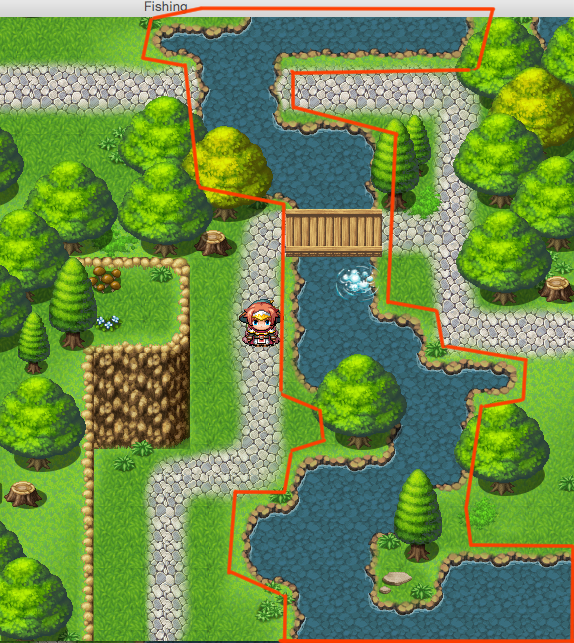
8. So booting up the new map, it plays Common Event #1 without being told, just like in the RTP map. And at the start my <par> layer is still visible. But after running the common event....
Protected download
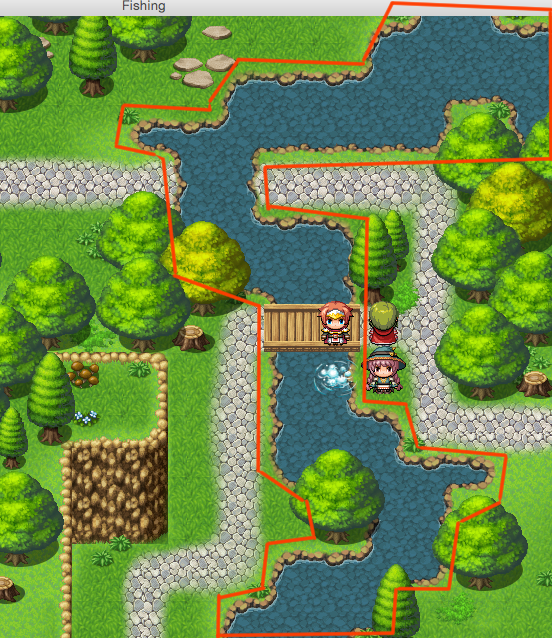
9. It vanishes. I don’t know why.
Protected download
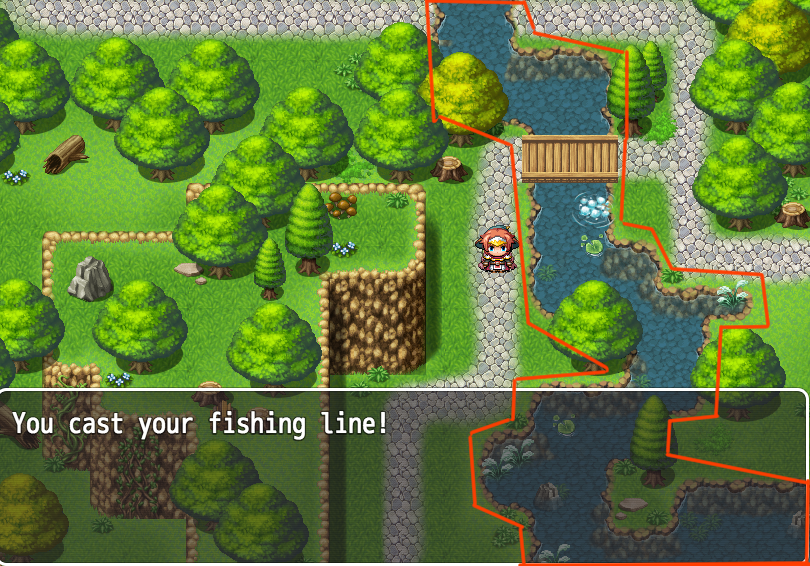
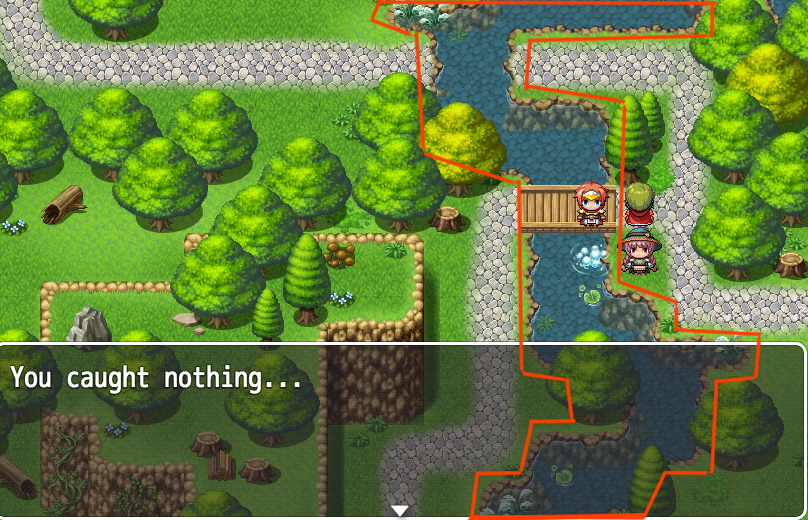
10. So I walk up to the fishing hole, and the fishing skill starts working its magic and I catch nothing. But the INSTANT that the text pops up that I caught nothing, my <par> layer becomes visible again...
Protected download
11. And the instant the message disappears, so does the <par> layer....
Protected download
12. And to add to it, as soon as the Common Event “Cast” runs the first time, the time it’s not supposed to, and the <par> layer disappears... It makes all the <par> layers on all maps in my project disappear as well.
This has been driving me mad because the in-game events here don’t seem to be tied to any of the coding in Kaus Ultimate Overlay plugin and I can’t figure out why it’s running that common event upon initialization and then making all my Overlay layers disappear.
Any help on this at all would be immensely appreciated. Or if anyone knows any (simple) parallax map plugins that work better than KUO plugin, that would be good too. Sorry if this was a lengthy post, I wanted to try and be thorough and provide enough information to get this resolved.
Thanks much,
Rickiticki
Oh yes, here is the video tutorial link for the fishing skill I used here:
Downloads / Referenced Files
Log in to download
Log in, then follow the RPG Maker Developers Group to see these download links.
If you are the original creator and want this listing reassigned, edited, or removed, join BMMPlay and contact the moderators with proof that matches the original RPG Maker Web profile, linked GitHub, itch.io page, or another public creator identity.




 Kingston IronKey Locker+ 50 G2 256GB Encrypted USB Drive
Encrypted USB storage for secure files, travel documents, and work backups.
View on Amazon
Kingston IronKey Locker+ 50 G2 256GB Encrypted USB Drive
Encrypted USB storage for secure files, travel documents, and work backups.
View on Amazon