Hello,
I'm having a rather infuriating time trying to get
Galv's Character Animations working in RMMV. I've recently started drawing a 2 tile high, 6 frame character template sheet with the intention of using it with his character animations and frames that allow for 6 frame idle, walk, and run animations. I've only completed the idle section and the walking down animations, but I thought I'd test it first before I kept going. If it works, it should successfully execute the idle animation and the walking down animation, while any other direction would make the character invisible because the rest of the image file would be transparent.
The problem is, the player is showing up as 8 sprites and flashing in and out of transparency when idle, meaning that the step animation simulated by Galv's plugin is taking multiple sprites from the sprite sheet and taking sprites from the running side of the sprite sheet when it is supposed to be idle.
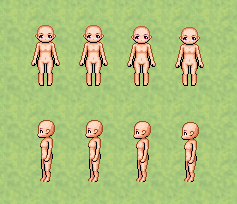
Here is an in-game example of the error from the test project I created.
Protected download
After spending quite a lot of time trying to figure this out, I've deduced that the problem is probably that the image is not being formatted correctly, which is strange because I'm very sure it is... Basically I've gotten nowhere.
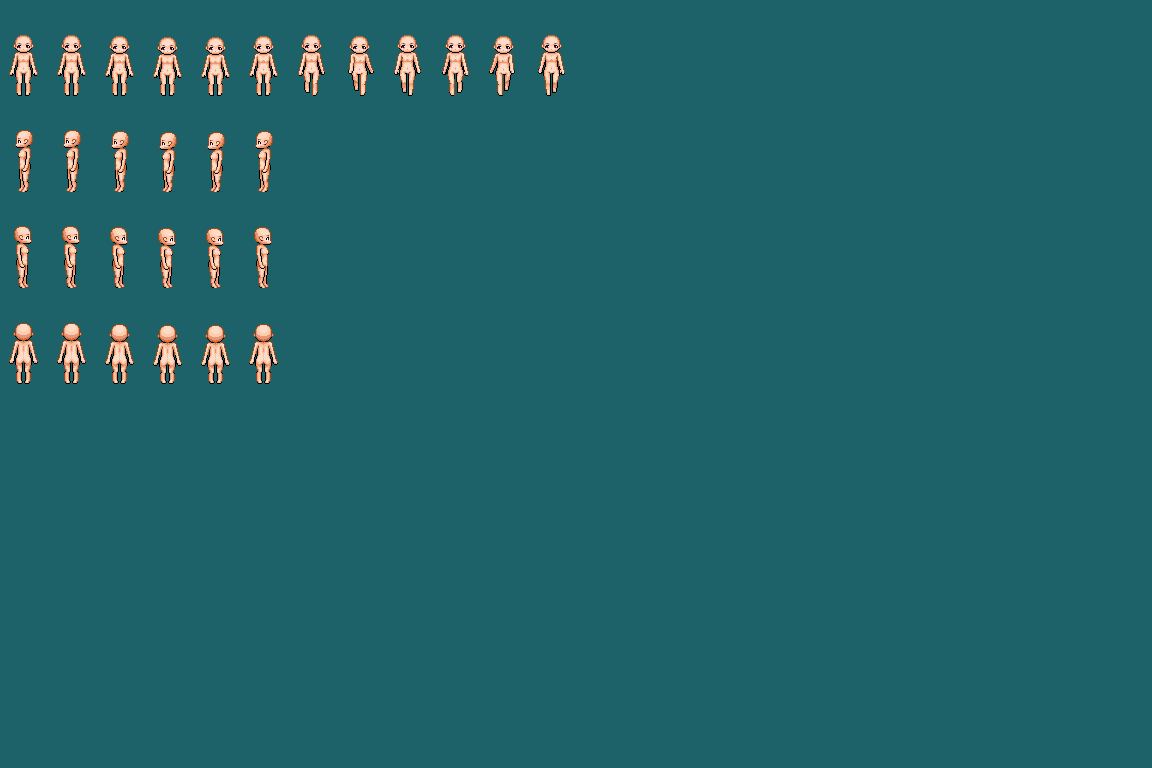
Here's the actual sprite sheet (1152x768p) with a color background so you can see where the edges are. The tile size is 48x48p. The first section is the idle section. The second is the walking. The third will be the running. The rest should be ignored by the plugin. I've also tried getting rid of the extra blank spaces (even though Galv's demo project has sprite sheets formatted like this) but nothing worked: all it did was reduce the number of sprites that show up as the player.
Protected download
I've asked Galv himself if the plugin is compatible with 2 tile high characters, and he confirmed that it should be. I've also downloaded the demo, compared the working sprite sheets with mine... I've tried more than I should have to fix this simple but extremely frustrating problem. If anyone has any ideas on how to fix this, it would be greatly appreciated. Thanks.






 Pulsar X2 Crazylight Wireless Gaming Mouse
Ultra-light wireless gaming mouse for quick aim, claw grip, and fingertip control.
View on Amazon
Pulsar X2 Crazylight Wireless Gaming Mouse
Ultra-light wireless gaming mouse for quick aim, claw grip, and fingertip control.
View on Amazon