
Preserved forum archive. This topic stores the original first post and locally mirrored RPG Maker Web attachments when available. It is posted by the BMMPlay archive account, not by the original creator.
Original Source
- Original title: Help with Multiple Frames Sideview Plugin by Yami
- Original author: MagicDoogies
- Original date: April 6, 2017
- Source thread: https://forums.rpgmakerweb.com/threads/help-with-multiple-frames-sideview-plugin-by-yami.76950/
- Source forum path: Game Development Engines > RPG Maker Javascript Plugins > Javascript/Plugin Support
Summary
Good afternoon everyone! I'm having a bit of an issue in regards to the animation sprites with this plugin. My friend and I are collaborating on a game and he ended up making sprite animations that had upwards of 6 frames of animation. This is currently my sheet setup: {
Archived First Post
Good afternoon everyone!
I'm having a bit of an issue in regards to the animation sprites with this plugin. My friend and I are collaborating on a game and he ended up making sprite animations that had upwards of 6 frames of animation.
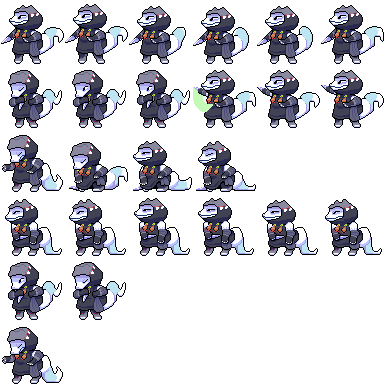
This is currently my sheet setup:
Protected download
The document size is 384x384 and each sprite is 64px in size.
I know this is a custom size sheet, but I couldn't find or understand how to tell the plugin to read sprite sheets in a custom size. (very inexperienced with scripting.)
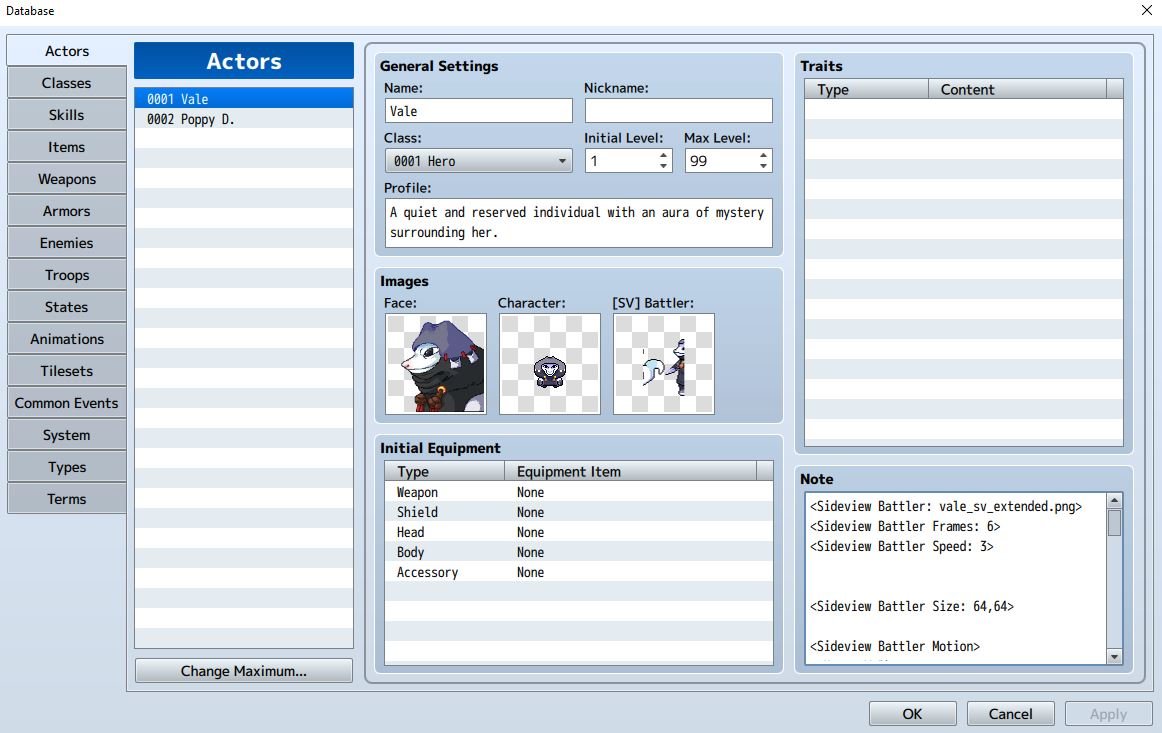
This is what my actor page looks like
Protected download
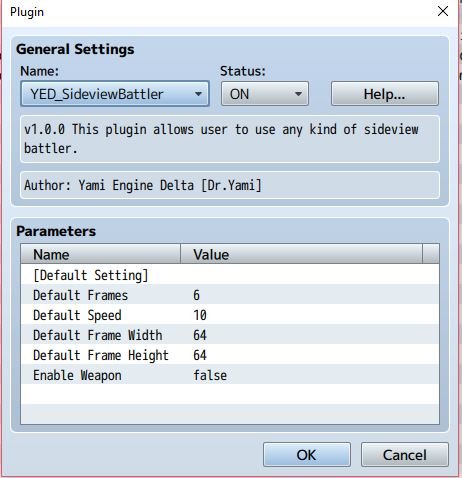
Here is what the settings of the plugin is under settings:
Protected download
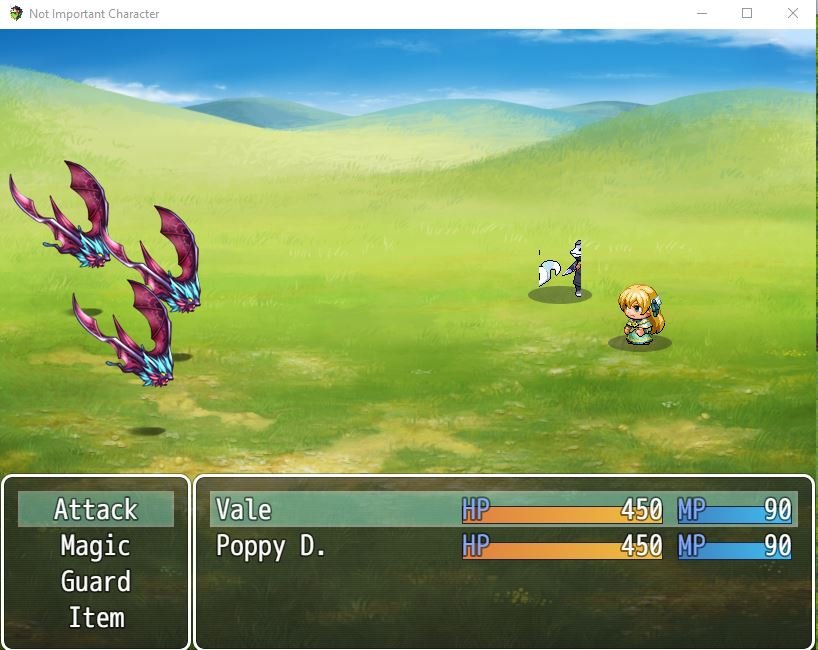
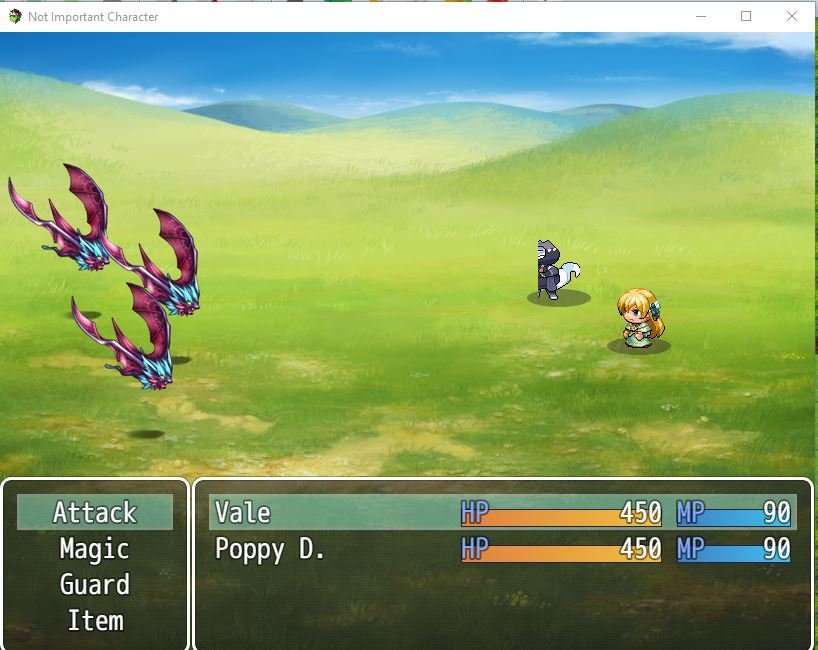
And the issue I have run in to when play testing the game is this:
Protected download Protected download
All the animations work as I assigned them, but my sprites are in a constant flux of shifting left and right for no reason.
The video tutorial doesn't really explain at all how to make custom sprite sheets like they did, and I can't really find out why not only are my sprites not centered but constantly flickering left and right.
I'm sure it's an easy fix, but with my inexperience I'm just not seeing it.
Additional info is that I noticed in the video that the author used some sort of sub javascript file to insert the tags in a sublime text like program? I don't know if that has any bearing on anything.
Thanks for helping out an rpgmaker and scripting baby.
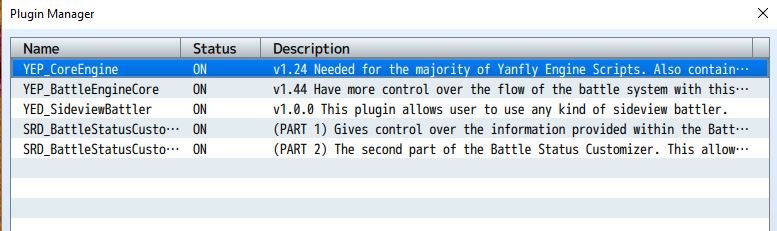
EDIT: Here is an additional screenshot showing my plugin order. Maybe that is affecting the plugin?
Protected download
I'm having a bit of an issue in regards to the animation sprites with this plugin. My friend and I are collaborating on a game and he ended up making sprite animations that had upwards of 6 frames of animation.
This is currently my sheet setup:
Protected download
The document size is 384x384 and each sprite is 64px in size.
I know this is a custom size sheet, but I couldn't find or understand how to tell the plugin to read sprite sheets in a custom size. (very inexperienced with scripting.)
This is what my actor page looks like
Protected download
Here is what the settings of the plugin is under settings:
Protected download
And the issue I have run in to when play testing the game is this:
Protected download Protected download
All the animations work as I assigned them, but my sprites are in a constant flux of shifting left and right for no reason.
The video tutorial doesn't really explain at all how to make custom sprite sheets like they did, and I can't really find out why not only are my sprites not centered but constantly flickering left and right.
I'm sure it's an easy fix, but with my inexperience I'm just not seeing it.
Additional info is that I noticed in the video that the author used some sort of sub javascript file to insert the tags in a sublime text like program? I don't know if that has any bearing on anything.
Thanks for helping out an rpgmaker and scripting baby.
EDIT: Here is an additional screenshot showing my plugin order. Maybe that is affecting the plugin?
Protected download
Downloads / Referenced Files
Log in to download
Log in, then follow the RPG Maker Developers Group to see these download links.
Log in to downloadReferenced Images / Attachments
Creator Claims / Removal
If you are the original creator and want this listing reassigned, edited, or removed, join BMMPlay and contact the moderators with proof that matches the original RPG Maker Web profile, linked GitHub, itch.io page, or another public creator identity.
Replies (0)
No replies yet.
0
replies
1
view
Topic Summary
Loading summary...