Hello, help form! Here's my question -
I'm using the row plugin (amongst many other plugins, but I think this is something that can be solved with the row plugin, battle AI, and maybe action sequences? I don't know how really to javascript and i feel like this would require javascript, so I'm coming here for help!), and basically, I have enemies moving into each other. I have enemies capable of moving back and forth in rows, like the players can (the Row command was causing weird bugs, and controlling movement on an individual level I feel makes my game better anyway), and say if you knock a slime back, it crawls forward one row at a time until it's back in row 1.
Basically, is there any way I could javascript either the movement command or the AI of the enemies to look in front of it, go "Hey, if I moved forward I'd be hitting another enemy's hitbox! No, I will stay here and waste my turn", and then not move if it would cause it to bash into another enemy?
My game is still in the early stages of development so this isn't really a prompt request, but any help that one could offer would be appreciated! Right now, here is the movement commands I have and the AI of my test slimes.
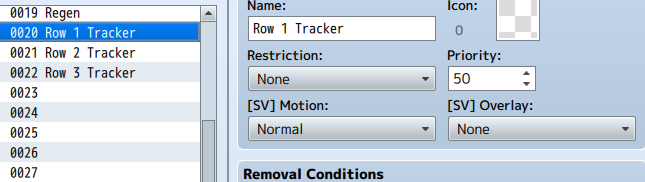
Attached are the important files - I'm using State 20, 21, and 22 to track rows in lieu of any other method because I'm a simple guy that doesn't quite understand programming.
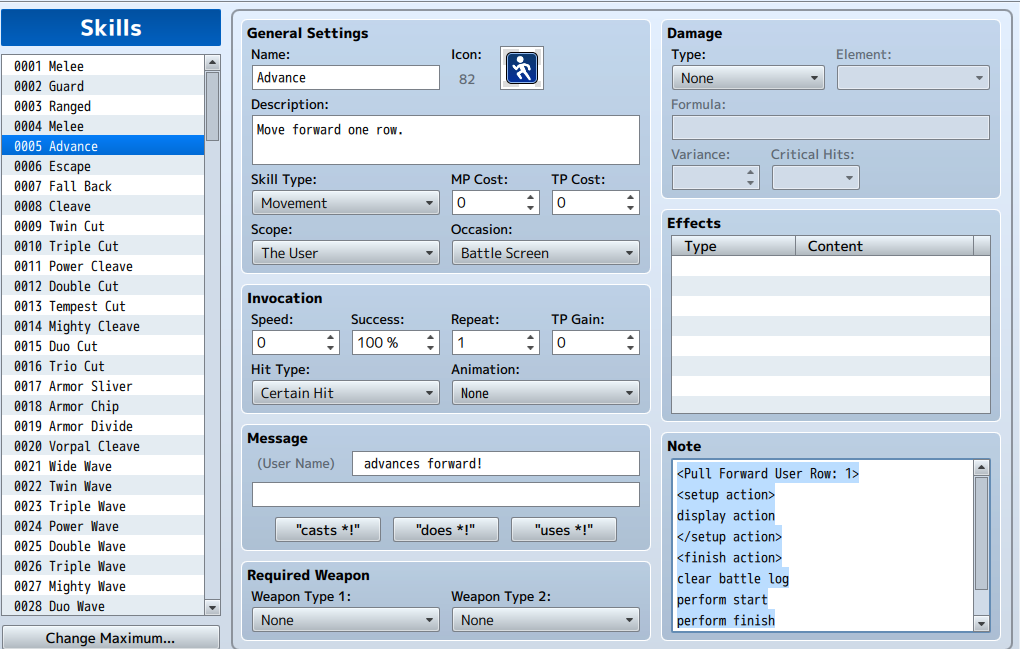
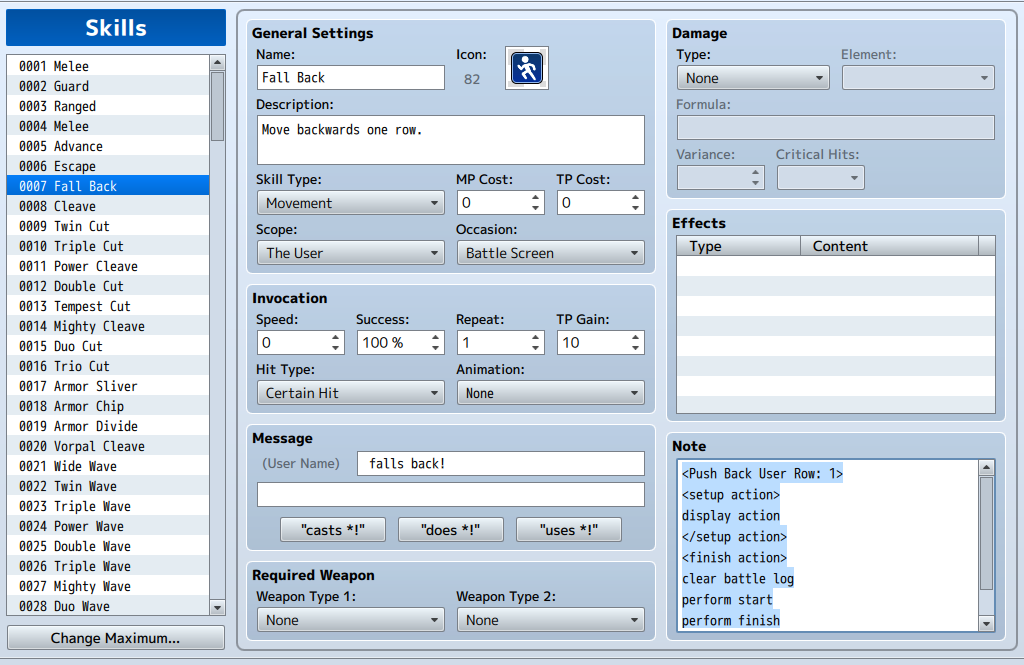
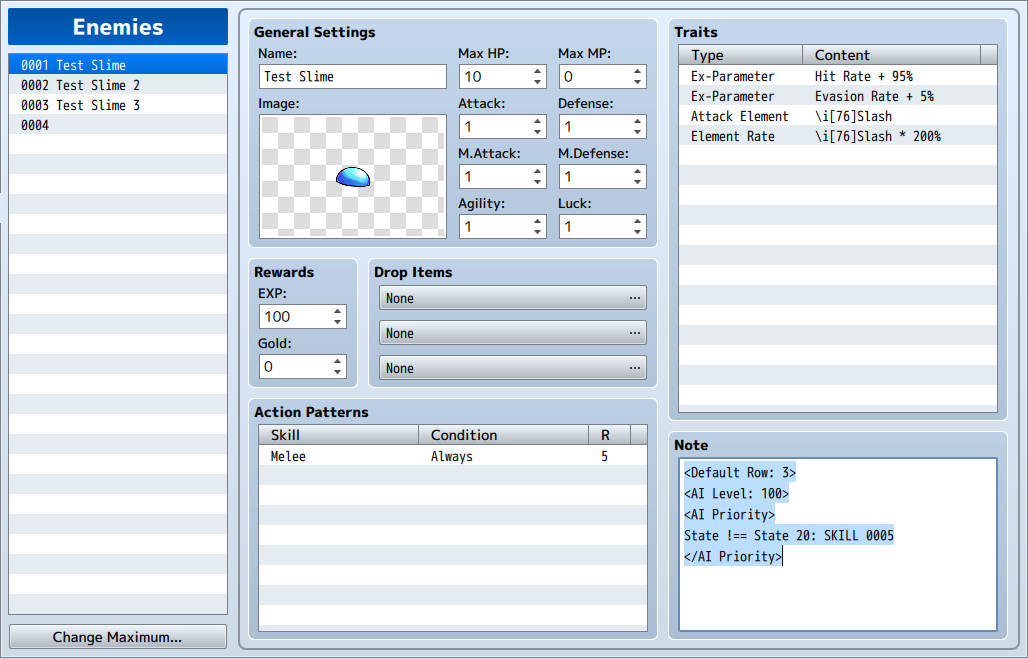
Also, the code for the "Advance" and "Fall Back" skills are in the spoilers below, with the slime AI beneath that (all 3 test slimes have the same AI)
Protected download
"Advance" notes
<Pull Forward User Row: 1>
<setup action>
display action
</setup action>
<finish action>
clear battle log
perform start
perform finish
</finish action>
Protected download
"Fall Back" notes
<Push Back User Row: 1>
<setup action>
display action
</setup action>
<finish action>
clear battle log
perform start
perform finish
</finish action>
Protected download
Test Slime AI notes & Row Tracker for reference
<Default Row: 3>
<AI Level: 100>
<AI Priority>
State !== State 20: SKILL 0005
</AI Priority>
Protected download
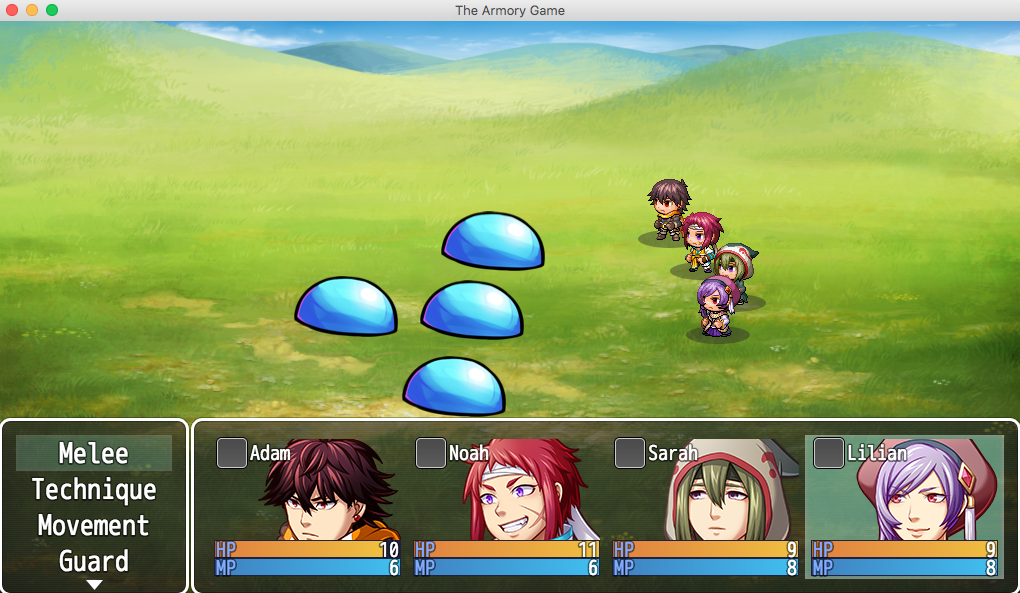
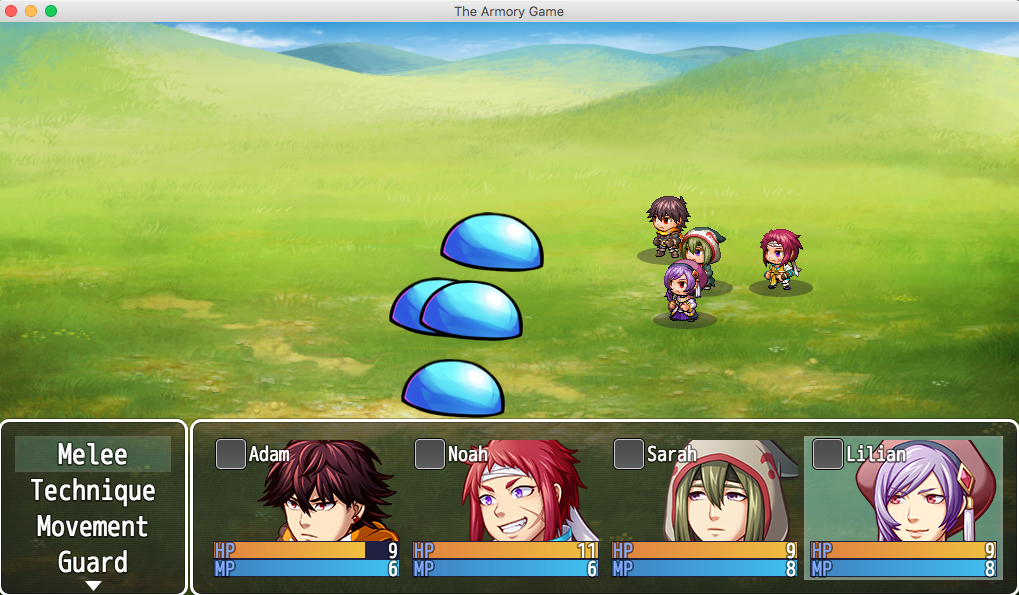
The last two pictures are just a demonstration of my problem
Turn 1
Protected download
Turn 2
Protected download
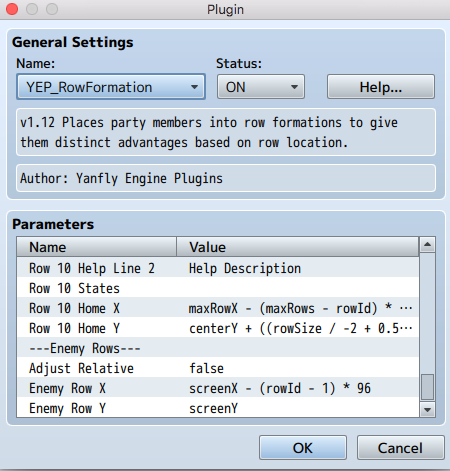
Also, here's my row settings for enemy rows, if that helps anything (or if a solution could be engineered from there)
Protected download



 SPEEDLINK Competition Pro Extra USB Joystick
Retro USB arcade joystick for classic PC and Android gaming sessions.
View on Amazon
SPEEDLINK Competition Pro Extra USB Joystick
Retro USB arcade joystick for classic PC and Android gaming sessions.
View on Amazon