Hello community!
I'm new to this forum (and also kind of to RPG Maker) and I need your help!
(Long post ahead, i'm sorry)
EDIT1:
Realizing you start as transparent, but don't turn it off anywhere isn't that smart . Now I can see my character, but I cannot move it.
EDIT2:
It turns out the parallel Fadein Screen event, was not set to parallel. Now everything is working as it should, problem 1 is solved!
EDIT3:
Both problems are solved, my solutions:
- Make sure you change back the transparency when you start transparent
- Autorun events can (and probably will) block your movement
- You can set autonomous movement for an event, to start from the beginning again I moved right first, set transparency on, then moved left and then set transparency off. Don't also forget to keep looping this movement.
I am having 2 problems:
- for some reason, my PC does not 'spawn' (I will explain this later)
- I was wondering how do I make moving clouds (which will also be explained later)
Problem 1: 'spawning' my PC
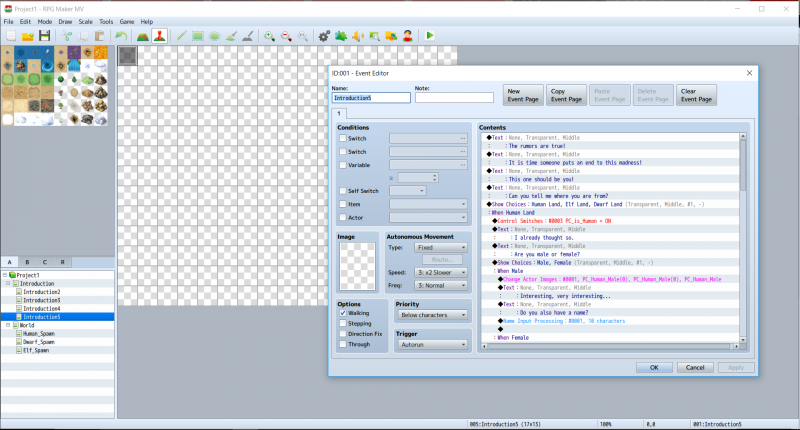
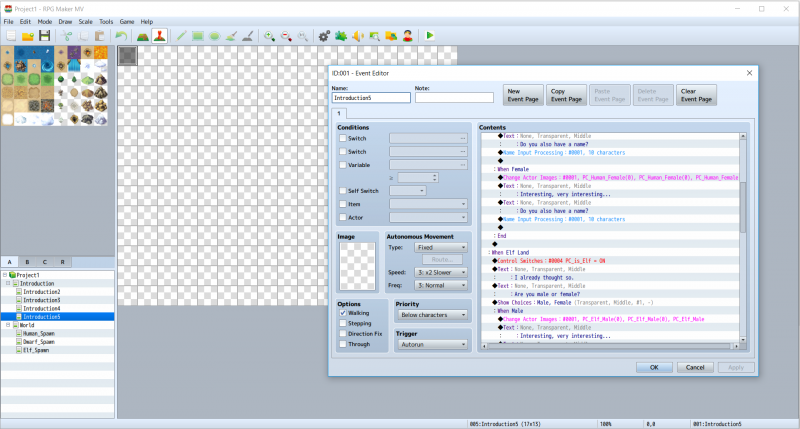
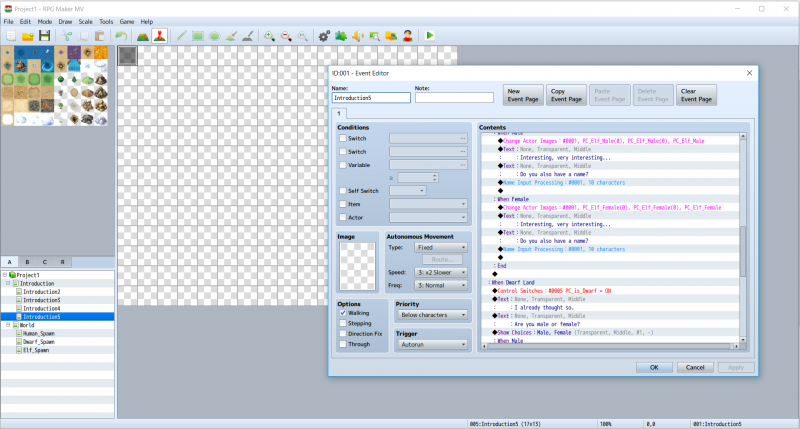
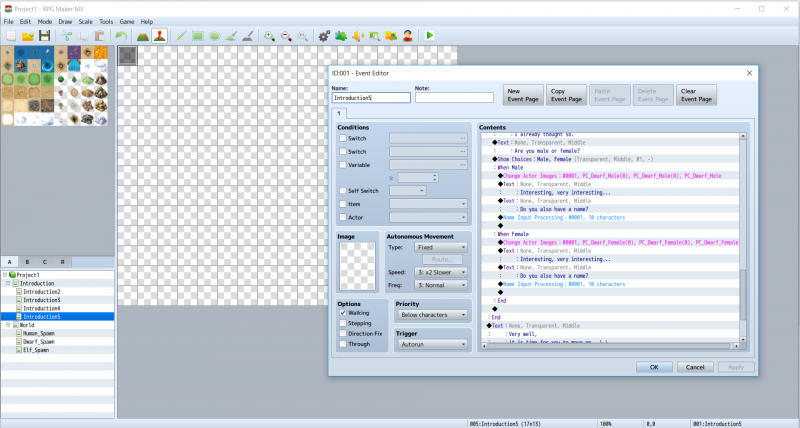
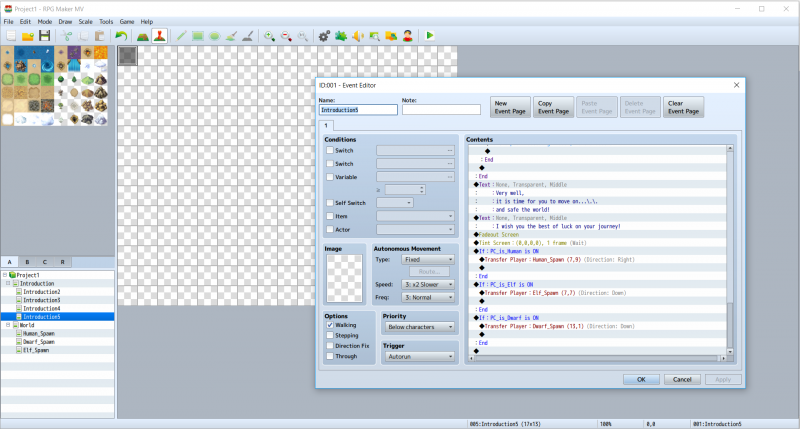
Okay, so the main idea is that in the introduction, you see a 'movie', afterwards you can choose Race, Gender and Name. When this is chosen the player will be transferred to their starter area, but this won't work. I change the actor graphic to the corresponding Race and Gender, but it does not seem to apply. Below I will insert to pictures of my event(s):
Protected download Protected download Protected download Protected download Protected download
Now the player will be transferred to the starter area corresponding to the race; the only event on those maps are parallel events with one line; Fadein Screen.
Everything works and the player gets transferred to the corresponding area, but I do not see my character, nor can I move it.
Problem 2: Moving clouds
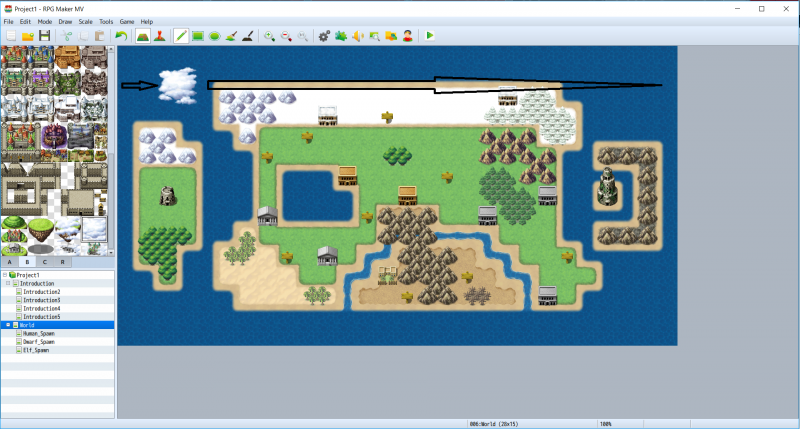
This, hopefully, is a little bit easier. What I want is clouds to move from the left side of the map, to the right side of the map, then they should move 'past' the border on the right side (so they should go invisible) and then they should come in from the left side of the map again. I have found some things on the internet about storing variables for the X and Y position, but I cannot get it to work. Does somebody has a piece of code for me I can edit (or something like that)?
Protected download



 SteelSeries Rival 3 Wireless Gen 2 Gaming Mouse
Dual wireless gaming mouse with fast response and long battery life for PC players.
View on Amazon
SteelSeries Rival 3 Wireless Gen 2 Gaming Mouse
Dual wireless gaming mouse with fast response and long battery life for PC players.
View on Amazon

