Need events review for Sideways/Diagonal Stairways/Staircase! Using RegionID
BMM_Archive · July 15, 2026
Preserved forum archive. This topic stores the original first post and locally mirrored RPG Maker Web attachments when available. It is posted by the BMMPlay archive account, not by the original creator.
Original Source
- Original title: Need events review for Sideways/Diagonal Stairways/Staircase! Using RegionID
- Original author: 4rc4n3
- Original date: December 16, 2017
- Source thread: https://forums.rpgmakerweb.com/threads/need-events-review-for-sideways-diagonal-stairways-staircase-using-regionid.88527/
- Source forum path: Game Development Engines > Legacy Engine Support > RPG Maker MV Support
Summary
Hey there, After dozens of hours watching videos and reading tutorial, I've yet to complete my staircases and thus I'm begging for help. For real, I've spent way too many hours on such a futility. Sorry for the spelling mistakes, I'm dead asleep. I'm trying to build a sideways staircase able to: 1) Parallax over/under like a bridge - accomplished!
Archived First Post
Hey there,
After dozens of hours watching videos and reading tutorial, I've yet to complete my staircases and thus I'm begging for help. For real, I've spent way too many hours on such a futility. Sorry for the spelling mistakes, I'm dead asleep.
I'm trying to build a sideways staircase able to:
1) Parallax over/under like a bridge - accomplished!
2) Allow to stop in the middle of the staircase and resume the movement - almost there!
I'll demonstrate how the events works and then what my problems are.
First, how the parallax was achieved.
Second, how my events are CURRENTLY running. This is what I need help with for the issues in the next paragraph.
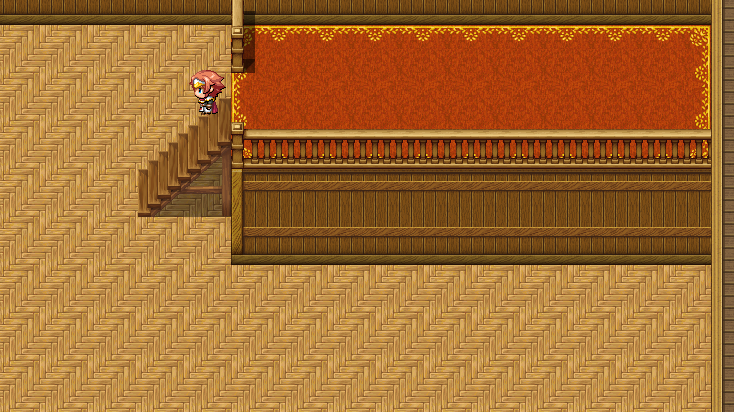
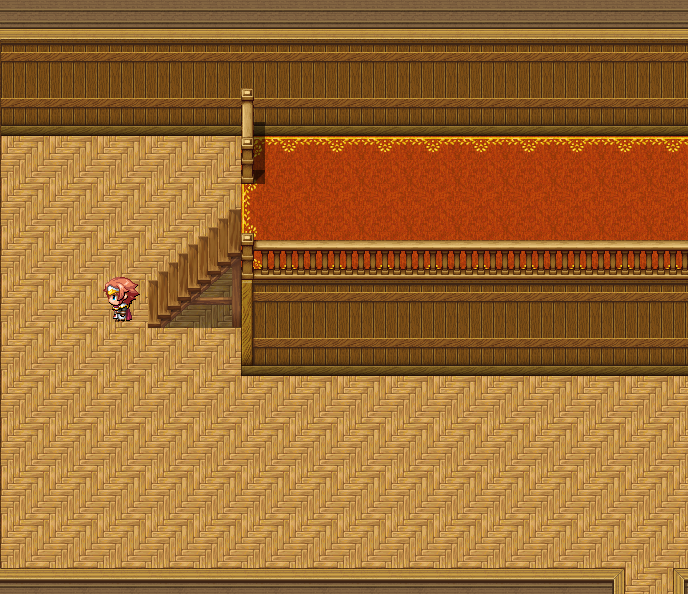
Now with the problems. Both of my issues are LOWER LEFT MOVEMENT. In one situation, it moves LOWER LEFT when I would like to move pure LEFT. To replicate this, just move once on the tile. Yes, move once: if you hold your keep down, it will work properly. The issue shows up only when you press a single time.
It's kinda similar to the end of the staircase shown earlier, but it feels like that specific tile requires the Region13 in order to move UPPER RIGHT. Since I can't leave the region alone, I'm at a loss. Maybe with an other RegionID, a different conditional branch in the main event, and other movement routes, it would work? What would it look like?
Here are the pictures to illustrate.
The other problem I have is; from the top, the character will slide all the way down in a single stroke. I want it to stop at the middle like the other movements.
And that should be it. I'm sure most of the work already done will help many but I'm also confident someone else can push forward to fix my issues too.
Please. It's time for this to be over with.
Thank you!

After dozens of hours watching videos and reading tutorial, I've yet to complete my staircases and thus I'm begging for help. For real, I've spent way too many hours on such a futility. Sorry for the spelling mistakes, I'm dead asleep.
I'm trying to build a sideways staircase able to:
1) Parallax over/under like a bridge - accomplished!
2) Allow to stop in the middle of the staircase and resume the movement - almost there!
I'll demonstrate how the events works and then what my problems are.
First, how the parallax was achieved.
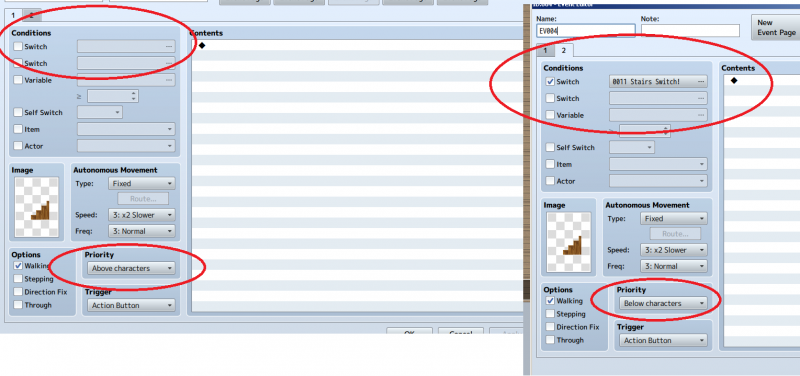
To start, the events at ''normal state'', so that they are ABOVE the player.
Then, the moment where the stairway starts, and thus the switch must activate.
And lastly, where it ends up when you're done with the stairway.
Protected download
Then, the moment where the stairway starts, and thus the switch must activate.
Protected download
And lastly, where it ends up when you're done with the stairway.
Protected download
Second, how my events are CURRENTLY running. This is what I need help with for the issues in the next paragraph.
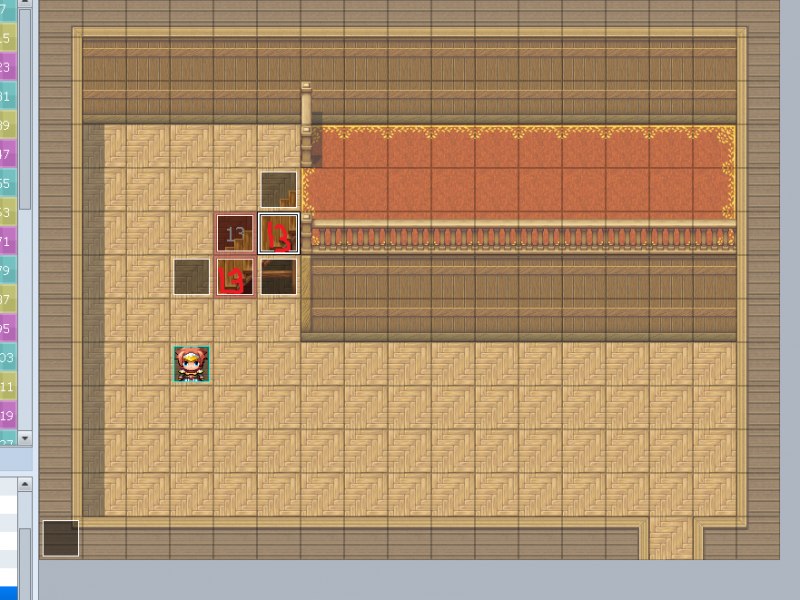
How things are shown in the editor (the Regions, etc.)
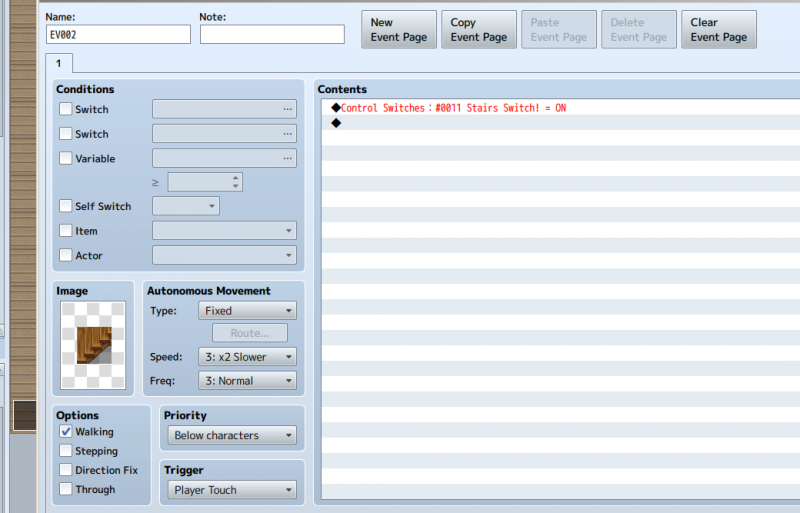
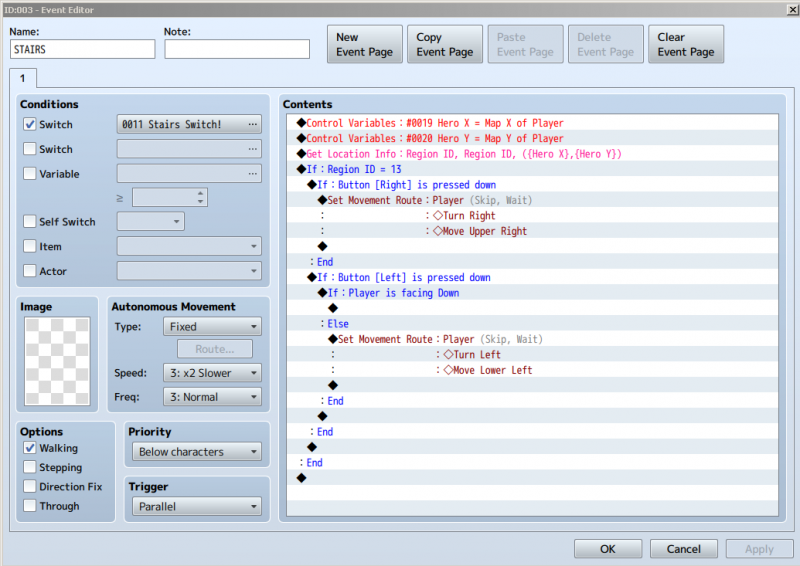
Then, the event that regulates most of the movements.
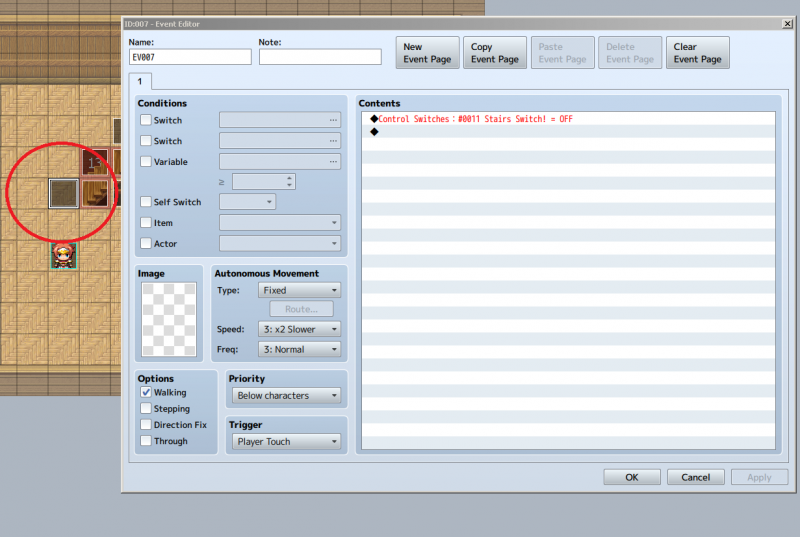
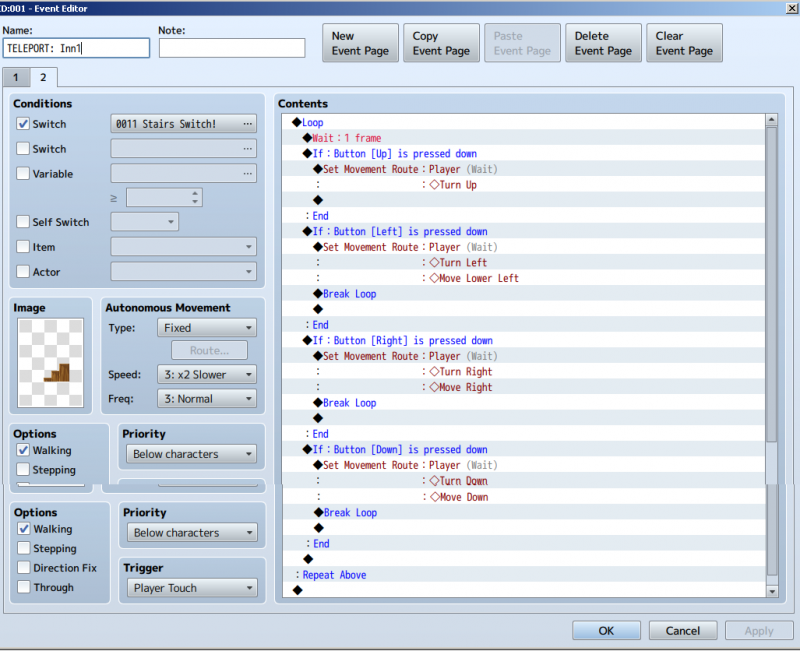
Lastly, the ''end'' of the stairway. I needed a special event for this one, else (if I had the ''13 region on it) it would throw me UPPER RIGHT instead of just RIGHT. I needed a way to ''clean'' my exit and this is the best I've found. I'm open to suggestions.
Protected download
Then, the event that regulates most of the movements.
Protected download
Lastly, the ''end'' of the stairway. I needed a special event for this one, else (if I had the ''13 region on it) it would throw me UPPER RIGHT instead of just RIGHT. I needed a way to ''clean'' my exit and this is the best I've found. I'm open to suggestions.
Protected download
Now with the problems. Both of my issues are LOWER LEFT MOVEMENT. In one situation, it moves LOWER LEFT when I would like to move pure LEFT. To replicate this, just move once on the tile. Yes, move once: if you hold your keep down, it will work properly. The issue shows up only when you press a single time.
It's kinda similar to the end of the staircase shown earlier, but it feels like that specific tile requires the Region13 in order to move UPPER RIGHT. Since I can't leave the region alone, I'm at a loss. Maybe with an other RegionID, a different conditional branch in the main event, and other movement routes, it would work? What would it look like?
Here are the pictures to illustrate.
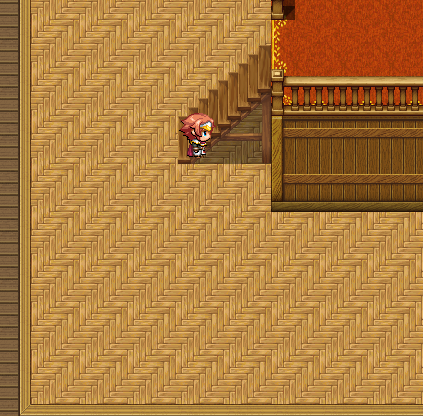
The problematic tile, when I stand still.
And where I end up.
Protected download
And where I end up.
Protected download
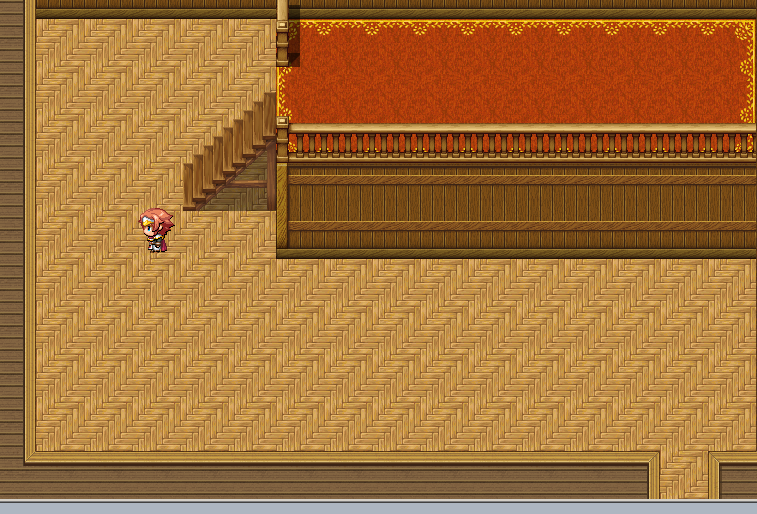
The other problem I have is; from the top, the character will slide all the way down in a single stroke. I want it to stop at the middle like the other movements.
Where I start
And where I end up (finally!)
Protected download
And where I end up (finally!)
Protected download
And that should be it. I'm sure most of the work already done will help many but I'm also confident someone else can push forward to fix my issues too.
Please. It's time for this to be over with.
Thank you!

Downloads / Referenced Files
Log in to download
Log in, then follow the RPG Maker Developers Group to see these download links.
Log in to downloadReferenced Images / Attachments
Creator Claims / Removal
If you are the original creator and want this listing reassigned, edited, or removed, join BMMPlay and contact the moderators with proof that matches the original RPG Maker Web profile, linked GitHub, itch.io page, or another public creator identity.
Replies (0)
No replies yet.
0
replies
1
view
Topic Summary
Loading summary...