Preserved forum archive. This topic stores the original first post and locally mirrored RPG Maker Web attachments when available. It is posted by the BMMPlay archive account, not by the original creator.
Original Source
Original title: I'm probably just gonna give up if I can't fix this.
Source forum path: Game Development Engines > Legacy Engine Support > RPG Maker MV Support
Summary
I've had so many issues, most of which I could fix myself but if not I could at least figure what was causing the issue and from there I could ask for help, but this time... I know when it started, but not what started it. I'll post everything I know. When: Once I managed to get my new plugins to show up inside of RPG Maker MV, NOT when I activated them. All I had to do was remove spaces from the directory and they popped up in the...
Archived First Post
I've had so many issues, most of which I could fix myself but if not I could at least figure what was causing the issue and from there I could ask for help, but this time... I know when it started, but not what started it. I'll post everything I know.
When:
Once I managed to get my new plugins to show up inside of RPG Maker MV, NOT when I activated them. All I had to do was remove spaces from the directory and they popped up in the engine but I did NOT activate them.
What happens:
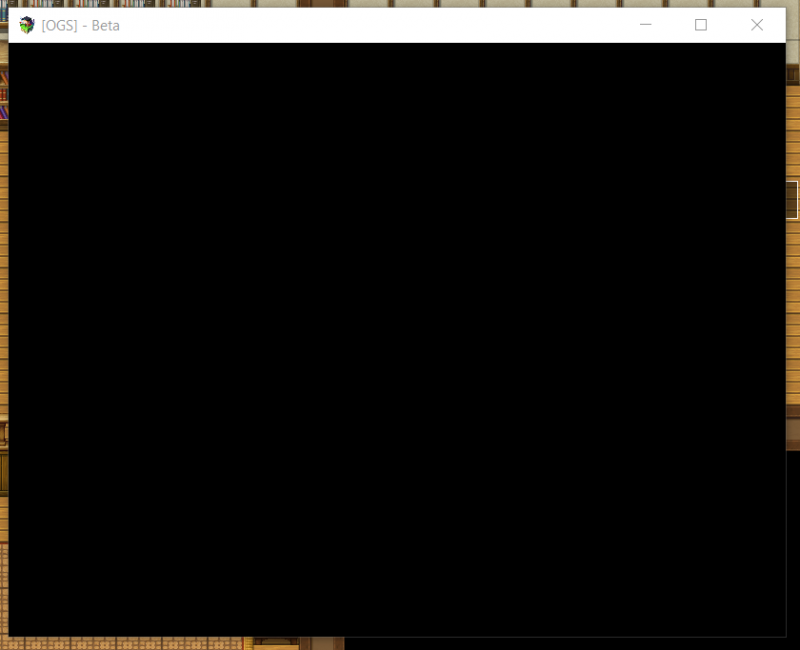
Once I start the game for play testing, the game simply stays as a black square. No error message, nothing. And I can see that the game doesn't even load any plugins since with one of my plugins the game would set itself to 1280x720 resolution, but instead it simply stays in the default, no-plugin square resolution.
What I've tried:
- Removing the new plugins (or at least as many as I could remember) but not the ones I had BEFORE this issue.
- Restarting my entire PC twice.
- Restarting RPG Maker MV.
What I'm going to try:
- Disable all plugins I don't need and remove the rest and see if the problem persists.
Please help me as I don't know what I'll do if that doesn't work out. If I can't fix this, I don't want to start over. I've been working on my project for over a year and I'm not ready to salvage the most I can out of it, I'll simply give up. Protected downloadProtected downloadProtected download
First image: Once I boot up the game, this shows up. No error message.
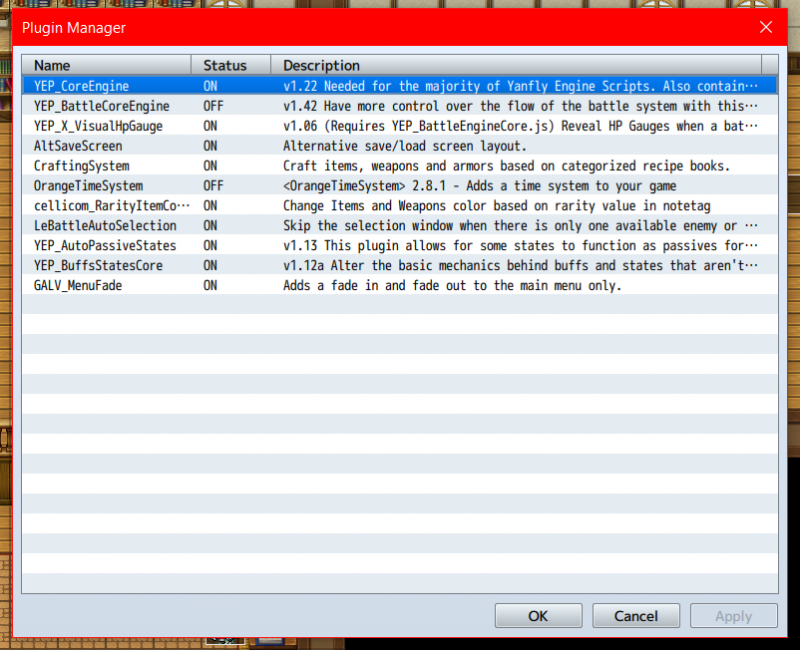
Second: The plugins that are in my game, as you can see not all of them are on.
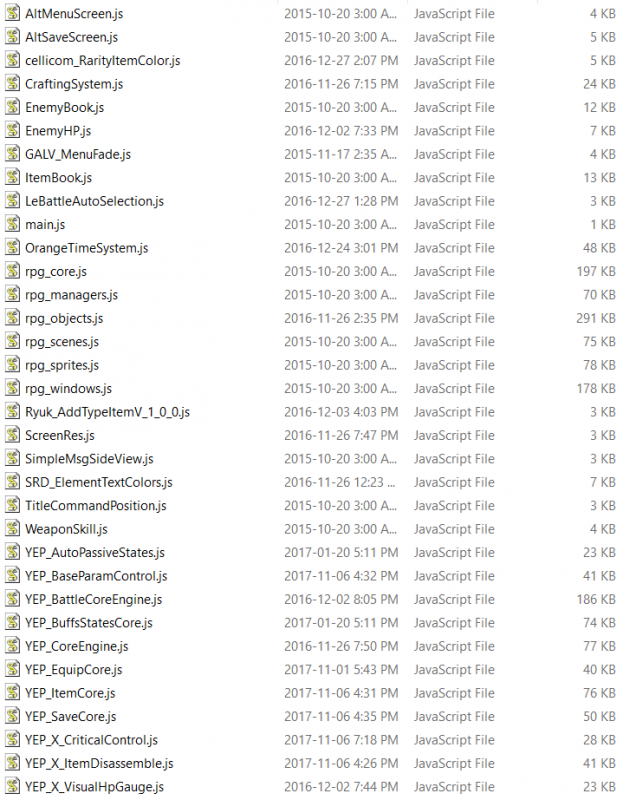
Third: All the plugins within the files. Like mentioned, not all are active so I don't know why they could ever possibly cause such an issue.
Downloads / Referenced Files
Log in to download
Log in, then follow the RPG Maker Developers Group to see these download links.
If you are the original creator and want this listing reassigned, edited, or removed, join BMMPlay and contact the moderators with proof that matches the original RPG Maker Web profile, linked GitHub, itch.io page, or another public creator identity.




 Antlion Audio ModMic USB Attachable Microphone
Attachable USB microphone that turns favorite headphones into a stream or chat headset.
View on Amazon
Antlion Audio ModMic USB Attachable Microphone
Attachable USB microphone that turns favorite headphones into a stream or chat headset.
View on Amazon