

Shaz - Multi Timers Plugin
BMM_Archive · July 15, 2026

Original Source
- Original title: Shaz - Multi Timers Plugin
- Original author: Lathirian
- Original date: May 8, 2016
- Source thread: https://forums.rpgmakerweb.com/threads/shaz-multi-timers-plugin.61606/
- Source forum path: Game Development Engines > RPG Maker Javascript Plugins > Javascript/Plugin Support
Summary
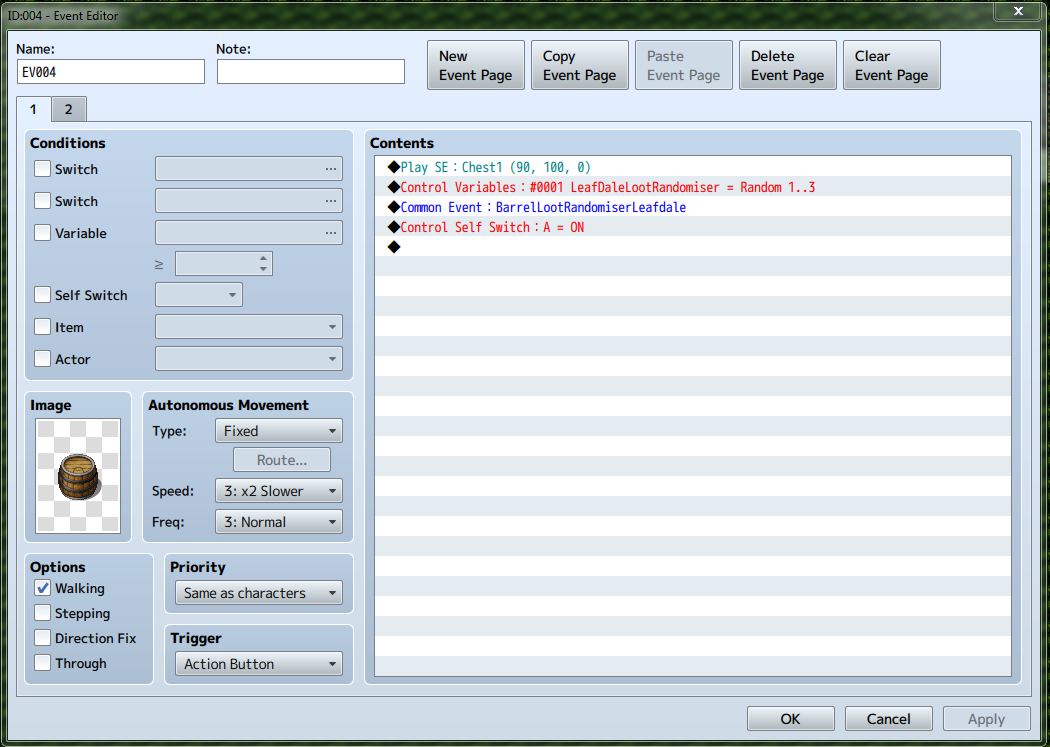
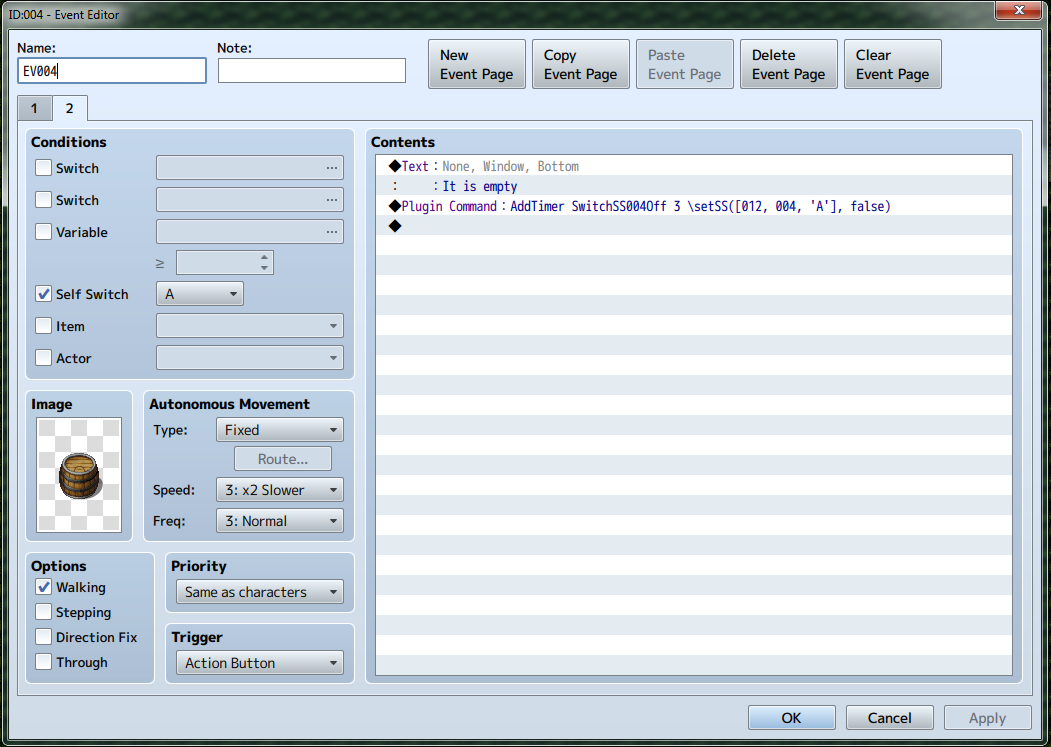
Hi all, I can't seem to make Shaz's Multi Timer Plugin count-down and then set my self switch to false. This would take my event back to page one after a certain period of time and make my barrel 'lootable' once more. The plugin works fine if I'm using switches but not when I use a self switch. So at the moment I have the plugin command set to 3 seconds just while I'm testing it.
Archived First Post
I can't seem to make Shaz's Multi Timer Plugin count-down and then set my self switch to false. This would take my event back to page one after a certain period of time and make my barrel 'lootable' once more.
The plugin works fine if I'm using switches but not when I use a self switch.
So at the moment I have the plugin command set to 3 seconds just while I'm testing it.
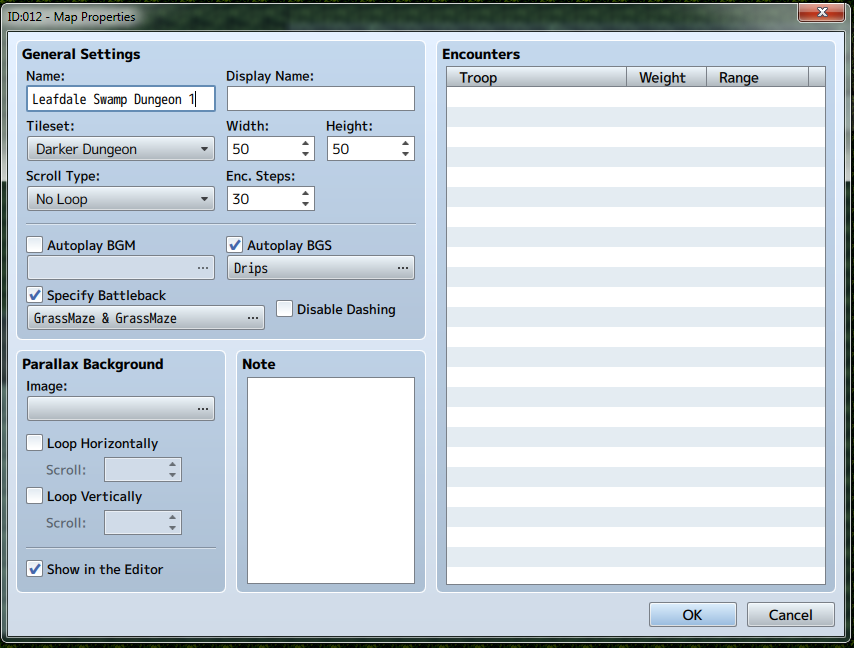
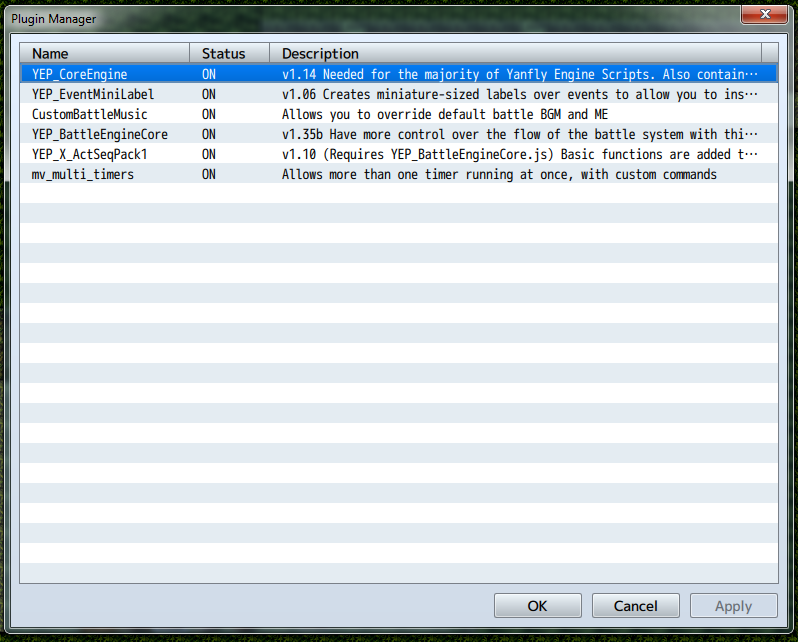
Screenshots below of both pages of my loot barrel event, the map that the event is on and my plugin manager.
Shaz's Multi Timer Plugin link: http://pastebin.com/B4HK94zG
Thanks for any help!
Downloads / Referenced Files
RPG Maker Web attachments are mirrored locally when available. Other external links remain hosted by their original creator or third-party service.
- Local mirror: 22486-bf90d76634088850815d1ec64702675b.png
SHA-256:29ded62d6c45322fe4cef1c3d36fe35f277a69d8d0717405631ff347306b84ef
Original attachment URL: https://forums.rpgmakerweb.com/attachments/capture-png.37779/ - Local mirror: 22487-48244a15e96246cbedd276499bdedc89.png
SHA-256:9bbaf3838f034da170d5ca0ed079214c9a7cc2f850d94196beeebe39d1c5e5fa
Original attachment URL: https://forums.rpgmakerweb.com/attachments/capture-png.37780/ - Local mirror: 22488-a9a4b42854377a801d6dbb4b4b4e9ea7.png
SHA-256:5e2a126118c740efbdab2745ccd70d8864e075b6cb10d82298ecab71505762bb
Original attachment URL: https://forums.rpgmakerweb.com/attachments/capture-png.37781/ - Local mirror: 22489-0c227f1aa5d5016d8075a24ba4cb9aa7.png
SHA-256:e095975eade725c801506f02522b963761b1a1a9d038cb7c6c537b0af775cd3b
Original attachment URL: https://forums.rpgmakerweb.com/attachments/capture-png.37782/
Referenced Images / Attachments
Creator Claims / Removal
If you are the original creator and want this listing reassigned, edited, or removed, join BMMPlay and contact the moderators with proof that matches the original RPG Maker Web profile, linked GitHub, itch.io page, or another public creator identity.
Replies (0)
No replies yet.
Topic Summary
Loading summary...