Preserved forum archive. This topic stores the original first post and locally mirrored RPG Maker Web attachments when available. It is posted by the BMMPlay archive account, not by the original creator.
Original Source
Original title: Screen is blurry while playtesting
Source forum path: Game Development Engines > Legacy Engine Support > RPG Maker MV Support
Summary
It looks like this even without resizing to fullscreen, and it was just like this by default. The only plugins I'm using are Khas's core, graphics, and lighting effects plugins, but I was having this problem before I added them. sample screenshot from editor: { "lightbox_close": "Close",
Archived First Post
It looks like this even without resizing to fullscreen, and it was just like this by default. The only plugins I'm using are Khas's core, graphics, and lighting effects plugins, but I was having this problem before I added them.
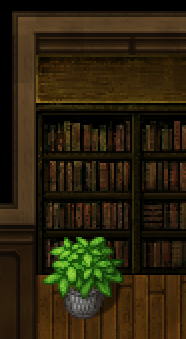
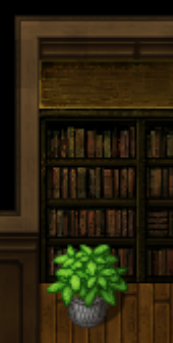
sample screenshot from editor: Protected download
the same tiles look like this while playtesting: Protected download
How do I keep the tiles the same size, and sharp looking?
The version I'm using is 1.4.0, my computer is a Microsoft Surface Pro 4, and the resolution is 2736x1824. (I don't want to have to change the resolution for the whole computer just to fix this.) I know very little about coding and literally nothing about javascript, so I would prefer solutions that don't involve those if possible.
Also, not sure if this is related, but when I was taking the screenshots and pasting them into paint.net to look at them, I noticed that they are twice the size of pixels as it's supposed to be (like, the whole game screen, 17x13 tiles, is 1632x1248 instead of 816x624.) So for some reason my computer is blowing it up to twice its actual size. I don't know if this is normal or not. It does this even with screenshots of the editor, but there is still nothing wrong with those.
Downloads / Referenced Files
Log in to download
Log in, then follow the RPG Maker Developers Group to see these download links.
If you are the original creator and want this listing reassigned, edited, or removed, join BMMPlay and contact the moderators with proof that matches the original RPG Maker Web profile, linked GitHub, itch.io page, or another public creator identity.




 ULANZI D200X Creative Deck Macro Keyboard
Programmable shortcut deck for OBS, streaming controls, editing macros, and studio workflows.
View on Amazon
ULANZI D200X Creative Deck Macro Keyboard
Programmable shortcut deck for OBS, streaming controls, editing macros, and studio workflows.
View on Amazon
