




Original Source
- Original title: Resources not showing up in listings
- Original author: Jen
- Original date: May 20, 2017
- Source thread: https://forums.rpgmakerweb.com/threads/resources-not-showing-up-in-listings.78840/
- Source forum path: Game Development Engines > Legacy Engine Support > RPG Maker MV Support
Summary
I'm having a rather particular issue with rpg maker mv so I'll try my best to describe my problem. I'm currently running the trial version of RMMV with Win7 using Parallels Desktop 11, since the trial only works for Windows OS and I have a Mac. I think since I'm running it on the Parallel it might be causing problems with the file paths. I have not added any additional plugins or resources nor have I touched the folders. Everything is as is when creating a new project and this...
Archived First Post
I'm currently running the trial version of RMMV with Win7 using Parallels Desktop 11, since the trial only works for Windows OS and I have a Mac. I think since I'm running it on the Parallel it might be causing problems with the file paths. I have not added any additional plugins or resources nor have I touched the folders. Everything is as is when creating a new project and this is my first time using RMMV.
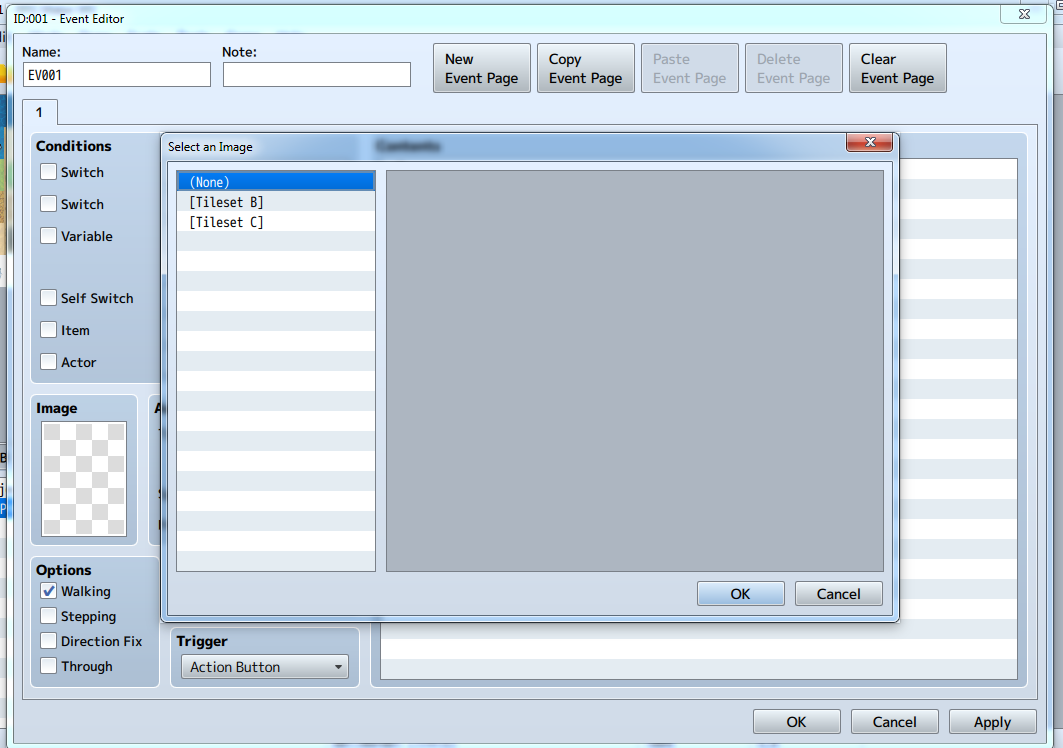
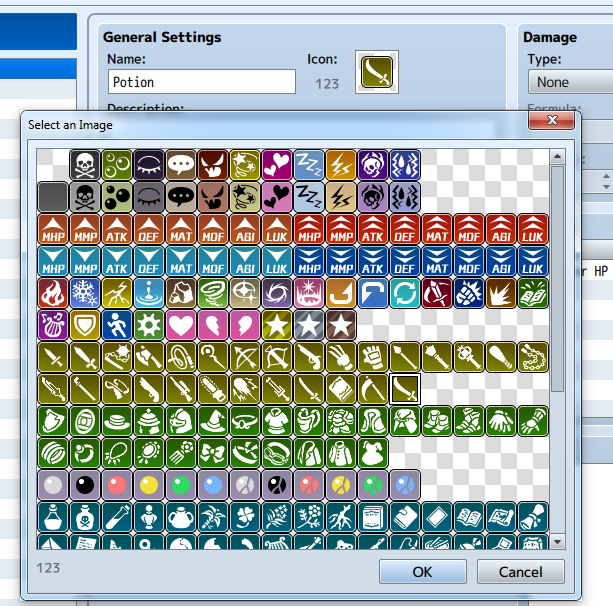
Everything runs well for the most part except in instances where I need to access resources or plugins it will not show. For example in the event editor when double clicking on the image box the pop-up will bring up only the tilesets and none other the other resources like the actors. This happens with any other places where image selection is needed (with exception of the icons which shows normally- see images below) Protected download Protected download
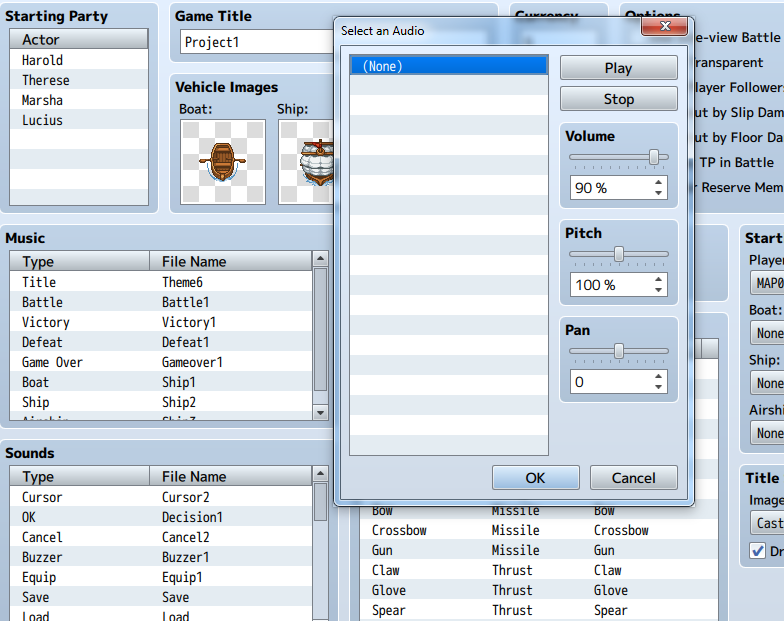
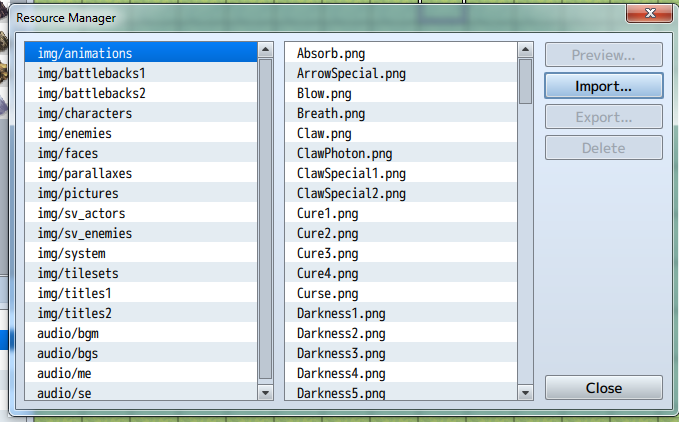
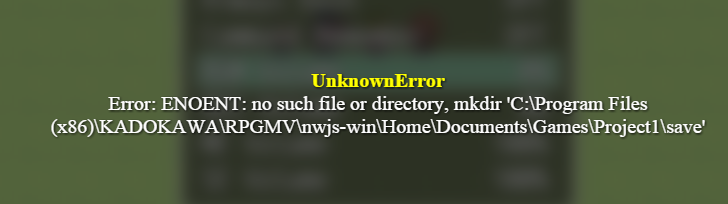
The same issue happens in the database with the audio, however when I hit play it does actually play the audio and inspecting the resource manager all the resources are there. Another issue is the error I get when I playtest (just the default new project map/screen) and I try to change the sound volume in-game and close out of the menu.
Protected download
Downloads / Referenced Files
Log in, then follow the RPG Maker Developers Group to see these download links.
Log in to downloadReferenced Images / Attachments
Creator Claims / Removal
If you are the original creator and want this listing reassigned, edited, or removed, join BMMPlay and contact the moderators with proof that matches the original RPG Maker Web profile, linked GitHub, itch.io page, or another public creator identity.
Replies (0)
No replies yet.
Topic Summary
Loading summary...