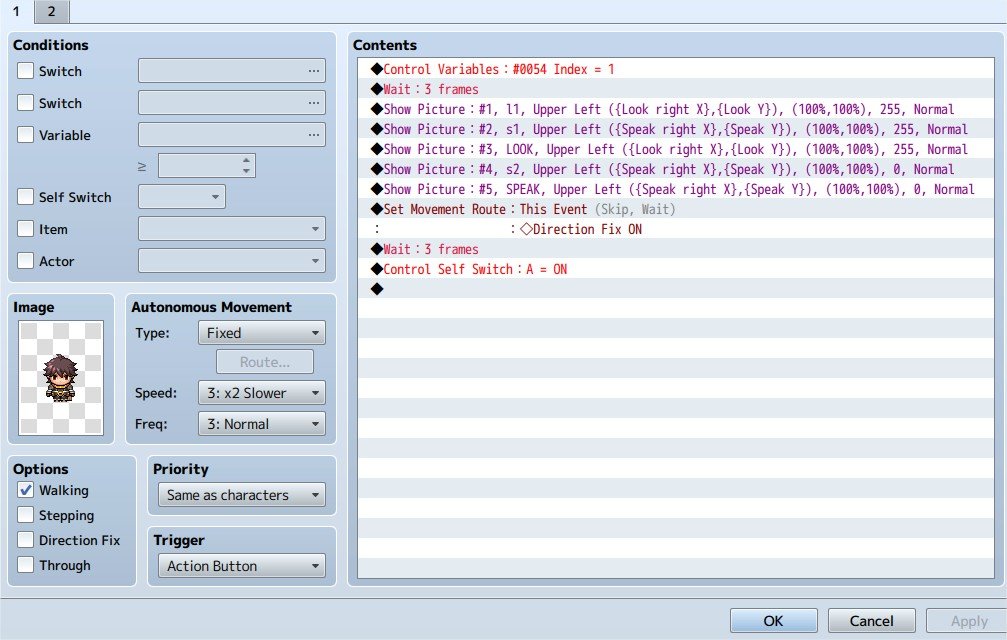
- closed eye Picture #2 - empty speech bubble Picture #3 - open eye (the event starts at this option) These invisible:
Hi everyone, I've come across a problem while trying to make a menu and I have absolutely no idea why it's not working, I don't know if I'm missing something or if it's a bug:
As I understand, pictures with a higher number should appear on top of those with lower numbers, right? (For example picture #5 should cover picture #3 if I place it at the same spot). -> If this is wrong maybe that is why it doesn't work.
sorry for the annoying lettering in the middle, I don't know how to remove that.
I'm making a menu that works both with mouse and keyboard (I got that part covered), but I decided to "animate" the pictures with "move picture" command. The first NPC works perfectly with 2 pictures as a transition, but if I try 3 pictures (the second NPC) it gets stuck before finishing the "animation". I only change 1 thing between those two NPC:
These start with full opacity:
Picture #1 - closed eye
Picture #2 - empty speech bubble
Picture #3 - open eye (the event starts at this option)
These invisible:
Picture #4 - one dot on the bubble
Picture #5 - three dots on the bubble
Protected download
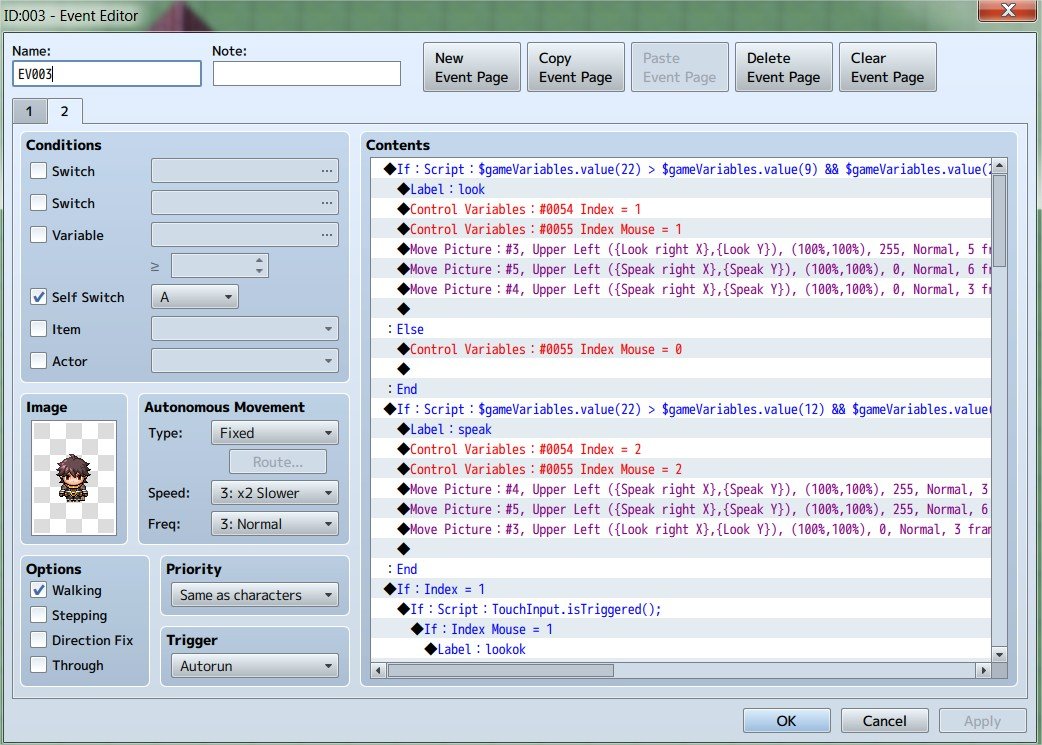
If I hover the mouse over the speech bubble or use the keyboard, the open eye picture goes to 0 opacity (so the closed eye picture remains visible), and the pictures of one dot and three dots of the speech bubble show up progressively. When I go back to the eye the process gets inverted.
Protected download
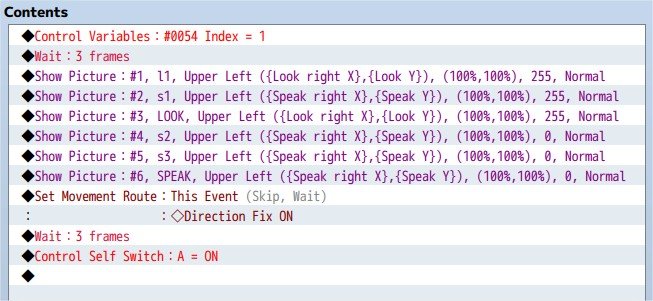
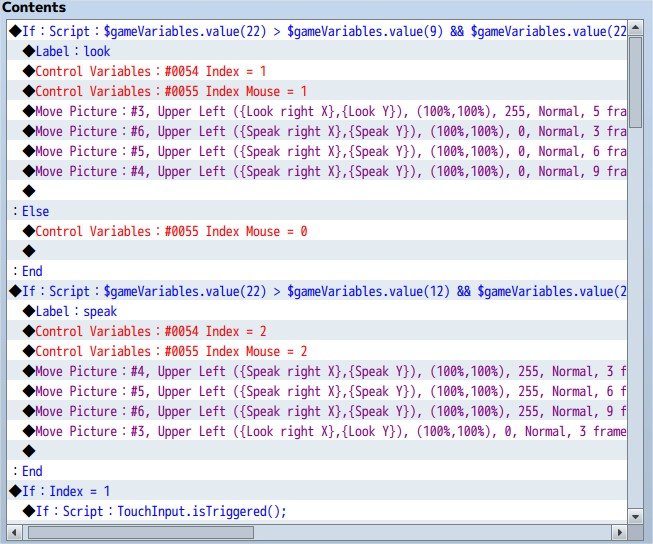
Here I moved the old picture #5 into picture #6. Now picture #5 has 2 dots on the speech bubble, and picture #6 has the final image of three dots.
Protected download
Protected download
I put the "two dots" picture (#5) between the "one dot" (#4) and "three dots" (#6), but for some reason picture #6 never shows up on top of the rest.
I have tried to change the number of the pictures (
#10,
#20,
#30...), change the order they appear on the autorun page, I have tried to include a waiting time between them even if it ruins the event, just to see if the picture popped up and it still doesn't work. I have tried to check the "wait for completion" on the move command and same result. If I don't erase that picture #6 it stays on the screen when all the rest disappear, so I guess it does show up but under every picture.
I really don't get it.




 ULANZI D200X Creative Deck Macro Keyboard
Programmable shortcut deck for OBS, streaming controls, editing macros, and studio workflows.
View on Amazon
ULANZI D200X Creative Deck Macro Keyboard
Programmable shortcut deck for OBS, streaming controls, editing macros, and studio workflows.
View on Amazon