






public

Rpg Maker Developers Group

Simple enough for a child, powerful enough for a developer

2 Followers

How to disable temporarily movement keys (or any suggestion)

BMM_Archive · July 15, 2026

Preserved forum archive. This topic stores the original first post and locally mirrored RPG Maker Web attachments when available. It is posted by the BMMPlay archive account, not by the original creator.

Original Source

  • Original title: How to disable temporarily movement keys (or any suggestion)
  • Original author: megumi014
  • Original date: March 22, 2017
  • Source thread: https://forums.rpgmakerweb.com/threads/how-to-disable-temporarily-movement-keys-or-any-suggestion.76241/
  • Source forum path: Game Development Engines > Legacy Engine Support > RPG Maker MV Support

Summary

Hi, I've been trying to create a sliding puzzle using picture movements and storing them in variables like this: Spoiler: Show Picture { "lightbox_close": "Close",

Archived First Post

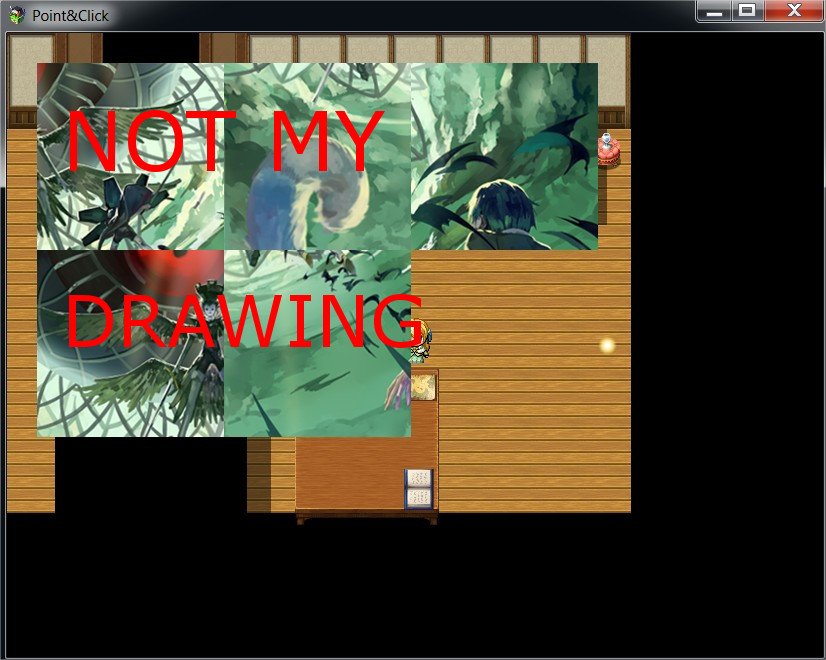
Hi, I've been trying to create a sliding puzzle using picture movements and storing them in variables like this:

slidehelp.jpg
Protected download

A variable stores the position of the invisible square, and if you click right/left/etc... the pictures move and the variables of the rest of the pictures are modified.

  • The problem I have is that when I click, for example, the left button and the right button at the same time, or I hold one while clicking the other, both actions happen at the same time and the puzzle glitches or moves 2 pictures at the same time. Is there any way to disable the other movement keys when clicking one of them? Like: If *left* button is pressed down, disable *right, up & down* until the variables are modified and then activate them again. Or if anyone has an idea that could help I'd gladly accept suggestions

Thank you for your time.

Downloads / Referenced Files

Log in to download

Log in, then follow the RPG Maker Developers Group to see these download links.

Log in to download

Referenced Images / Attachments

slidepuzzlepicture.jpg
Creator Claims / Removal

If you are the original creator and want this listing reassigned, edited, or removed, join BMMPlay and contact the moderators with proof that matches the original RPG Maker Web profile, linked GitHub, itch.io page, or another public creator identity.

#039#rpg-maker-archive#mv-support

Replies (0)

No replies yet.

0 replies 1 view

Log in to reply.

User Avatar