Battleback Overflow/Camera Shake dimensions for custom resolution
BMM_Archive · July 15, 2026
Original Source
- Original title: Battleback Overflow/Camera Shake dimensions for custom resolution
- Original author: aboynamedearth
- Original date: January 28, 2017
- Source thread: https://forums.rpgmakerweb.com/threads/battleback-overflow-camera-shake-dimensions-for-custom-resolution.74224/
- Source forum path: Game Development Engines > Legacy Engine Support > RPG Maker MV Support
Summary
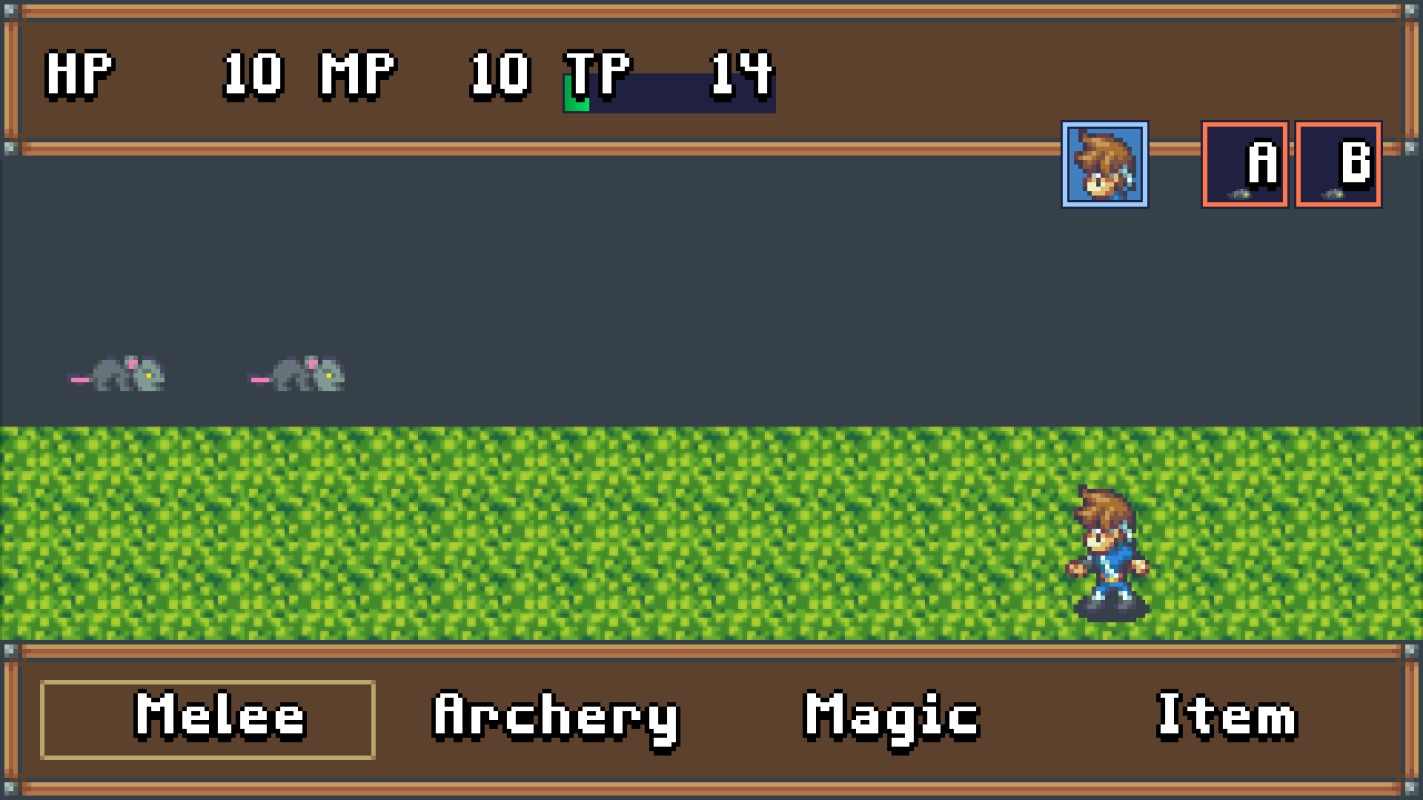
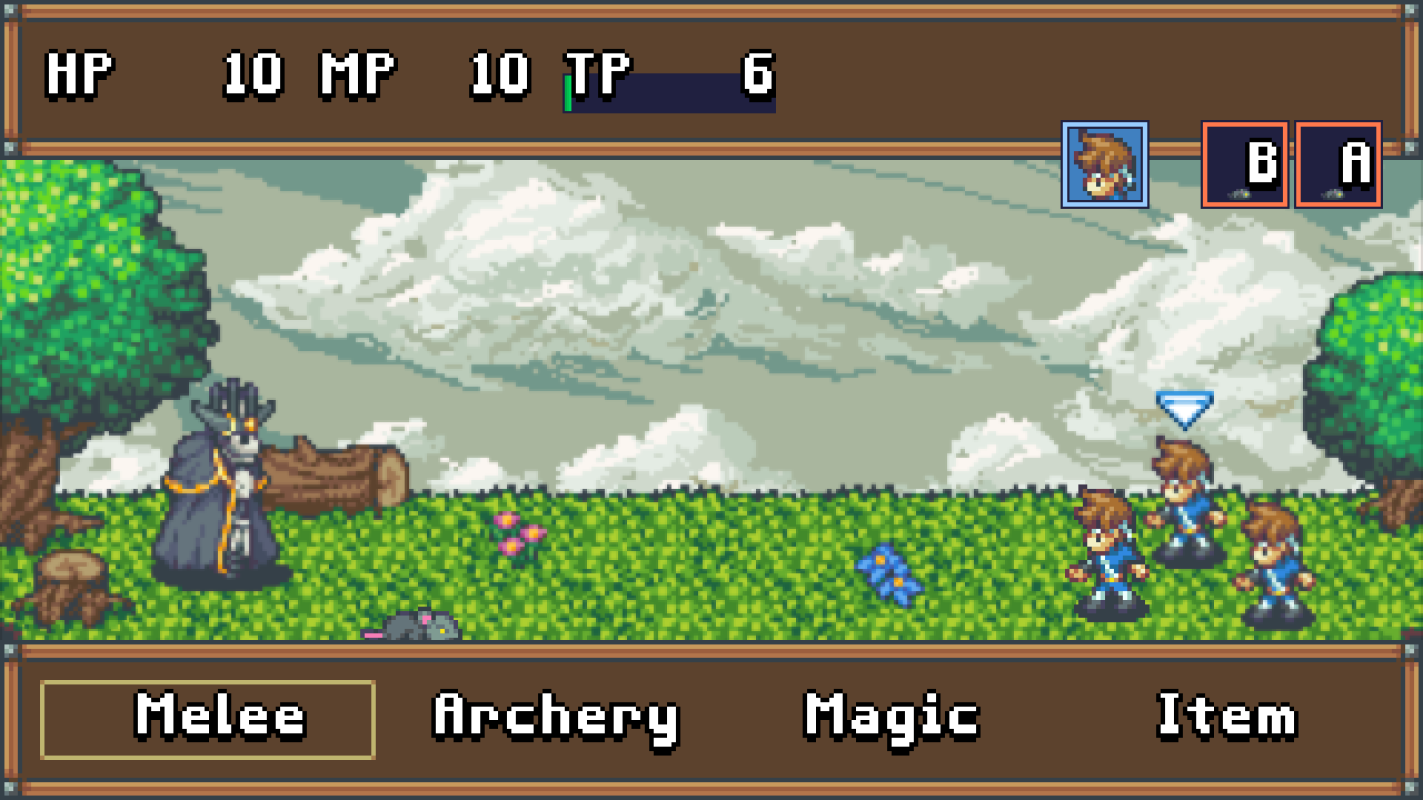
Hi there! I'm using YEP_CoreEngine to alter the resolution of my game to 640x360. My understanding is that battlebacks need to be a bit larger than your resolution to accommodate screen shaking effects, etc. Is this a static amount, or perhaps a certain percentage larger than your game resolution? I've been testing different resolutions for my battlebacks (resizing in GIMP) but I still end up with a somewhat blurry background, as if it's trying to do some anti-aliasing. I've uploaded a screenshot to show what I mean.
Archived First Post
I'm using YEP_CoreEngine to alter the resolution of my game to 640x360.
My understanding is that battlebacks need to be a bit larger than your resolution to accommodate screen shaking effects, etc. Is this a static amount, or perhaps a certain percentage larger than your game resolution? I've been testing different resolutions for my battlebacks (resizing in GIMP) but I still end up with a somewhat blurry background, as if it's trying to do some anti-aliasing.
I've uploaded a screenshot to show what I mean.
EDIT: Added another example image.
I have tried to adjust the size to:
- the same size as my game resolution.
- an additional 32 px each side
- + 64px width and +32px heighth
- thinking that perhaps because MV uses 48x48 tiles, added different increments of 48 px on each side, etc.
- I even used the exact pixel x pixel differences in the example in this blog post based on the default resolution: http://blog.rpgmakerweb.com/tips-and-tricks/battlebacks-in-mv-new-features-and-specifications/ (adding 184x116)
I know this works, because I accidentally got it to work at a different resolution (still a different one from the default) but I don't know exactly how it worked.
Downloads / Referenced Files
Log in, then follow the RPG Maker Developers Group to see these download links.
Log in to downloadReferenced Images / Attachments
Creator Claims / Removal
If you are the original creator and want this listing reassigned, edited, or removed, join BMMPlay and contact the moderators with proof that matches the original RPG Maker Web profile, linked GitHub, itch.io page, or another public creator identity.
Replies (0)
No replies yet.
Topic Summary
Loading summary...