




public

Rpg Maker Developers Group

Simple enough for a child, powerful enough for a developer

2 Followers

Enemy incoming, XY distance

BMM_Archive · July 15, 2026

Preserved forum archive. This topic stores the original first post and locally mirrored RPG Maker Web attachments when available. It is posted by the BMMPlay archive account, not by the original creator.

Original Source

  • Original title: Enemy incoming, XY distance
  • Original author: v1c10us
  • Original date: November 12, 2016
  • Source thread: https://forums.rpgmakerweb.com/threads/enemy-incoming-xy-distance.70896/
  • Source forum path: Game Development Engines > Legacy Engine Support > RPG Maker MV Support

Summary

Hello. At first, sorry for my poor English. I'm trying to make a game in the atmosphere of Silent Hill. If you played "Silent Hill", you probably remember the radio that was warning you when the enemy was close. The noise from the radio was getting louder when enemies were nearby. I wanted to implement that in my game, but after hours of trying I just gave up. Can any1 help me make this work? I'm uploading screenshots with this post and legend to them below: 001 - Player XY...

Archived First Post

Hello. At first, sorry for my poor English. I'm trying to make a game in the atmosphere of Silent Hill. If you played "Silent Hill", you probably remember the radio that was warning you when the enemy was close. The noise from the radio was getting louder when enemies were nearby. I wanted to implement that in my game, but after hours of trying I just gave up. Can any1 help me make this work? I'm uploading screenshots with this post and legend to them below:


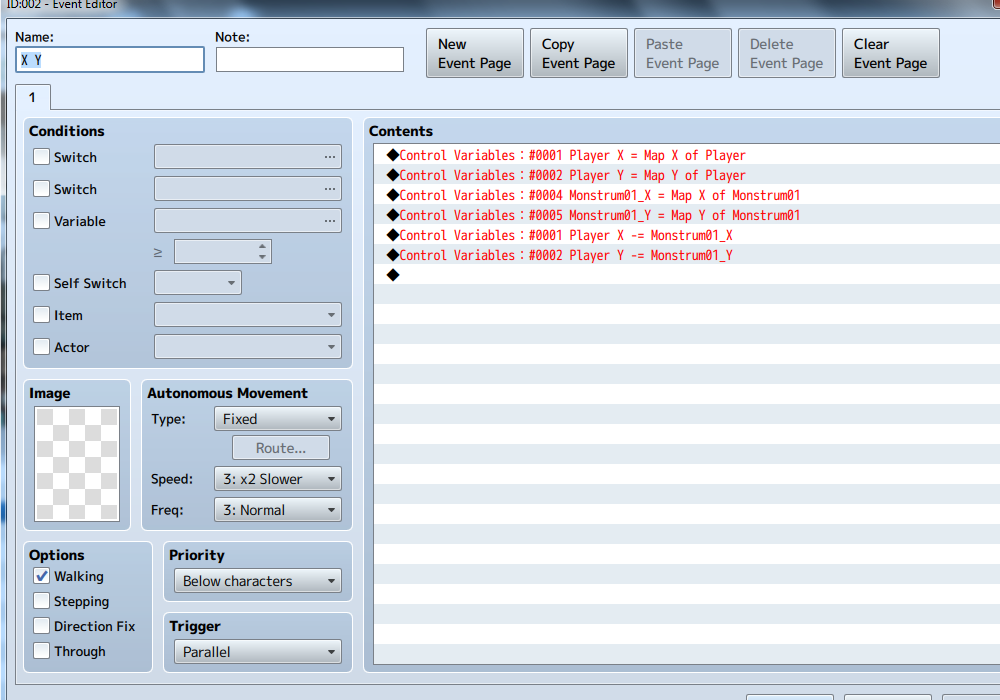
001 - Player XY coords set, Enemy (Monstrum) XY coords set, and Player XY sub Enemy XY coords.


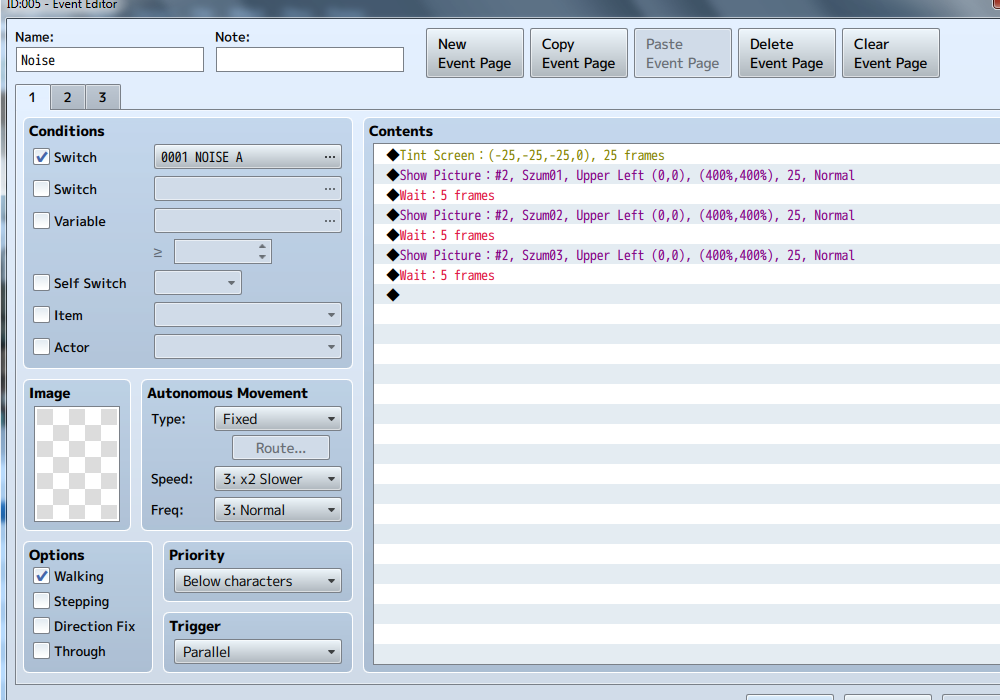
002 - The event that changes depending on the Player and Enemy distance. Each event has it's page and is activated by Switch NOISE A (the enemy is far), NOISE B (the enemy is getting close), NOISE C (the enemy is close to player).


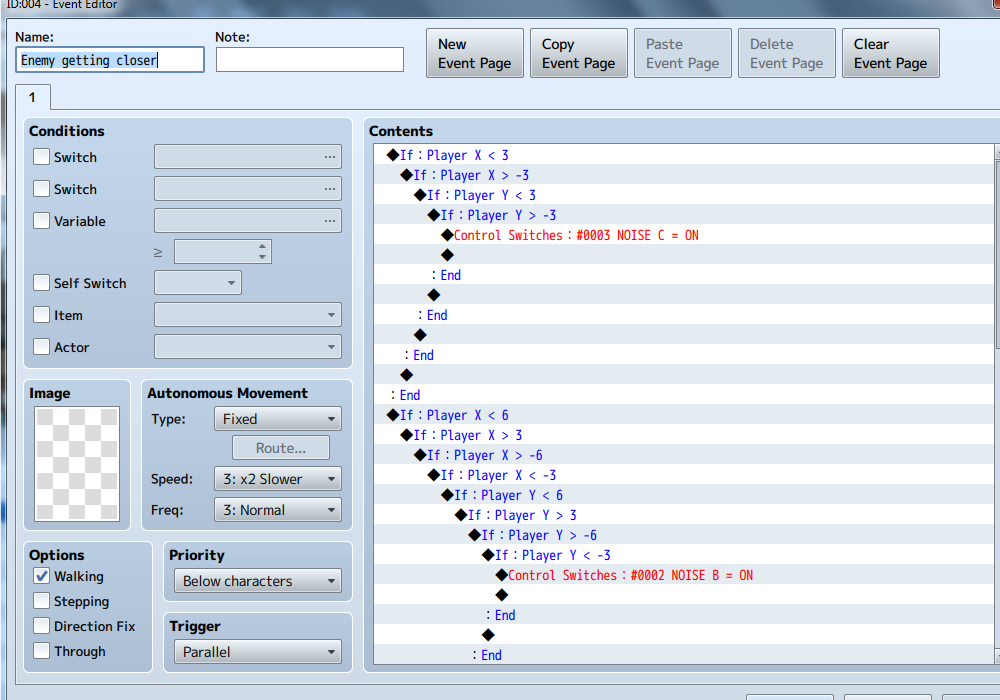
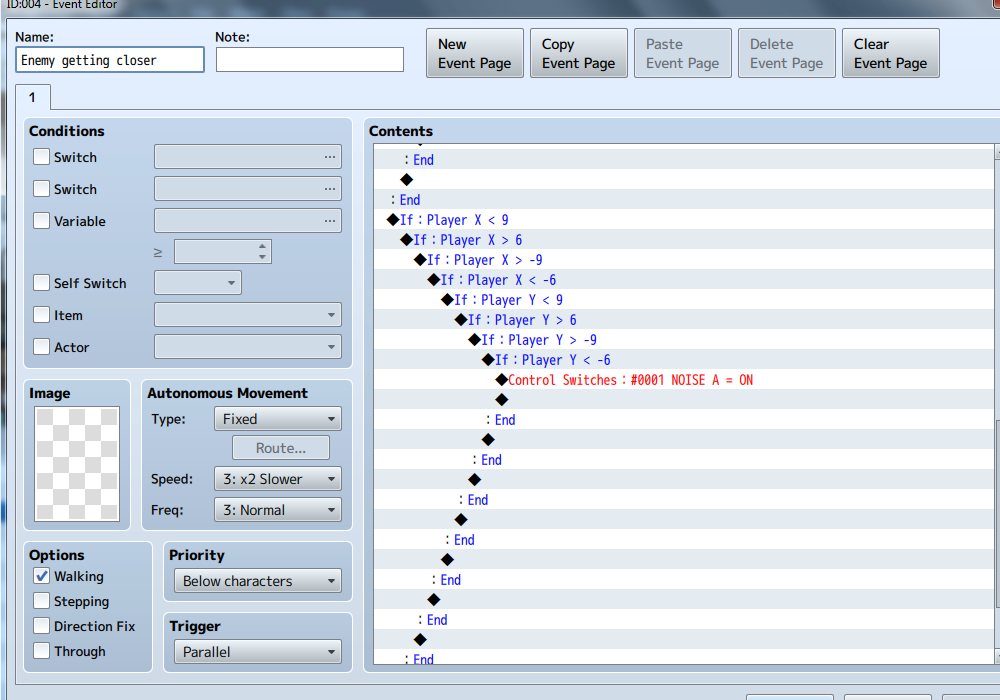
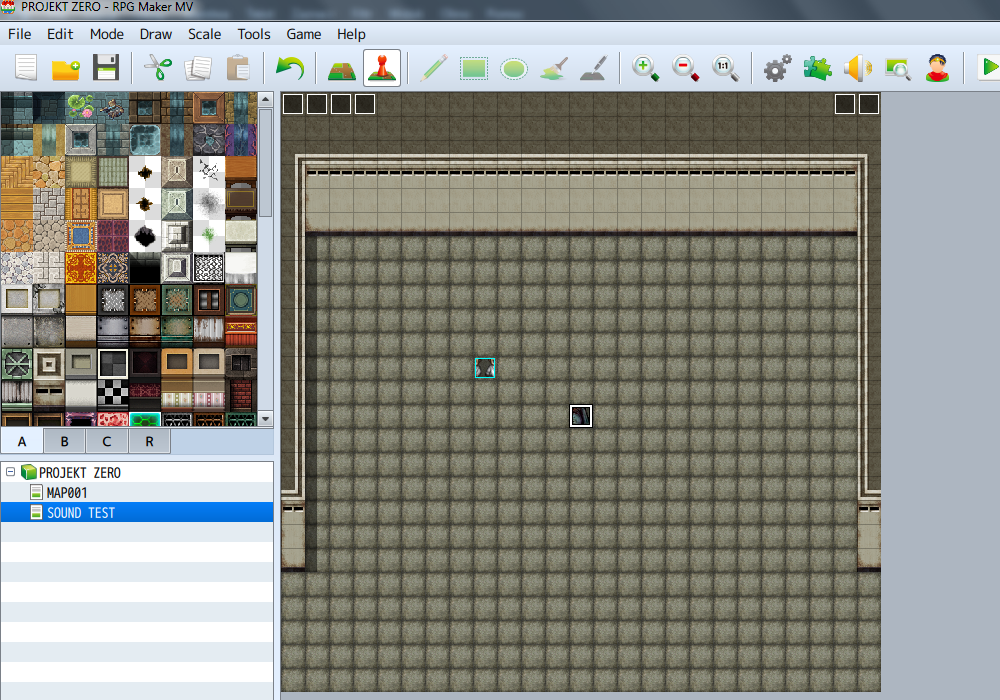
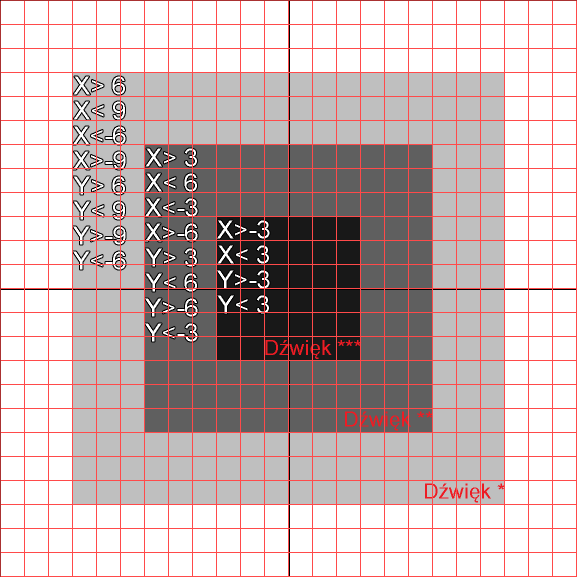
003-A/003-b - Here's where I totally failed... I have no idea why it's not working... According to my calculations, it should work But it's not... You can see how I calculated this on picture number 005 (Dźwięk = Sound/Noise). On picture 004 there's only empty map (not sure why the hell I uploaded it anyways...) I wonder where I did mistake? If there's any1 that can make a quick example in RPGM MV and attach it, or upload a plugin, or just simply explain how should I do this, I would be very grateful. THANKS SO MUCH!!! <3

Protected download

Protected download

Protected download

Protected download

Protected download

Protected download

Downloads / Referenced Files

Log in to download

Log in, then follow the RPG Maker Developers Group to see these download links.

Log in to download

Referenced Images / Attachments

001.png
001.png
002.png
002.png
003-A.png
003-A.png
003-B.png
003-B.png
004.png
004.png
005.png
005.png
Creator Claims / Removal

If you are the original creator and want this listing reassigned, edited, or removed, join BMMPlay and contact the moderators with proof that matches the original RPG Maker Web profile, linked GitHub, itch.io page, or another public creator identity.

#039#rpg-maker-archive#mv-support

Replies (0)

No replies yet.

0 replies 1 view

Log in to reply.

User Avatar