Front Battle System - Actor Face & Window
Replies (0)
No replies yet.
Topic Summary
Loading summary...
No products in the cart.
Customize your profile before registering:
Simple enough for a child, powerful enough for a developer
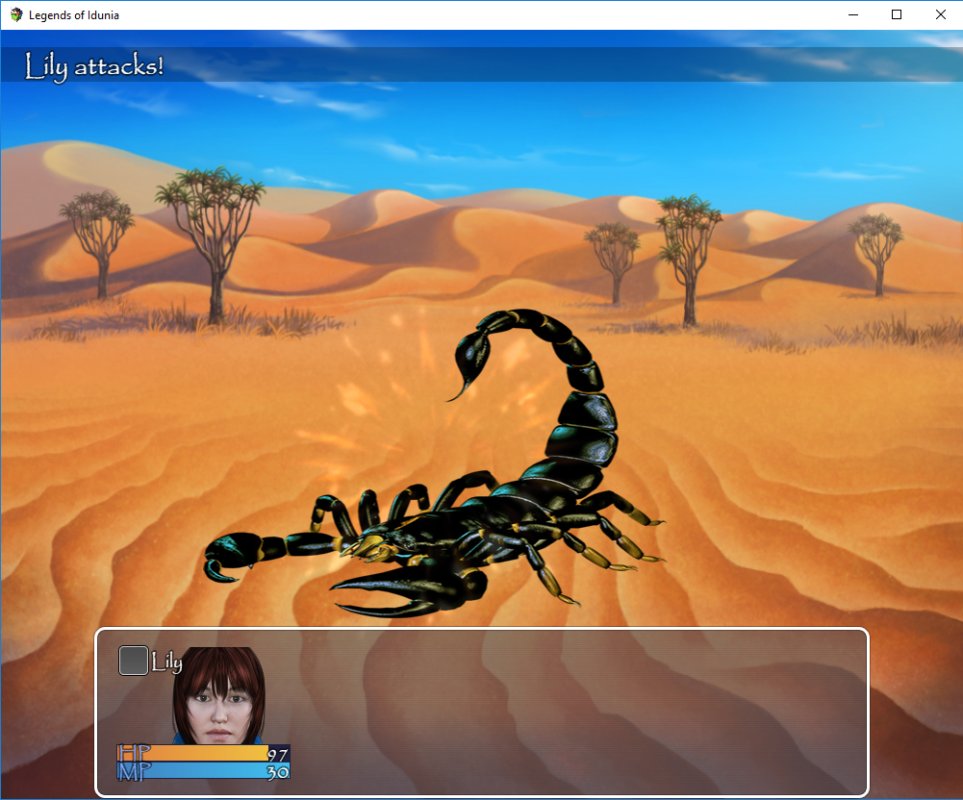
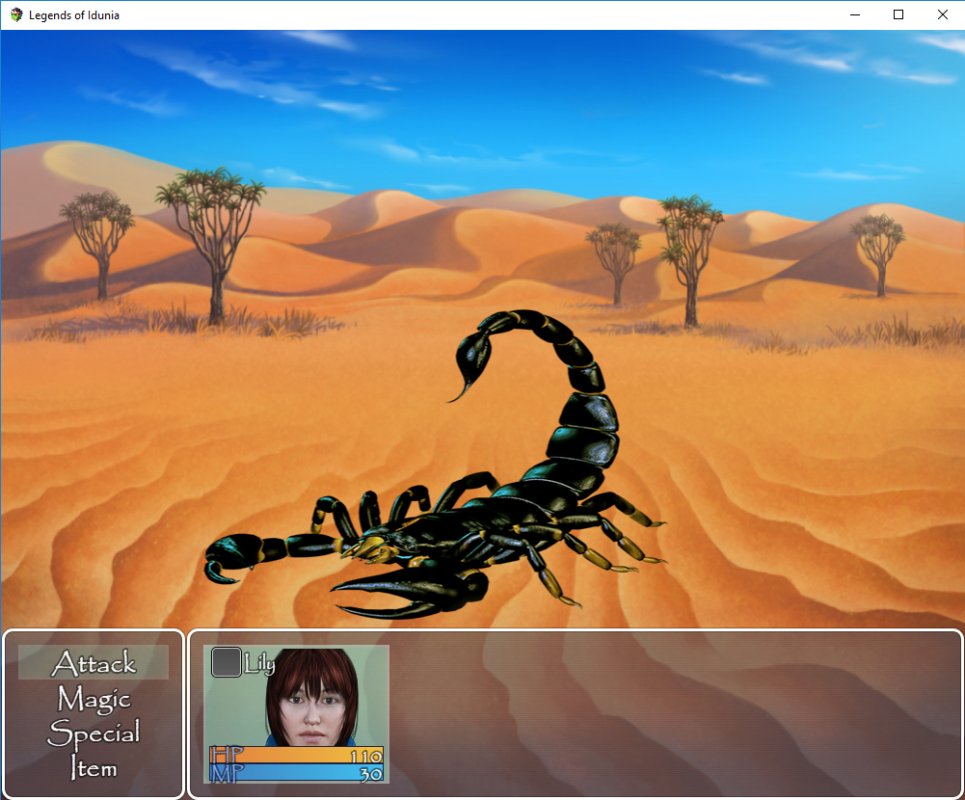
Hi, I have a small problem with the front battle system for my game. My game only has 1 actor, and when battle begins, his face image and bars are displayed on the far left of the actor window. The actor window stretches across the screen from left to right, with a lot of empty space on the right. Is it possible to make the actor window appear in the middle and make its width smaller? I'm using the Yanfly Battle Engine Core and Yanfly Battle Status Window plugins.
Log in, then follow the RPG Maker Developers Group to see these download links.
Log in to downloadIf you are the original creator and want this listing reassigned, edited, or removed, join BMMPlay and contact the moderators with proof that matches the original RPG Maker Web profile, linked GitHub, itch.io page, or another public creator identity.
No replies yet.
Loading summary...
Bmmplay creator tools
Log in or create an account to use this creator tool.
Are you sure you want to close this music player?