


Walking Through Walls Despite Terrain Marked as X and not O?
BMM_Archive · July 15, 2026

Original Source
- Original title: Walking Through Walls Despite Terrain Marked as X and not O?
- Original author: renguro
- Original date: May 5, 2020
- Source thread: https://forums.rpgmakerweb.com/threads/walking-through-walls-despite-terrain-marked-as-x-and-not-o.121103/
- Source forum path: Game Development Engines > Legacy Engine Support > RPG Maker VXAce Support
Summary
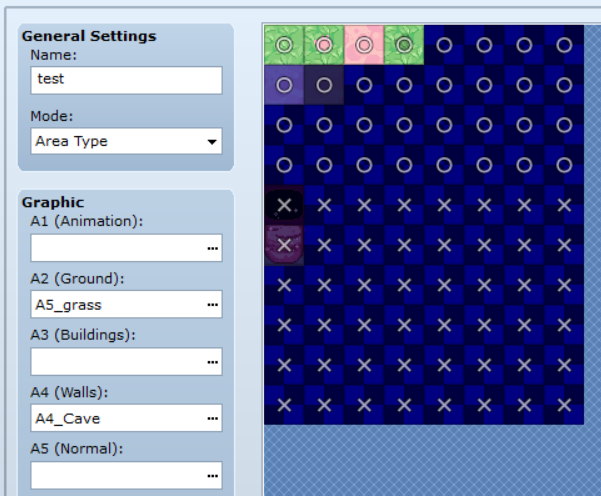
Hello, I decided to make my own tilesets and have enough to make a fairly basic map. However, there are a few issues. The cave walls that I made are formatted for A4 (Walls). I place them on the ground over top one of the grass or dirt tiles that I made and put on A2, and my character can walk right through them despite having it marked as 'X'. { "lightbox_close": "Close", "lightbox_next": "Next",


Archived First Post
Protected download
This is the test map I created with those A5 cave wall tiles, showing that I can walk over the walls and their ceilings entirely.
I'm not sure how to fix this or what could be causing it, because I have the tiles marked correctly as X and put in the A5 Wall section.
Downloads / Referenced Files
Log in, then follow the RPG Maker Developers Group to see these download links.
Log in to downloadReferenced Images / Attachments
Creator Claims / Removal
If you are the original creator and want this listing reassigned, edited, or removed, join BMMPlay and contact the moderators with proof that matches the original RPG Maker Web profile, linked GitHub, itch.io page, or another public creator identity.
Replies (0)
No replies yet.
Topic Summary
Loading summary...
