: Okay...so...now, whenever I click on a character its Max level adjusts to the Initial Level of the previous character I clicked on. Example: Have Character A, Character, B, and Character C. Have A, B, and C initially start at 10, 20, and 30.
Okay, so I'm relatively new to RPG Maker MV, but not to RPG Maker in general so I'm fairly sure I've stumbled across something very strange. I'm not using any plugins. I'm using very few DLCs (85% of which I haven't even included in the game yet - and what I have put in is just music). I tried closing it and reopening it thinking it just needed a small reset, but this is what's happening:
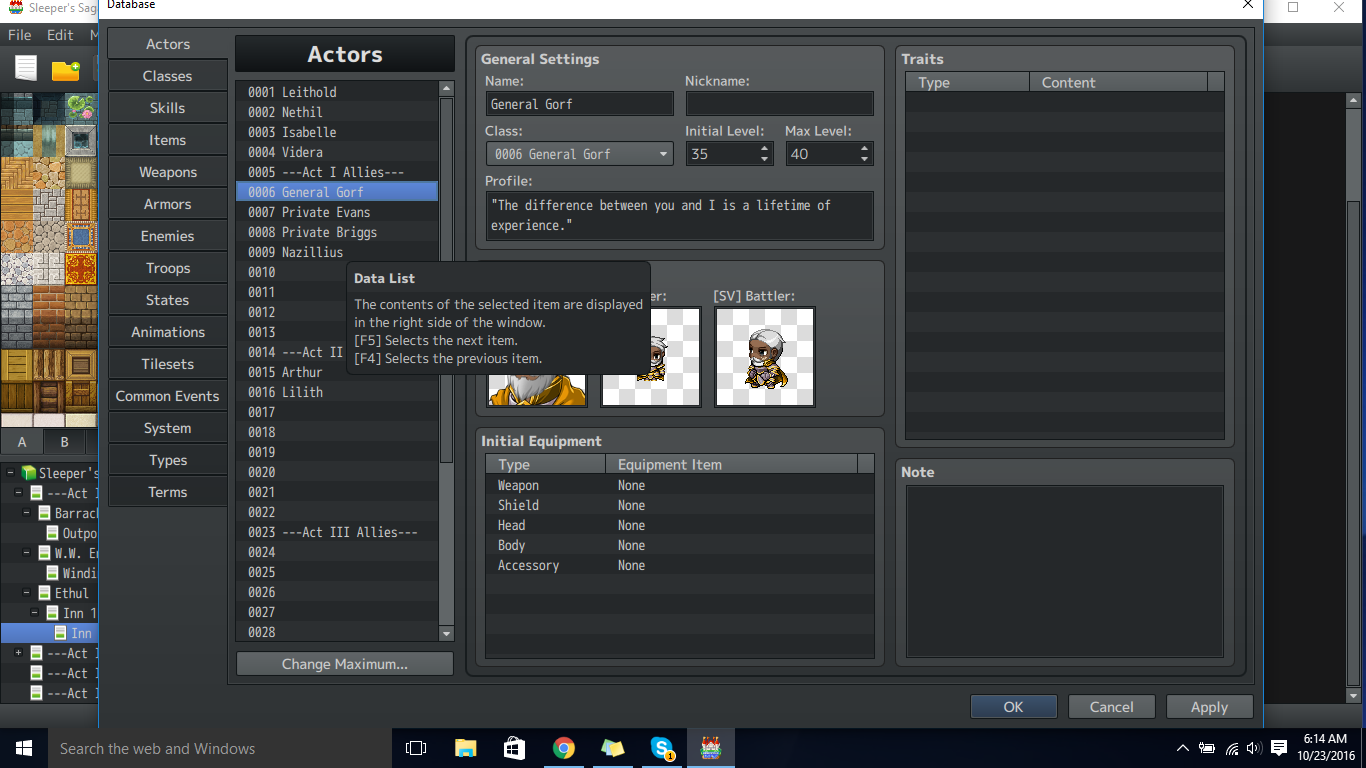
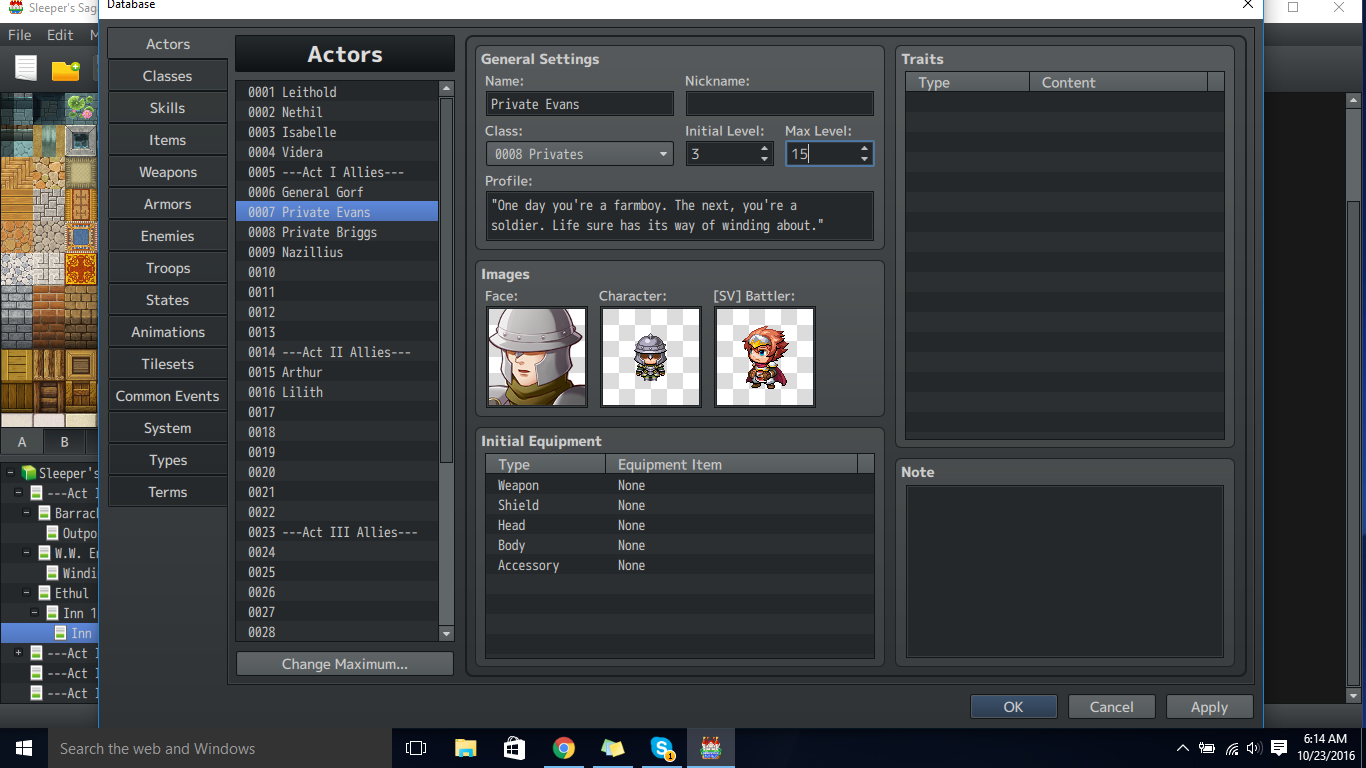
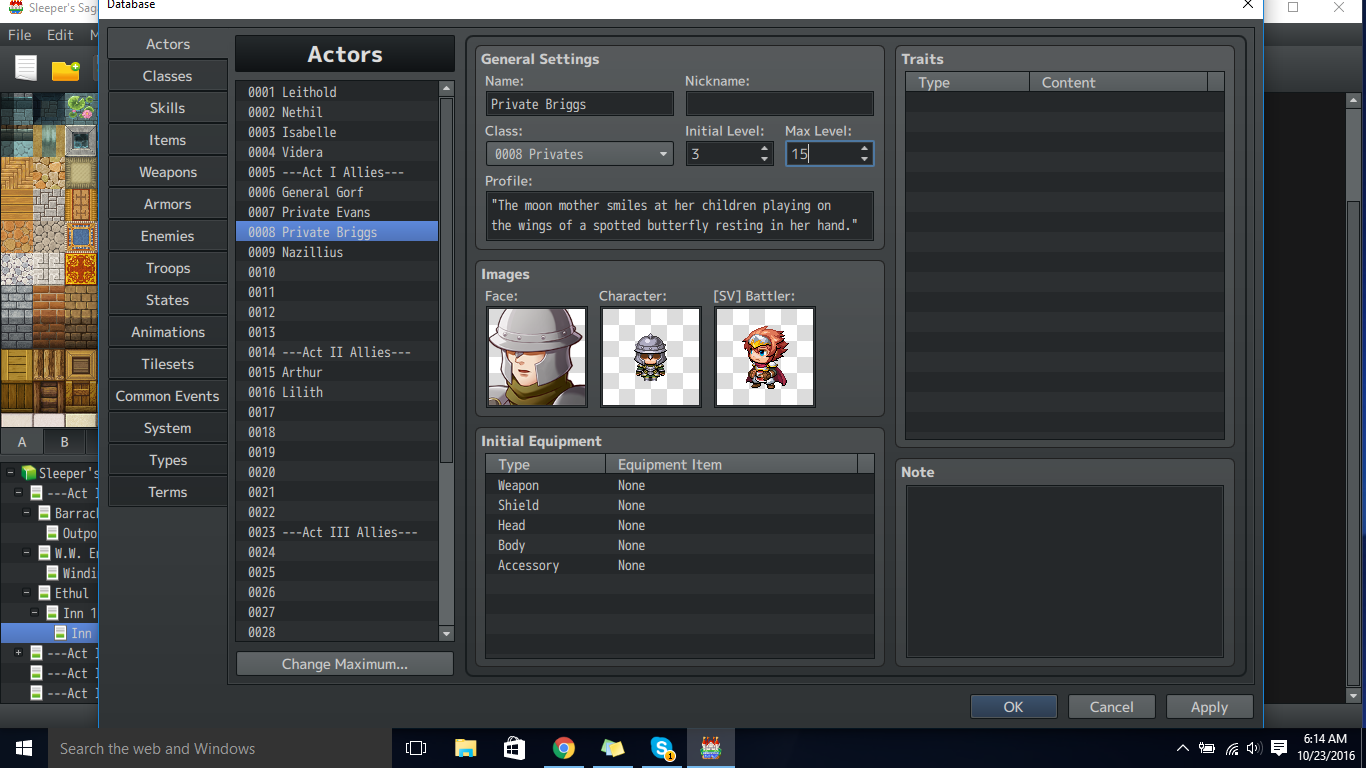
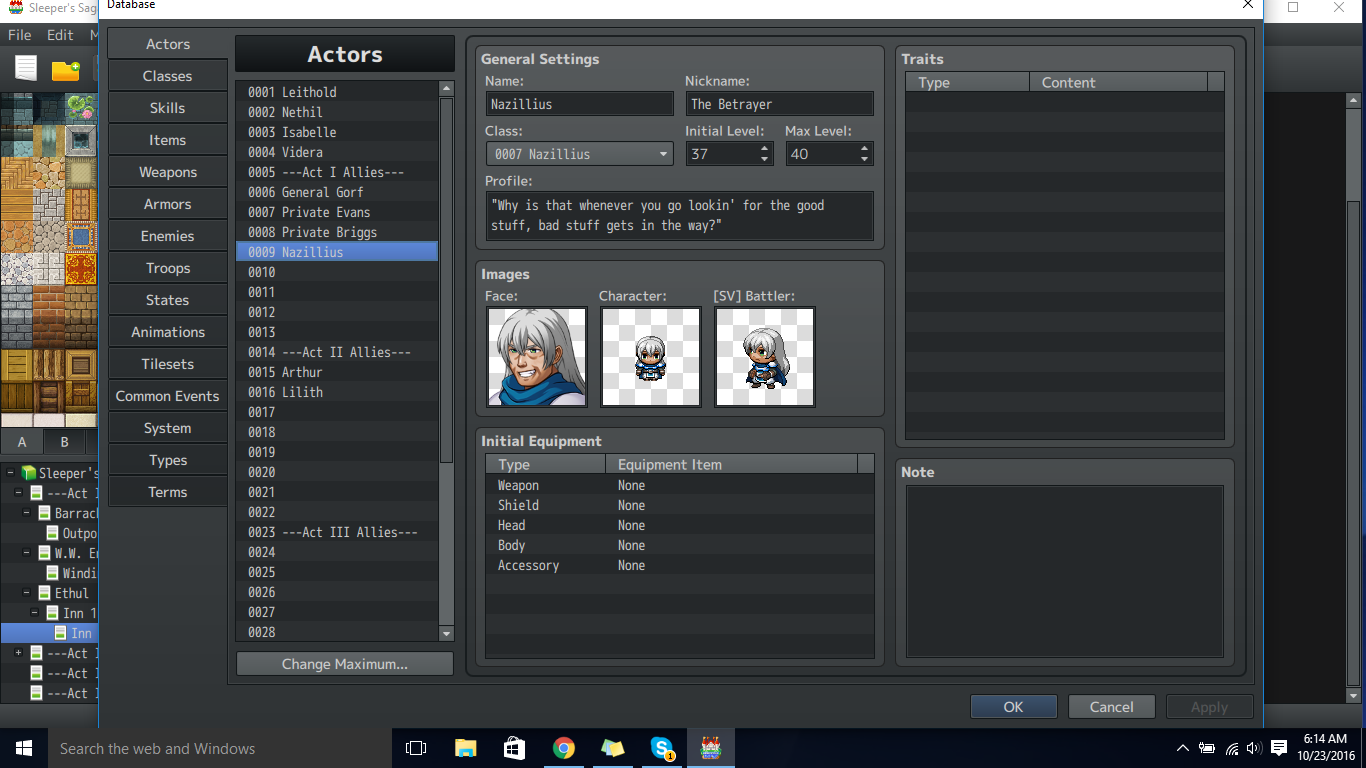
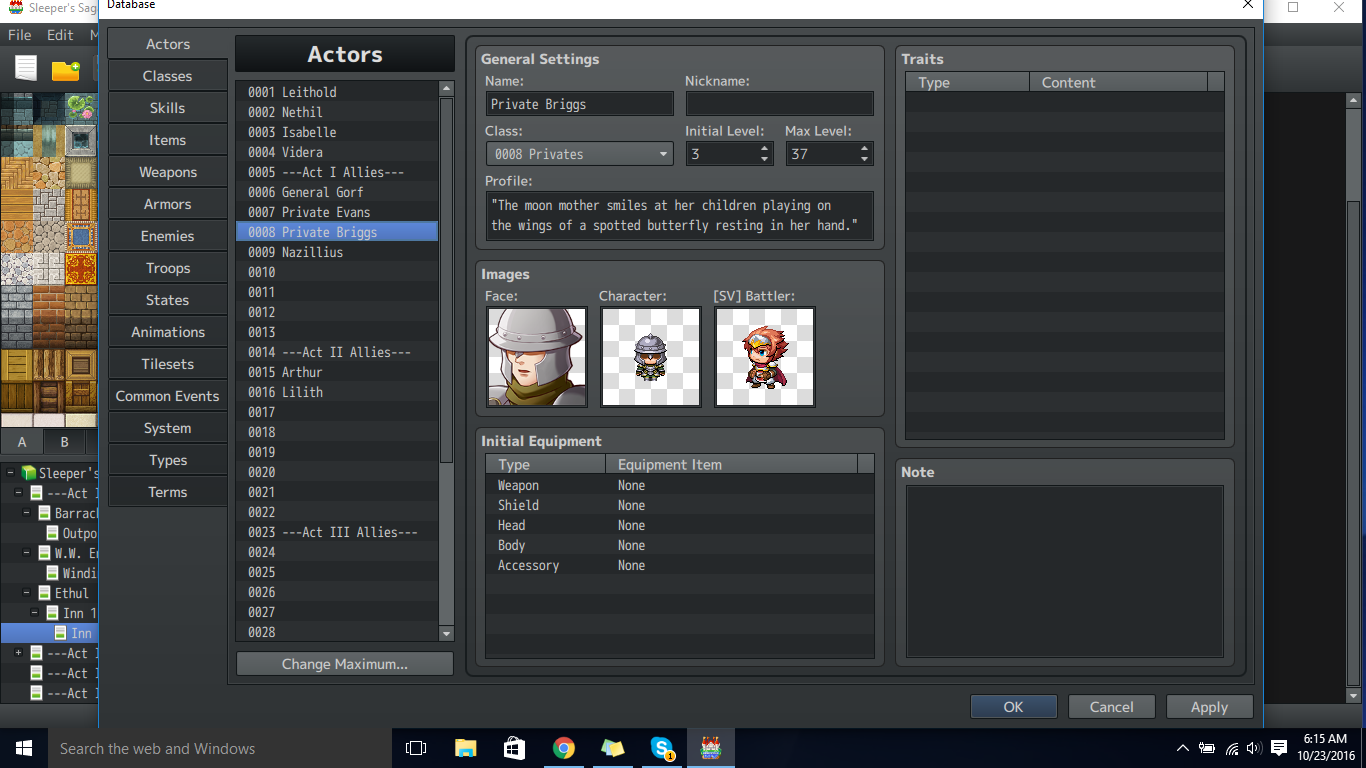
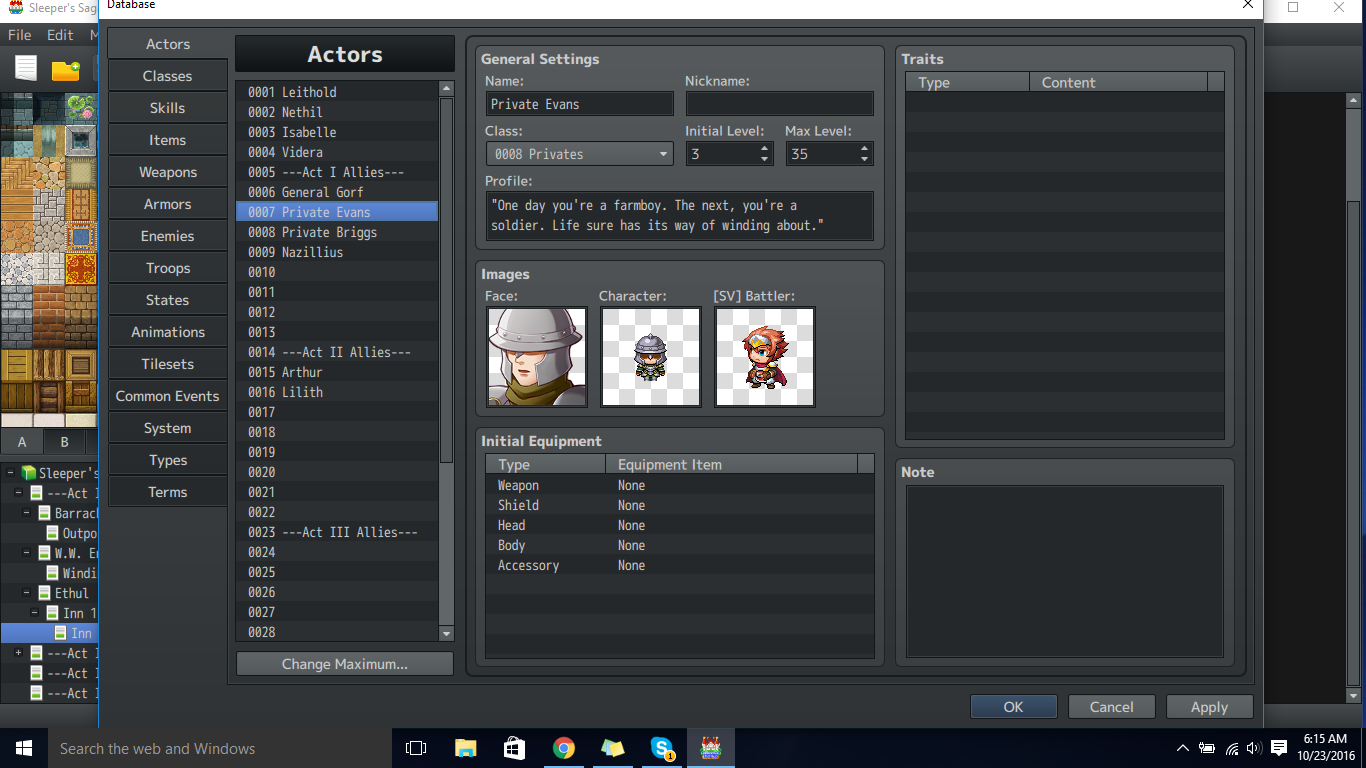
When I change the Max Level of Private Evans and Private Briggs to 15, things appear to be fine. But when I scroll (or click) to another character and come back to them, the Max Level of Private Evans becomes Level 35 which is the Initial Level of General Gorf. Private Briggs's Max Level becomes the Initial Level of Nazillius, which is the character below him. Reading that made relatively little sense so there are pictures XD.
I'm 97.83% sure that's not supposed to happen, but I'm hoping someone has a solution, haha.
Edit: It's version 1.3.3 if that means anything here.
Very Important Edit #1: Okay...so...now, whenever I click on a character its Max level adjusts to the Initial Level of the previous character I clicked on.
Example:
- Have Character A, Character, B, and Character C.
- Have A, B, and C initially start at 10, 20, and 30.
- Set A max to 10, B max to 20, and C max to 30.
- Click on C.
- Click on A.
- A's Max is now 30 instead of 10.
This seems to work as long as the initial level is higher than the old max value...or something like that.
Very Important Edit #2:
Alright. So it's ridiculously simple to recreate.
- Create a new project.
- Change Actors 2 - 4's max level to 1.
- Change Actor 1's initial level to 10.
- Click on Actor 1 - then click on Actor 2.
- Click on Actor 1 - then click on Actor 3.
- Click on Actor 1 - then click on Actor 4.
Actors 2 - 4 now have a max level of 10. Weird, haha.
Very Important Edit #3:
Things get weirder. Follow the instructions from Very Important Edit #2. Then...
- Change Actor 2's max level back to 1.
- Immediately click Apply, then Ok.
- (My database closes)
- Reopen the database, and if I'm not mistaken Actor 2 should be highlighted, but...
- It's Max Level is 10 again!
The reason for this seems to be that the database makes a call to the first actor before going to the actor you left off on. So, the system has "selected" the character with a higher initial level, then it "selects" a character with a lower max level than that initial level. In a damage formula sense: (a.Initial Level > b.Max Level) So the Max Level of the character you left off on becomes Actor 1's initial level.
Protected download
Protected download
Protected download
Protected download
Protected download
Protected download



 SPEEDLINK Competition Pro Extra USB Joystick
Retro USB arcade joystick for classic PC and Android gaming sessions.
View on Amazon
SPEEDLINK Competition Pro Extra USB Joystick
Retro USB arcade joystick for classic PC and Android gaming sessions.
View on Amazon

