Original Source
- Original title: Ace Format Icons Resized to MV Format Icons
- Original author: gannon665
- Original date: April 23, 2016
- Source thread: https://forums.rpgmakerweb.com/threads/ace-format-icons-resized-to-mv-format-icons.60775/
- Source forum path: Game Development Engines > Legacy Engine Support > RPG Maker MV Support
Summary
I wasn't sure if this would fall under General Resources or Support. It involves asking for technical support in some sort of photo editing software, so it was included here. I currently have a large iconset I created for Ace, with icons formatted at Ace sizes. I'm trying to re-format these icons to work for MV. To do so I am copying the Ace icon and placing it into the center of the MV icon boxes, where it fits perfectly in the center. However, I was wondering if anyone knew...
Archived First Post
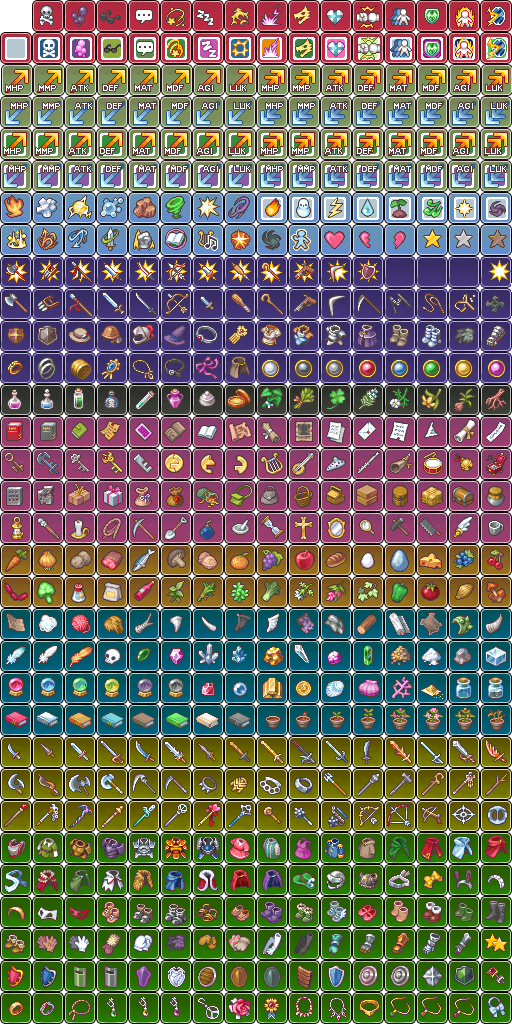
I currently have a large iconset I created for Ace, with icons formatted at Ace sizes. I'm trying to re-format these icons to work for MV. To do so I am copying the Ace icon and placing it into the center of the MV icon boxes, where it fits perfectly in the center. However, I was wondering if anyone knew of a better way to do this. At the moment I have to manually select, copy, paste, and move each and every icon. Is there any way that I could, using the re-sizing tools or some such, position multiple icons into the areas I need them all at once?
Attached is an example of what I'm trying to make it look like.
Protected download
Downloads / Referenced Files
Log in, then follow the RPG Maker Developers Group to see these download links.
Log in to downloadReferenced Images / Attachments
Creator Claims / Removal
If you are the original creator and want this listing reassigned, edited, or removed, join BMMPlay and contact the moderators with proof that matches the original RPG Maker Web profile, linked GitHub, itch.io page, or another public creator identity.
Replies (0)
No replies yet.
Topic Summary
Loading summary...