public

Rpg Maker Developers Group

Simple enough for a child, powerful enough for a developer

2 Followers
Preserved forum archive. This topic stores the original first post and locally mirrored RPG Maker Web attachments when available. It is posted by the BMMPlay archive account, not by the original creator.

Original Source

  • Original title: Game Data GONE!
  • Original author: Anna Storm
  • Original date: November 18, 2017
  • Source thread: https://forums.rpgmakerweb.com/threads/game-data-gone.87388/
  • Source forum path: Game Development Engines > Legacy Engine Support > RPG Maker VXAce Support

Summary

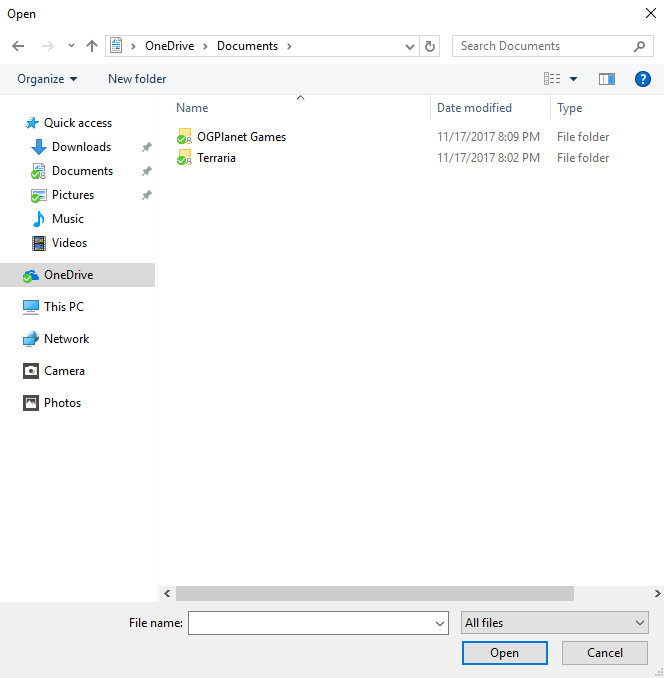
Hello, so I downloaded RPG Maker VX Ace on Steam many months ago. Problem is I got a new computer and stuff and erased everything! But it was suppose to save both on Dropbox, Steam, and OneDrive. Both my games, Terraria and Skyrim saved everything on there(EVEN THE MODS) but not the RPG Maker Files. I been working on this for more than 64+ hours and I can't just start all over. Please tell me there is a way to fix this. { "lightbox_close": "Close", "lightbox_next": "Next",

Archived First Post

Hello, so I downloaded RPG Maker VX Ace on Steam many months ago. Problem is I got a new computer and stuff and erased everything! But it was suppose to save both on Dropbox, Steam, and OneDrive. Both my games, Terraria and Skyrim saved everything on there(EVEN THE MODS) but not the RPG Maker Files. I been working on this for more than 64+ hours and I can't just start all over. Please tell me there is a way to fix this.
Protected download

Downloads / Referenced Files

Log in to download

Log in, then follow the RPG Maker Developers Group to see these download links.

Log in to download

Referenced Images / Attachments

RPG.png
RPG.png
Creator Claims / Removal

If you are the original creator and want this listing reassigned, edited, or removed, join BMMPlay and contact the moderators with proof that matches the original RPG Maker Web profile, linked GitHub, itch.io page, or another public creator identity.

#039#rpg-maker-archive#vxace-support

Replies (0)

No replies yet.

0 replies 1 view

Log in to reply.

User Avatar