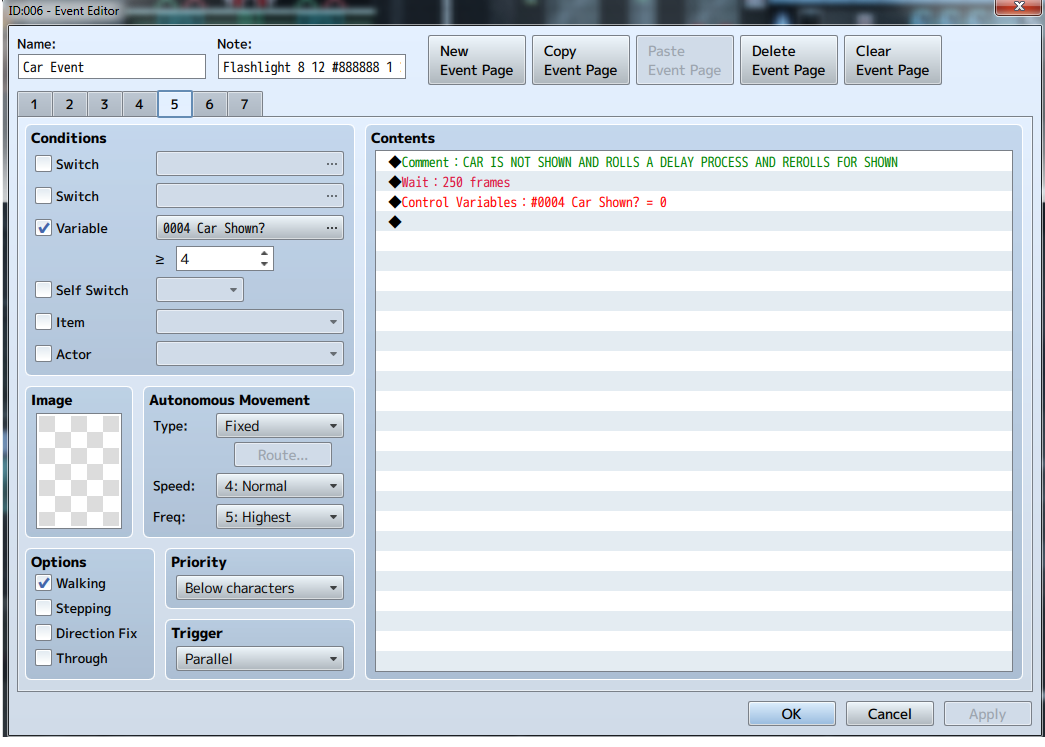
I have an issue with a car event on map that is changing it's pages halfway through it's movement path.
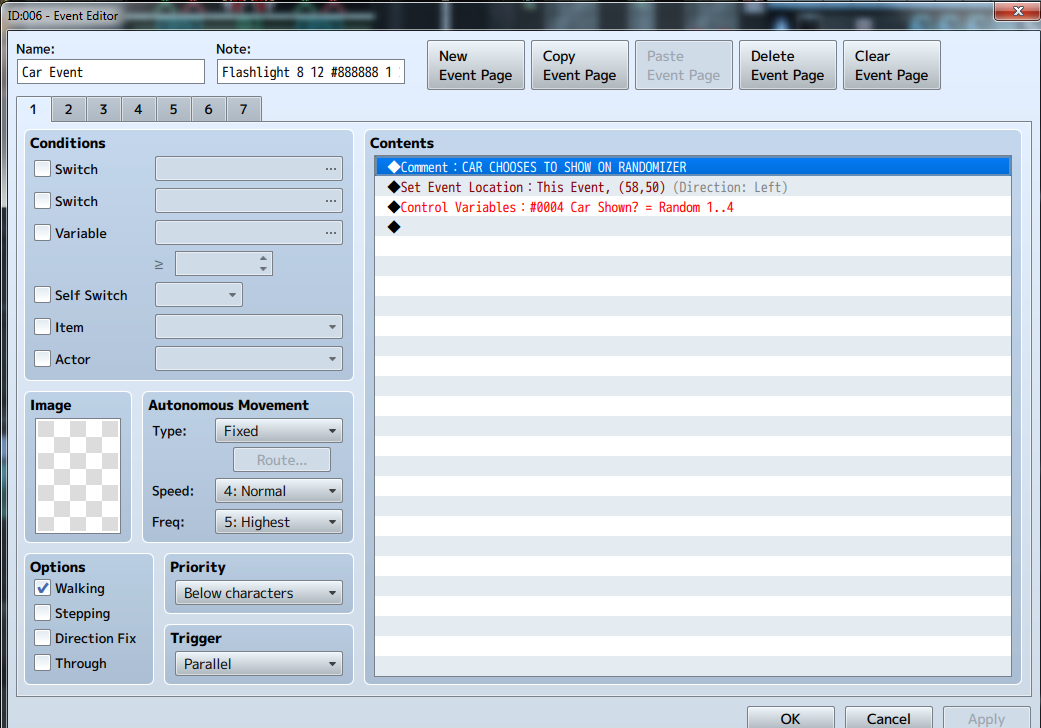
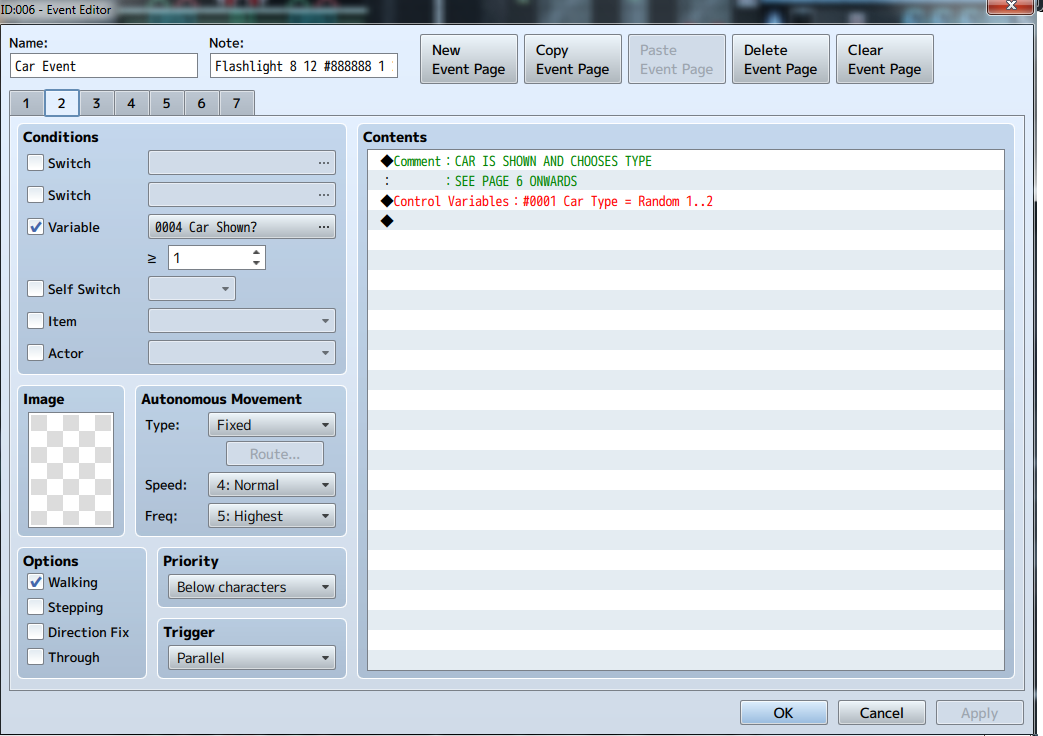
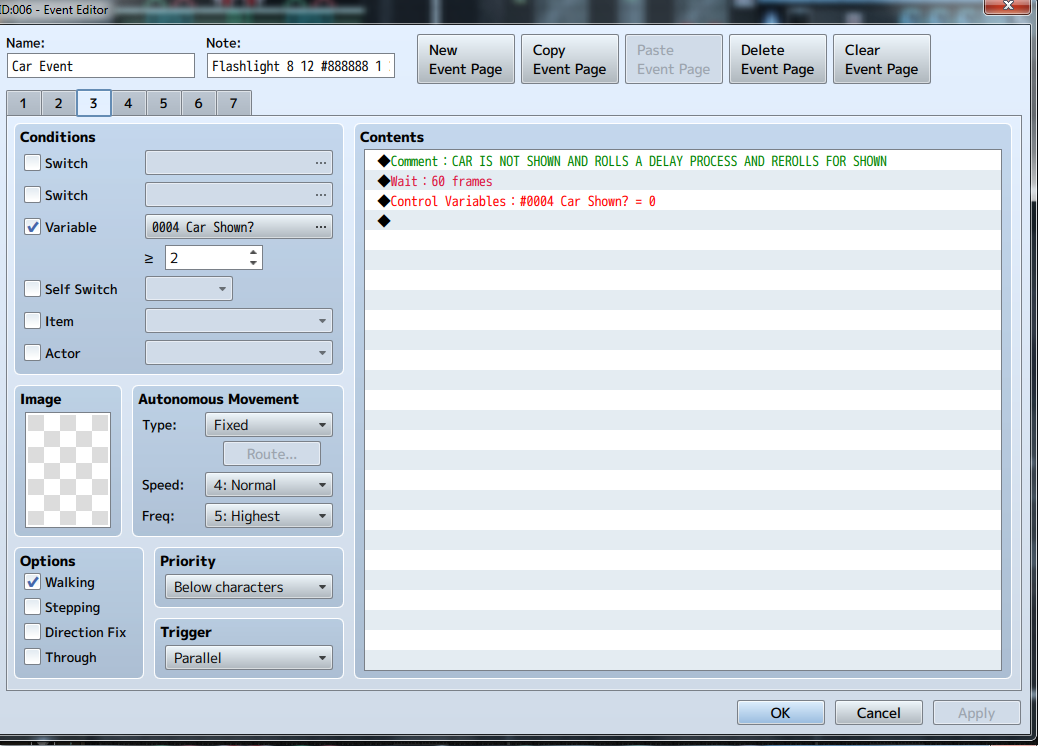
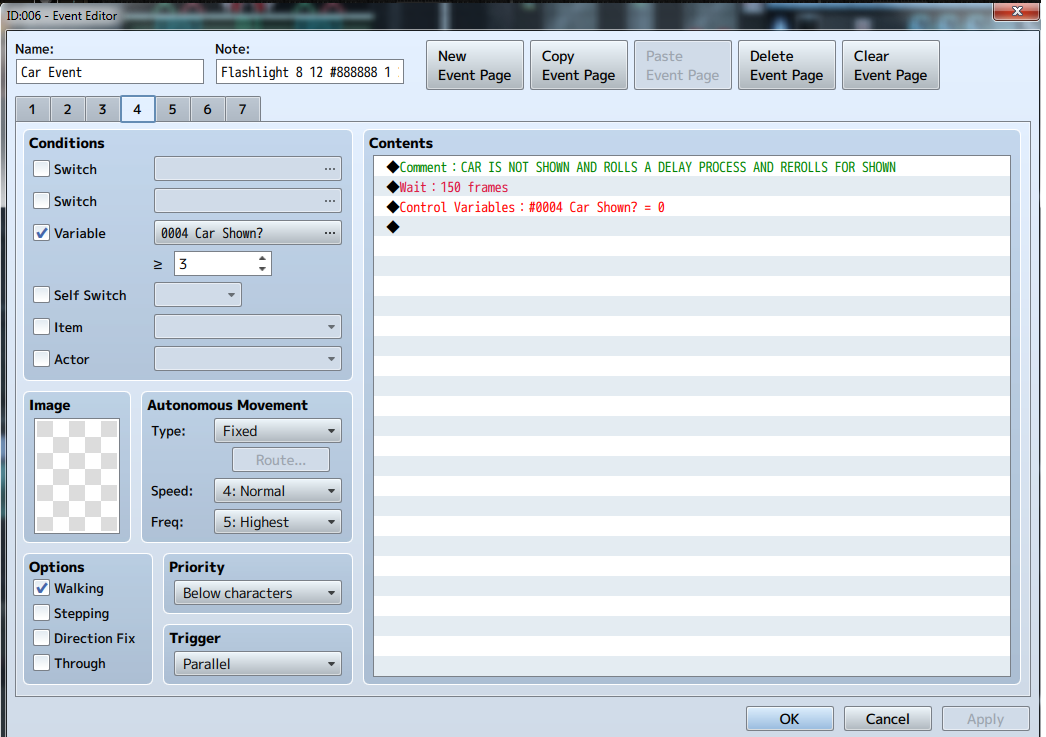
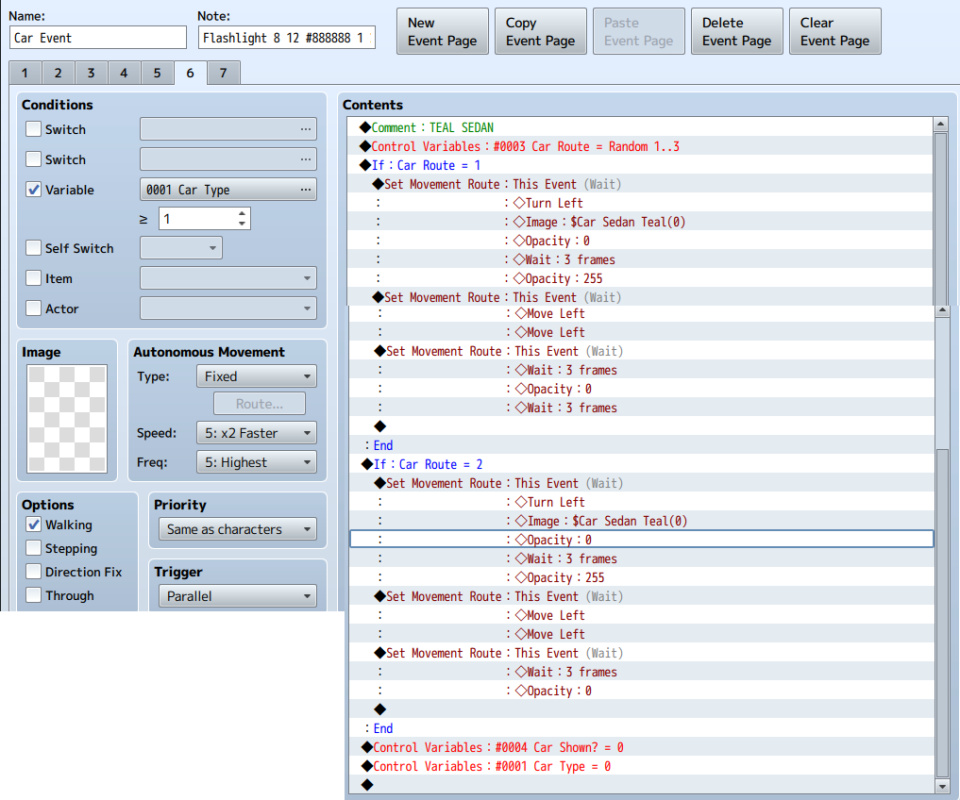
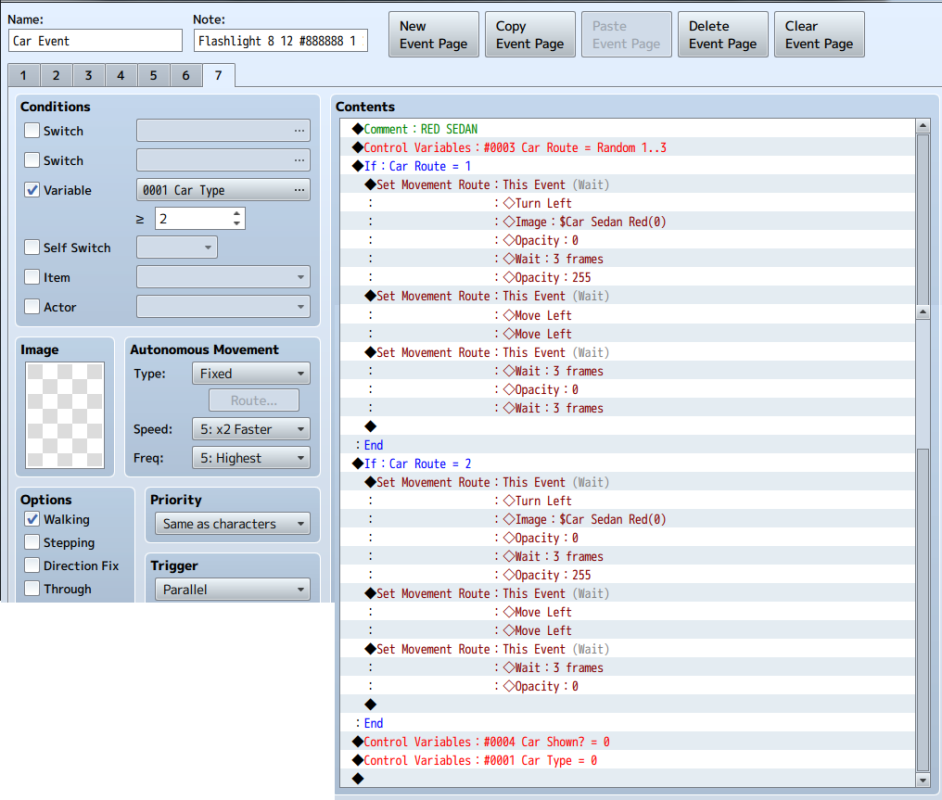
This is complicated because I have pages set on variables to consider the events delay of showing itself on map, it's graphic when shown, and it's pathway which can be multiple depending on what map it's on. Now actually showing what I have here might be difficult, so the first 5 pages are screenshots.
Page 6-7 are long pages full of move routs so I will condense them into text here to show you the paths.
Page 6
Comment: Teal Sedan
Control Variables: #0003 Car Route=1..3
If: Car Route=1
Set Movement Route: This Event (Wait) (bunch of facing direction, Image: $Car Sedan Teal (0) opacity changes etc
Set Movement Route: This Event (Wait) ( Various movement paths )
Set Movement Route: This Event (Wait) (Opacity changes and wait timers)
If: Car Route=2
Set Movement Route: This Event (Wait) (bunch of facing direction, Image: $Car Sedan Teal (0) opacity changes etc
Set Movement Route: This Event (Wait) ( Opposite Various movement paths to route 1 )
Set Movement Route: This Event (Wait) (Opacity changes and wait timers)
:End
Control Variables: #0004 Car Shown?=0
Control Variables: #0001 Car Type=0
Page 7
Comment: Red Sedan
Control Variables: #0003 Car Route=1..3
If: Car Route=1
Set Movement Route: This Event (Wait) (bunch of facing direction, Image: $Car Sedan Teal (0) opacity changes etc
Set Movement Route: This Event (Wait) ( Various movement paths )
Set Movement Route: This Event (Wait) (Opacity changes and wait timers)
If: Car Route=2
Set Movement Route: This Event (Wait) (bunch of facing direction, Image: $Car Sedan Teal (0) opacity changes etc
Set Movement Route: This Event (Wait) ( Opposite Various movement paths to route 1 )
Set Movement Route: This Event (Wait) (Opacity changes and wait timers)
:End
Control Variables: #0004 Car Shown?=0
Control Variables: #0001 Car Type=0
Now what it's supposed to do in order is:
- Determin it's location on setting it's event location and then controlling whether the car is shown
- 2nd page gives the ok for the vehicle to actually show itself and chooses it's graphic and path to take- then reverting back to page 1
- page 3-5 deny the car to be shown and each set a different wait timer on itself then reverting back to page 1
- page 6-7 choose a different graphic, and then randomly decide a path to take via the conditional branch.
The problem so far is that the vehicle when chosen a graphic and a path- some random point in time it changes it's path and graphic sending the event off course and when the page is supposed to return to page 1- it does not seem to teleport it back to it's original position.
I hope this explains things enough for the reader.
Protected download
Protected download
Protected download
Protected download
Protected download
Protected download
Protected download



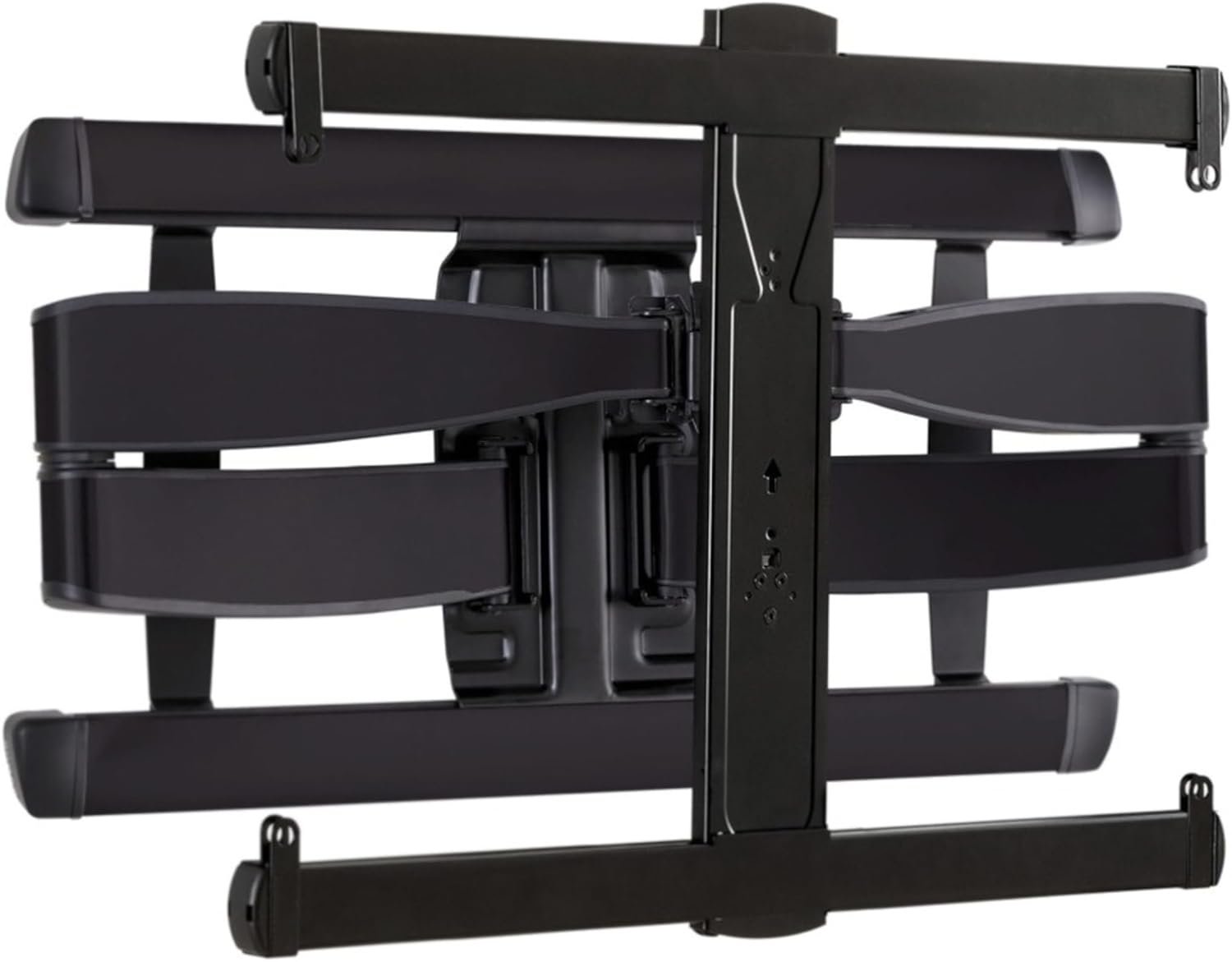 SANUS Advanced Full-Motion TV Wall Mount
Full-motion TV mount for flexible viewing angles and a cleaner entertainment wall.
View on Amazon
SANUS Advanced Full-Motion TV Wall Mount
Full-motion TV mount for flexible viewing angles and a cleaner entertainment wall.
View on Amazon