


Resetting Event
BMM_Archive · July 15, 2026

Original Source
- Original title: Resetting Event
- Original author: IndigoAir
- Original date: June 24, 2017
- Source thread: https://forums.rpgmakerweb.com/threads/resetting-event.80313/
- Source forum path: Game Development Engines > Legacy Engine Support > RPG Maker VXAce Support
Summary
This is driving me mad, I am probably missing something really simple and obvious but I have gone through so many methods of trying to do this event that I can't think anymore. I found a few threads that helped in some ways but nothing so far has allowed me to accomplish the event the way I want. I have a room with 4 sliding bookcases. I figured out how to make them slide, but I can't make them stay put once the player leaves the room, and unless they...
Archived First Post
I have a room with 4 sliding bookcases. I figured out how to make them slide, but I can't make them stay put once the player leaves the room, and unless they do the player can't complete the dungeon. I tried making new event pages to replace the initial ones after they move, but then the bookcase just jumps from one position to the next instead of sliding. I tried inserting a "wait 60 frames" command, but somehow this causes the bottom half of the bookcase to never appear.
Protected download
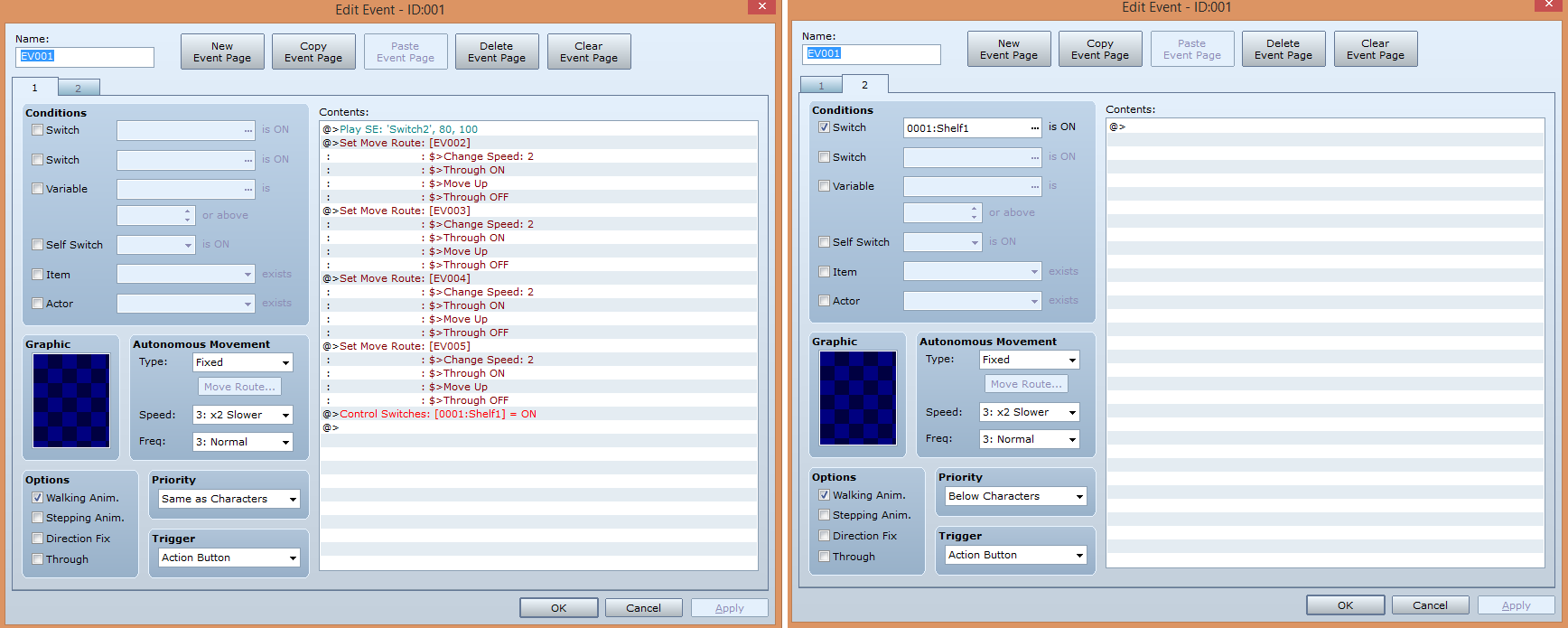
Event pages for the first method - works perfectly initially but after leaving the room and coming back they are in their original positions.
Protected download
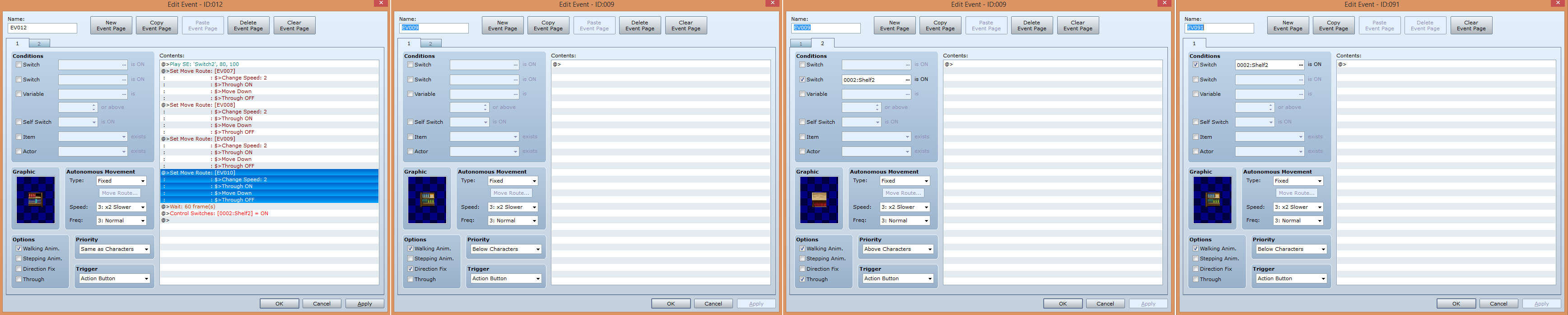
Event page examples for the second method. The top part of the bookcase shows up where the bottom should be even though it's only set to move 1 tile, and the bottom is not visible. But when I leave the room and come back the top has moved back up and the bottom is visible.
Why can't I figure this out? I don't understand why setting the global switch in the first method doesn't cause the bookcase to remain in place after I leave the room and I don't understand why setting the "wait" command makes the top part of the shelf appear one space lower than it's supposed to, and why the bottom isn't affected, or why leaving the room changes the bookshelf's appearance, or why setting the global switch in this method DOES cause the bookshelf to appear in the right spot after leaving the room. .______.*
Downloads / Referenced Files
Log in, then follow the RPG Maker Developers Group to see these download links.
Log in to downloadReferenced Images / Attachments
Creator Claims / Removal
If you are the original creator and want this listing reassigned, edited, or removed, join BMMPlay and contact the moderators with proof that matches the original RPG Maker Web profile, linked GitHub, itch.io page, or another public creator identity.
Replies (0)
No replies yet.
Topic Summary
Loading summary...

