Preserved forum archive. This topic stores the original first post and locally mirrored RPG Maker Web attachments when available. It is posted by the BMMPlay archive account, not by the original creator.
Original Source
- Original title: Overlay Trouble
- Original author: SakuraMiya
- Original date: May 30, 2017
- Source thread: https://forums.rpgmakerweb.com/threads/overlay-trouble.79285/
- Source forum path: Game Development Engines > Legacy Engine Support > RPG Maker VXAce Support
Summary
This has never happened to me before, but for some reason, when I move from map to map, the overlays I put to the map are gone. And yes, I know about the "Erase Event" thing. I'm also using Seer's Fixed Pictures script, but even these layers dissappear when I move from map to map. What's happening? Am I overlooking something? { "lightbox_close": "Close", "lightbox_next": "Next",
Archived First Post
This has never happened to me before, but for some reason, when I move from map to map, the overlays I put to the map are gone. And yes, I know about the "Erase Event" thing. I'm also using Seer's Fixed Pictures script, but even these layers dissappear when I move from map to map. What's happening? Am I overlooking something?
Protected download
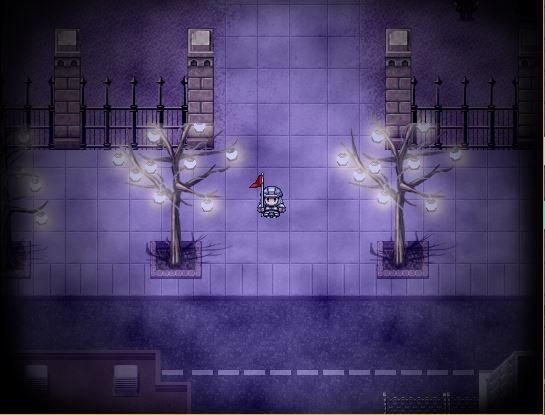
This is the first map
Protected download
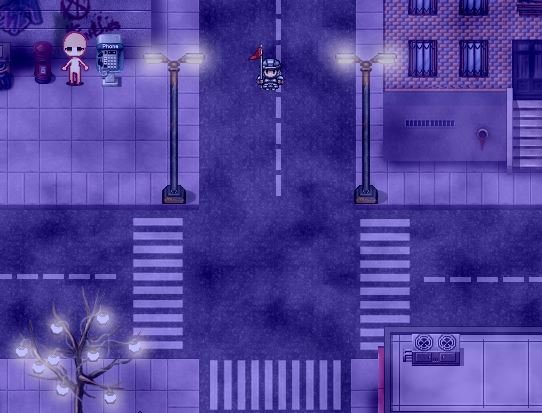
This is when I move maps. Notice that the black overlay is gone, even when it shouldn't have.
Protected download
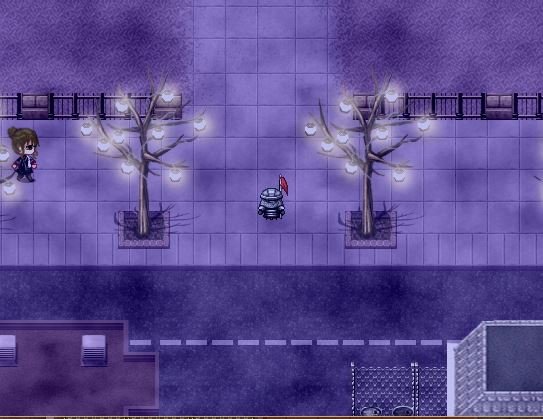
This happens when I return. And sudenly the fixed picture and overlays are gone!
Protected download
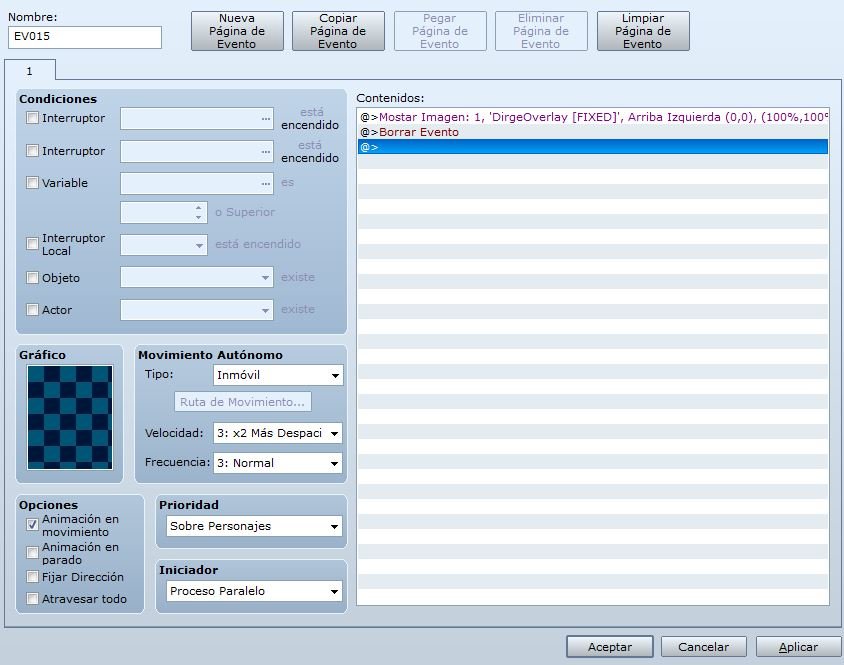
And I don't get why, since I used this.
Protected download
This is the first map
Protected download
This is when I move maps. Notice that the black overlay is gone, even when it shouldn't have.
Protected download
This happens when I return. And sudenly the fixed picture and overlays are gone!
Protected download
And I don't get why, since I used this.
Downloads / Referenced Files
Log in to download
Log in, then follow the RPG Maker Developers Group to see these download links.
Log in to downloadReferenced Images / Attachments
Creator Claims / Removal
If you are the original creator and want this listing reassigned, edited, or removed, join BMMPlay and contact the moderators with proof that matches the original RPG Maker Web profile, linked GitHub, itch.io page, or another public creator identity.
Replies (0)
No replies yet.
0
replies
1
view
Topic Summary
Loading summary...