


Help with Animation File Frame Sizes
BMM_Archive · July 15, 2026

Original Source
- Original title: Help with Animation File Frame Sizes
- Original author: kibcob
- Original date: November 27, 2016
- Source thread: https://forums.rpgmakerweb.com/threads/help-with-animation-file-frame-sizes.71571/
- Source forum path: Game Development Engines > Legacy Engine Support > RPG Maker VXAce Support
Summary
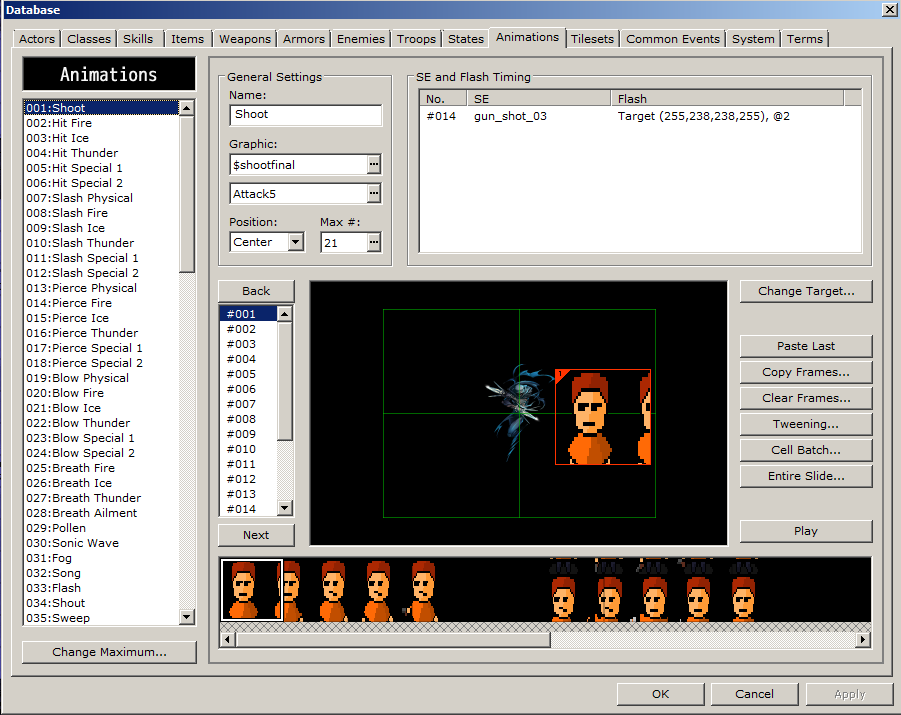
Okay, I've been trying to make an Animation in RMVXA. The original file with the 1:1 pixel size ratios works just fine; but the only problem is that when they appear in-game, the frames look too wide and fat. I've tried adjusting the ratio of the original picture to the correct ratio where it doesn't appear too widened, and it should appear like that, however the sizes of the frames that RMVXA automatically selects is not compatible with the resized version, and I end up getting cells that look like this;...
Archived First Post
Protected download
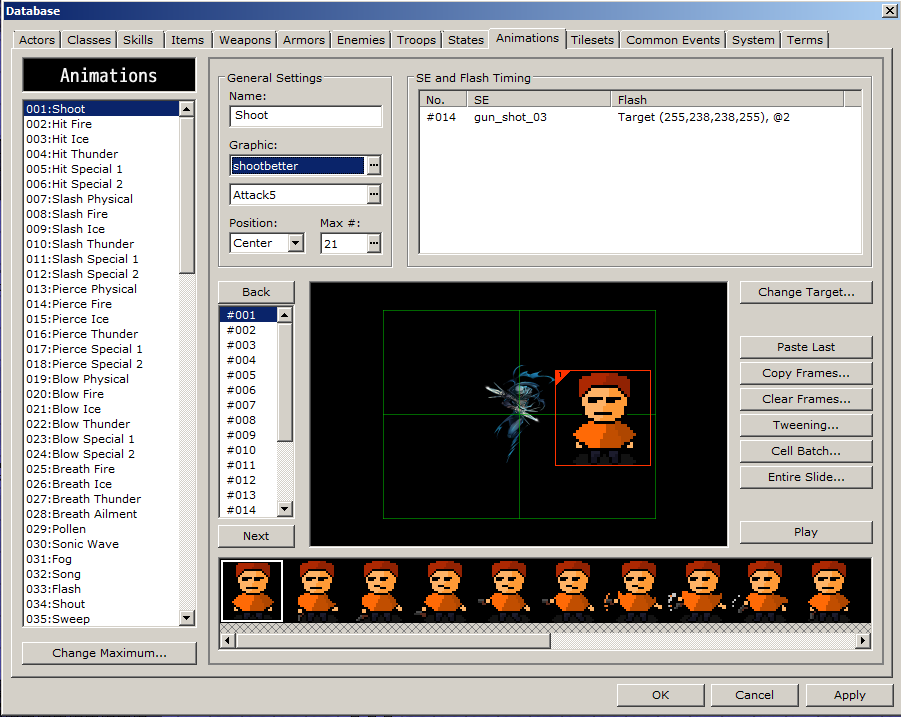
As you can see, the character is cut off and the frame seems to be in an odd position. I want to avoid this and instead have the cell somehow resized in order to look a little something more like this;
Protected download
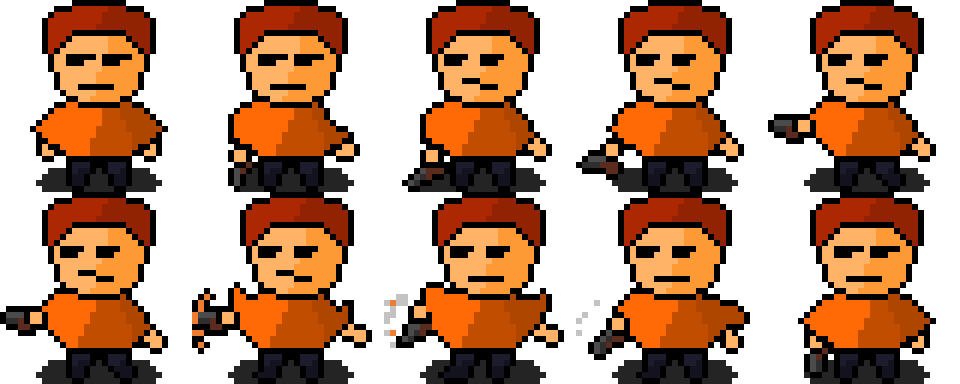
Here the character is set into the cell just fine, but as I stated earlier, with this 1:1 pixel size ratio, the character looks too wide in game with the given aspect ratio to the character. If I cannot change the cell size, that'll be just fine. I would at the very least like to know how to set a resolution at a 1:1 ratio. Below is the original, 1:1 picture.
Protected download
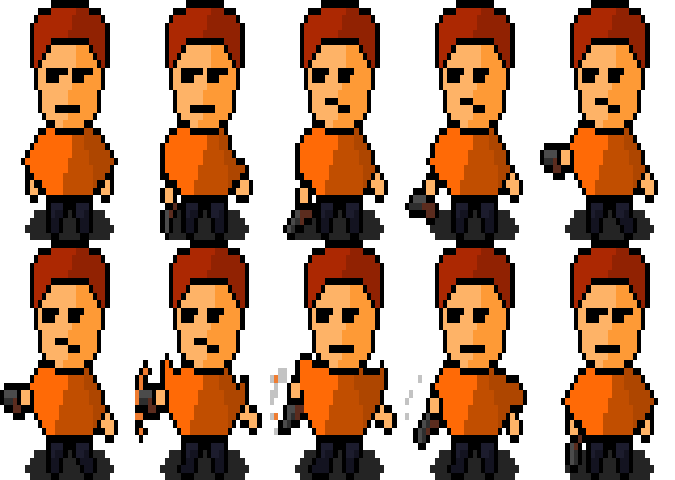
Below is the same picture, however, adjusted to a 16:9 ratio.
Protected download
If anybody can tell me how to change the size of the cells for animation, or how I can change the resolution to a 1:1 aspect ratio, I will be exceeding grateful. Thank You!
Downloads / Referenced Files
Log in, then follow the RPG Maker Developers Group to see these download links.
Log in to downloadReferenced Images / Attachments
Creator Claims / Removal
If you are the original creator and want this listing reassigned, edited, or removed, join BMMPlay and contact the moderators with proof that matches the original RPG Maker Web profile, linked GitHub, itch.io page, or another public creator identity.


Replies (0)
No replies yet.
Topic Summary
Loading summary...
