


Weapon Animation not playing correctly
BMM_Archive · July 15, 2026

Original Source
- Original title: Weapon Animation not playing correctly
- Original author: trevbot
- Original date: November 26, 2016
- Source thread: https://forums.rpgmakerweb.com/threads/weapon-animation-not-playing-correctly.71493/
- Source forum path: Game Development Engines > Legacy Engine Support > RPG Maker VXAce Support
Summary
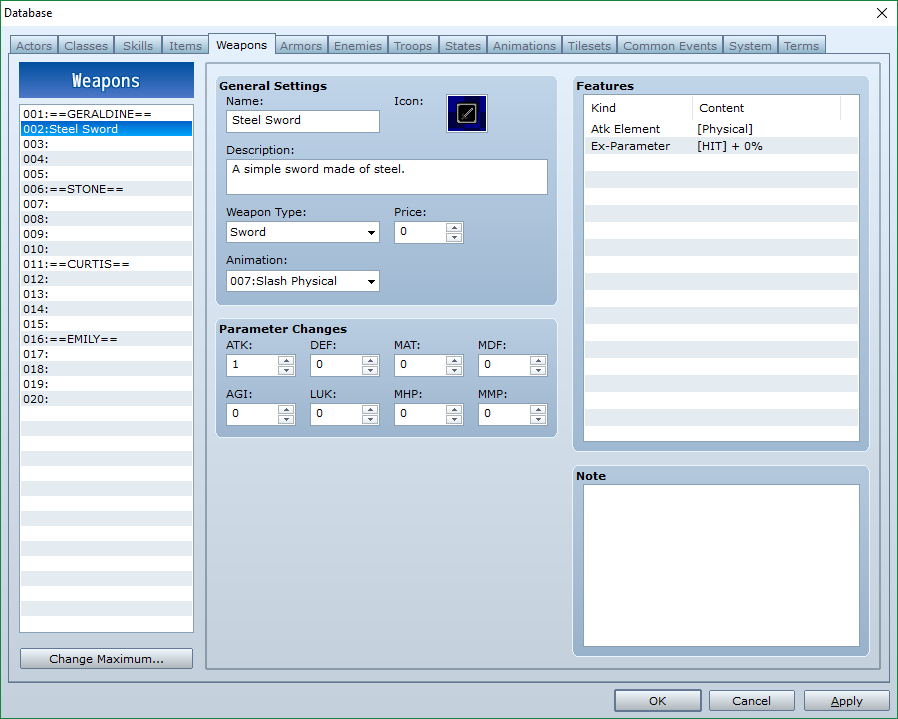
EDIT: This problem has been solved! The problem was that Skill slot 1 had been set to "Hit Physical" in stead of "Normal Attack" which overwrote all the weapon animations. This problem just started happening to me a few minutes ago, and I didn't change anything that (I think) should affect it. Basically I have a weapon (pictured below) with a specific animation. However, whenever a character with that weapon equipped attacks, the default animation (Hit Physical) is played instead of the animation I have selected. I have tried this...
Archived First Post
This problem has been solved! The problem was that Skill slot 1 had been set to "Hit Physical" in stead of "Normal Attack" which overwrote all the weapon animations.
This problem just started happening to me a few minutes ago, and I didn't change anything that (I think) should affect it.
Basically I have a weapon (pictured below) with a specific animation. However, whenever a character with that weapon equipped attacks, the default animation (Hit Physical) is played instead of the animation I have selected. I have tried this with a number of different weapons, and they all play the same animation no matter what is assigned.
I should add that the correct animation was playing before. All I have done since seeing it work properly are: Create a new State, Create a new Skill, Initialize the Battle Tester.
EDIT: I should also mention that this issue happens both in the Battle Tester and in the full game test mode.
Protected download
Downloads / Referenced Files
Log in, then follow the RPG Maker Developers Group to see these download links.
Log in to downloadReferenced Images / Attachments
Creator Claims / Removal
If you are the original creator and want this listing reassigned, edited, or removed, join BMMPlay and contact the moderators with proof that matches the original RPG Maker Web profile, linked GitHub, itch.io page, or another public creator identity.


Replies (0)
No replies yet.
Topic Summary
Loading summary...
