






Original Source
- Original title: Can't Hide TP Bar Using Yanfly's Core Engine
- Original author: VoicesFromTheDark
- Original date: October 23, 2015
- Source thread: https://forums.rpgmakerweb.com/threads/cant-hide-tp-bar-using-yanflys-core-engine.46501/
- Source forum path: Game Development Engines > Legacy Engine Support > RPG Maker MV Support
Summary
Hello, VoicesFromTheDark here, and I just downloaded RPG Maker MV (squeeee!) I'm using some plugins that came with the pre-order, and I'm having an issue with Yanfly's Core Engine plugin that I would like some help with. I looked around on the forum, but couldn't find a topic about it, so I'm making a new one. Please redirect me if there is an ongoing discussion about this. The issue is that when I set the "Menu TP Bar" to be false (meaning off), my game runs into a problem. While...
Archived First Post
I'm using some plugins that came with the pre-order, and I'm having an issue with Yanfly's Core Engine plugin that I would like some help with. I looked around on the forum, but couldn't find a topic about it, so I'm making a new one. Please redirect me if there is an ongoing discussion about this.
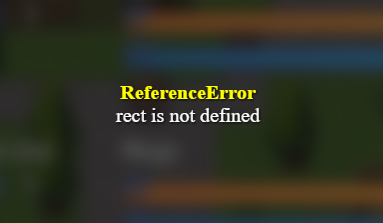
The issue is that when I set the "Menu TP Bar" to be false (meaning off), my game runs into a problem. While I can still open the menu and see that the TP bar is no longer there, I run into an issue when I try to open "Skill" or "Equip". It will freeze and give me the error message attached below (I couldn't post it in the post itself because I was told all the image sharing site URLs I used weren't allowed..)
ReferenceError
rect is not defined
This happens both when I use Yanfly's other SkillCore and EquipCore plugins, and without them. Does anybody have the same issue? Is there any easy fix I'm not seeing? It wouldn't surprise me, I'm new to RPG Maker and scripting. I have seen all of Yanfly's tutorials though. I also have TP disabled from the System tab of the project itself. It's my first time posting on this forum, and I hope I managed to follow the rules and posted correctly, but again, feel free to correct me, and I appreciate all and any help!
Protected download
Downloads / Referenced Files
Log in, then follow the RPG Maker Developers Group to see these download links.
Log in to downloadReferenced Images / Attachments
Creator Claims / Removal
If you are the original creator and want this listing reassigned, edited, or removed, join BMMPlay and contact the moderators with proof that matches the original RPG Maker Web profile, linked GitHub, itch.io page, or another public creator identity.
Replies (0)
No replies yet.
Topic Summary
Loading summary...
