Preserved forum archive. This topic stores the original first post and locally mirrored RPG Maker Web attachments when available. It is posted by the BMMPlay archive account, not by the original creator.
Original Source
Original title: Evented title screen w/ pictures - Problem with commands
Source forum path: Game Development Engines > Legacy Engine Support > RPG Maker MV Support
Summary
Hello everyone! I wanted to work in my project, and I tried to make an evented title screen. I used a plugin to skip the title and make my own screen, and I tried to event something basic: The name of the game, with below it three commands (Start, Continue and Option). Each command would zoom when it was selected, and deozom when it wasn't. I took the most simplistic way possible, by using a variable who cycled between 0, 1 and 2 when the Left and Right buttons were...
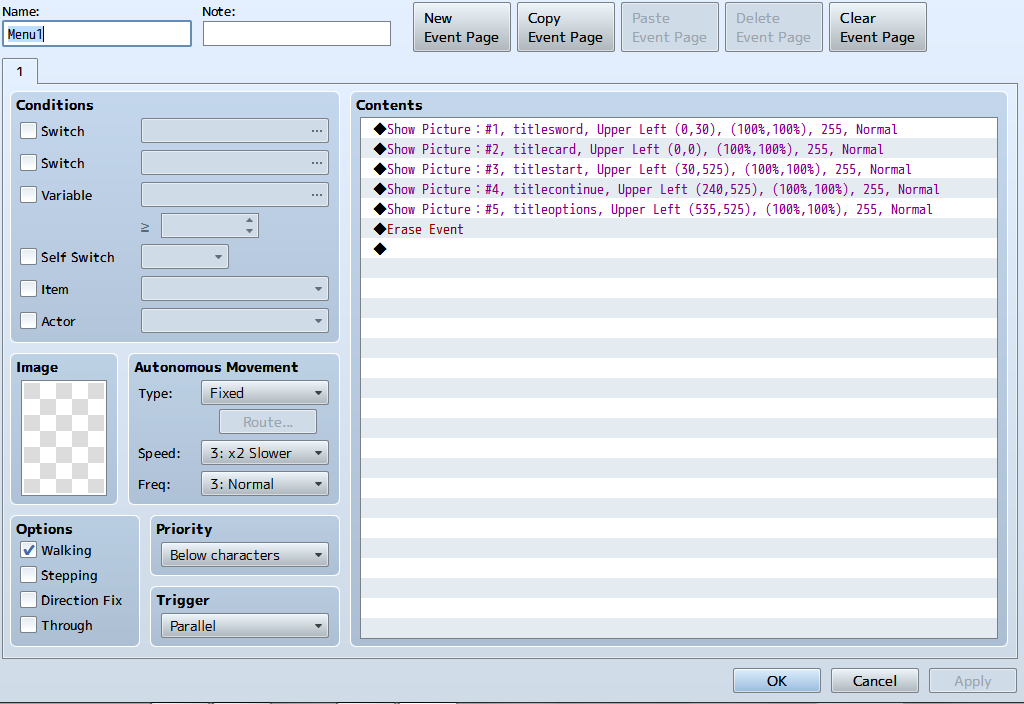
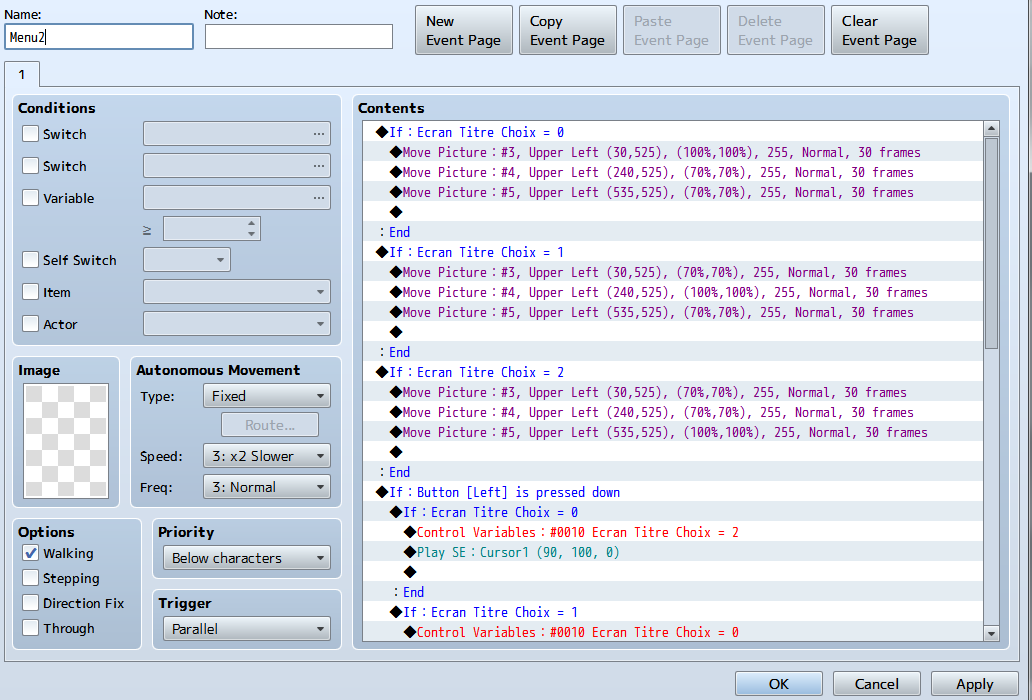
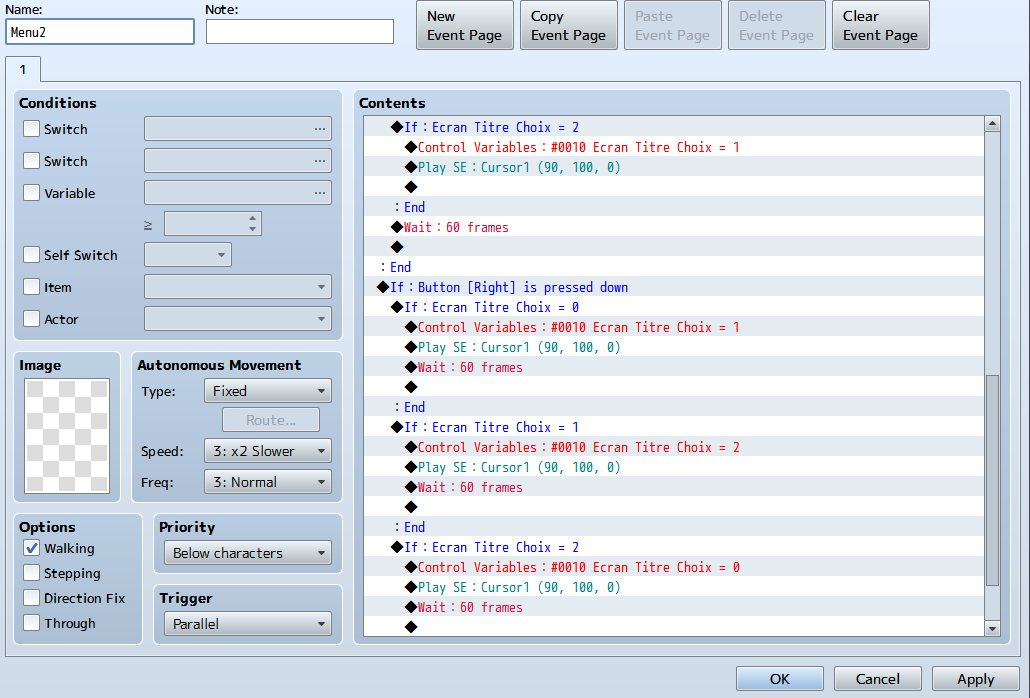
I wanted to work in my project, and I tried to make an evented title screen. I used a plugin to skip the title and make my own screen, and I tried to event something basic: The name of the game, with below it three commands (Start, Continue and Option). Each command would zoom when it was selected, and deozom when it wasn't. I took the most simplistic way possible, by using a variable who cycled between 0, 1 and 2 when the Left and Right buttons were pressed. 0 is Start, 1 is Continue and 2 is Options. As for the pictures, 3 is Start, 4 is Continue and 5 is Options.
However, I encountered a problem. I playtested the game, and apparently I can't go to 2 (Options), and the Right Button doesn't work (I hear the sound effect I put into the event, but the variable doesn't change). I checked both of the events I used and I don't believe I made a mistake... Did I overlooked something?
I'm sending three screens: The first one shows my first event, were everything is initialized (Put all the pictures here, then erase the event). The second and third ones are from the second event, where I have everything related to the commands.
I hope someone will find what I did wrong! (Again, I'm a bit sleepy so maybe I made a huge mistake that I don't see...)
Thanks!
Protected download
Protected download
Protected download
Downloads / Referenced Files
Log in to download
Log in, then follow the RPG Maker Developers Group to see these download links.
If you are the original creator and want this listing reassigned, edited, or removed, join BMMPlay and contact the moderators with proof that matches the original RPG Maker Web profile, linked GitHub, itch.io page, or another public creator identity.






 UGREEN Nexode 200W GaN USB-C Wall Charger
High-output four-port USB-C charger for laptops, tablets, phones, and travel kits.
View on Amazon
UGREEN Nexode 200W GaN USB-C Wall Charger
High-output four-port USB-C charger for laptops, tablets, phones, and travel kits.
View on Amazon