Original Source
- Original title: The Player doesn't have a walking animation after one event.
- Original author: ChromePixel
- Original date: August 17, 2016
- Source thread: https://forums.rpgmakerweb.com/threads/the-player-doesnt-have-a-walking-animation-after-one-event.66947/
- Source forum path: Game Development Engines > Legacy Engine Support > RPG Maker VXAce Support
Summary
So, I have an event where Blaine tells Jack what he needs to do. I uploaded the game so you guys can help me work through this. Unfortunately, I don't know what I did wrong. I don't have any autorun events, and I don't think I need anything else done. I just don't understand this program sometimes. Also, I'd like the event to continue playing the map's music after the event is over. How would I make that happen? I accidentally put this on the wrong page. So I apologize...
Archived First Post
I accidentally put this on the wrong page. So I apologize for that; this is my first post on here so I'm still learning things. There's a lot of pictures to go with this. Protected download
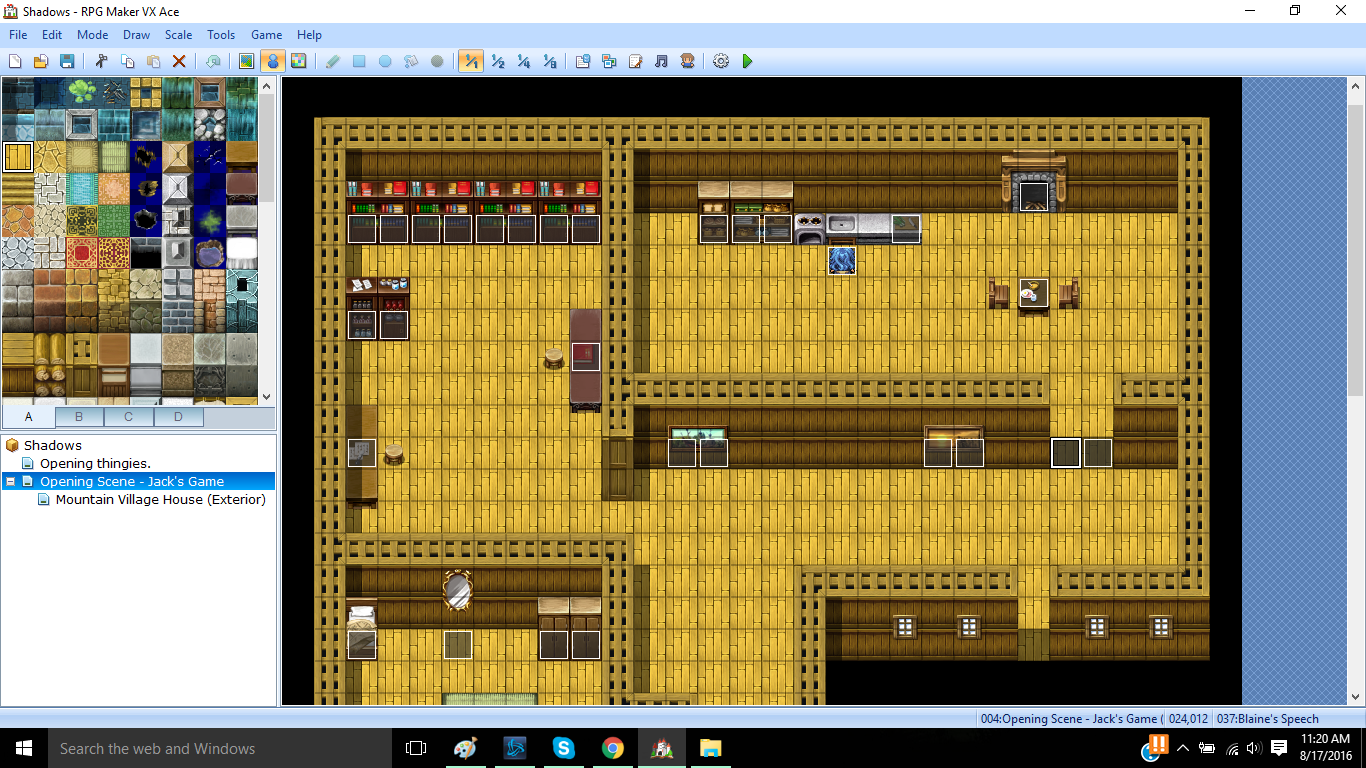
This is the map in general. The event is located in the double-wide doorway. The event activates when the player steps onto it.Protected download
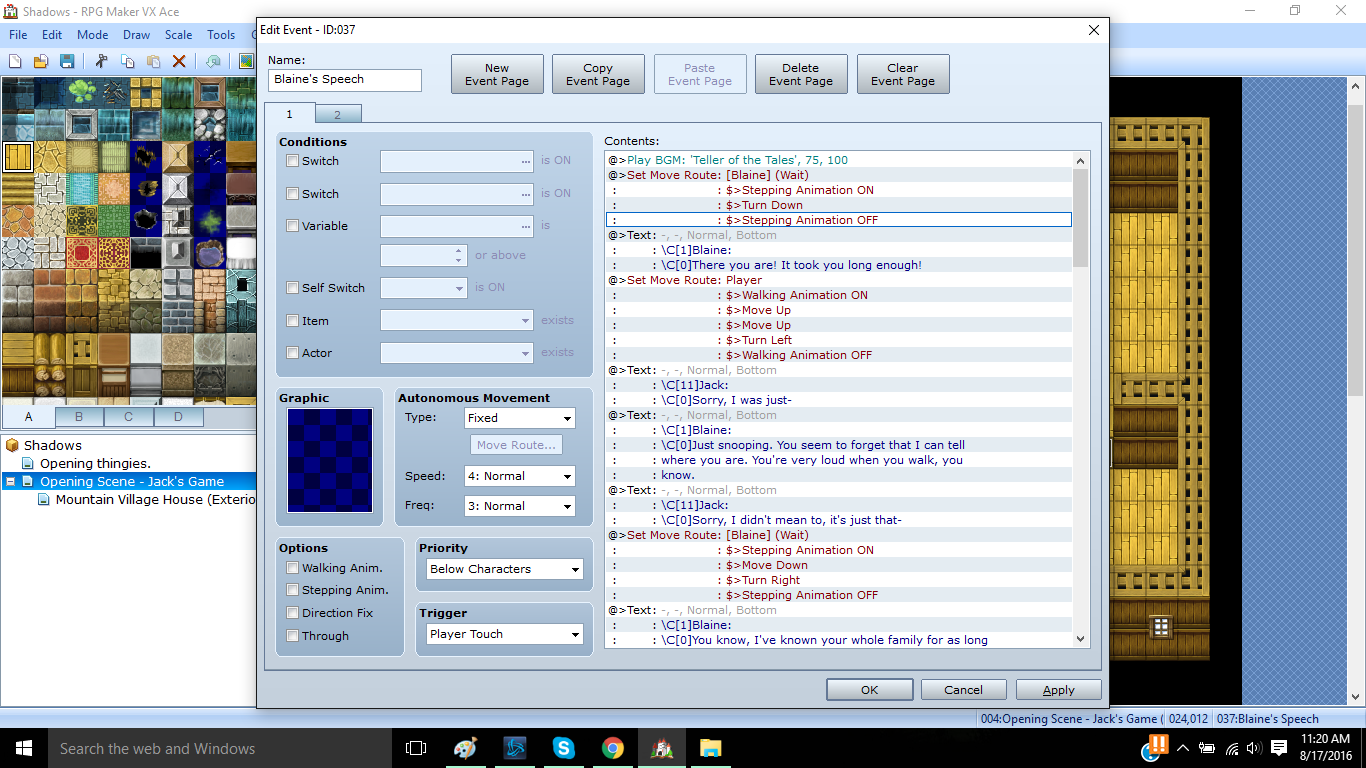
The first part of the event. Here, I still have the normal map BGM playing, as I have no other way to do it.Protected download
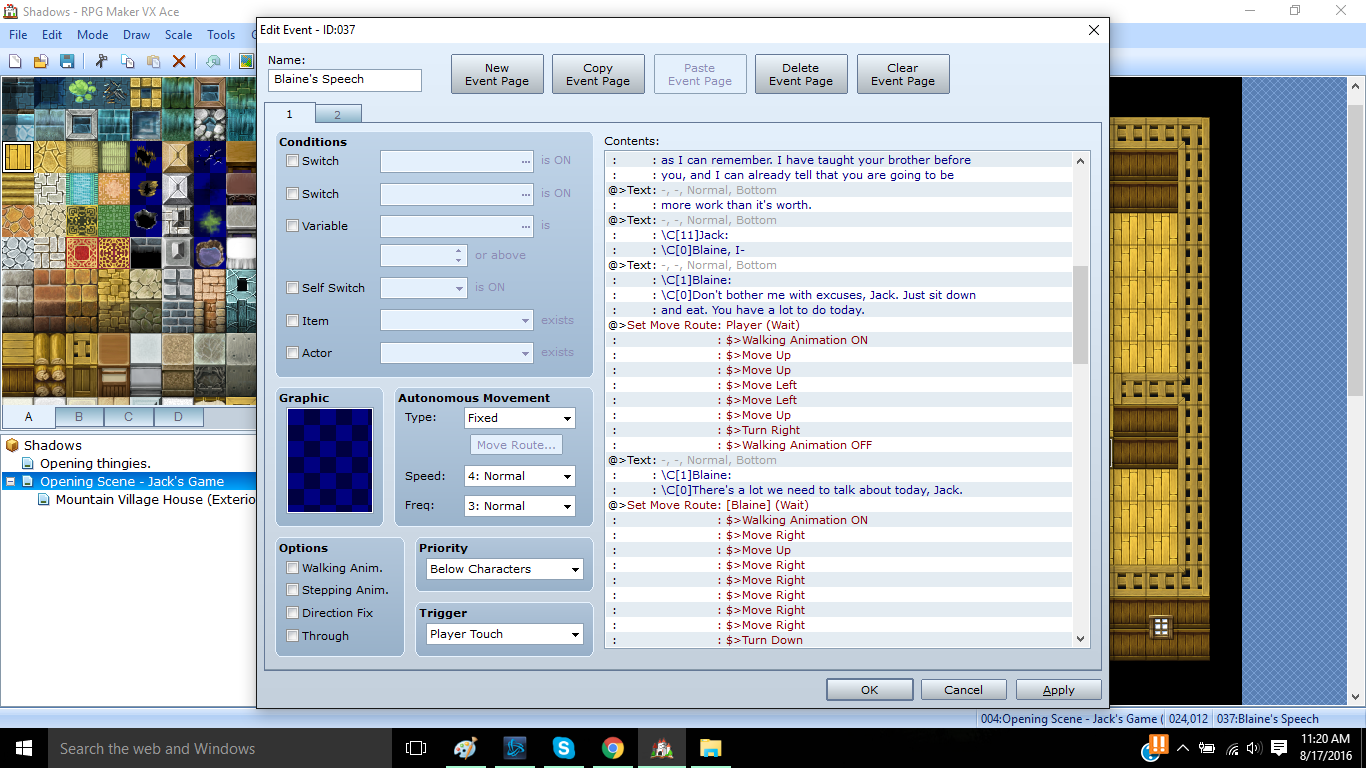
The second page of the event.Protected download
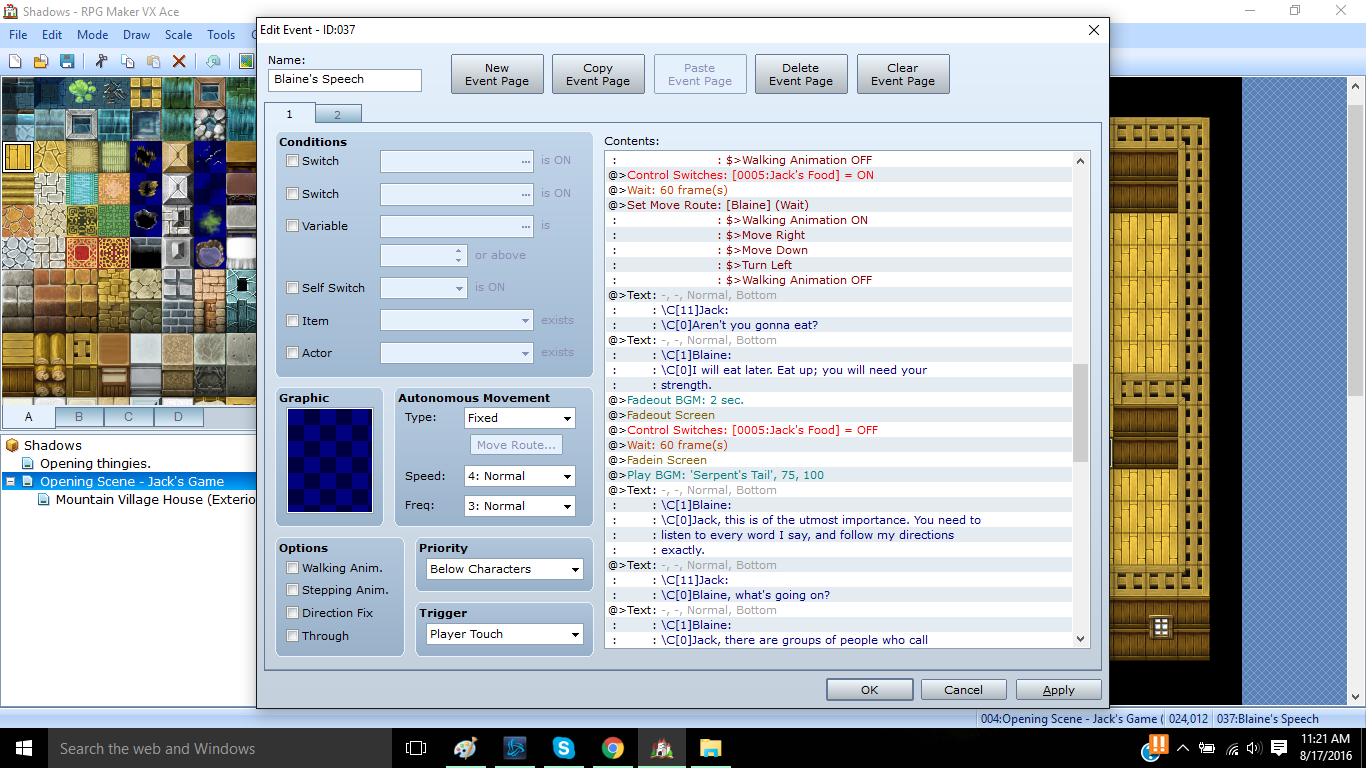
The third page of the event. Here I change the BGM to a more tense one. Protected download
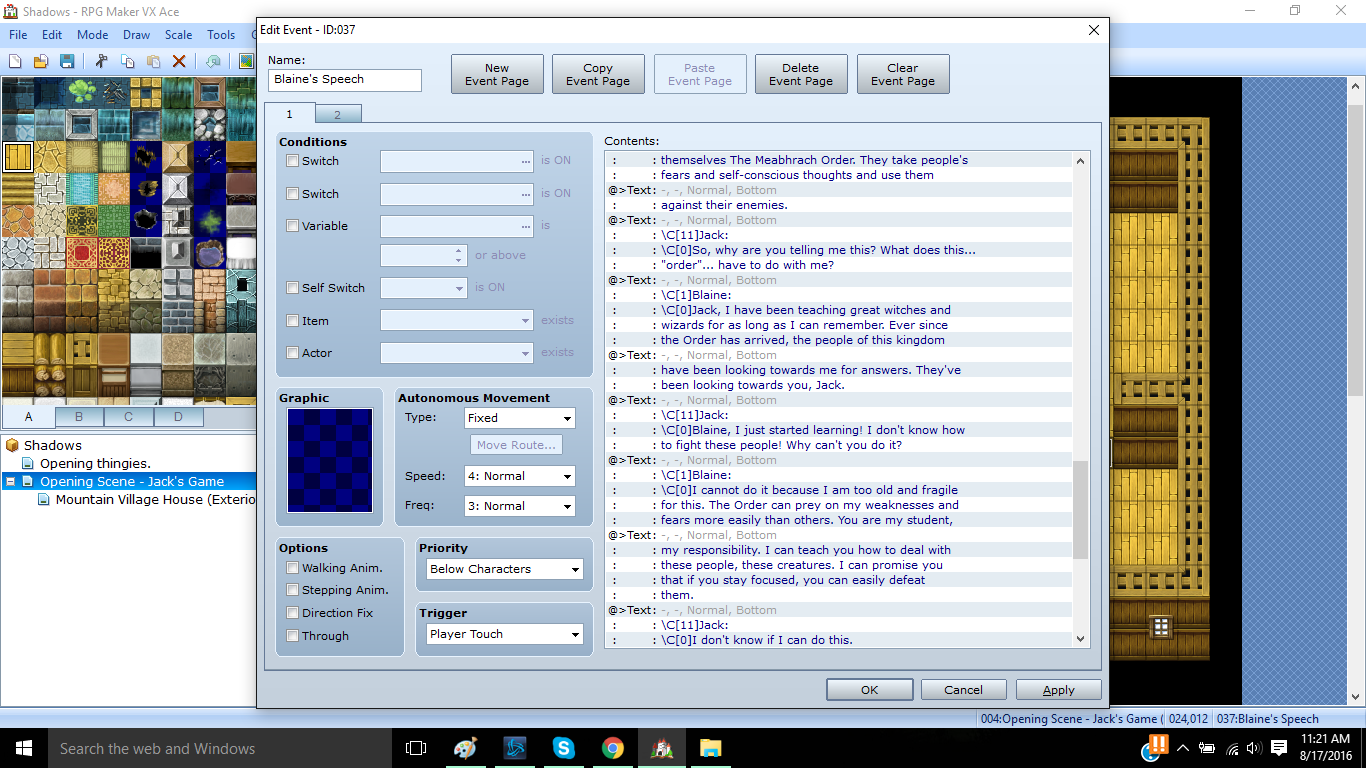
The fourth page of the event. There's just a lot of talking here.Protected download
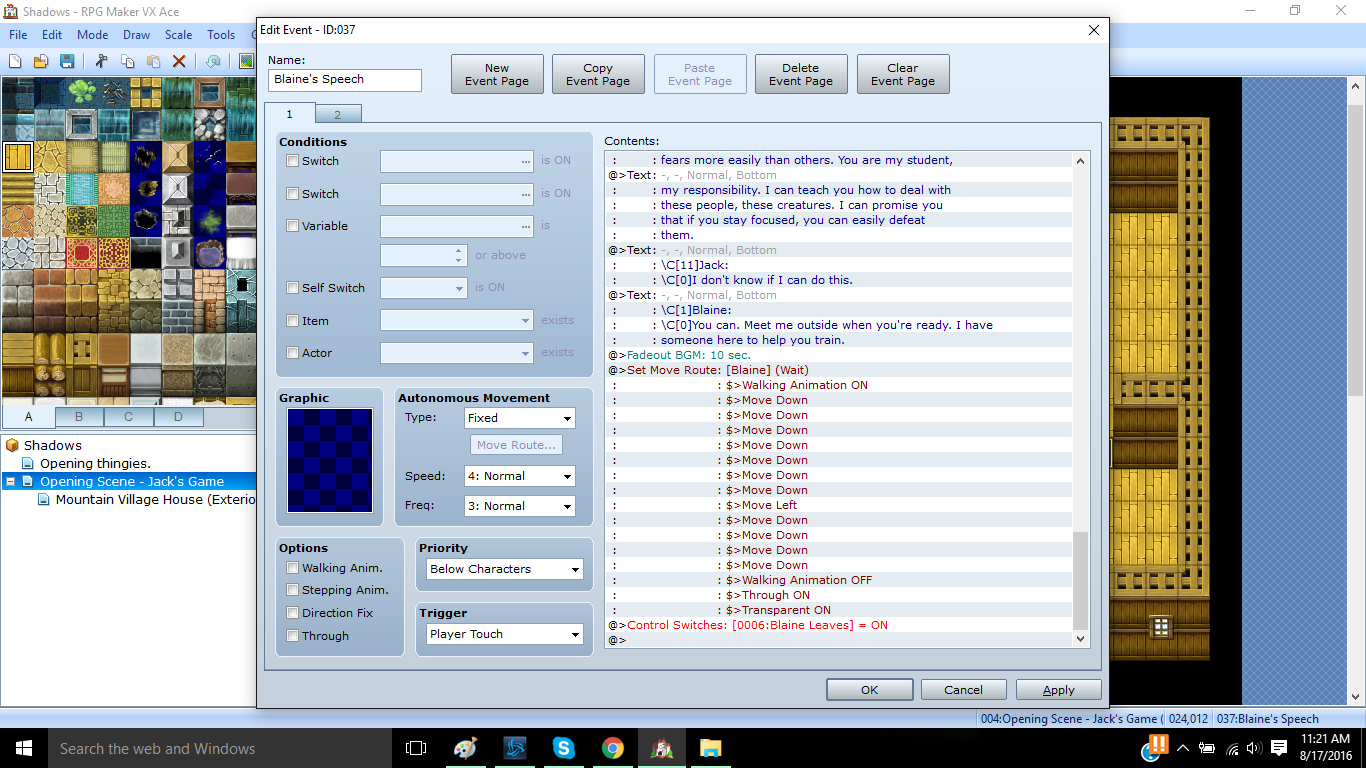
This is the end of the event. Here, I create the switch "Blaine Leaves" so that if the player saves, the event won't keep running if they touch it again.Protected download
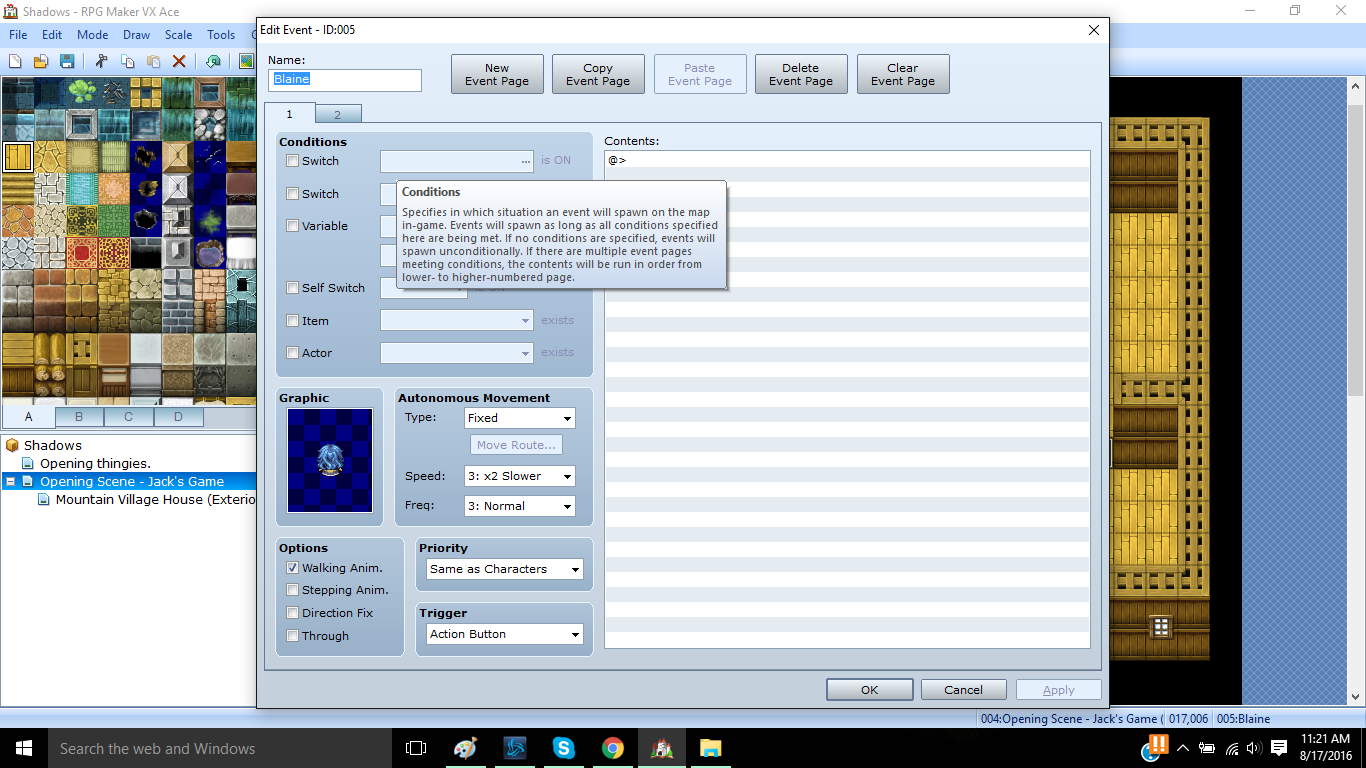
This actor is in the event, but if the player saves, she's still there.Protected download
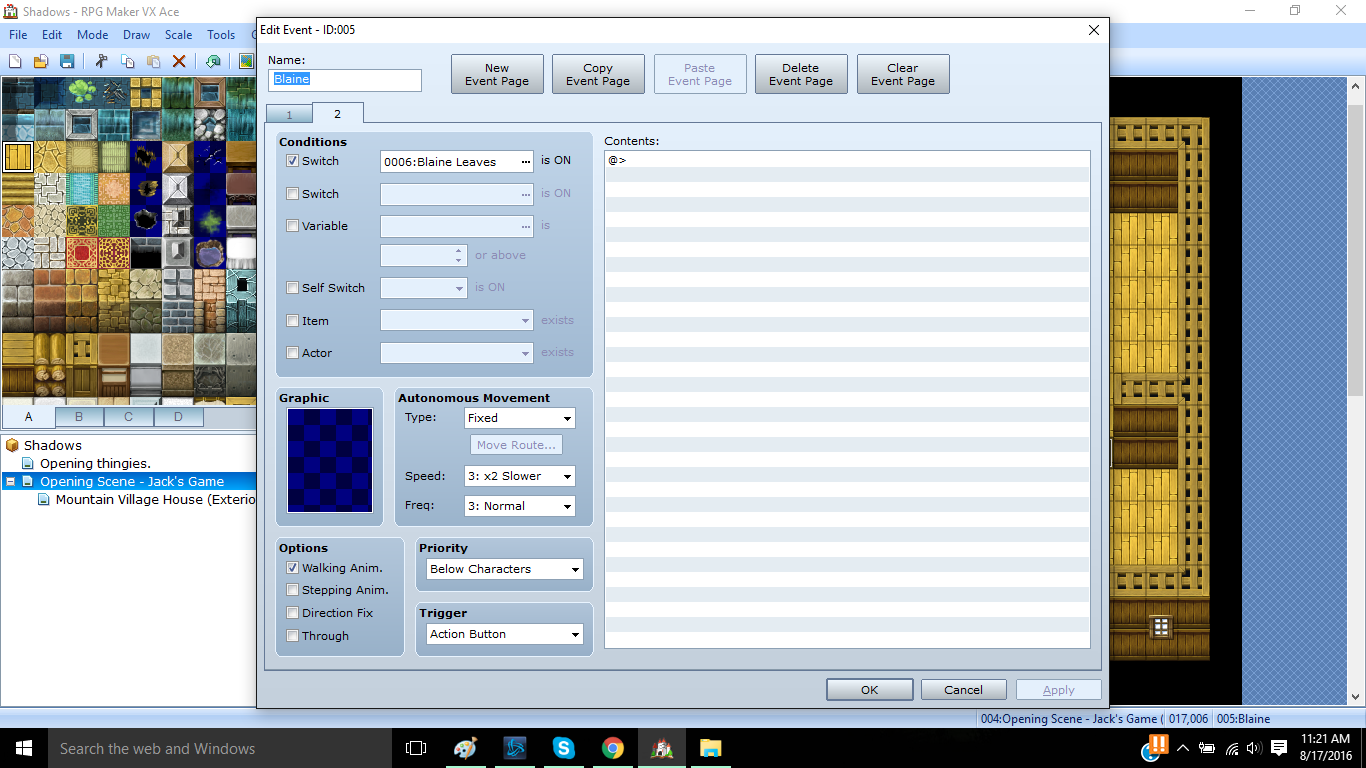
So I made a second page that reacts to this switch made.
Unfortunately, when the event is over, the map BGM doesn't play again. I don't know what to do with that.
Downloads / Referenced Files
Log in, then follow the RPG Maker Developers Group to see these download links.
Log in to downloadReferenced Images / Attachments
Creator Claims / Removal
If you are the original creator and want this listing reassigned, edited, or removed, join BMMPlay and contact the moderators with proof that matches the original RPG Maker Web profile, linked GitHub, itch.io page, or another public creator identity.
Replies (0)
No replies yet.
Topic Summary
Loading summary...